


How to Block Dating Apps on iPhone (2026)

 X
X LinkedIn
Block dating apps on iPhone: quick answer
There are three practical ways to block or limit dating apps on iPhone in 2026. Use iOS Screen Time (free and built in) to set App Limits or block during Downtime, use One Sec to add a breathing pause before an app opens, or use Habit Doom to keep Tinder, Hinge, and Bumble locked until your habits are done. Each is a different amount of friction. Pick by how you actually fail, not by feature count.
The short version of each method:
- iOS Screen Time: fastest to set up and free, but the Ignore Limit button undoes the block in one tap.
- One Sec: a breathing pause and a prompt before you open the app, which builds awareness rather than a hard wall.
- Habit Doom: a hard block that stays locked until you finish your habits, and the lock resists tampering.
Below: what each method does, how to set it up, and which one fits.
Why dating apps are a time sink
The apps in question are Tinder, Hinge, Bumble, and the ones built like them. The pull is endless swiping and the intermittent hit of a match, which is exactly the combination that makes an app easy to open on reflex. You are not deciding to spend forty minutes swiping. You open it to check one thing, the feed refills, a match pops, and the loop keeps you there.
That reflex is the real problem, not the raw minutes. Anyone who has done a dating app detox knows the hard part is the moment your thumb reaches for the icon without a thought behind it. A limit you can dismiss does not help much in that moment, because the pull is strongest right when you are supposed to stop. The methods below work by interrupting the reflex in different ways, from a gentle pause to a block you cannot undo on a whim.
Method 1: iOS Screen Time (free, built in)
Screen Time is already on your iPhone, so this is the zero-cost, zero-download starting point. Two features apply to dating apps:
- App Limits: Settings, Screen Time, App Limits. Add a limit for Social or for the specific dating apps, set a daily cap (say 15 minutes), and iOS greys the app out once you hit it.
- Downtime: schedule windows (evenings, work hours, late at night) where the apps are blocked automatically, so you do not have to remember to switch anything on.
This is genuinely useful for a light cut. If your goal is "swipe less, not never," a 15-minute cap can be enough to break the habit of opening the app every hour.
The catch is baked into the design. When you hit an App Limit, iOS shows an Ignore Limit button, and the person who set the limit can tap it and get straight back into Tinder. It is a speed bump, not a wall. For a serious detox, that one-tap bypass is the whole weakness, because the moment you want to override it is exactly the moment you will.
Use Screen Time if: you want a free, no-download limit and you trust yourself not to tap Ignore Limit every time.
Method 2: One Sec (a pause before you swipe)
One Sec adds friction without a hard block. When you open a dating app, it interrupts with a breathing pause, then asks whether you still want to continue. There is no wall stopping you, but the pause is the point: it gives you a beat to catch the reflex before the swipe loop starts.
What it gives you that Screen Time does not is awareness data. One Sec tracks how often you chose not to open the app after the pause, which is concrete feedback on your impulse control over time. Watching that number climb is its own motivation, and it is the closest thing here to retraining the reflex rather than just fighting it.
The tradeoff is the same as its strength. After the pause, you can proceed, so for anyone who needs a genuine boundary during set hours, One Sec is gentler than a hard block. It runs free with limits, or $19.99/year for premium. It works on iOS and Android.
Use One Sec if: you want to build awareness and catch yourself before you swipe, rather than lock the app away entirely.
Method 3: Habit Doom (habit-gated hard block)
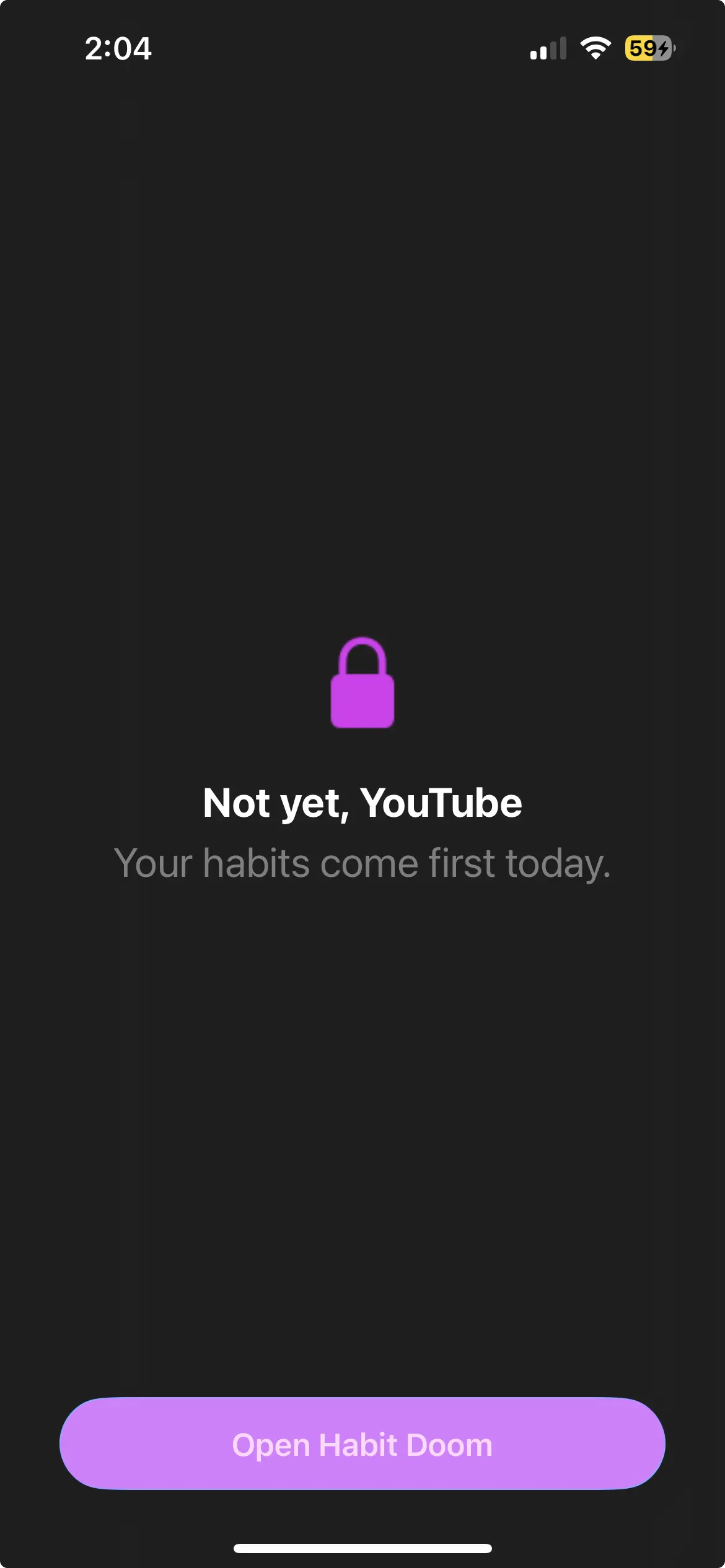
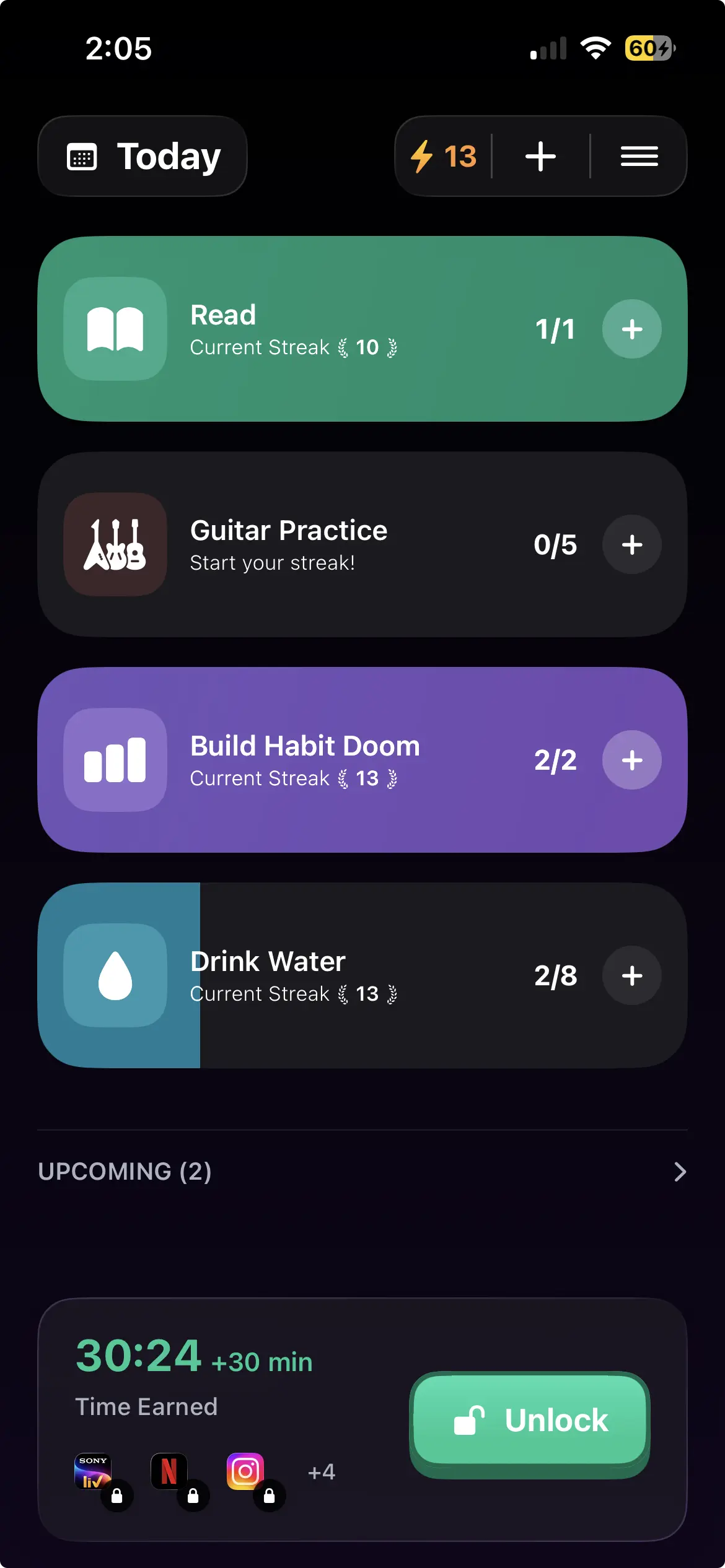
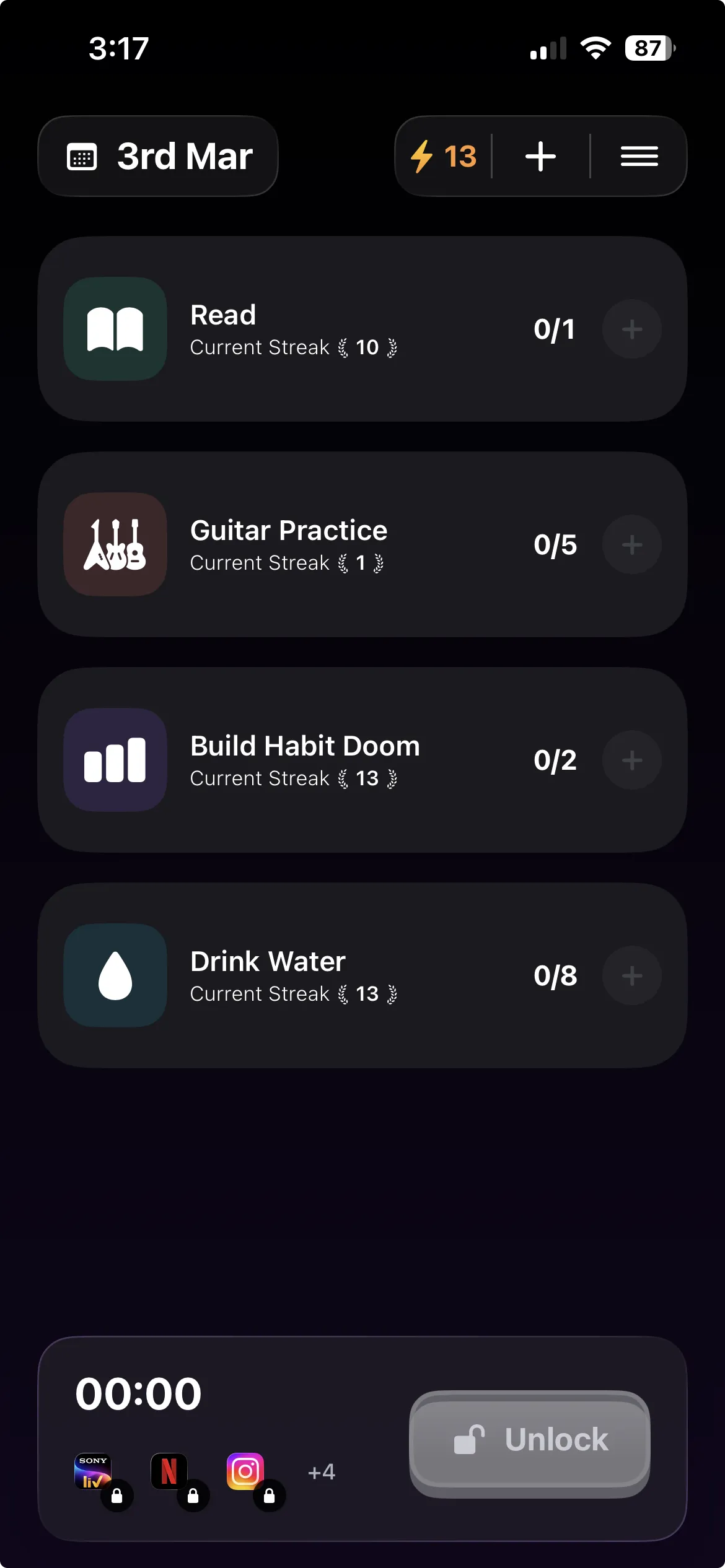
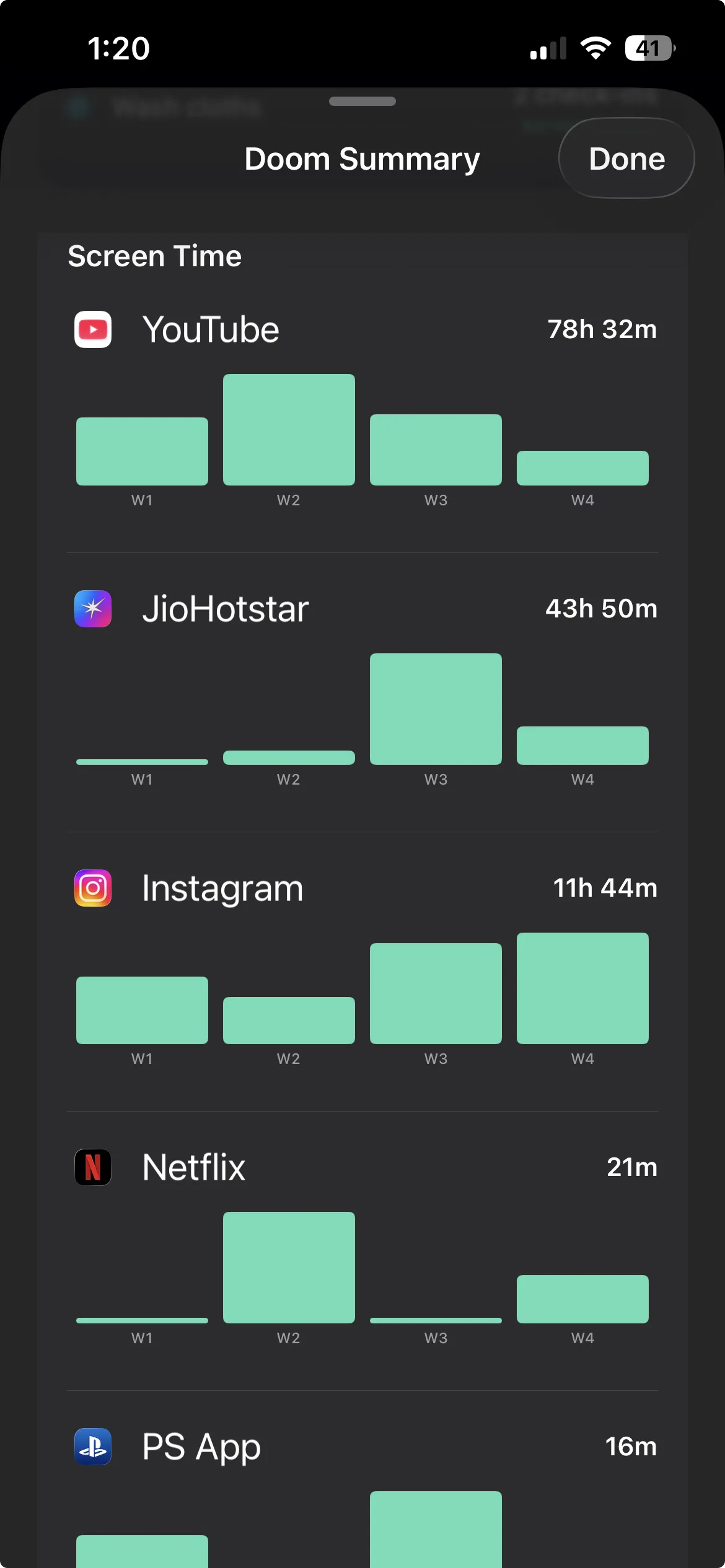
Instead of a limit you can dismiss or a pause you can walk through, Habit Doom keeps the dating apps you pick locked until you finish your habits. Read, exercise, study, whatever you set. The apps stay locked by default and unlock only when the work is done, which pairs well with a rule like "unlock the app after you have actually gone out or hit the gym" instead of swiping in bed.
there is no Ignore Limit button to tap. The block is built on the Apple Screen Time API, the same enforcement layer serious blockers use, and it is tamper-resistant: the lock holds through uninstall, force-quit, and system clock changes. For a real dating app detox, that is the difference between a boundary and a suggestion.
Anti-Cheat (free): when you check a habit off, you snap a real-time photo so you cannot just tap the box and unlock without doing the thing. It is free for all users.
Price: free to download and use, with up to 3 habits, app blocking, custom alarms, streaks, and Anti-Cheat photo verification included. Premium is $4.99/month, $19.99/year (with a 7-day free trial), or $29.99 lifetime for unlimited habits.
Disclosure: Habit Doom is our app, so factor that in. Screen Time and One Sec are genuinely good for what they do, and if a soft limit or a pause is all you need, use those. Habit Doom is the pick when you want the block tied to finished work and you want it to actually hold.
Use Habit Doom if: you want a hard block that stays locked until you have done something first, and you are tired of overriding softer limits.
Quick comparison: the three methods
| Method | Price | Blocking model | Bypass | Free tier | Best for |
|---|---|---|---|---|---|
| iOS Screen Time | Free | App Limits + Downtime | Ignore Limit, one tap | Yes (built in) | A quick, free limit |
| One Sec | Free / $19.99 yr | Breathing pause + prompt | Proceed after pause | Yes (limited) | Awareness before swiping |
| Habit Doom | Free / $4.99 mo | Habit-gated hard block | Tamper-resistant | Yes (3 habits) | A real boundary |
Free options
You can start cutting dating app time today without paying anything.
Fastest free path: iOS Screen Time is already on your phone. Set an App Limit on Tinder, Hinge, and Bumble, or block them during Downtime. No download, no card. The honest caveat is the Ignore Limit button, which defeats the block in one tap for the person who set it.
Free with awareness: One Sec has a free tier with limits, so you can add a breathing pause to a dating app and start seeing how often you back out after the prompt.
Free with a real lock: Habit Doom is free to download and use. The free tier covers up to 3 habits, app blocking through the Apple Screen Time API, custom alarms, streaks, and Anti-Cheat photo verification, with no card required. Unlike a soft Screen Time limit, the lock is tamper-resistant, which is the part most free options skip.
Which method fits which person?
If you just want to swipe a bit less: iOS Screen Time App Limits, free and quick.
If you keep opening the app on reflex and want to catch yourself: One Sec, for the pause and the awareness data.
If you keep tapping Ignore Limit and need a block that holds: Habit Doom, since the lock resists uninstall, force-quit, and clock changes.
If you want the block tied to doing something first: Habit Doom is the only method here that gates the apps behind finished habits, which suits "earn the app back by going out or working out."
If you are on Android too: One Sec runs on both iOS and Android.
The honest take
Dating apps are hard to put down because the swipe-and-match loop turns opening them into a reflex, and a limit you can dismiss rarely survives the exact moment you meant it for. Screen Time is the free, fast starting point, and it is enough if you trust yourself past the Ignore Limit button. One Sec is the gentlest real intervention, adding a pause and, more usefully, a running count of the times you backed out. Habit Doom is the hard version: the dating apps stay locked until your habits are done, and the lock does not fold to a force-quit or a clock change. Pick one, use it for two weeks, and switch if it does not stick. Cycling between blockers without committing is the slowest path to less time on the app. For more, see how to stop doomscrolling or the best iPhone app blockers of 2026.
Frequently Asked Questions
Keep Reading
Try Habit Doom
Lock your distracting apps. Complete your habits. Earn your screen time. It takes 30 seconds to set up.
Download Free