


How to Stop Doomscrolling: 7 Ways That ACTUALLY Work

 X
X LinkedIn
How to Stop Doomscrolling: Quick Answer
To stop doomscrolling, replace the habit instead of fighting it. The most effective approach combines an app blocker tied to your daily habits with intentional friction (notifications off, grayscale mode, social apps off your home screen) so distracting feeds stay locked until you complete what actually matters.
The 7 most effective methods:
- Set app time limits in iOS Screen Time or Android Digital Wellbeing for every social app you regularly scroll.
- Use a habit-based app blocker like Habit Doom, which keeps distracting apps locked until your daily habits are done.
- Replace the scroll with a micro-habit: a 60-second stretch, one journal sentence, or a 2-minute walk outside.
- Turn off all social media notifications to remove the most common scroll trigger.
- Switch your phone to grayscale to strip the color cues that drive emotional engagement.
- Move social apps off your home screen and disable Face ID for them so opening requires deliberate effort.
- Establish a 30-minute phone-free buffer at the start and end of every day to break the wake-up-and-scroll cycle.
Below: the neuroscience of why doomscrolling is hard to stop, the real cost on mental health and focus, and how each method works in practice.
What Is Doomscrolling?
Doomscrolling is the compulsive habit of continuously scrolling through social media feeds, news apps, or short-form video platforms despite the content making you feel anxious, angry, or emotionally drained. In 2026, with algorithmic feeds more personalized and attention-capturing than ever, it has become one of the most common digital wellness challenges facing smartphone users.
What separates doomscrolling from normal phone use is the loss of intentionality. You pick up your phone to check one notification and surface 45 minutes later, having watched dozens of videos and absorbed content you never actively chose to consume. It leaves you feeling worse than before you started. Then you do it again within hours. That cycle of compulsive engagement followed by regret is the signature pattern.
Why We Doomscroll: The Science Behind the Compulsion
Doomscrolling is not a character flaw or a sign of laziness. It is a predictable response to technology specifically designed to exploit how your brain processes reward. Understanding the neuroscience behind the compulsion is the first step toward breaking free from it. For the definition, the dictionary history, and what the mental health research does and does not establish, see What Is Doomscrolling?
The Dopamine Loop
"The short-term, dopamine-driven feedback loops that we have created are destroying how society works."
Chamath Palihapitiya, former VP of Growth at Facebook
Every time you encounter new content while scrolling, your brain releases dopamine. Not because the content is satisfying, but because the next swipe might be. That uncertainty is what makes infinite scroll so powerful. It runs on the same principle as a slot machine: variable ratio reinforcement, where rewards arrive at unpredictable intervals.
A 2021 study in Nature Communications built a computational model showing that social media engagement follows the same reward-learning principles as other reward-driven behavior, with people posting more when they expect more likes in return. For a deeper dive into the dopamine science and how to recalibrate your brain's sensitivity, see our digital detox guide.
Infinite Scroll: Designed to Eliminate Stopping Cues
Traditional media had natural stopping points: a last page, credits, a chapter break. Infinite scroll deliberately removes all stopping cues, creating what UX researchers call a "bottomless bowl" effect. Aza Raskin, the designer who invented infinite scroll, has spoken publicly about regretting its creation, estimating it causes users to spend roughly 200,000 additional lifetimes per day on their phones collectively.
Negative Emotional States Fuel the Cycle
Doomscrolling is hardest to resist when you are already stressed, bored, or anxious. These states lower prefrontal cortex activity (impulse control) while increasing your brain's appetite for quick dopamine hits. You scroll to escape a bad feeling, the scrolling creates more bad feelings, and the cycle reinforces itself.
The Real Cost of Doomscrolling
The consequences of doomscrolling extend far beyond "wasted time," although the time cost alone is staggering. Understanding the full impact can provide the motivation needed to make a change.
Mental Health
Excessive social media scrolling is strongly associated with increased rates of anxiety and depression. A study published in the Journal of Social and Clinical Psychology found that limiting social media use to 30 minutes per day led to significant reductions in loneliness and depression. The causal mechanism works in both directions: people with anxiety doomscroll more, and doomscrolling increases anxiety. It is a feedback loop that can be genuinely difficult to interrupt without external intervention.
Sleep Disruption
The average American checks their phone 186 times per day, according to a 2026 reviews.org survey (see our full breakdown of screen time statistics in 2026), and a significant portion of that use happens in bed.
Blue light from screens suppresses melatonin production, but the problem goes deeper than light exposure. The cognitive arousal from consuming stimulating content, especially news, arguments, and emotionally charged videos, keeps your brain in a heightened state that makes falling asleep significantly harder. Studies have shown that phone use within 30 minutes of bedtime is associated with shorter sleep duration, poorer sleep quality, and greater daytime fatigue.
Productivity and Focus
Even brief doomscrolling sessions fragment your attention in ways that persist after you put the phone down. Research from the University of California, Irvine found that it takes an average of 23 minutes and 15 seconds to fully regain focus after an interruption. If you check social media three times during a work session, you may lose over an hour of productive capacity without realizing it. The compounding effect over weeks and months is enormous. Many people who feel chronically unproductive discover that doomscrolling is quietly consuming their best cognitive hours.
7 Proven Ways to Stop Doomscrolling
These seven methods range from simple behavioral adjustments to robust systemic solutions. For best results, combine multiple approaches.
1. Set App Time Limits
Both iOS and Android offer built-in screen time controls that let you set daily time limits for specific apps. On iPhone, go to Settings > Screen Time > App Limits to allocate, say, 30 minutes per day to social media.
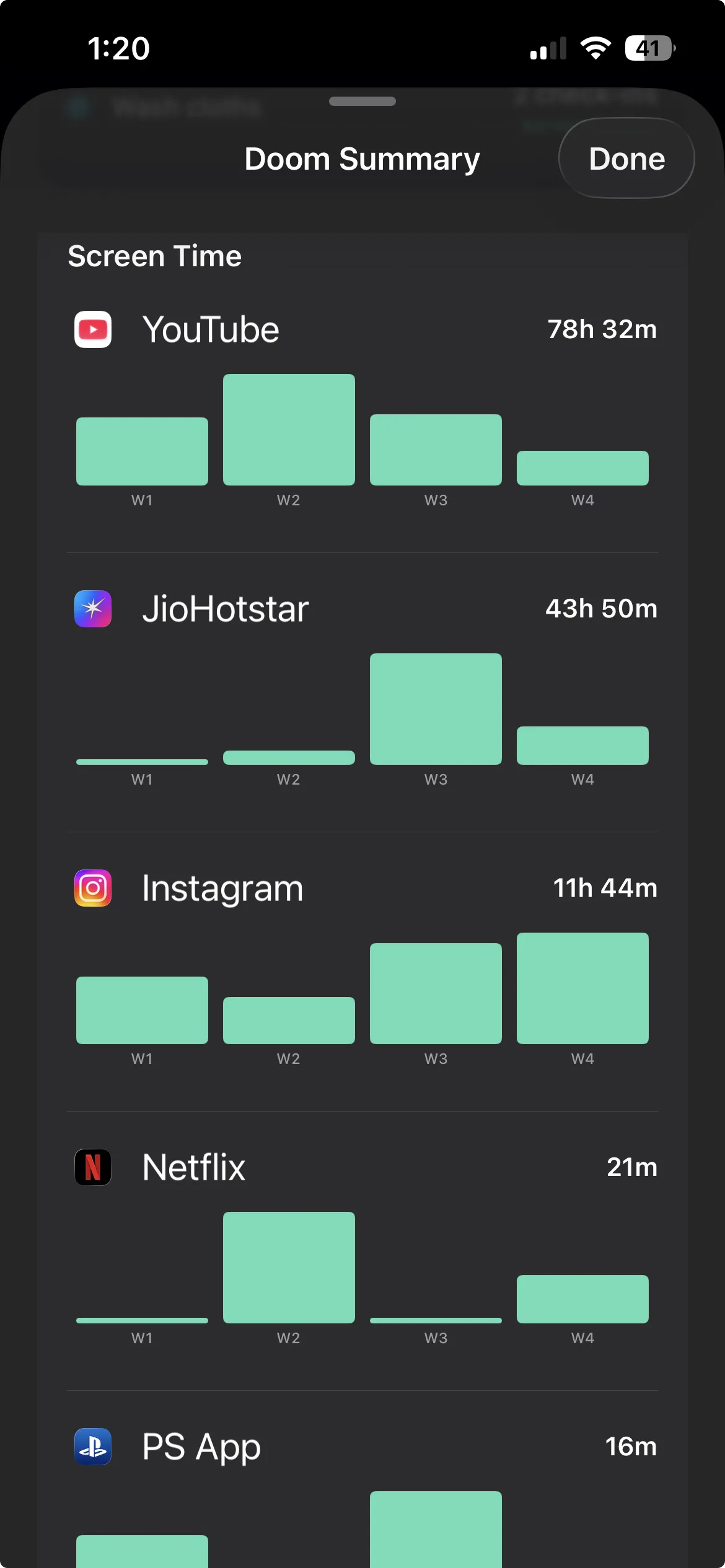
The problem? These limits are easy to bypass. A single tap on "Ignore Limit" and you are back to scrolling. For chronic doomscrollers, it is barely a speed bump. Still, setting limits is a useful first step because it makes your usage patterns visible and conscious, even when you override them.
2. Use an App Blocker That Ties to Habits
Standard app blockers restrict access based on time of day or total minutes used. They work by adding friction, but they lack a critical element: a reason to stay off your phone that feels productive rather than punitive. This is where habit-based app blockers fundamentally change the equation.
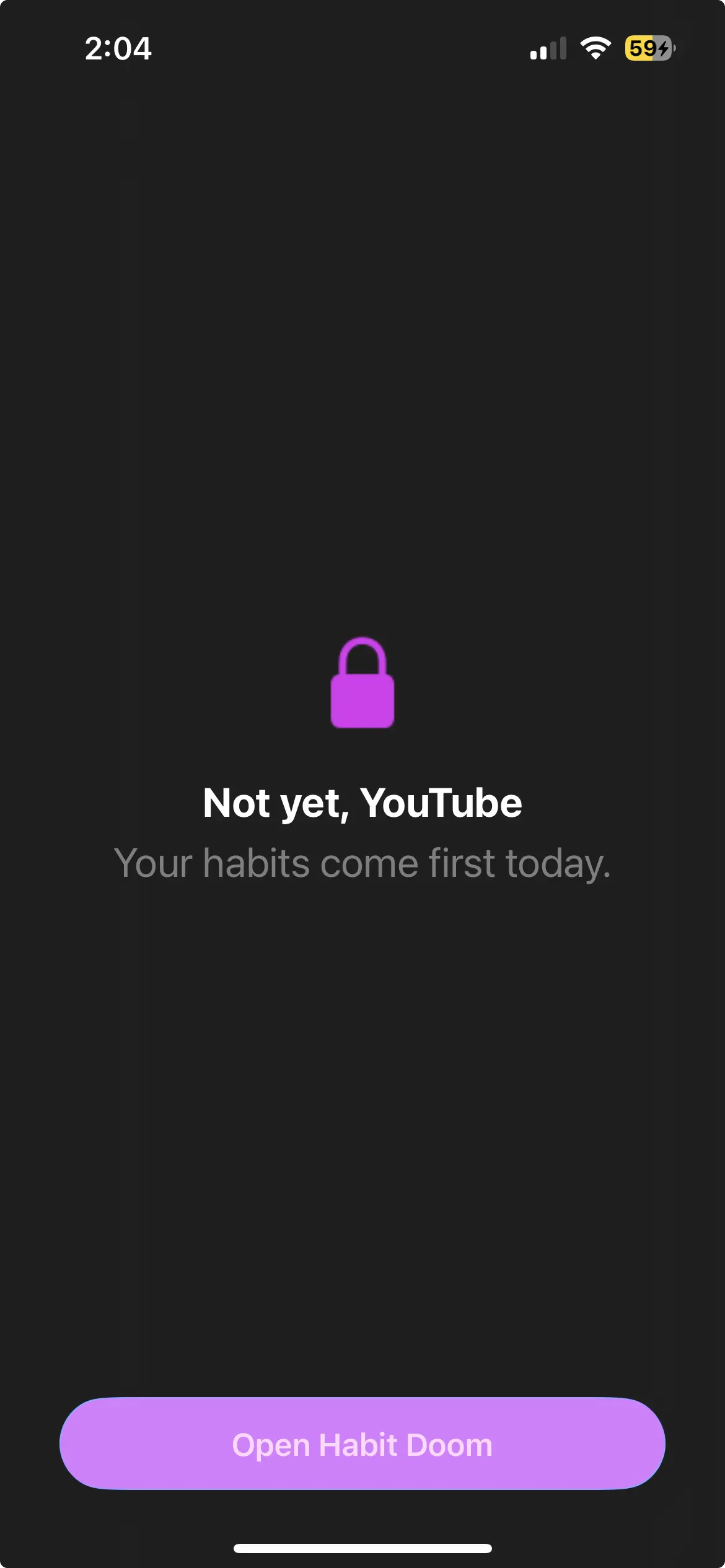
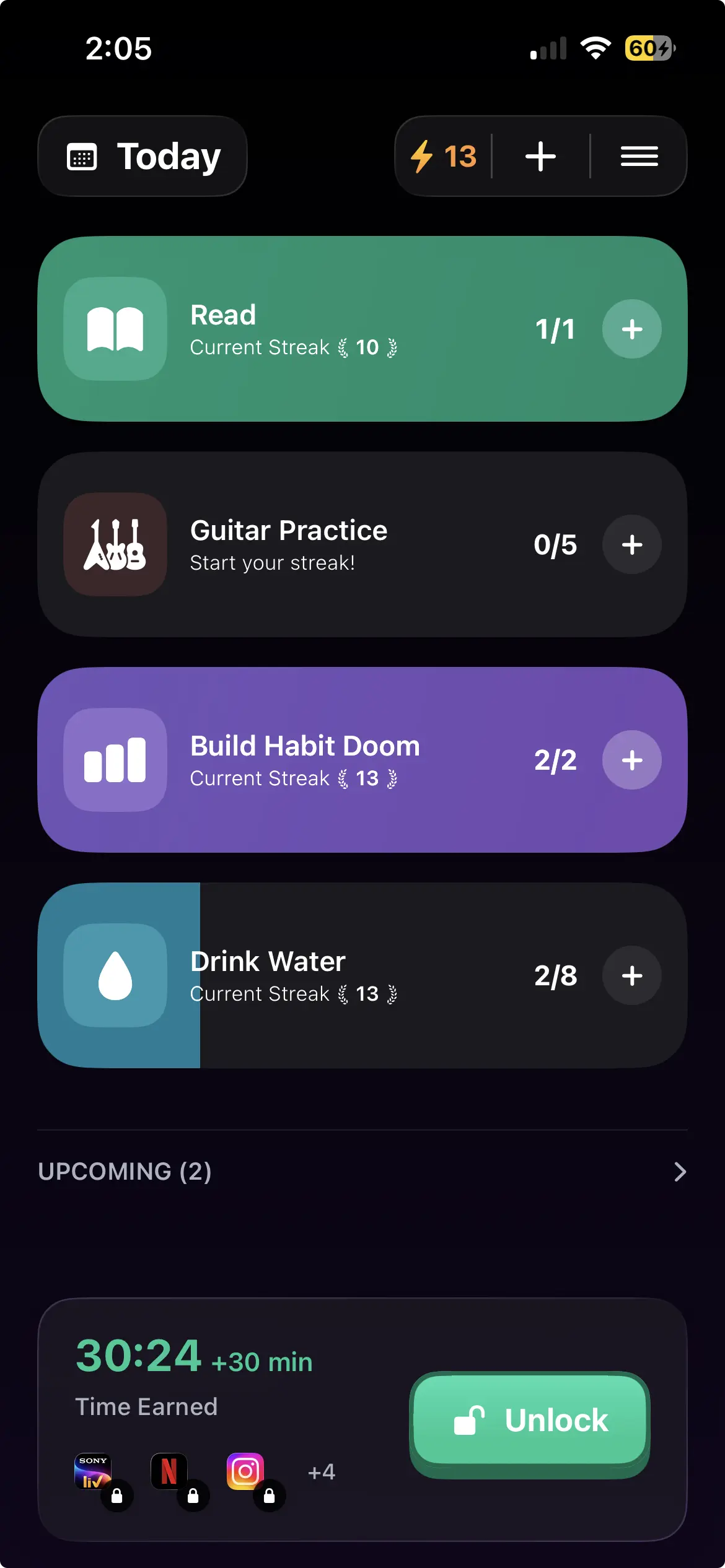
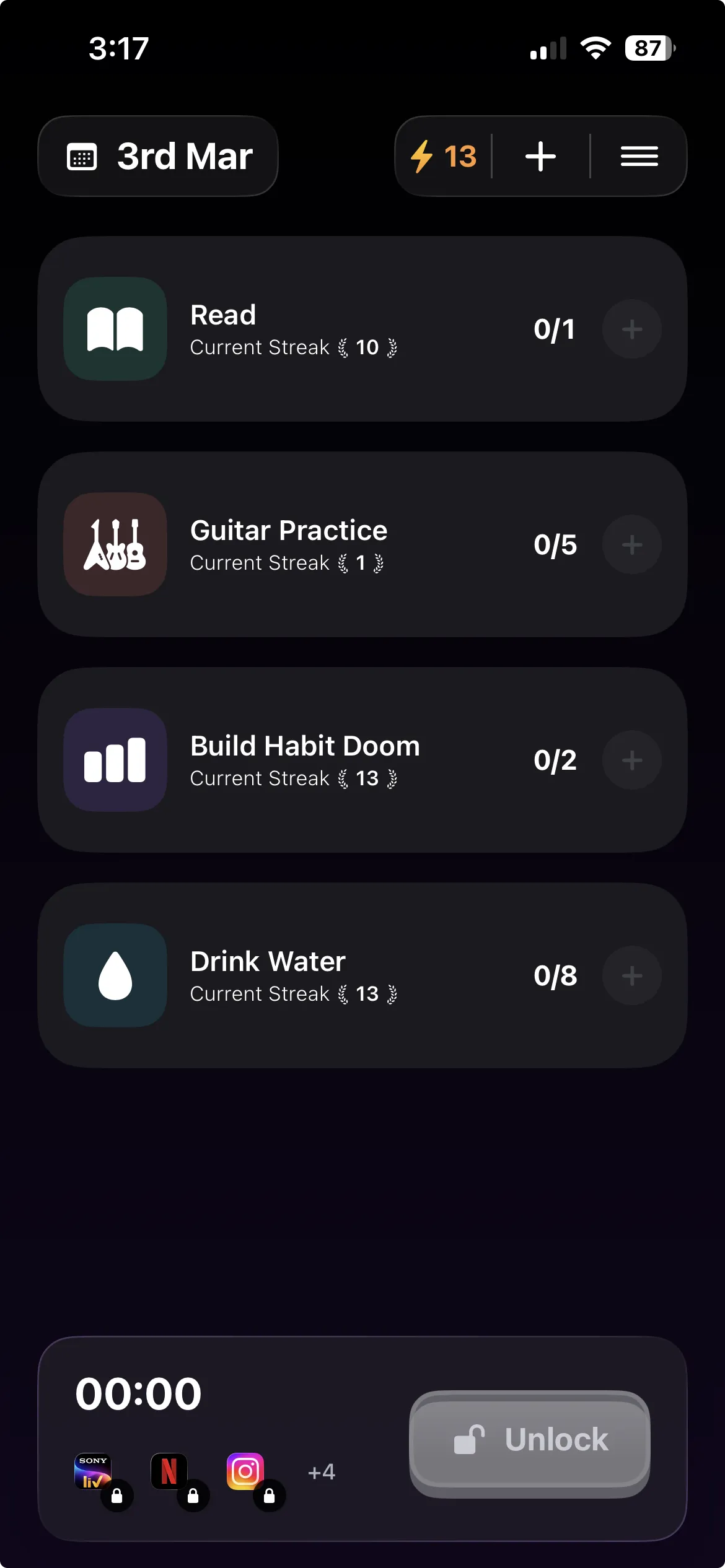
Habit Doom takes a different approach than traditional app blockers. Instead of simply restricting screen time, Habit Doom locks your distracting apps until you complete your daily habits. You choose which apps to block and which habits must be completed to unlock them. Did your morning reading? Finished your workout? Meditated for ten minutes? Once your habits are checked off, your apps unlock for the rest of the day. If you skip your habits, the apps stay locked.
This approach works because it replaces the negative framing of "you cannot use your phone" with a positive framing of "earn your screen time by investing in yourself first." You are not punishing yourself for doomscrolling; you are building a system where your most important daily habits happen before distractions have a chance to derail you. It is the difference between deprivation and discipline.
3. Replace the Scroll Habit with a Micro-Habit
Habits are not eliminated in a vacuum. They are replaced. Every habit follows the same neurological loop: cue, routine, reward. With doomscrolling, the cue is often boredom or a moment of downtime, the routine is opening an app and scrolling, and the reward is dopamine stimulation. To break the cycle, you need to insert a different routine that responds to the same cue and delivers a comparable (or better) reward.
Effective micro-habit replacements include:
- Open a reading app instead. Keep a book or article queued up in Kindle, Pocket, or Apple Books so that when the urge strikes, you redirect to something intentional.
- Do a 60-second stretch or breathing exercise. Physical movement disrupts the passive posture that enables scrolling and gives your brain a different kind of stimulation.
- Write one sentence in a journal. Even a single sentence engages your creative faculties and shifts your brain from consumption mode to creation mode.
- Step outside for two minutes. Natural light, fresh air, and a change of environment reset your attentional state far more effectively than another round of scrolling.
The micro-habit does not need to be profound. It just needs to be easy enough that you will actually do it and rewarding enough that your brain registers it as a viable alternative. Over time, the new routine becomes automatic, and the pull toward scrolling weakens.
4. Turn Off Notifications for Social Apps
Notifications are the single most effective trigger for doomscrolling sessions. Each buzz is an invitation to pick up your phone, and once it is in your hand, the scrolling begins.
Disable notifications for every social media, news, and entertainment app. Keep only what you actually need: calls, texts from specific people, calendar alerts, work messaging. This one change removes one of the most common triggers that pulls you into a feed. If an app's notification has ever led you into a 20-minute scrolling session, that notification is serving the app's engagement metrics, not you.
5. Use Grayscale Mode
Social media apps use vibrant colors and red notification badges because color captures attention and triggers emotional responses. Switching to grayscale strips away this layer of stimulation.
On iPhone: Settings > Accessibility > Display & Text Size > Color Filters > Grayscale. Set up an Accessibility Shortcut to toggle it with a triple-click. Instagram in grayscale is a fundamentally different experience than Instagram in full color. The apps work identically, but the psychological pull drops dramatically.
6. Create Phone-Free Zones
Environmental design is more powerful than willpower. Remove the phone from specific spaces entirely:
- The bedroom. Charge your phone in another room overnight. This eliminates late-night scrolling and the first-thing-in-the-morning scroll that sets a reactive tone for the day.
- The dining table. Keeping the phone away during meals creates natural pockets of presence.
Extend to other contexts as they feel comfortable: first hour after waking, exercise, meetings. For a complete framework on building phone-free zones into your routine, see our digital detox guide.
7. Practice the 5-Second Rule Before Opening Apps
Most doomscrolling sessions begin on autopilot. You pick up the phone and open an app before your conscious mind has even registered the decision. The 5-second rule introduces a brief moment of intentionality into this automatic process: before opening any social media or news app, pause for five seconds and ask yourself, "What am I looking for? Do I have a specific reason to open this?"
If you have a specific purpose (checking a message from a friend, looking up an event time, posting something you planned), proceed. If the honest answer is "I am bored and looking for stimulation," that is your cue to do something else. This technique does not require you to never use social media. It just breaks the autopilot loop and gives your prefrontal cortex a chance to participate in the decision. Over time, you will find that a surprising number of app-opening impulses evaporate once you pause long enough to notice them.
Why Most Approaches Fail
If you have tried before and failed, you are in the majority. Three problems defeat most strategies:
- Willpower depletes. Your self-control diminishes throughout the day. By evening, when doomscrolling peaks, you have the least capacity to resist.
- Easy bypasses. Screen Time limits dismiss with one tap. Grayscale toggles off in seconds. Any restriction your future tired self can undo, they will.
- Restriction without replacement. Blocking apps without providing an alternative creates a vacuum your brain fills by giving in. For concrete replacement ideas, see our guide to habits that replace doomscrolling.
The most effective approach combines restriction with replacement, removing the unwanted behavior while building a positive alternative. That is the principle behind Habit Doom.
Lock Your Apps Until Habits Are Done
Habit Doom addresses the three failure points above:
- No willpower needed. Apps are locked at the system level until your habits are done. The option to scroll simply is not available.
- Not easy to bypass. Unlike Screen Time's one-tap dismiss, you have to actually complete your habits to unlock apps.
- Restriction plus productive action. You are not just blocking apps, you are channeling that time into morning meditation, exercise, reading, or whatever matters to you.
The reframe is simple. Instead of feeling deprived ("I cannot use my apps"), the framing becomes "I earned my screen time." Habit Doom is free to download with a capable free tier. For a detailed comparison with other blockers, see Habit Doom vs. Opal vs. One Sec or our full list of best app blockers for iPhone in 2026.
If doomscrolling is specifically derailing your mornings, our digital detox guide covers how to build phone-free periods into your daily routine. For more tips on digital wellness and building better habits, explore the Habit Doom blog.
Frequently Asked Questions
Keep Reading
Try Habit Doom
Lock your distracting apps. Complete your habits. Earn your screen time. It takes 30 seconds to set up.
Download Free