


How Habit Doom Works

 X
X LinkedIn
What Is Habit Doom?
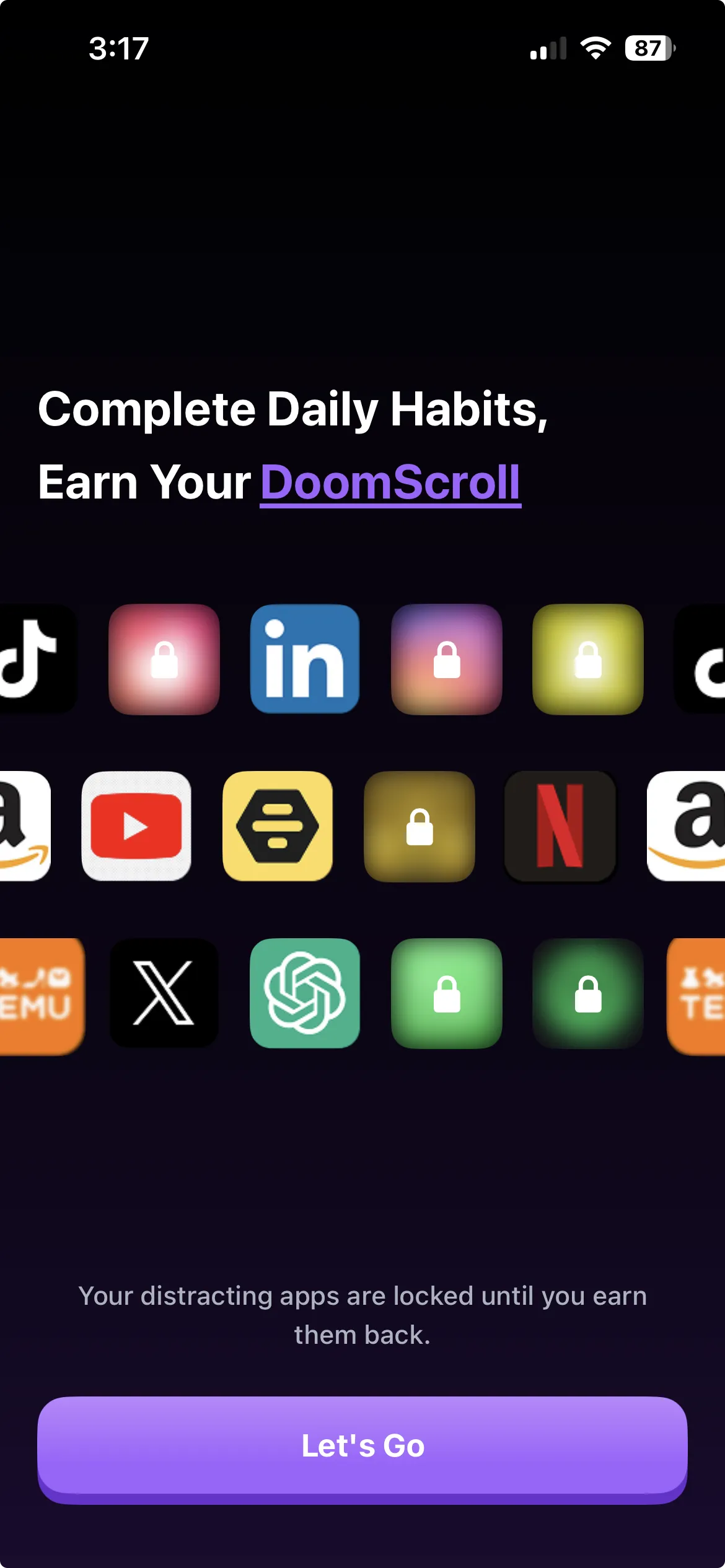
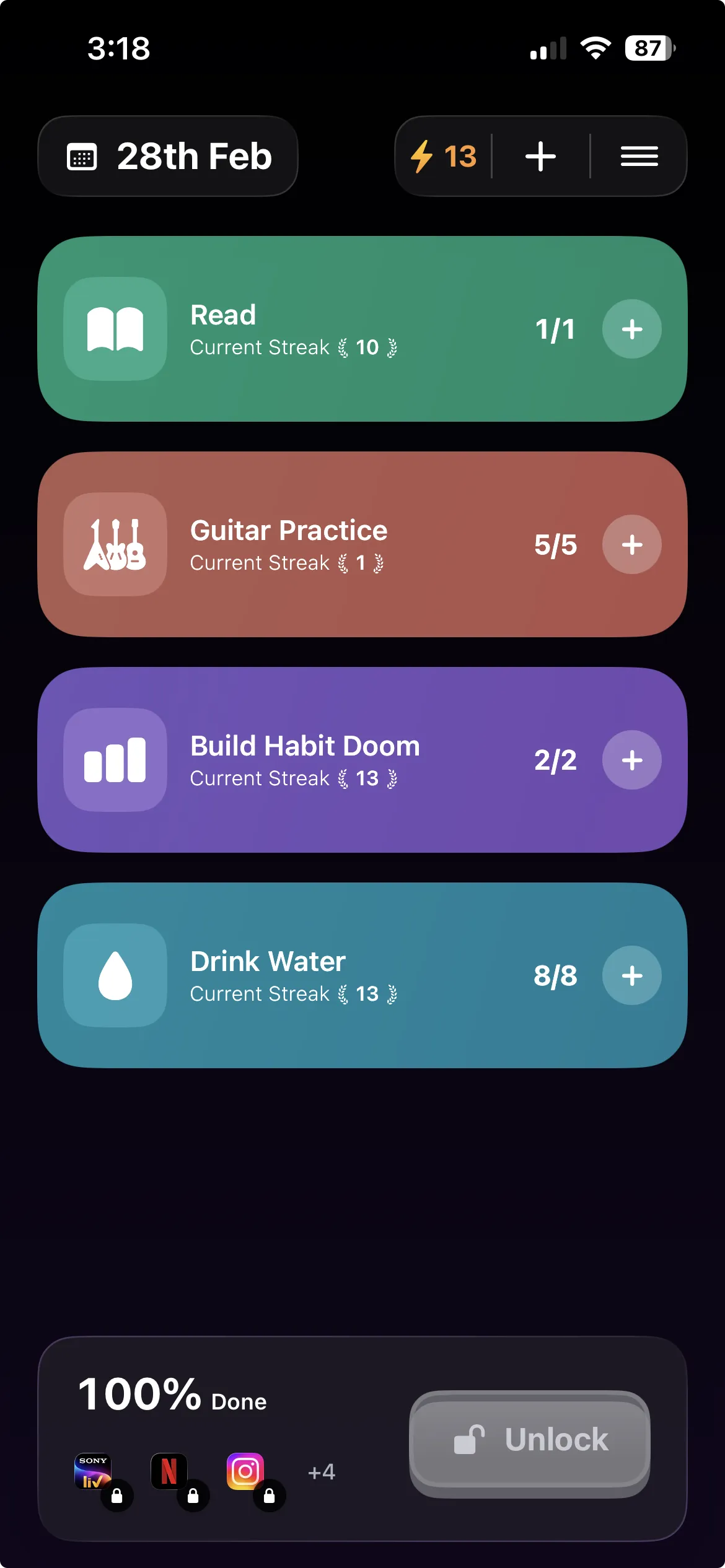
Habit Doom is a free iPhone and Android app that locks your distracting apps until you complete your daily habits. It combines a habit tracker with an app blocker, creating a system where you have to earn your screen time every day. Choose the apps you want locked (TikTok, Instagram, Reddit, YouTube, games, or anything else), set the habits you want to build, and Habit Doom handles the rest. Your chosen apps stay locked until every habit on your list is checked off.
Habit Doom is not a timer-based screen time limiter. It does not nag you to put your phone down, and it does not lean on willpower. It creates a direct, enforceable link between productive behavior and access to your distracting apps. You cannot open the locked ones until your habits are done. No exceptions, no workarounds, no "just five more minutes" loophole.
Habit Doom is available on the App Store for iPhone. It is free to download and use with no ads. Premium features are available for $4.99/month, $19.99/year (with a 7-day free trial), or $29.99 for lifetime access.
The Core Concept: Earned Screen Time
Habit Doom is built on a single principle: screen time should be earned, not given. Most people already know which apps waste their time. The problem is not awareness. It is follow-through. You tell yourself you will only check Instagram after your workout, but the moment you wake up, you are already scrolling. The intention was real. The execution failed. That gap between intention and action is exactly what Habit Doom closes.
Habit Doom enforces a simple bargain. Your distracting apps lock themselves every day, automatically. The only key is completing your habits. Read for 20 minutes, go for a run, meditate, journal, drink water, whatever matters to you. Once every habit is checked off, your apps unlock instantly. Not before.
This works because it swaps willpower for structure. You do not have to decide whether to check social media before your morning routine. The decision is already made. Your apps are locked. The only way forward is through your habits. Over time that structure builds momentum, the habits become automatic, and you end up spending your screen time intentionally rather than compulsively. If you have been struggling with doomscrolling, this earned screen time model is a fundamentally different approach to the problem.
How Habit Doom Works in 4 Steps
Habit Doom is designed to take less than 30 seconds to set up. Here is exactly how the app works, from download to your first unlocked screen.
Step 1: Choose Your Distracting Apps to Lock
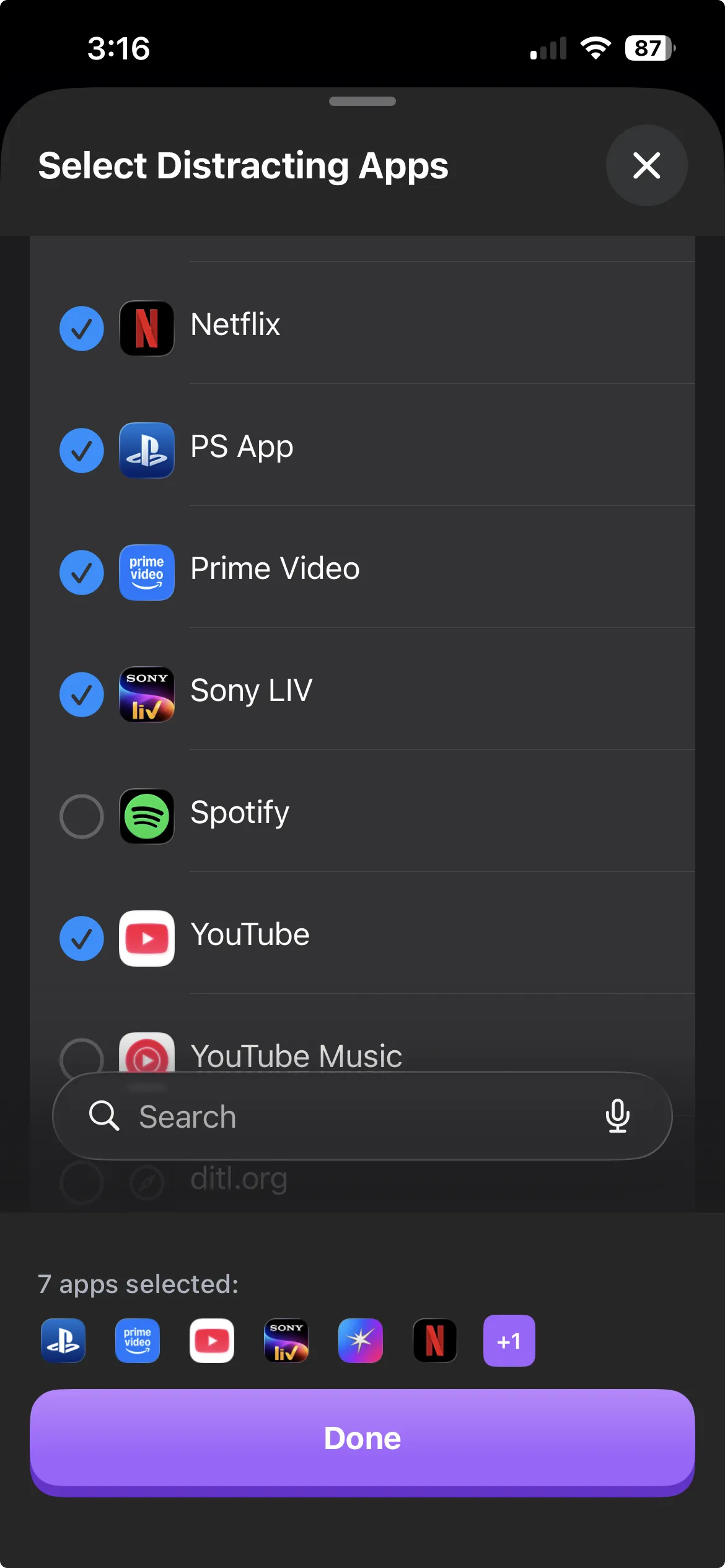
Habit Doom lets you select any apps installed on your iPhone to lock. When you open the app for the first time, you will see a selection screen where you pick which apps should be restricted. Most users lock social media apps (TikTok, Instagram, X/Twitter, Reddit, Snapchat, YouTube), but you can also lock games, streaming services like Netflix and Hulu, shopping apps, dating apps, or anything else that pulls you into mindless scrolling.
Habit Doom uses Apple's official Screen Time API to enforce the lock. This means the restriction happens at the operating system level, not inside the app itself. When a locked app is restricted, iOS displays a blocking screen over it. You cannot bypass this by force-quitting Habit Doom, restarting your phone, or switching user accounts. The lock is real, and it holds.
You can change your locked app list at any time. Adding a new app to the lock list takes effect immediately. Removing an app from the list is also straightforward. Habit Doom does not punish you for adjusting your setup as your needs change.
Step 2: Set Your Daily Habits
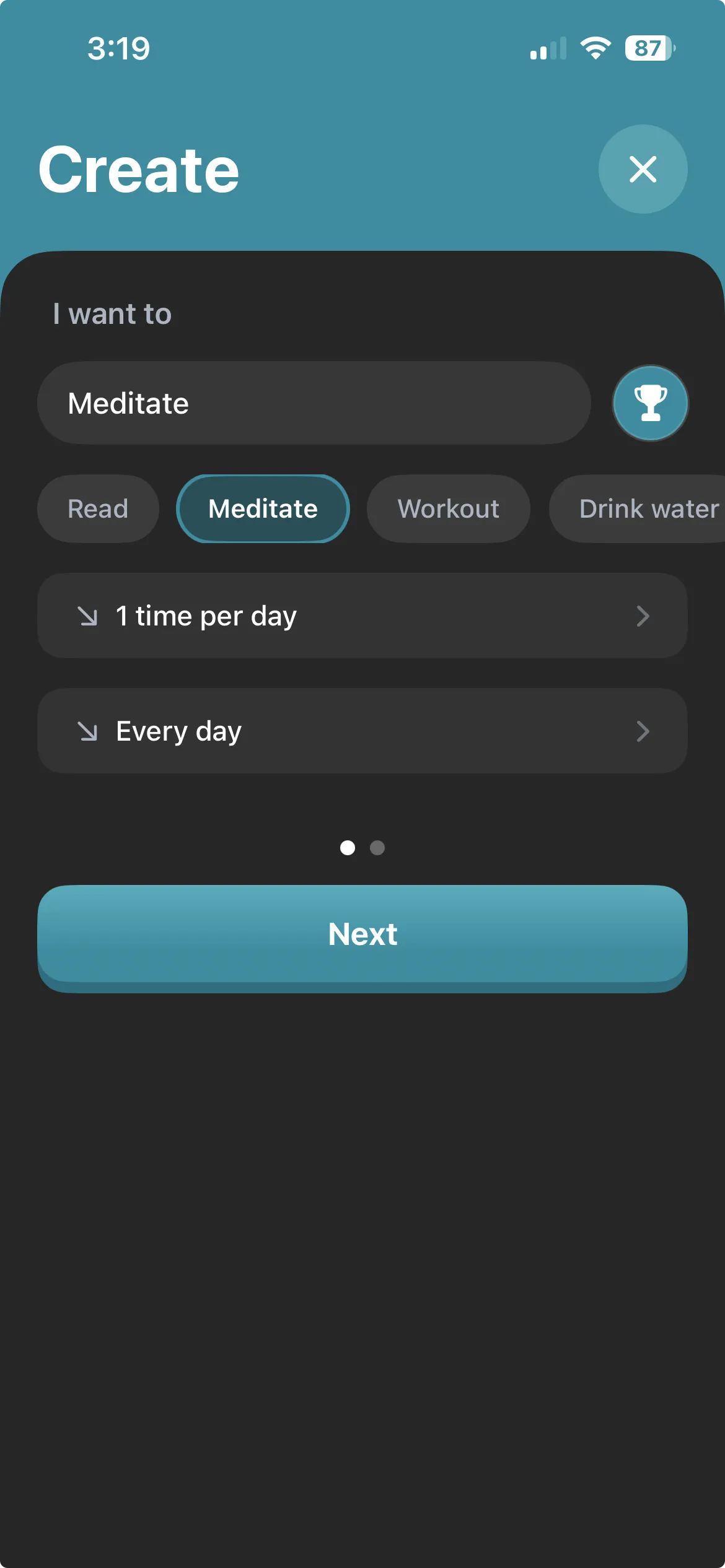
Habit Doom lets you create a custom list of daily habits that serve as your unlock conditions. Tap the plus button, type your habit, and it is added to your list. There is no limit to the number of habits you can add, and no restrictions on what counts as a habit. Common examples include:
- Exercise: run, gym session, yoga, 30-minute walk
- Reading: 20 pages, one chapter, 15 minutes of reading
- Meditation: 10-minute session, guided or unguided
- Journaling: morning pages, gratitude journal, daily reflection
- Hydration: drink 8 glasses of water
- Learning: study a language, practice an instrument, complete a lesson
- Personal care: skincare routine, make the bed, tidy for 10 minutes
Habit Doom also supports custom scheduling. You can assign specific habits to specific days of the week. Maybe you run on Monday, Wednesday, and Friday, but do yoga on Tuesday and Thursday. You configure each habit's schedule independently, and only the habits scheduled for today appear on your daily checklist.
Step 3: Apps Lock Automatically Each Day
Habit Doom automatically locks your selected apps at the start of each new day. You do not have to open the app, tap a button, or activate anything manually. When the day resets, your habits reset to unchecked and your distracting apps become locked again. This is the key to the system: the lock is automatic and consistent.
This daily reset creates a rhythm. Every morning, you wake up to a clean slate: habits unchecked, apps locked. There is no decision fatigue about whether to "turn on" your blocker today. It is always on. The consistency removes the single biggest point of failure in most habit systems: the moment where you decide whether to follow through.
Step 4: Complete Habits, Apps Unlock
Habit Doom unlocks your apps the moment you check off every habit on your daily list. Open the app, tap each habit as you complete it, and as soon as the last one is checked, your locked apps become available instantly. There is no waiting period and no delay. The unlock happens in real time.
Earning your screen time is surprisingly satisfying. Instead of guilt-scrolling through TikTok at 7 a.m., you arrive at your apps having already done something meaningful. Workout done. Journal entry written. Reading finished. The screen time that follows is genuinely recreational, not a procrastination tool. That shift, from compulsive to intentional, is the entire point of Habit Doom.
Key Features
Habit Doom is intentionally simple, but it includes several important features that make the system reliable and private.
- Screen Time API Integration. Habit Doom uses Apple's native Screen Time API to enforce app locks. The restriction is applied at the iOS level, which means it cannot be bypassed by closing the app, restarting the phone, or using workarounds. This is the same technology that powers Apple's built-in Screen Time parental controls, applied here for self-directed habit building.
- Custom Habit Scheduling. Each habit can be assigned to specific days of the week. Only today's scheduled habits appear on your daily checklist. This lets you create varied routines without cluttering your list with habits that do not apply to the current day.
- Custom System Alarms. Set a real system alarm for each habit. Not a push notification you can swipe away, an actual alarm that goes off at the time you choose. It is the difference between a polite suggestion and a commitment you cannot ignore.
- No VPN, No Jailbreak Required. Unlike some app blockers, Habit Doom does not require a VPN connection, a DNS configuration, a jailbroken device, or any third-party software. It works entirely through Apple's official APIs, which means it is safe, sanctioned, and does not compromise your device's security.
- Privacy-First Design. Habit Doom stores all data locally on your device. It does not require an account, does not collect personal information, and does not send data to external servers. There are no analytics trackers, no usage telemetry, and no third-party SDKs mining your behavior. Your habits are your business.
- Free to Download, Pro Unlocks Everything. Habit Doom is free to download and use. Premium features are available for $4.99/month, $19.99/year (with a 7-day free trial), or $29.99 for lifetime access. There are no ads and no hidden upsells.
Who Is Habit Doom For?
Habit Doom is for anyone who wants to build better habits but keeps getting derailed by their phone. While that covers a broad range of people, there are a few specific groups who get the most value from the app.
The chronic doomscroller. You pick up your phone to check one notification and 45 minutes later you are deep in a TikTok spiral. You have tried Screen Time limits. But you just tap "Ignore Limit" every time. You need something you cannot bypass. Habit Doom removes the option to cheat.
The student who cannot focus. You have a paper due tomorrow and a study plan for tonight, but Instagram keeps pulling you back in. Habit Doom locks your social apps until your study habits are done. For example, you can lock TikTok until your homework is finished. It turns your phone from a distraction machine into a reward you earn after putting in the work.
The person building a morning routine. You want to meditate, journal, and exercise before checking your phone. But every morning, the first thing you do is scroll. Habit Doom makes your morning routine non-negotiable by keeping your apps locked until it is complete. A common setup is blocking Instagram until you exercise, so your workout happens before any scrolling can begin.
The professional protecting deep work. You block off two hours for focused work, but Twitter and Reddit keep breaking your concentration. Habit Doom ensures those apps stay locked during your most productive hours, or until you complete the work habits that matter most to your career.
The parent modeling healthy phone use. You want to show your kids that screen time is something you earn, not something you default to. Habit Doom lets you practice what you preach by tying your own app access to daily habits like exercise, reading, or family time.
Why It Works
Habit Doom has a 4.8-star rating on the App Store.
The design succeeds where willpower-based systems fall short because it removes the choice entirely. You do not decide each morning whether to complete your habits. You have to, or your apps stay locked. That shift in structure is the whole point: the lock is enforceable rather than optional.
Privacy and simplicity are built in. There is no account to create, no onboarding quiz, no social features to navigate. You download the app, pick your locked apps, set your habits, and you are done. The entire setup takes under 30 seconds, and the app stays out of your way after that.
If you are curious about other tools in this category, see our comparison of the best app blockers for iPhone in 2026. To understand the story behind the app, read why I built Habit Doom. But if you want a privacy-first habit tracker that actually locks your apps at the system level, Habit Doom is the one to try.
Frequently Asked Questions
Keep Reading
Try Habit Doom
Lock your distracting apps. Complete your habits. Earn your screen time. It takes 30 seconds to set up.
Download Free