350,000+ habits completed
Stop doomscrolling,
start earning it.
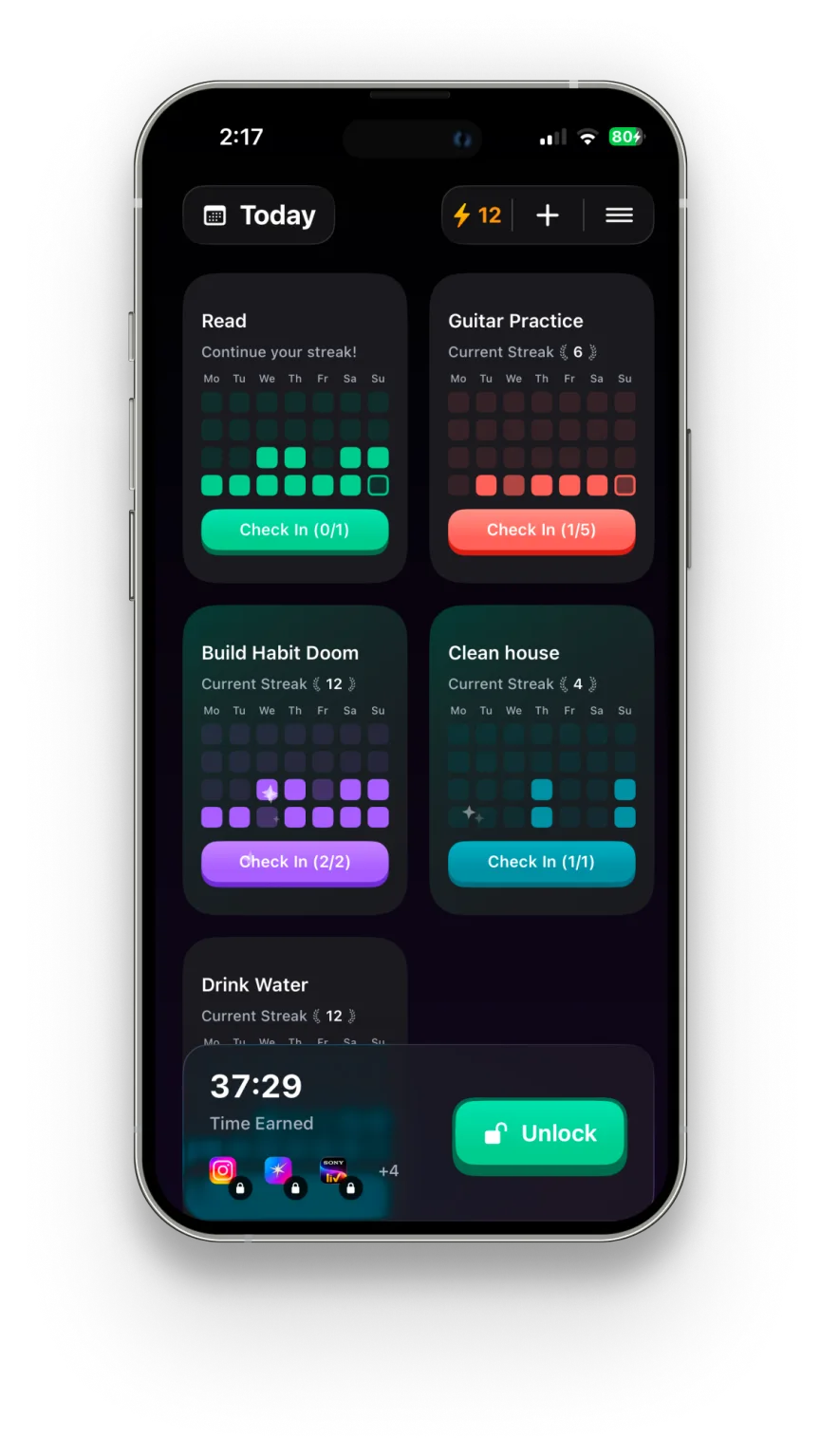
Locks time-wasting apps until you complete your daily habits.

Free to download. No sign-up needed.
How many years will
your phone steal?
Enter your screen time and age. See what you'll miss over the rest of your life.
- 40% drop in memory after just 10 minutes of doomscrolling Chiossi et al. (2023)
- 5 hrs of doomscrolling per day for young adults BroadbandSearch (2025)
- 9x higher risk of depression in compulsive scrollers McLaughlin et al. (2022)
But…
What if your phone fought for you instead?


How Habit Doom works
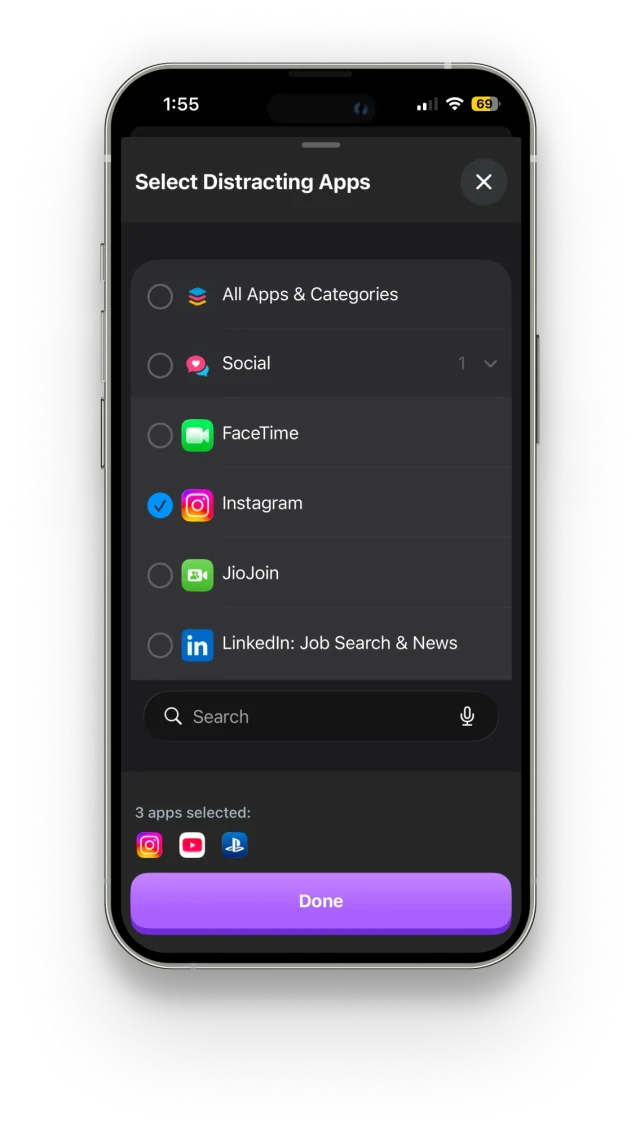
- 01Step 1
Pick your apps
The ones that waste your time.

- 02Step 2
They lock at midnight
Every night at 11:59 PM. No willpower needed.
- 03Step 3
Do your habits
Each one you finish earns screen time.
- 04Step 4
Unlock what you earned
Scroll guilt-free.
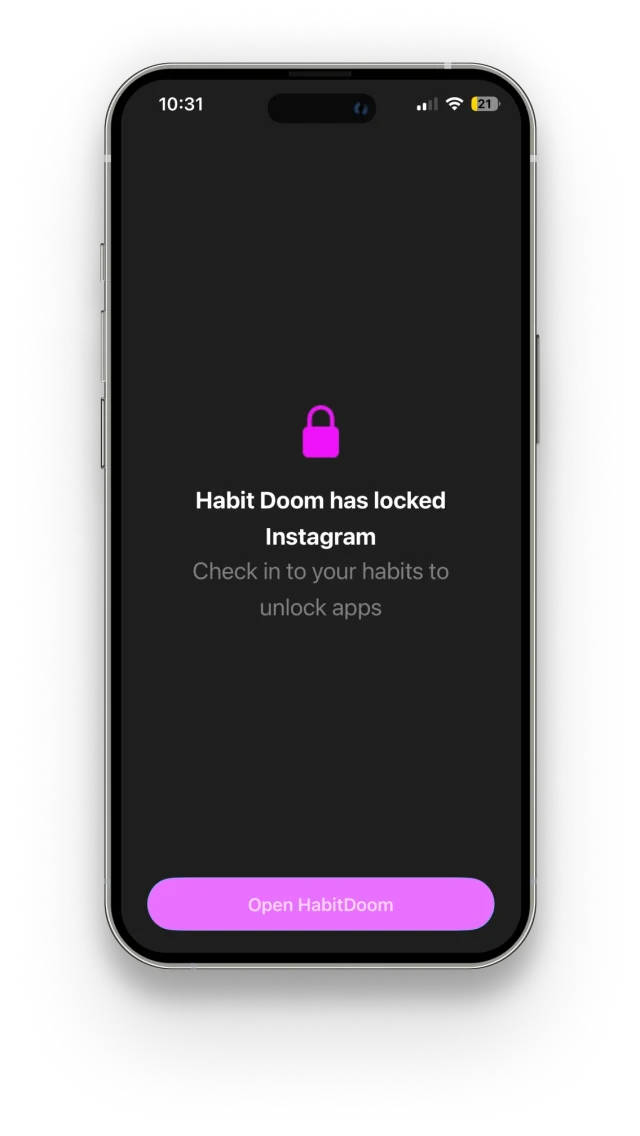
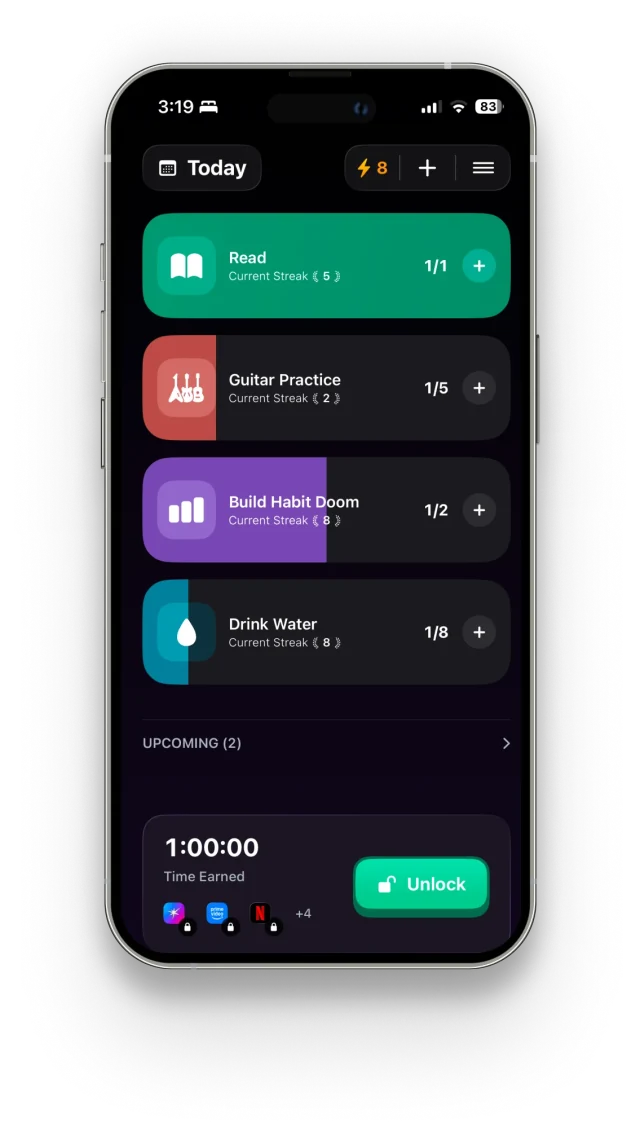
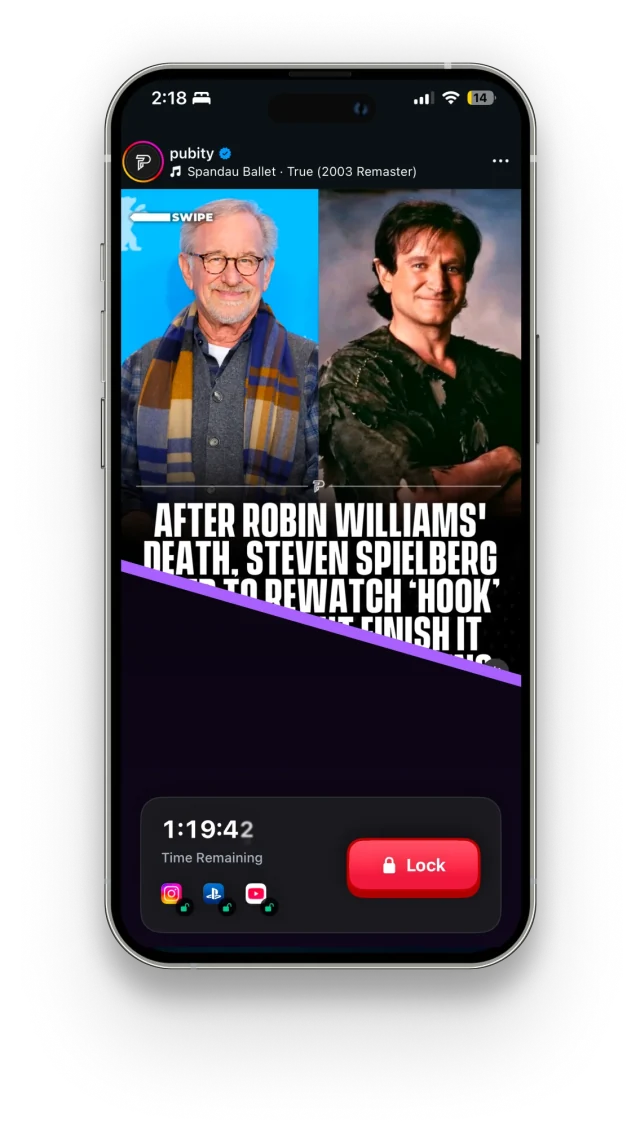
Your phone becomes your accountability partner.
No willpower. No guilt. Just habits that stick.
Try it: tap a habit to check in.
The transformation is real
Here's what changes when your phone works for you, not against you.
- Open TikTok "for 5 minutes", lose an hour
- Set Screen Time limits, bypass them instantly
- Promise to start habits tomorrow, every day
- Feel guilty about wasted time every night
- Habits done before you even think about scrolling
- Screen time earned, not stolen
- 2+ hours reclaimed every single day
- Actually proud of how you spend your time
Based on average user data after 30 days.
Features built for the chronically online
-
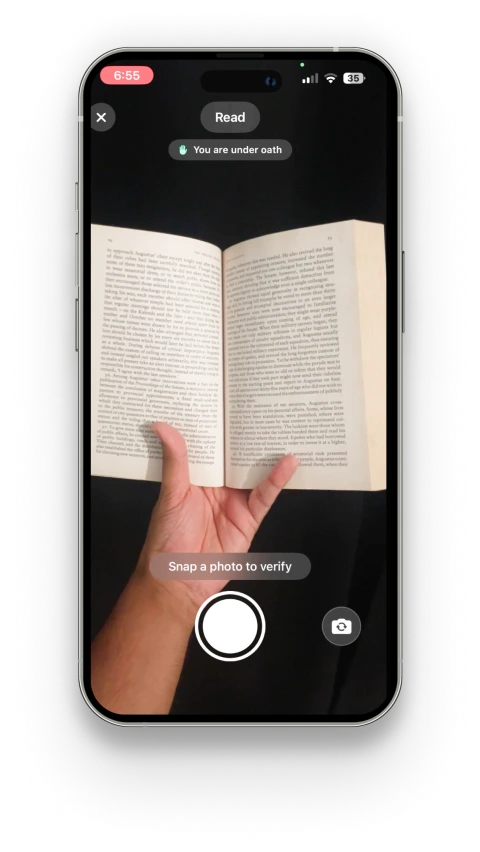
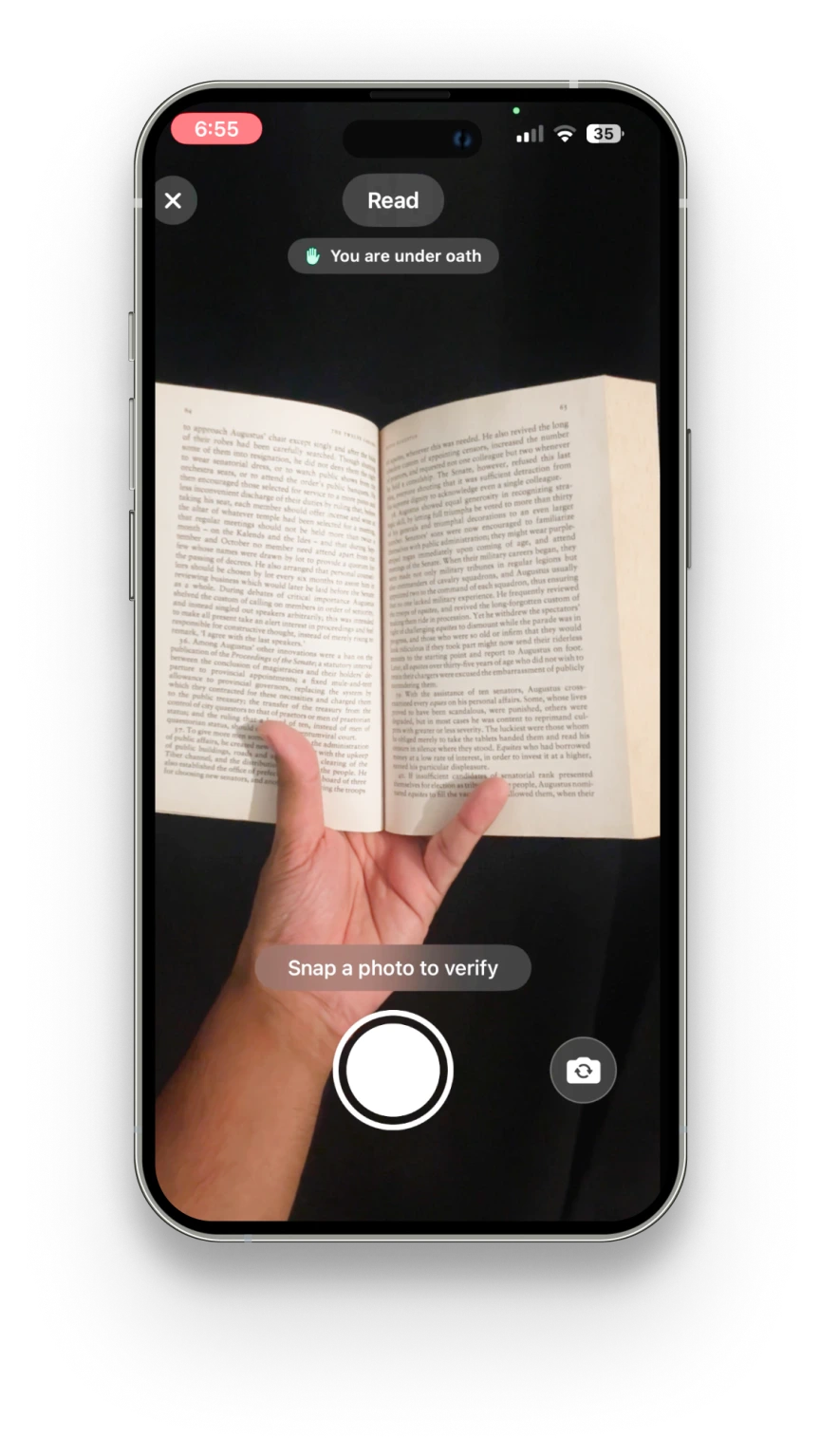
Snap a photo and on-device AI checks the habit is really done. Photos never leave your phone.
-
Apple's adult-content filter across Safari and in-app browsers, always on, with a math challenge before you can switch it off. iPhone only.
-
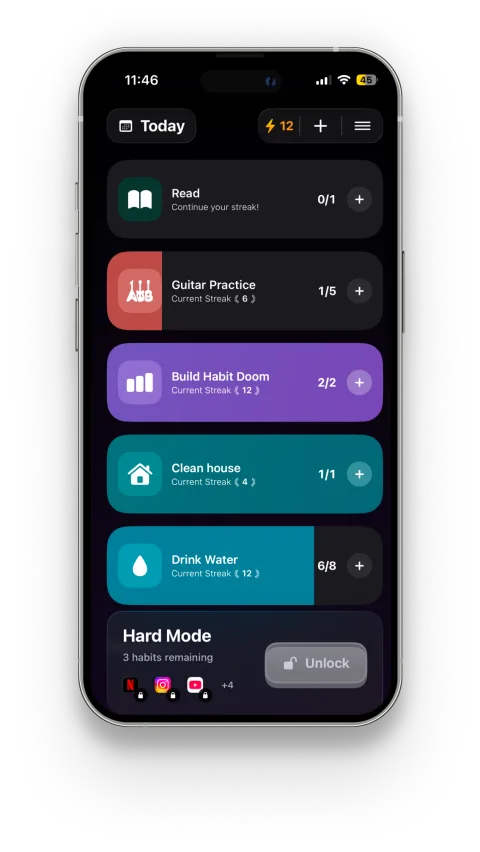
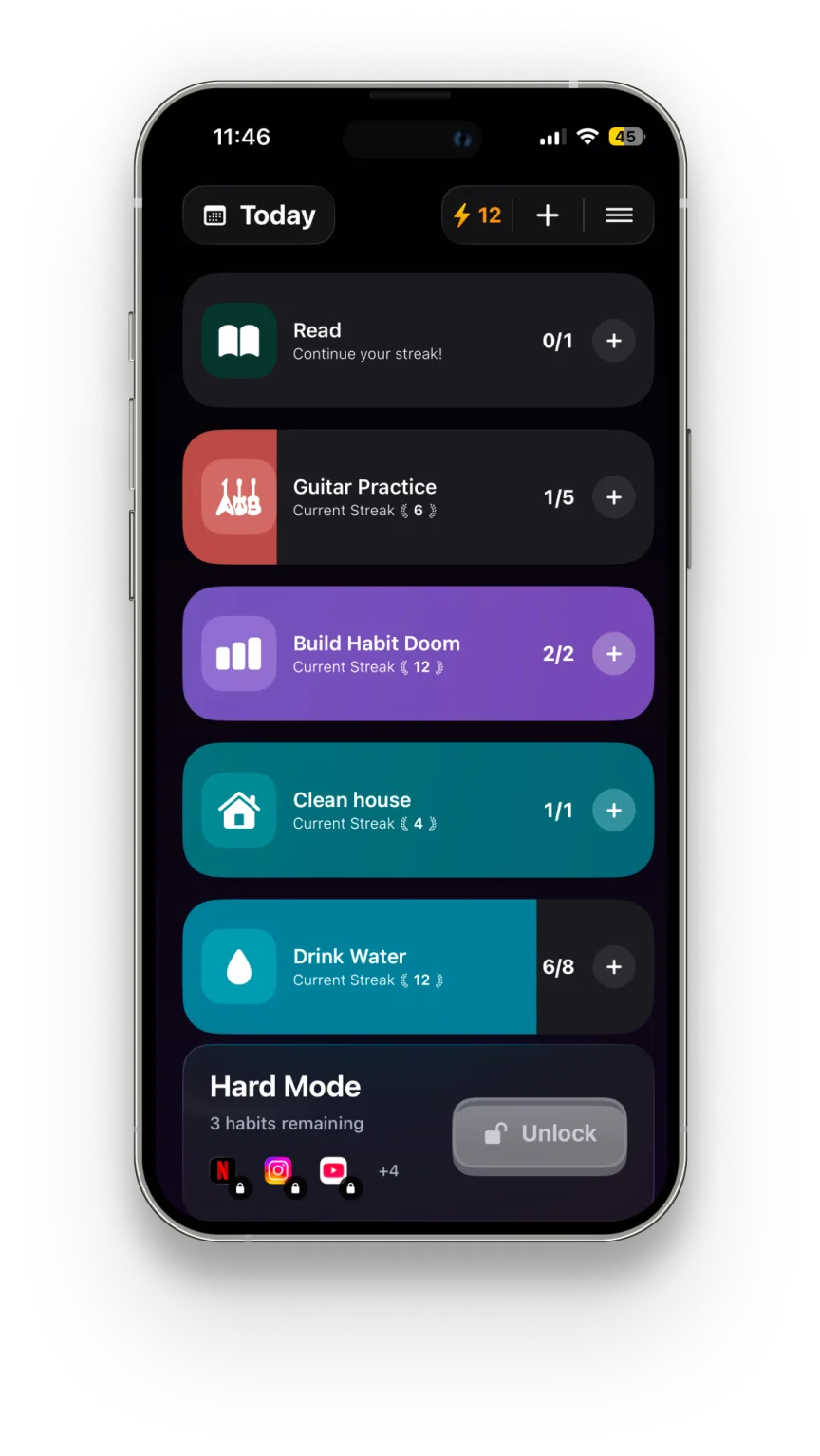
Finish every habit to unlock your apps until midnight. All or nothing.
-
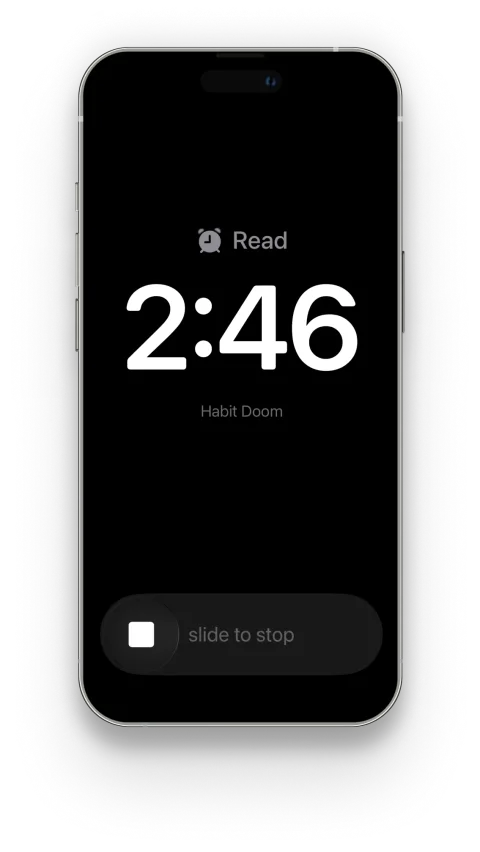
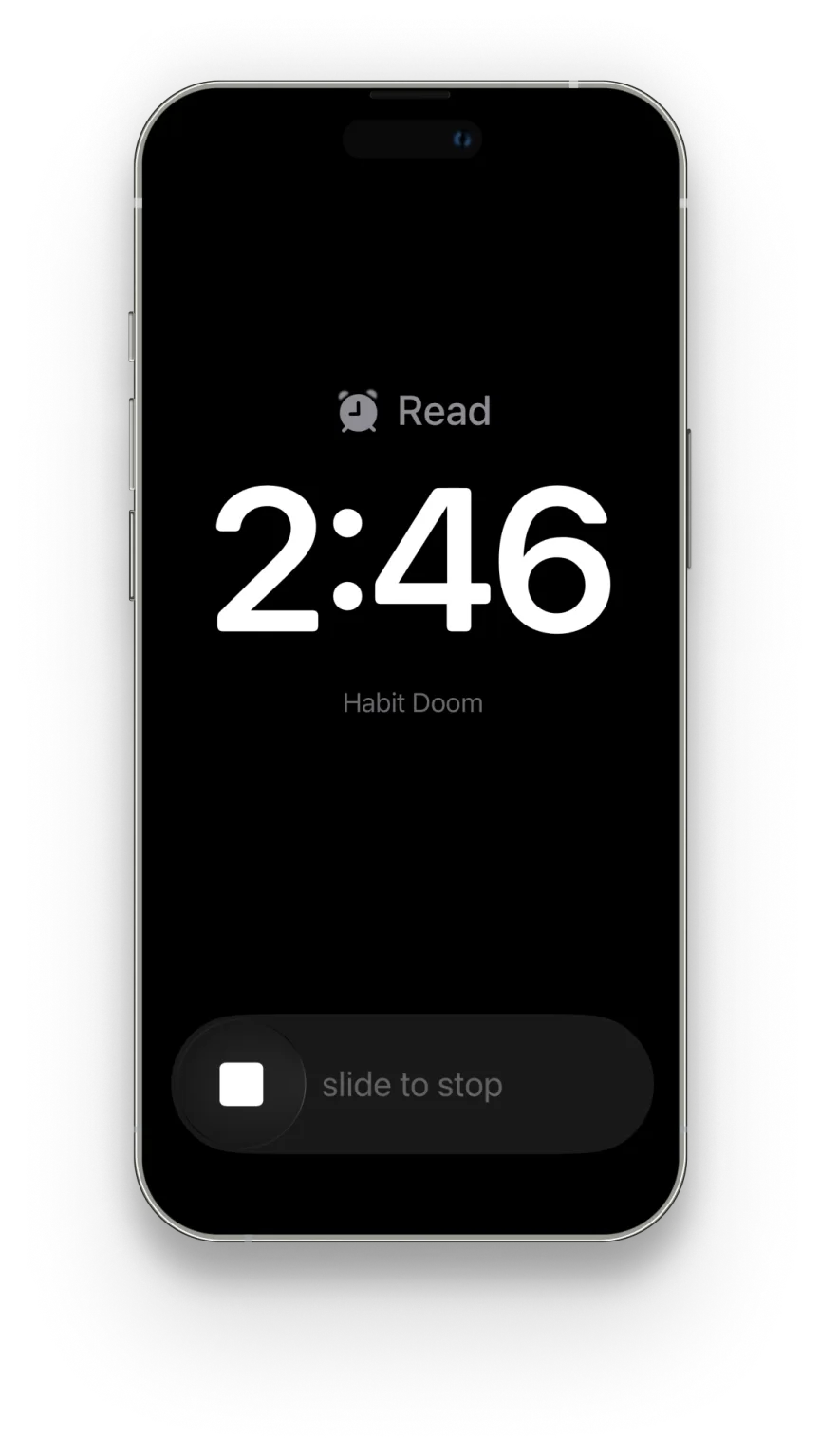
Real system alarms for each habit, not notifications you can swipe away.
-
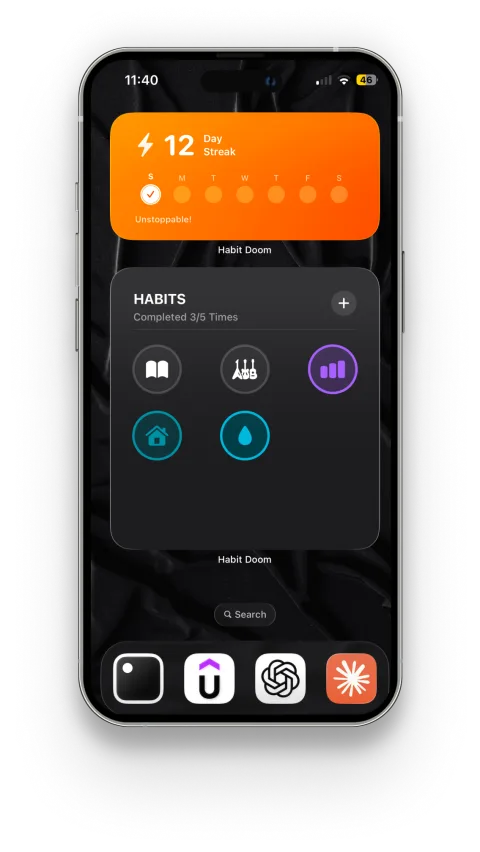
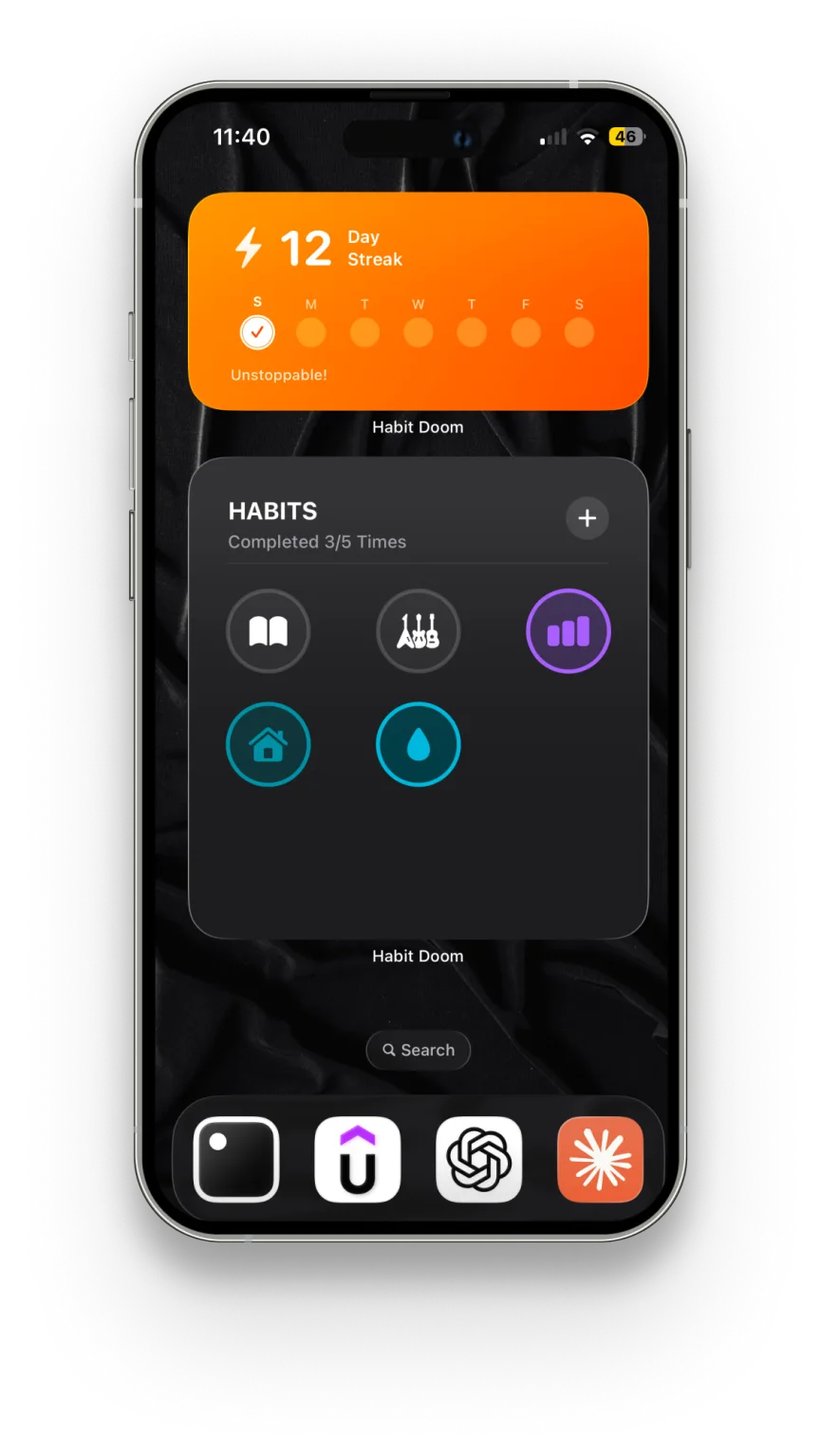
Your habits and streak on your home screen, always in view.
-
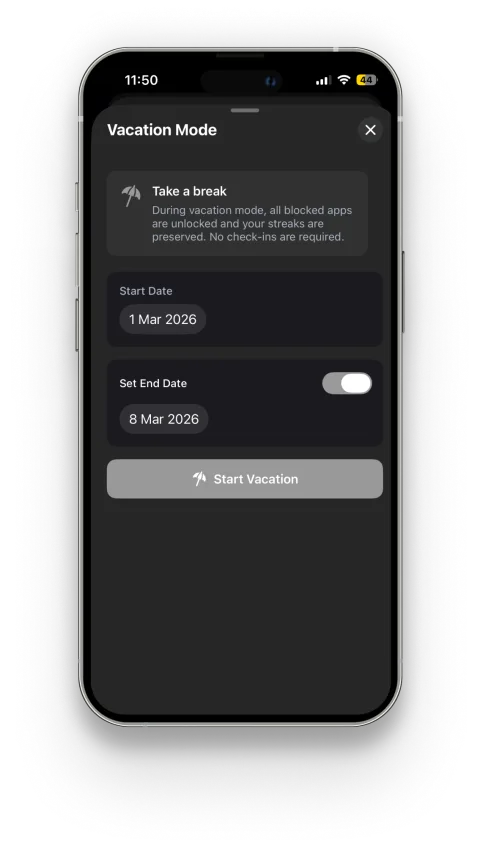
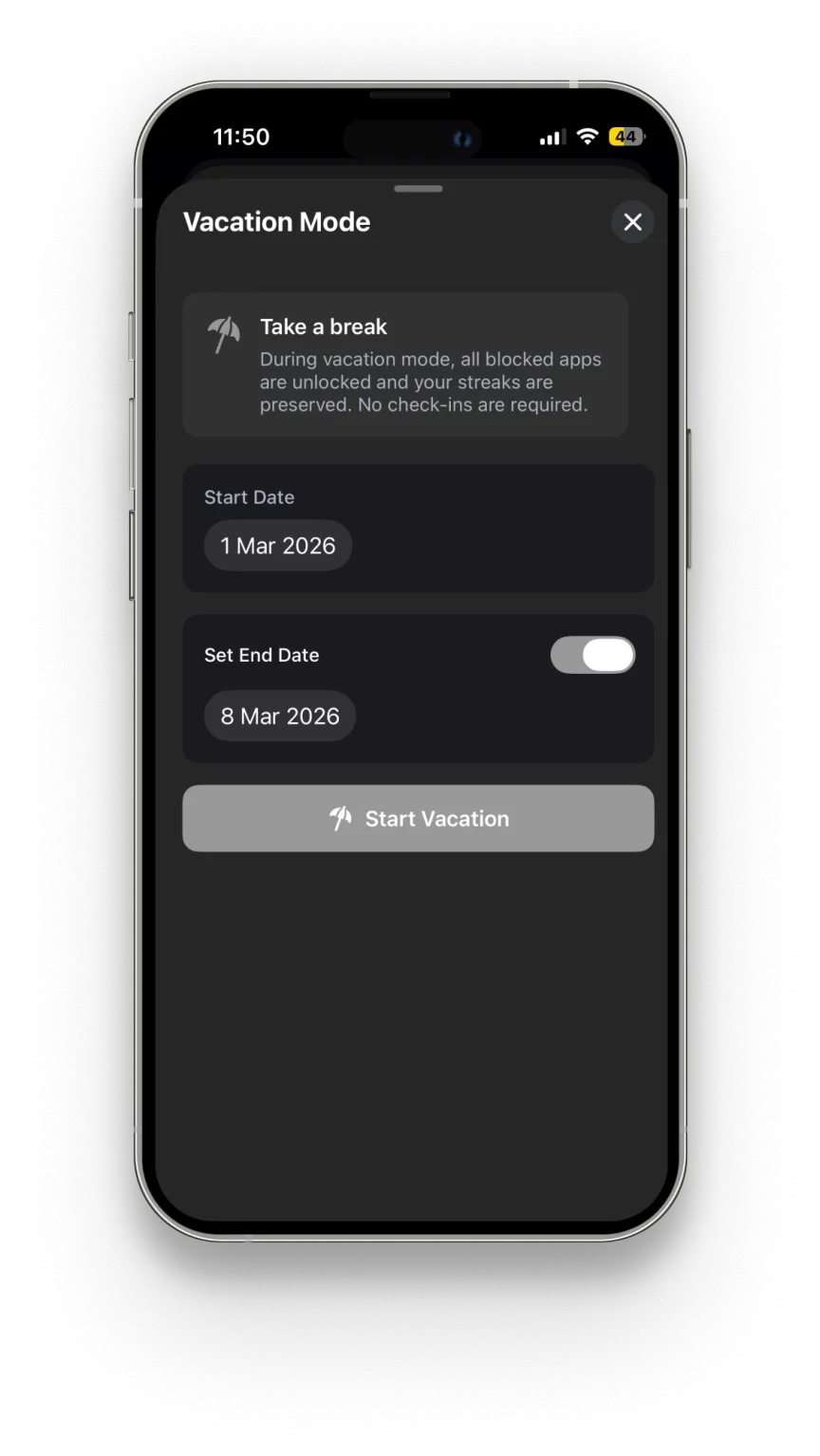
Pause blocking for a break without losing your streak.
-
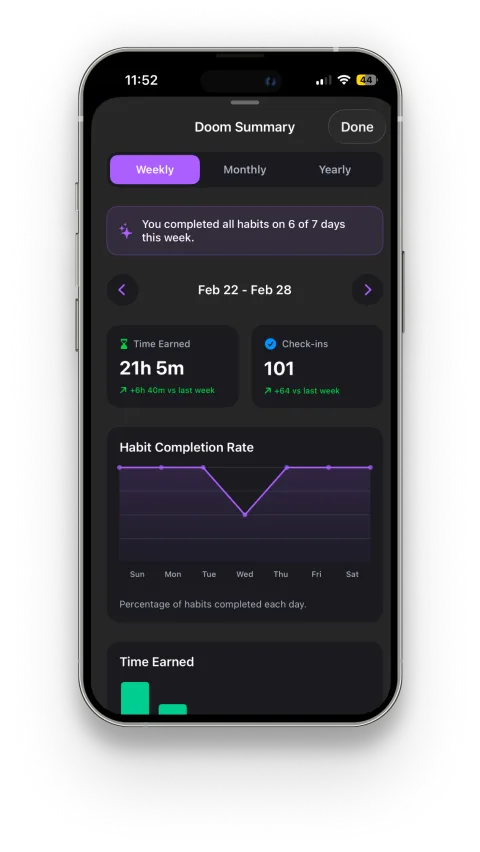
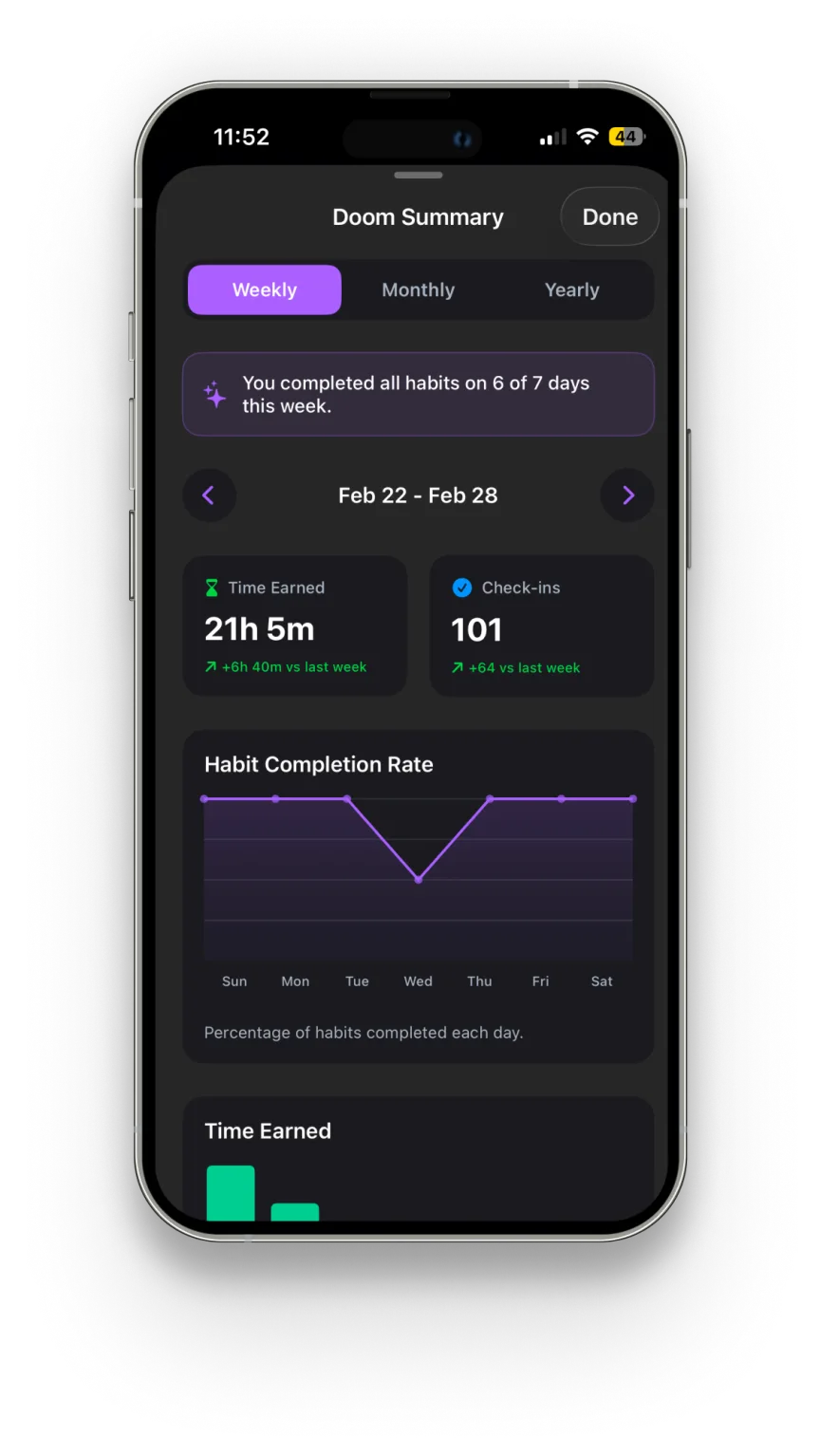
Streaks, completion rates and a yearly heatmap for every habit.
-
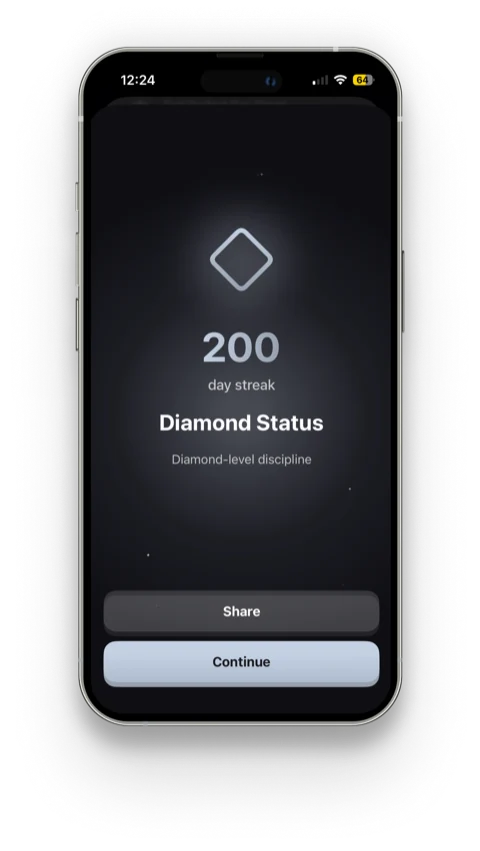
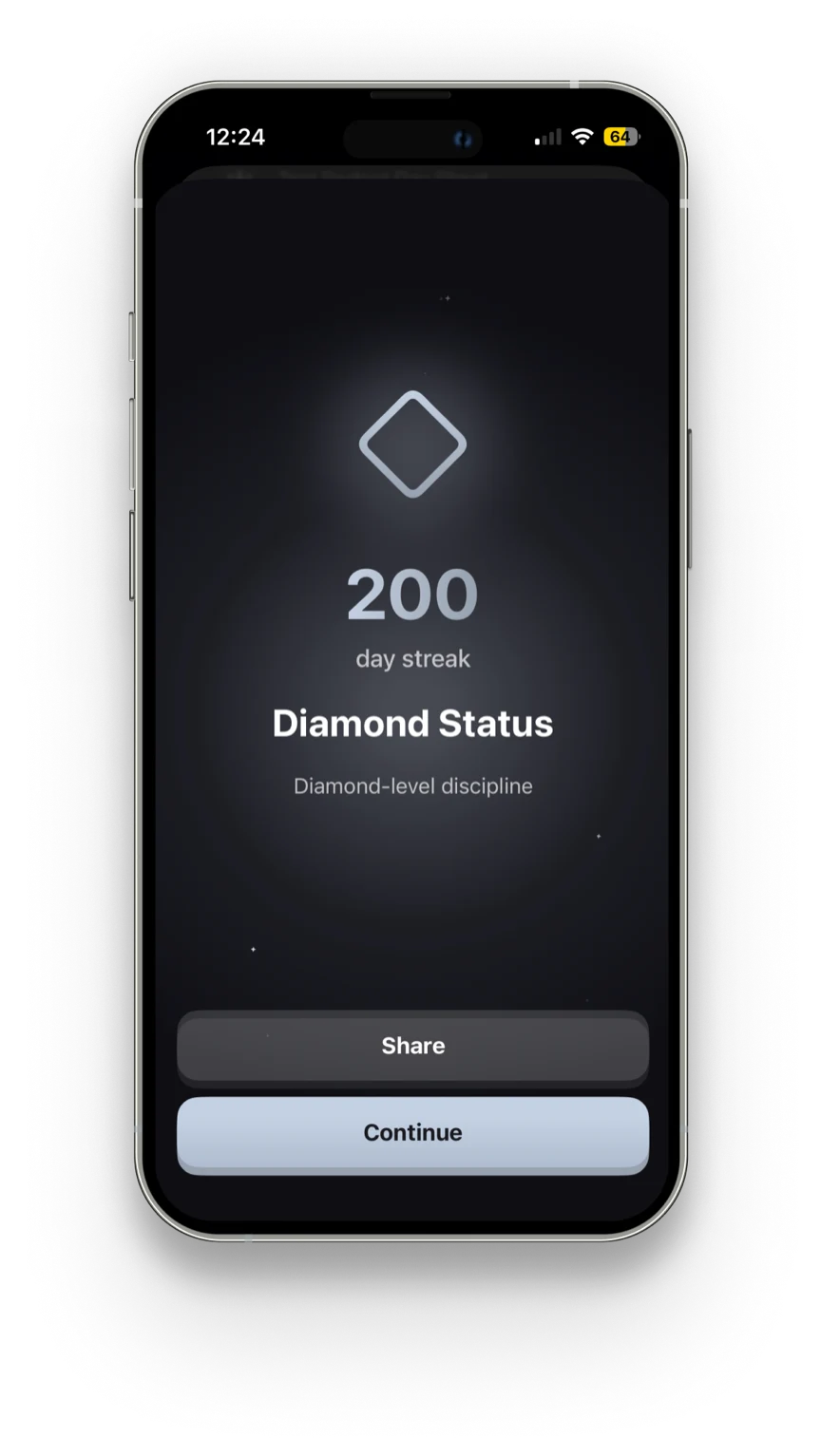
Streak milestones and achievements that keep you going.
-
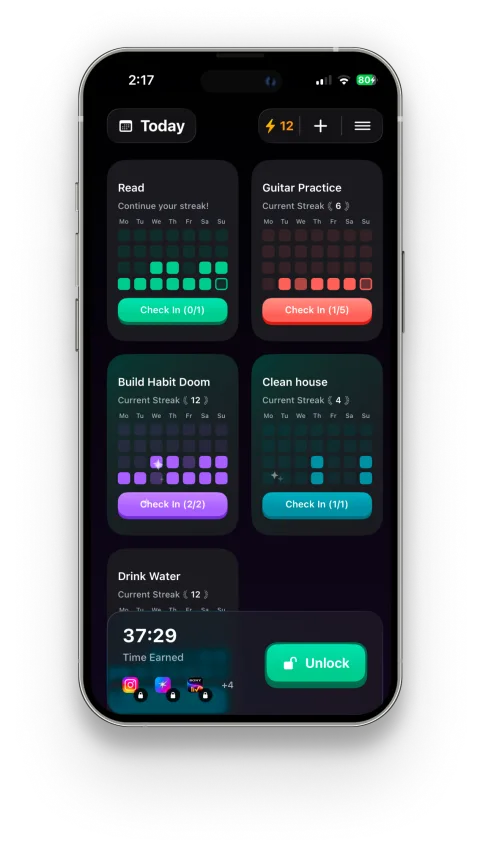
Your own colours and icons on every habit card.
What people are saying
Verified reviews from the App Store and Google Play
Feature request
"This is the only “stop doomscrolling app that has actually worked for me. It’s great, thanks! I just purchased a lifetime subscription :) …"
"Simple to set up and use. Has stopped me clicking on Facebook and Instagram throughout the day unless I deserve the break."
Simple
"This was exactly what I needed. Gives me a little shove to do the things I want to be doing before reaching for my phone. The rewards system is perfect for me."
"Massively creative great job this app is slick doom scrolling insta was getting out of hand your app helped me cut down hours👍🏻"
"Really unique approach to app locking. It's certainly helped me to stay on track with my goals. The app doesn't have a ton of bells and whistles but I think that's a good thing. Dev is super responsive too."
Works how I need to
"I do have productive things to do on my phone. So my ideal screen time is not necessarily zero minutes. So I appreciate that this app forces me to get through my important things, like flashcards and language learning, before I scroll"
Free forever. Pro when you're ready.
Everything you need to build habits. Upgrade for the full toolkit.
Free includes
- Up to 3 habits
- Block any app
- Earn screen time by checking in
- Daily streaks and milestones
- Custom alarms per habit
- Anti‑Cheat photo verification
- Doom Summary (weekly stats)
- Basic home screen widgets
Pro adds
- Unlimited habits
- Habit analytics and heatmaps
- Hard Mode
- Vacation Mode
- Archive habits
- 100+ custom habit icons
- Widgets in all sizes
- All future Pro features
| Feature | Free | Pro |
|---|---|---|
| Active habits | Up to 3 | Unlimited |
| Block any app with Screen Time | ✓ | ✓ |
| Earn screen time from check-ins | ✓ | ✓ |
| Daily streaks | ✓ | ✓ |
| Streak milestones (7, 30, 100+ days) | ✓ | ✓ |
| Custom alarms per habit | ✓ | ✓ |
| Anti-Cheat (photo verification + tamper-proof) | ✓ | ✓ |
| Doom Summary (weekly stats) | ✓ | ✓ |
| Home screen widgets | Basic | All sizes |
| Habit analytics & heatmaps | — | ✓ |
| Hard Mode (all habits or nothing) | — | ✓ |
| Vacation Mode (pause without losing streaks) | — | ✓ |
| Archive habits (preserve data, hide from home) | — | ✓ |
| 100+ custom habit icons | — | ✓ |
| All future Pro features | — | ✓ |
How we stack up
Stop guessing. Here's the honest comparison.
Only in Habit Doom
- Apps unlock when your habits are done
- Earn screen time as a reward
- AI photo verification (Anti‑Cheat)
- Block adult websites (iPhone)
Checked against ScreenZen, Opal and One Sec.
- Unlock by doing habits✓Yes✕No✕No✕No
- App blocking✓YesPause or strict block✓YesDelay only
- Hard mode✓YesStrict blockPaid✕No
- Block adult sitesiPhone✓Yes✕No✕No✕No
- AI photo check-ins✓Yes✕No✕No✕No
- Streaks & analytics✓YesUsage only✕No✕No
- Earn screen time✓Yes✕No✕No✕No
- Vacation mode✓Yes✕No✓Yes✕No
- Home screen widgets✓Yes✕No✓Yes✕No
- Pricing$4.99/moFree$19.99/mo$6.99/mo
| Feature | Habit Doom | ScreenZen | Opal | One Sec |
|---|---|---|---|---|
| Habit-based app unlocking | ✓ | ✕ | ✕ | ✕ |
| App blocking | ✓ | Pause, optional strict block | ✓ | Delay only |
| Hard mode | ✓ | Strict block | Paid | ✕ |
| Block adult websites (iPhone only) | ✓ | ✕ | ✕ | ✕ |
| AI photo verification (Anti-Cheat) | ✓ | ✕ | ✕ | ✕ |
| Habit streaks & analytics | ✓ | Usage only | ✕ | ✕ |
| Earn screen time as reward | ✓ | ✕ | ✕ | ✕ |
| Vacation mode | ✓ | ✕ | ✓ | ✕ |
| Home screen widgets | ✓ | ✕ | ✓ | ✕ |
| Pricing | $4.99/mo | Free | $19.99/mo | $6.99/mo |
Frequently asked questions
Everything you need to know before downloading.
Can't I just use Apple Screen Time?
You can. And you'll bypass it within 3 days, just like everyone else. Screen Time lets you extend limits with one tap. Habit Doom doesn't. That's the difference between a suggestion and a system.
Can I bypass it if I really need to?
In normal mode, yes: you can always turn off blocking. Hard Mode takes that option away until your habits are done. That's the whole point. On Android, blocking depends on an accessibility service that can be switched off in system Settings, so treat it there as a strong commitment, not an absolute lock.
Does it drain my battery?
Not in any way you should notice. On iPhone, Habit Doom uses Apple's native Screen Time API, which runs at the system level, so the app does not need to run in the background. On Android, it uses an accessibility service that only reacts when you switch apps.
Can it see my data or app usage?
No. Your habits, check-ins and the apps you choose to lock stay on your device. We never receive which apps you use, what you do in them, or how long you spend there. We do collect anonymous analytics about Habit Doom's own features, such as when a lock or unlock happens, without the names of the apps. On iPhone, blocking runs through Apple's Screen Time API. On Android, it runs through an accessibility service that checks which app is in front so a locked one can be covered.
What happens if I miss a day?
Your apps stay locked until you complete your habits. Your streak resets, but you can start fresh anytime. Vacation Mode lets you take planned breaks without losing progress.
Is it available on Android?
Yes. Habit Doom is on iPhone, iPad and Android (Android 10 or later).
How is this different from other app blockers?
Most blockers just block. Habit Doom makes you earn your screen time by completing real habits first. It's not about restriction. It's about building a system where your bad habits fund your good ones.
Is Habit Doom really free?
Yes, Habit Doom is free to download and use. Core features like habit tracking, app blocking, custom alarms, streaks, and Anti-Cheat photo verification work without paying a cent. There's an optional $4.99/mo subscription that unlocks premium features like unlimited habits, Hard Mode, Advanced Analytics, and Card Customization. You can use the app fully without it.
Also from us · Doom Count
Every deadline in sight.
Countdown widgets and wallpapers. Put any deadline on your Home Screen, and your Lock Screen wallpaper counts it down by itself, one day less every night. Free for iPhone and iPad.
Get Doom CountHome Screen widgets in 12 styles and 7 colours. Tap one to change its style.
Habit blog
Tips, guides, and comparisons to help you take back your screen time.
See it in under a minute
Every minute you wait is another minute wasted.
Average user saves 2+ hours of screen time per day.
Free to download. No sign-up needed.
Featured on