


How to Block X (Twitter) on iPhone

 X
X LinkedIn
Block X on iPhone: quick answer
There are three real ways to block X (formerly Twitter) on iPhone, and they go from easiest to hardest to get around:
- iOS Screen Time (free, built in): set an App Limit on X or add it to Downtime. Easiest to set up, but the Ignore Limit button undoes the block in one tap.
- One Sec (software friction): adds a breathing pause before X opens and asks if you still want to continue. Good for awareness, not a hard wall.
- Habit Doom (habit-gated hard block): keeps X locked until you finish your habits, and the lock resists uninstall, force-quit, and clock changes. Best if you keep hitting Ignore Limit.
Pick by how you actually fail. If a gentle reminder is enough, start with Screen Time. If you want to catch yourself in the act, use One Sec. If you have tried the built-in tools and blown past them every time, you need a block you cannot talk your way out of.
Why X is so hard to put down
Before the methods, it helps to be honest about what you are up against. X (Twitter) is engineered to hold your attention, and none of that is a personal failing.
- The feed is infinite. There is no bottom of the page to hit, so there is never a natural stopping point.
- Posts are short. You can always read one more, and one more is the whole trap.
- Pull to refresh behaves like a slot machine. You yank down and something new appears, which is exactly the variable-reward loop that keeps people pulling.
That is why a block you can undo in a single tap often is not enough. The app is tuned to win the "just five minutes" negotiation, so the strongest methods below take that negotiation off the table entirely.
Method 1: iOS Screen Time (free, easiest, one-tap bypass)
Screen Time is Apple's built-in tool, and it is the fastest thing to try because it is already on your phone and costs nothing. There are two ways to use it on X.
Option A: App Limit. This gives X a daily time budget and blocks it once you hit the cap.
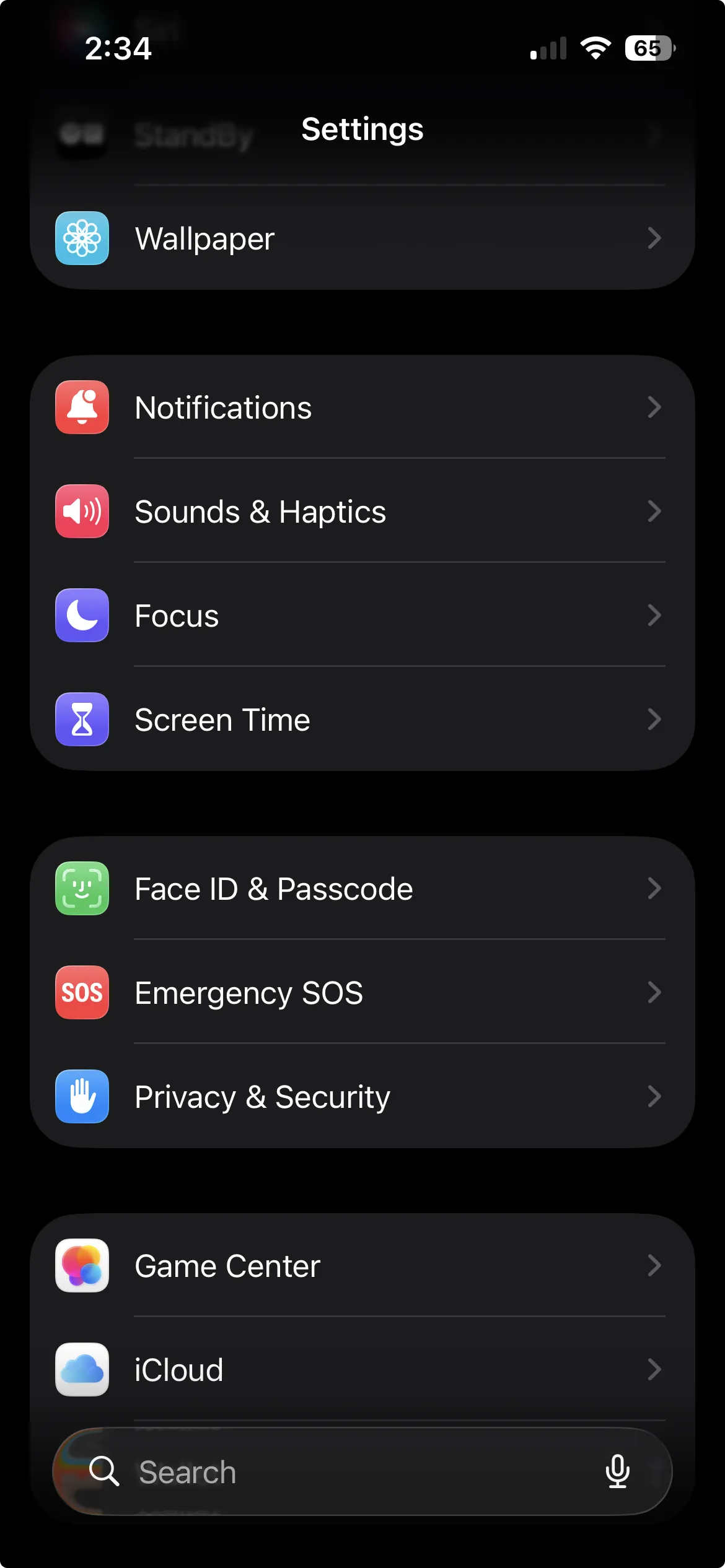
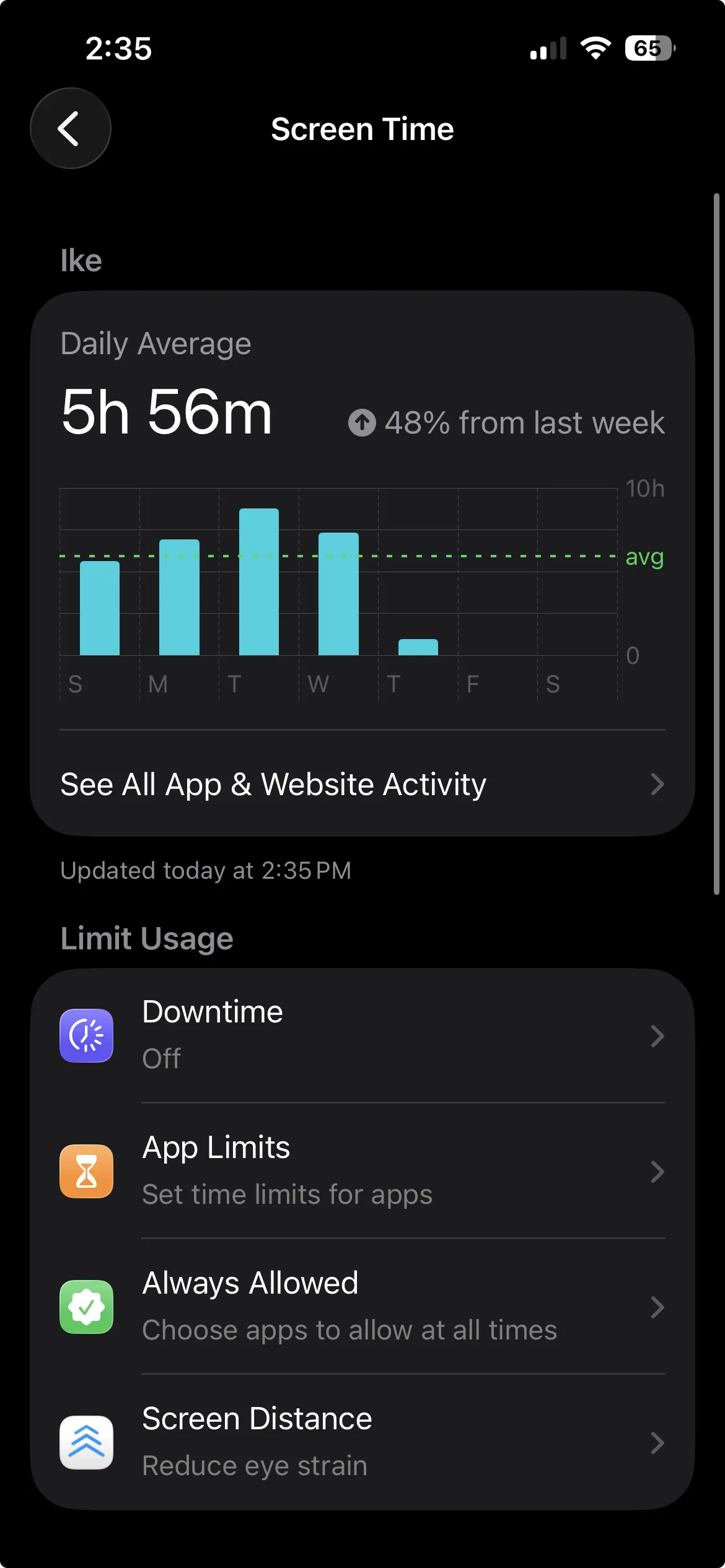
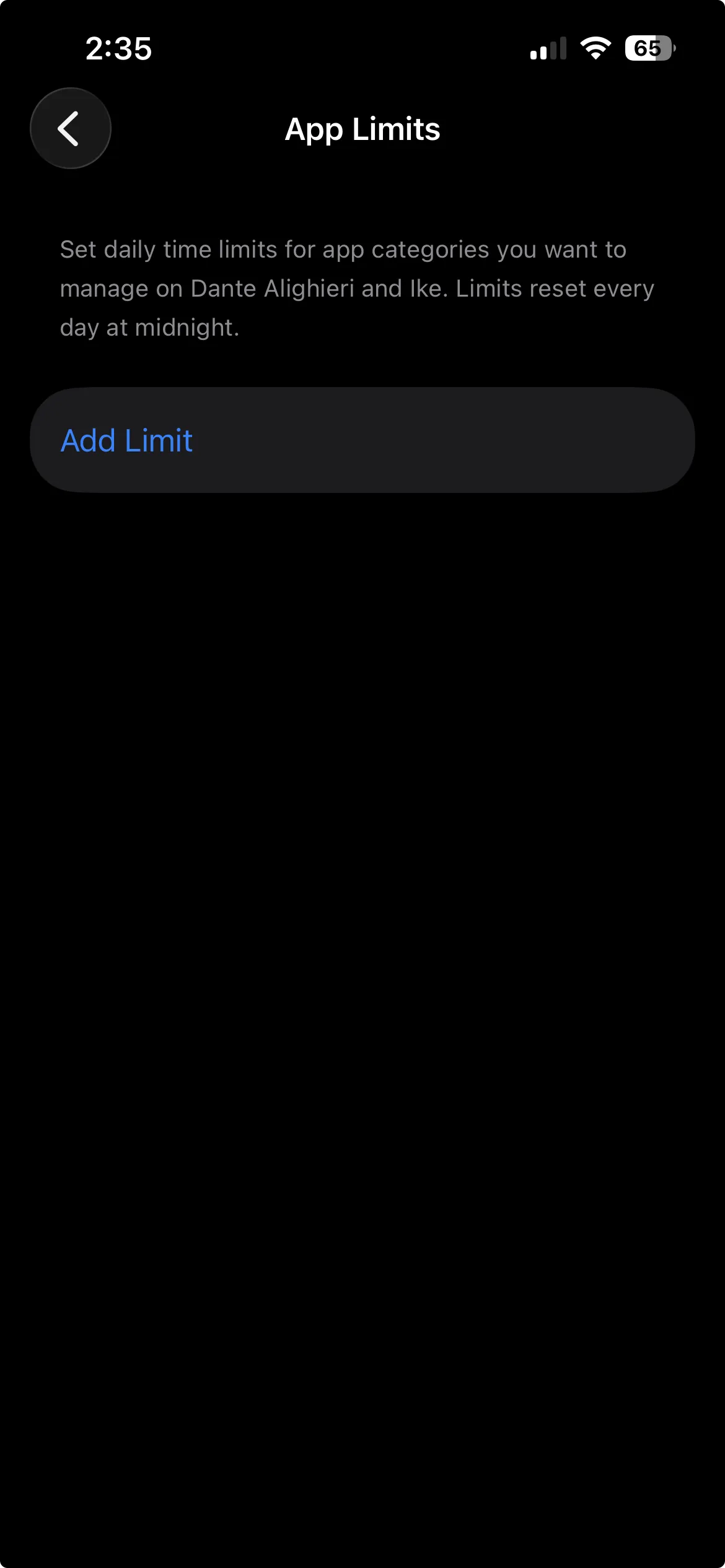
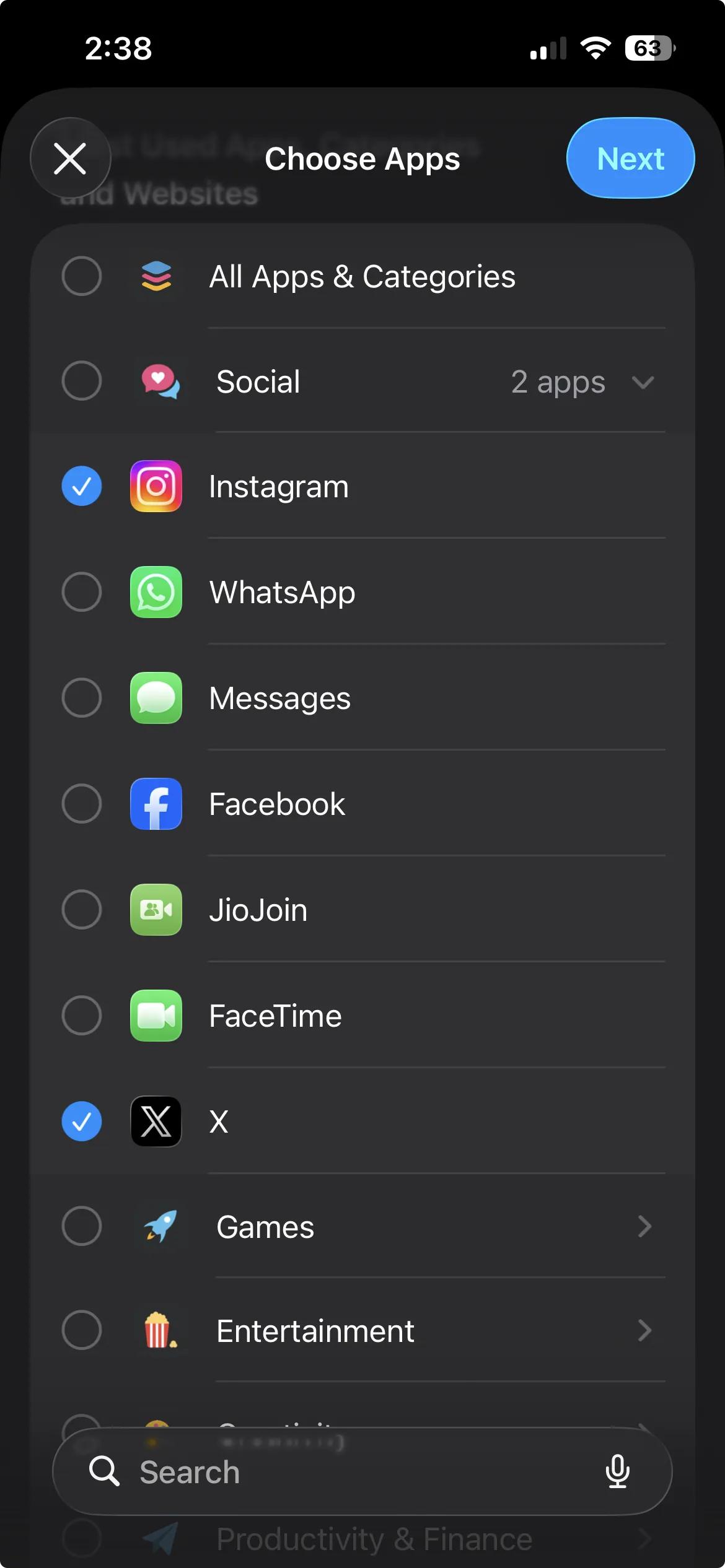
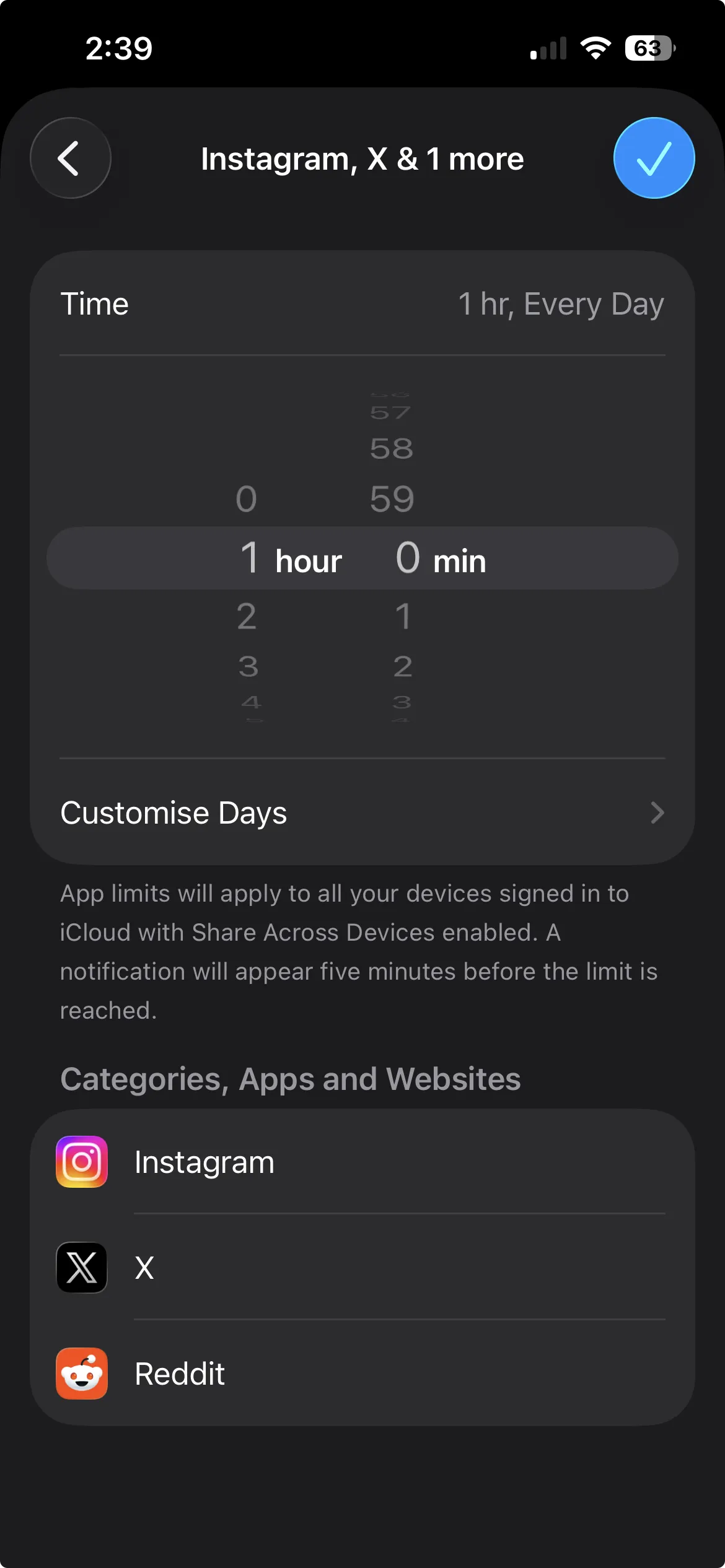
- Open Settings and tap Screen Time.
- Tap App Limits, then Add Limit.
- Expand Social, tick X, and tap Next.
- Set the amount of time you want to allow per day, then tap the checkmark in the top right to save.
Option B: Downtime. This blocks X during hours you pick, like evenings or work blocks.
- Open Settings and tap Screen Time.
- Go to Downtime and turn it on.
- Set the schedule for when apps should be blocked.
- Make sure X is not on your Always Allowed list.
Here is the honest catch. When you hit an App Limit or a Downtime block, iOS shows an Ignore Limit button, and for the person who set the limit that button removes the block in one tap. So Screen Time is a speed bump, not enforcement. It is genuinely useful if you just need a reminder that you have been on X too long and a small nudge to stop. If you know you will tap Ignore Limit every time, this method alone will not hold, and that is fine. It was never built to stop a determined user from bypassing their own settings.
Best for: people who want a free, no-install nudge and will actually respect the reminder.
Method 2: One Sec (a pause for awareness)
One Sec sits between you and X. When you open the app, it interrupts with a short breathing pause, then asks whether you still want to continue. It is not a hard block, and you can proceed after the pause. What it adds over plain Screen Time is awareness: it tracks how often you chose not to open X after the pause, which turns a vague sense of "I use this too much" into concrete data on your impulse control over time.
That design is the point. The gap between reflex and action is where a lot of doomscrolling lives. You reach for X out of habit, One Sec makes you breathe, and often that half a second is enough to remember you did not actually want to open it. Over a few weeks the count of skipped opens becomes a small, motivating scoreboard.
One Sec runs on iOS and Android. It is free with limits, or $19.99/year for premium.
Best for: people who want to catch themselves in the reflex and build awareness, not slam a hard wall down.
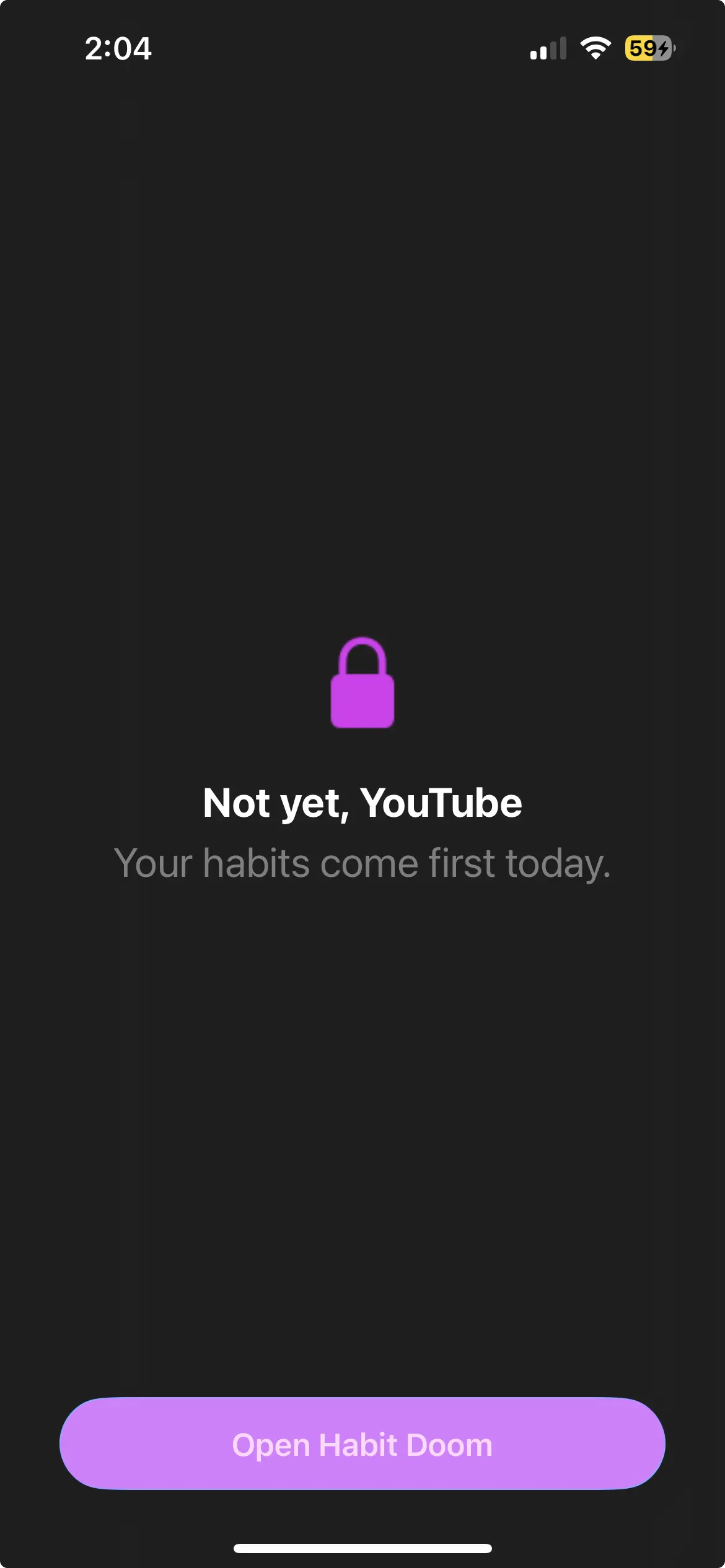
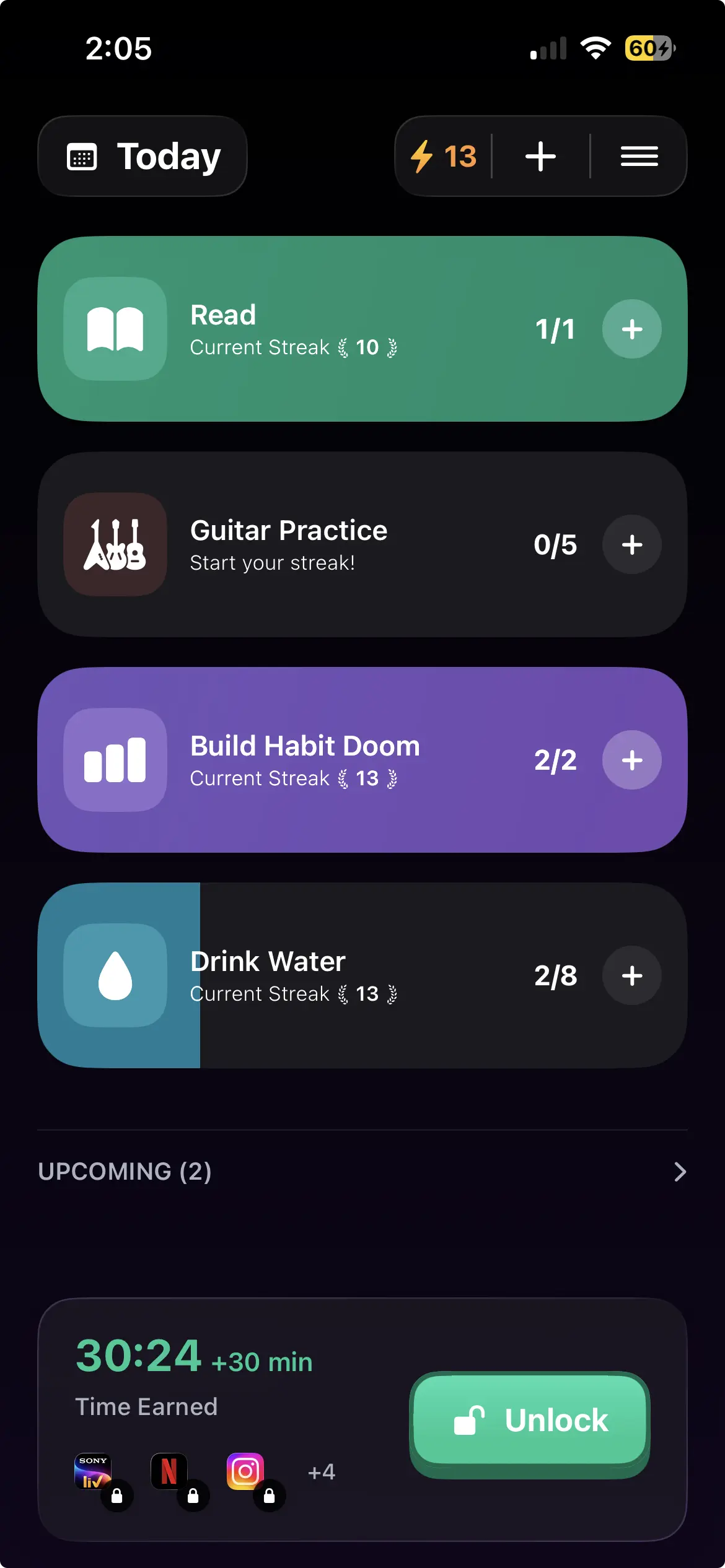
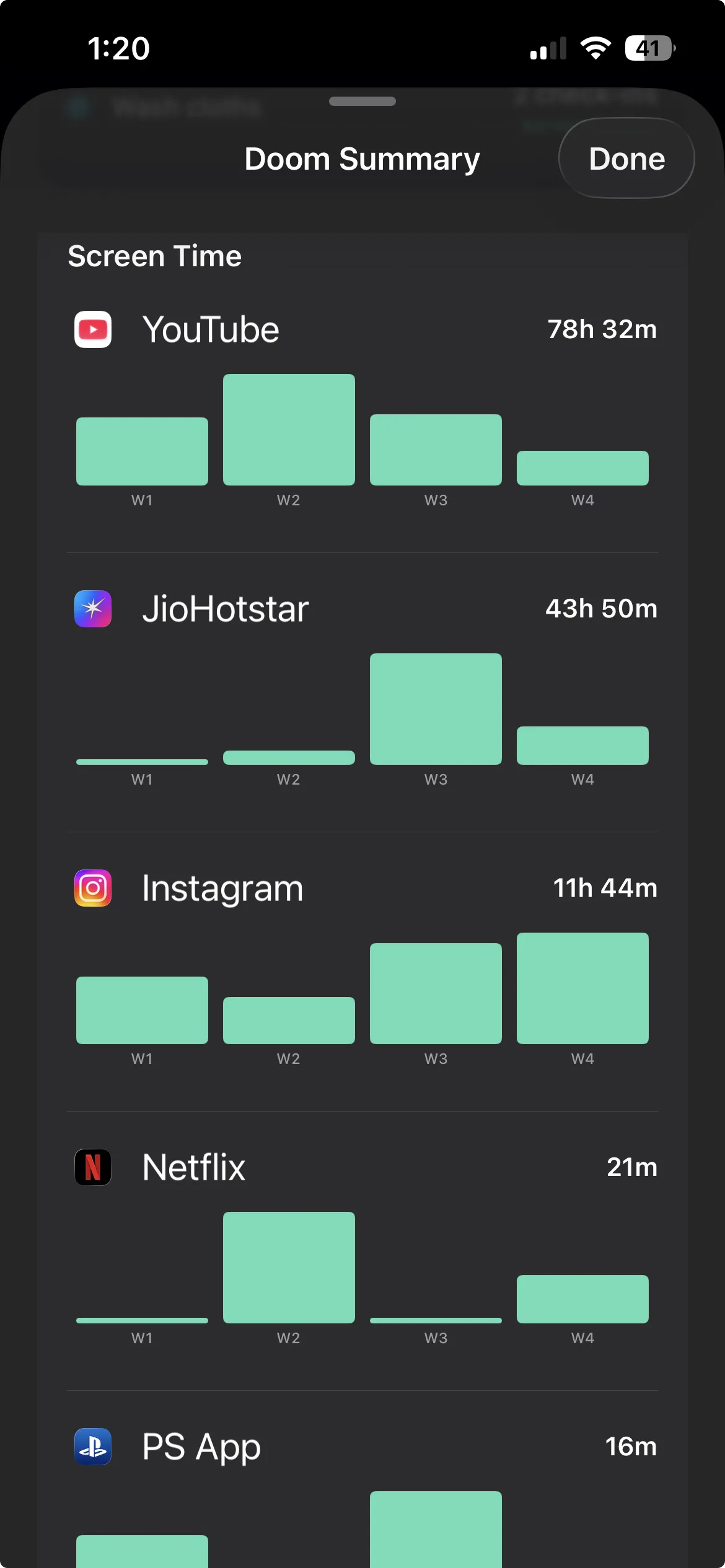
Method 3: Habit Doom (habit-gated hard block)
If you have set a Screen Time limit and hit Ignore Limit every single time, the problem is not that you lack a limit. It is that you can undo the limit whenever you want. Habit Doom fixes that by changing what unlocks X in the first place.
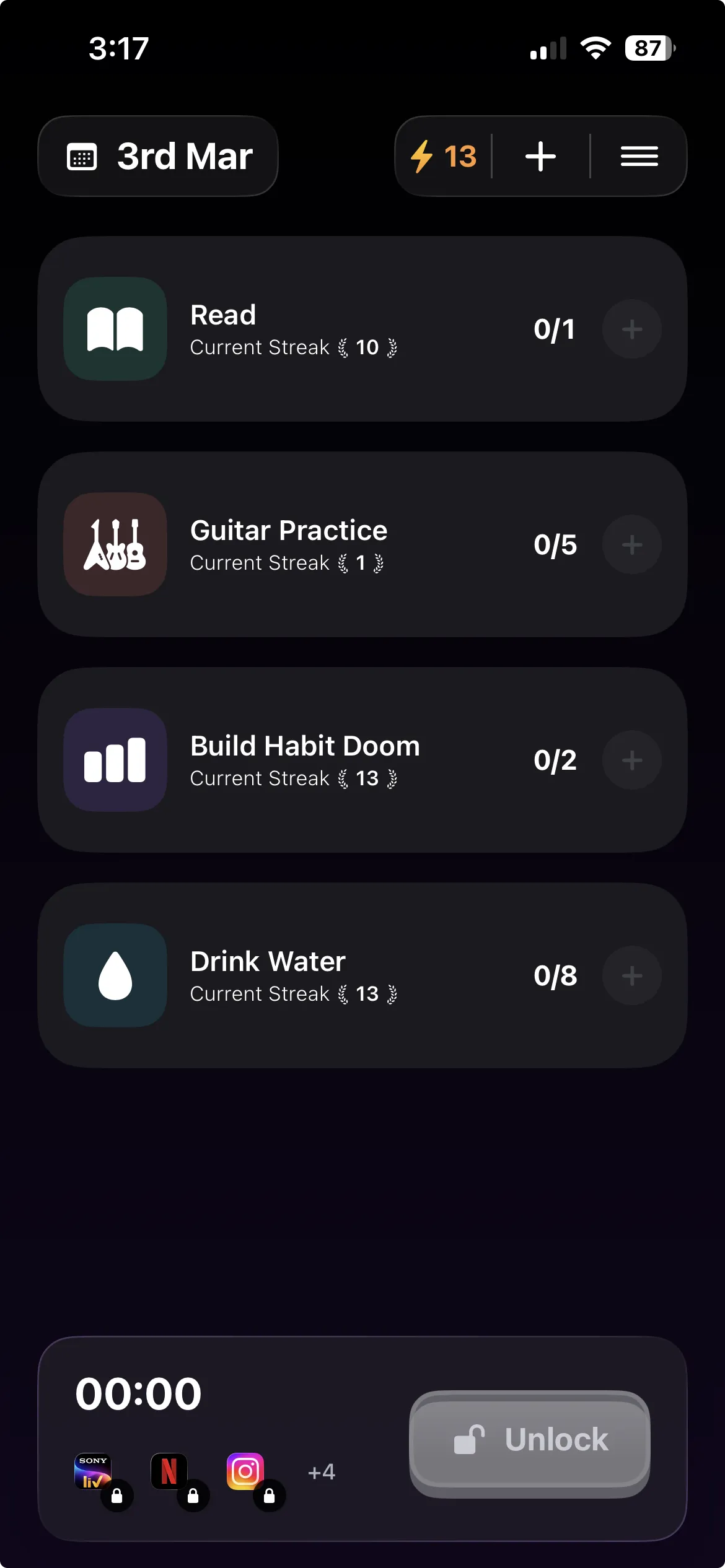
Instead of a time budget or a pause, Habit Doom locks X by default and unlocks it only when you finish your habits. Read, exercise, study, whatever you pick. X stays locked until the work is done, so access becomes something you earn rather than a setting you can toggle off.
Why it holds: the lock is tamper-resistant. It survives uninstalling the app, force-quitting it, and changing your system clock, which are the usual tricks people use to defeat a soft blocker. Plain Screen Time gives you the Ignore Limit escape hatch. Habit Doom does not hand you one.
Built on the Apple Screen Time API, the same enforcement layer serious blockers use, so the block is real, not a reminder you can swipe away.
Anti-Cheat (free): when you check a habit off, you snap a real-time photo to verify you actually did it, so you cannot fake your way to an unlock.
Price: free to download and use. The free tier covers up to 3 habits, app blocking, custom alarms, streaks, and Anti-Cheat photo verification. Premium is $4.99/month, $19.99/year (with a 7-day free trial), or $29.99 lifetime. No ads.
Best for: people who keep hitting Ignore Limit and want X locked until their habits are done, with a lock they cannot bypass on a whim.
Quick comparison: 3 ways to block X
| Method | Price | Block model | Can you bypass it? | Best for |
|---|---|---|---|---|
| iOS Screen Time | Free | App limit or Downtime | Yes, Ignore Limit in one tap | A free nudge you will respect |
| One Sec | Free / $19.99 yr | Breathing pause | Yes, proceed after the pause | Awareness and catching the reflex |
| Habit Doom | Free / $4.99 mo | Habit-gated hard lock | Resists uninstall, force-quit, clock change | Keep hitting Ignore Limit |
Free ways to block X
You do not have to pay to start. Two of the three methods have a real free path.
- iOS Screen Time is completely free and already installed. Set an App Limit or Downtime on X in a couple of minutes. Just know it is a speed bump because of the Ignore Limit button.
- Habit Doom is free to download and use. The free tier covers up to 3 habits, app blocking, custom alarms, streaks, and Anti-Cheat photo verification, with no card required. This is the free option that actually holds, since the lock resists the usual bypass tricks.
- One Sec has a free tier with limits if you want the breathing pause without paying, then premium if you want more.
If you want free and want it to stick, start with Habit Doom's free tier. If you just want a reminder and trust yourself to honor it, Screen Time costs nothing and takes two minutes.
Which method fits you?
If you want the fastest, zero-install option: iOS Screen Time. Set an App Limit or add X to Downtime and see if a nudge is enough.
If you want to understand your own habit and build awareness: One Sec. The breathing pause plus the count of skipped opens gives you data on your impulse control.
If you keep hitting Ignore Limit and need a real wall: Habit Doom. It locks X until your habits are done and does not give you a one-tap escape.
If you want free and want it to actually hold: Habit Doom's free tier. Screen Time is also free but easy to bypass.
Disclosure: Habit Doom is our app. We have tried to give Screen Time and One Sec a fair read, because they are genuinely the right tool for some people. Screen Time is perfect if a reminder is all you need. One Sec is excellent for awareness. Habit Doom is for the specific person who has tried the soft tools and blown past them every time. Pick the one that matches how you actually fail, not the one with the most features. For more, see the best iPhone app blockers of 2026 or the task-based app blockers roundup.
The honest take
Blocking X on iPhone is not really a technical problem. Every method here works. The question is which kind of friction matches you. Screen Time is the lightest touch: free, instant, and enough if you will respect a reminder, but useless the moment you decide to tap Ignore Limit. One Sec adds a pause that catches the reflex and shows you how often you back off, which is great for building awareness but still lets you through. Habit Doom is the heaviest: X stays locked until your habits are done, and the lock does not hand you an escape hatch. If the soft tools have failed you before, that is the signal you need the hard one. Pick a method. Use it for two weeks. If it does not stick, move up a level. Bouncing between blockers without committing is the slowest way to spend less time on X.
Frequently Asked Questions
Keep Reading
Try Habit Doom
Lock your distracting apps. Complete your habits. Earn your screen time. It takes 30 seconds to set up.
Download Free