


How to Block Adult Sites on iPhone (2026)

 X
X LinkedIn
Block adult sites on iPhone: quick answer
There are three levels of blocking adult sites on iPhone, and you move up a level only when the one below keeps failing you.
- Apple's built-in Limit Adult Websites (free, system-level): the fastest thing to try. Covers Safari and in-app browsers. The catch: the person who owns the phone can turn it off unless a separate Screen Time passcode protects it.
- An always-on block with a lock (One Sec's Adult Content Detox timer, or Habit Doom's math-gated filter): same kind of coverage, but you cannot undo it on impulse. Best if you keep switching Apple's filter off in a weak moment.
- Broadest coverage for the determined case (a DNS-based blocker, or supervised MDM): filters before a site even loads, works across browsers, and on a supervised device the profile cannot be removed on-device without the passcode.
Pick by how you actually fail. If you just need the sites gone and you will leave the setting alone, Apple's free filter is enough. If you know you will reach in and toggle it off at 1am, you need a lock. If you route around blocks with a VPN or a second browser, you need DNS or MDM.
First, decide what kind of failure you are solving
Blocking adult content on iPhone is rarely a technical problem. Every method below works. The real question is what breaks your resolve, because that is what your block has to survive.
- You forget, or you drift there out of boredom. A simple always-present filter fixes this. You do not need a vault, you need a wall that is just there.
- You cave in the moment. You set a filter, then you turn it off when the urge hits. You do not need better coverage, you need friction on the off switch so the impulse passes before you can act on it.
- You actively route around it. You install a VPN, switch to a browser the filter does not see, or change a DNS setting. You need coverage that sits below the browser, which means DNS filtering or a supervised MDM profile.
Most people are the second case. If that is you, skip straight to the always-on options with a lock. The rest of this guide walks the levels in order.
Method 1: Apple's built-in Limit Adult Websites (free)
Apple ships a content filter into every iPhone, and it is genuinely good for a free, no-install option. It blocks known adult websites system-wide and works best in Safari.
How to turn it on:
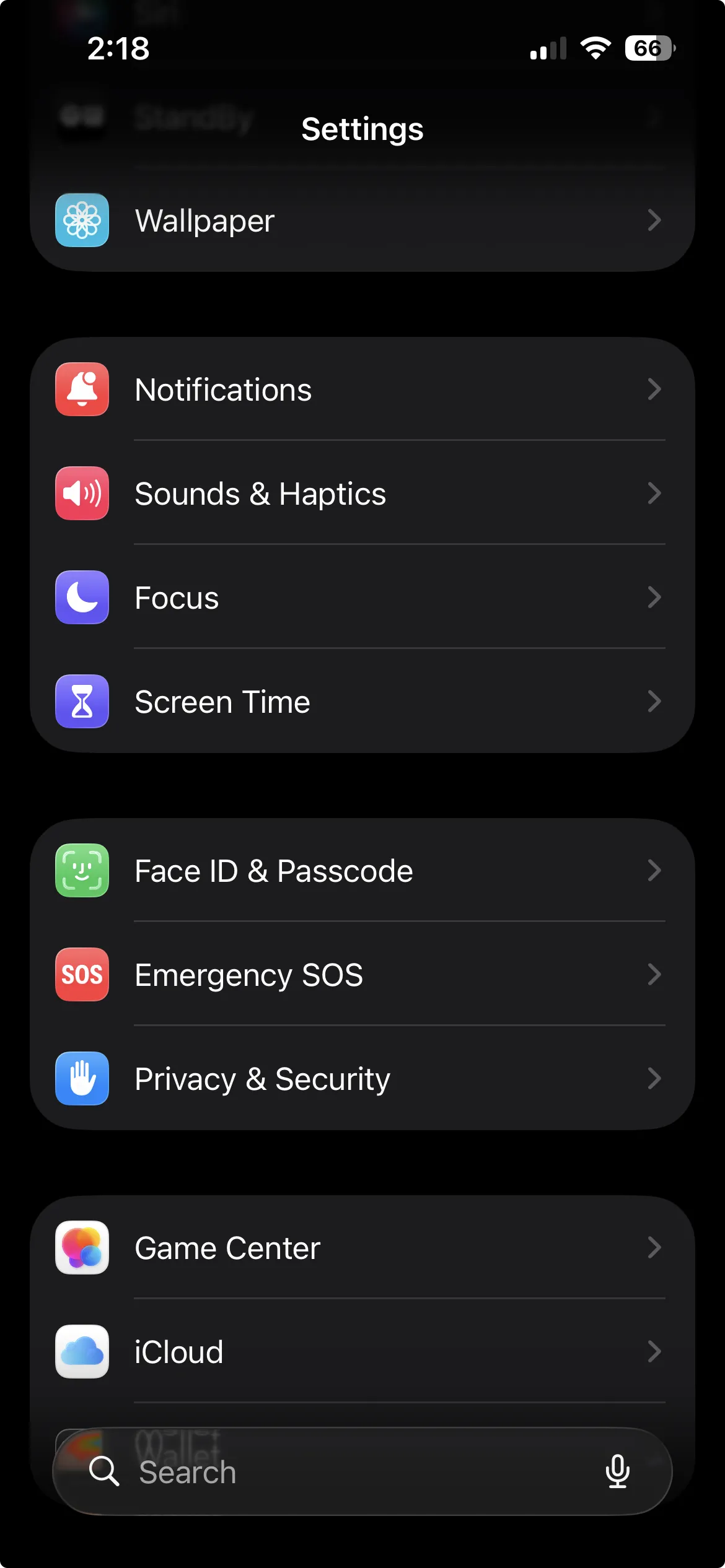
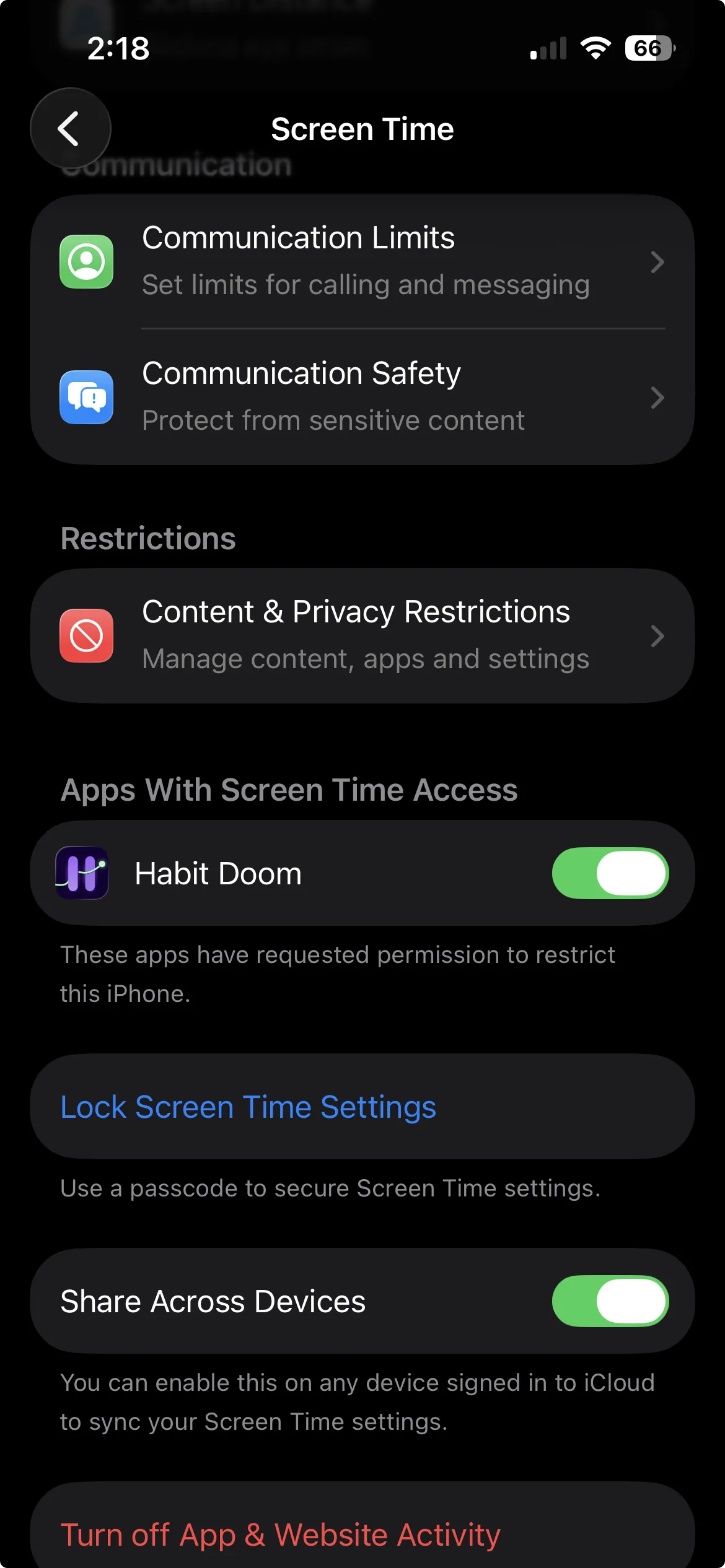
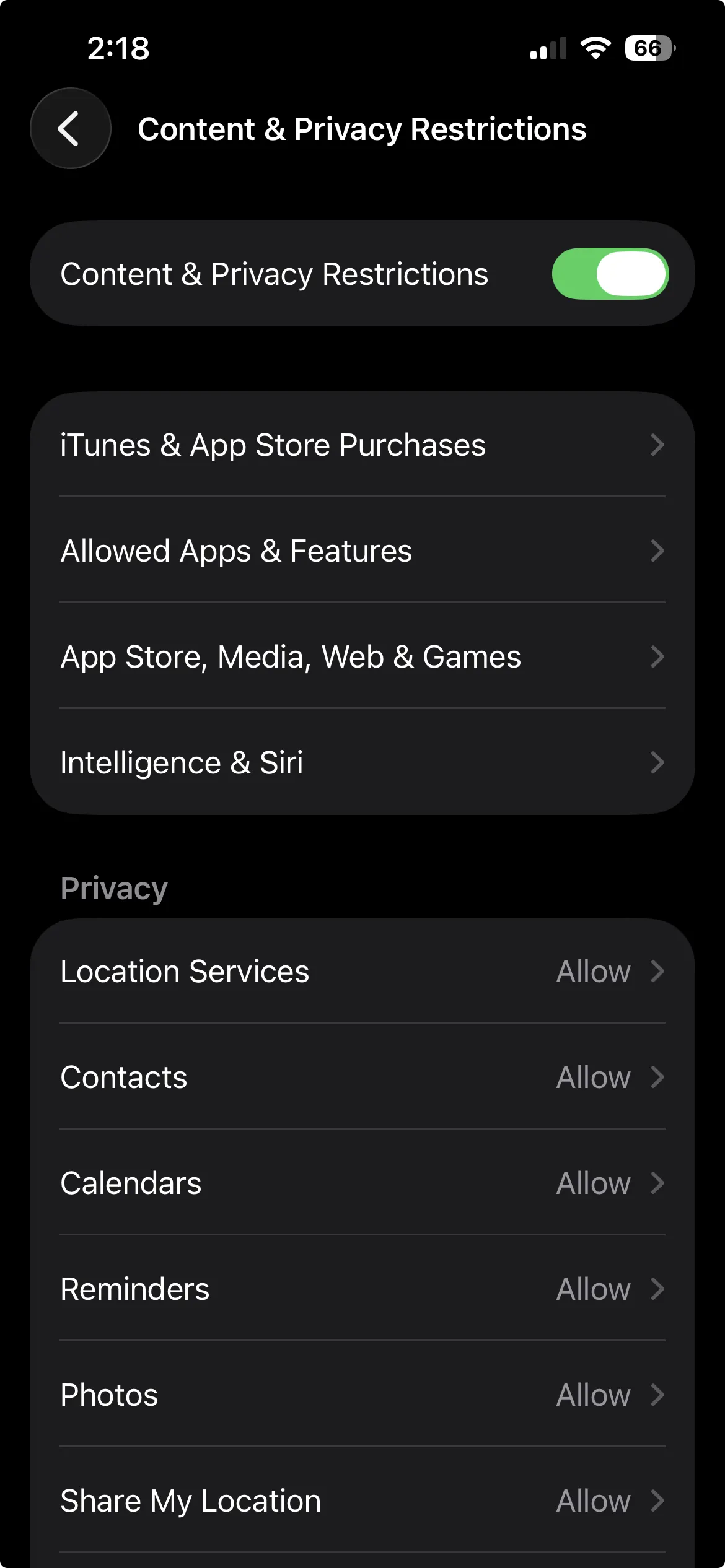
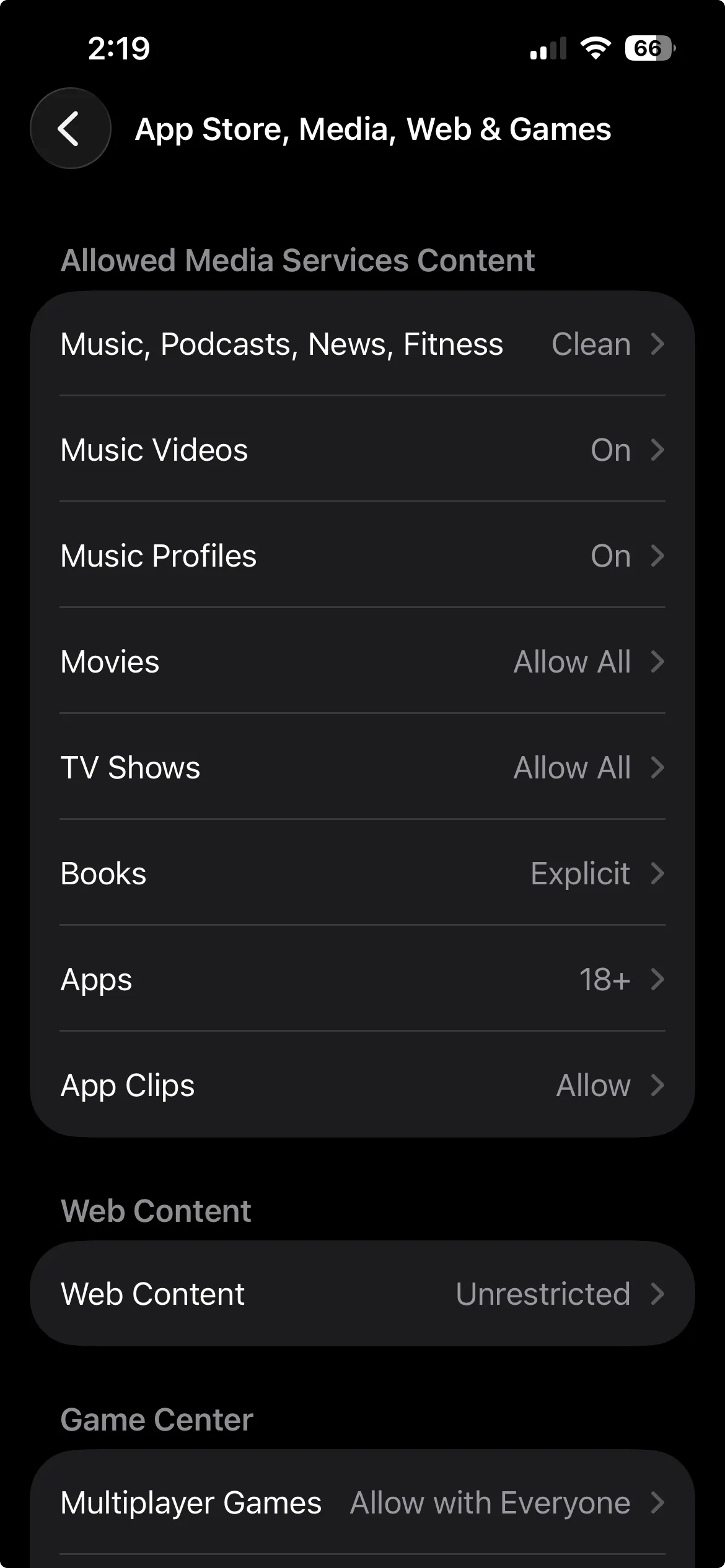
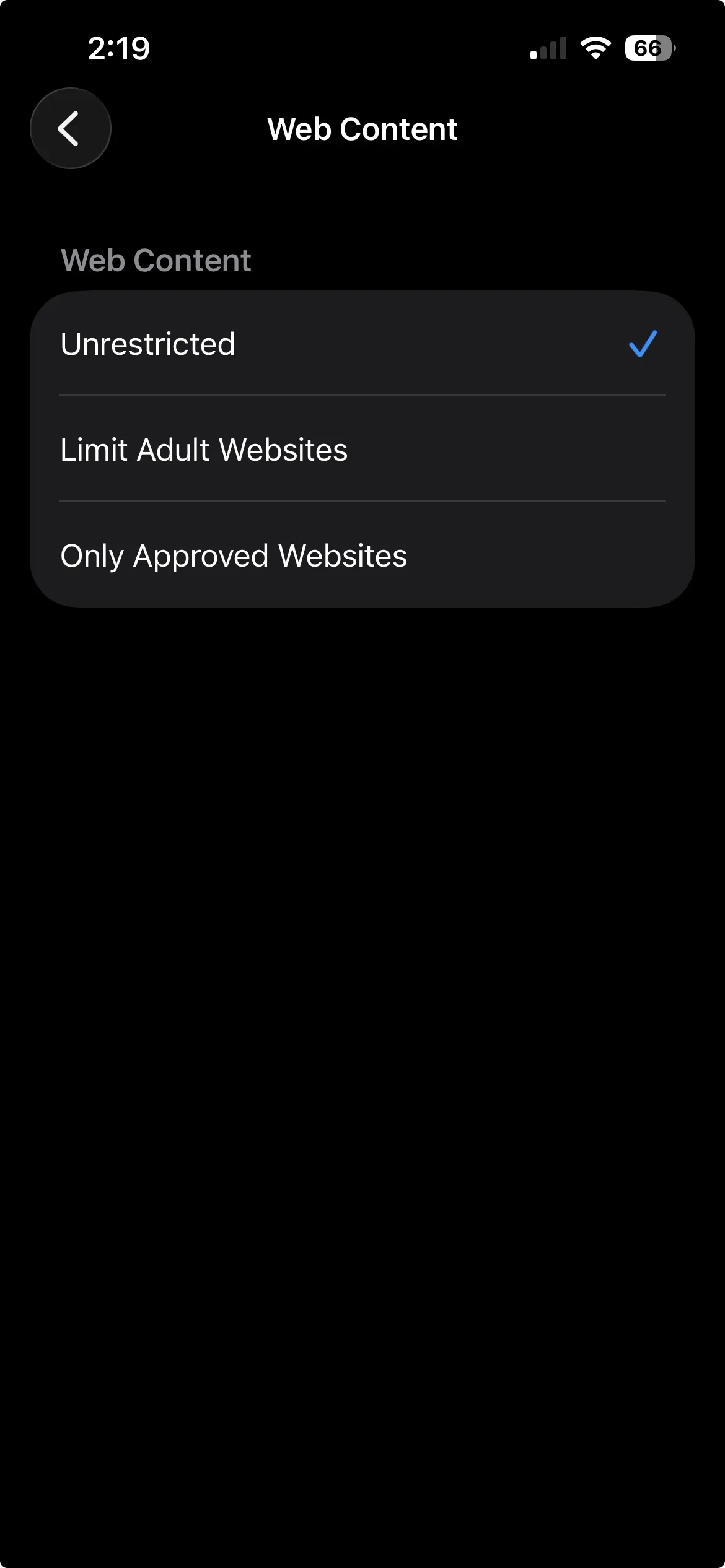
- Open Settings and tap Screen Time.
- Tap Content & Privacy Restrictions (under Restrictions, a short scroll down) and turn the toggle on.
- Tap App Store, Media, Web & Games. (On older iOS this item reads Content Restrictions.)
- Tap Web Content, near the bottom of that screen.
- Choose Limit Adult Websites.
That is it. From now on, known adult sites are blocked in Safari and in apps that use the standard iOS web stack. You can fine-tune it with the Always Allow and Never Allow lists that appear under Web Content: add a specific site you want permanently blocked to Never Allow, or clear a false positive by adding it to Always Allow. Turning the filter on also disables Safari Private Browsing, which closes an obvious side door.
The one caveat that matters. By default, the person who owns the phone can walk right back into Settings and switch the filter off. If you are blocking your own phone for your own focus or recovery, that is the whole weakness: nothing stops you from undoing it in ten seconds. Apple's fix is a Screen Time passcode, set under Settings, Screen Time, Lock Screen Time Settings. Apple recommends making it different from your device unlock code so it is not muscle memory. If you are setting this up for a child or handing the phone to someone else, the passcode is what makes it stick. If you are setting it up for yourself, be honest: a passcode you chose and can see is not much of a lock, which is exactly the gap the next section closes.
Apple is upfront that no filter of this kind is foolproof. It is strong, not exhaustive, and the occasional gap or false positive is Apple's call, not something an app on top can override.
Best for: anyone who wants adult sites off for free in two minutes and will either leave the setting alone or protect it with a passcode.
Method 2: An always-on block you cannot undo on impulse
If you have turned Apple's filter on and then turned it off in a weak moment, the problem is not coverage. It is that the off switch is one tap away. The fix is friction on that switch, so the urge passes before you can disable the block. Two apps do this well in different ways.
One Sec: Adult Content Detox with a lock-out timer
One Sec's Adult Content Detox is a system-wide block: it covers all web views, and it uses Apple's list of adult servers plus its own. The part that matters here is the lock-out. You commit to a period, 10 days, a month, or forever, and during that window you cannot turn the block back off. That takes the "just this once" negotiation off the table, because there is nothing to negotiate with until the timer ends.
One Sec has a free tier, or premium at $19.99/year or $99.99 lifetime. If a system-wide porn block with a hard commitment window is exactly what you want, it is a strong, affordable pick, and it is the most focused of the two on this specific job.
Habit Doom: Apple's filter, always-on, with a math gate to disable
Habit Doom is primarily a habit tracker that locks distracting apps until you finish your habits. Adult-site blocking is a separate Pro feature, and it works differently from the rest of the app on purpose.
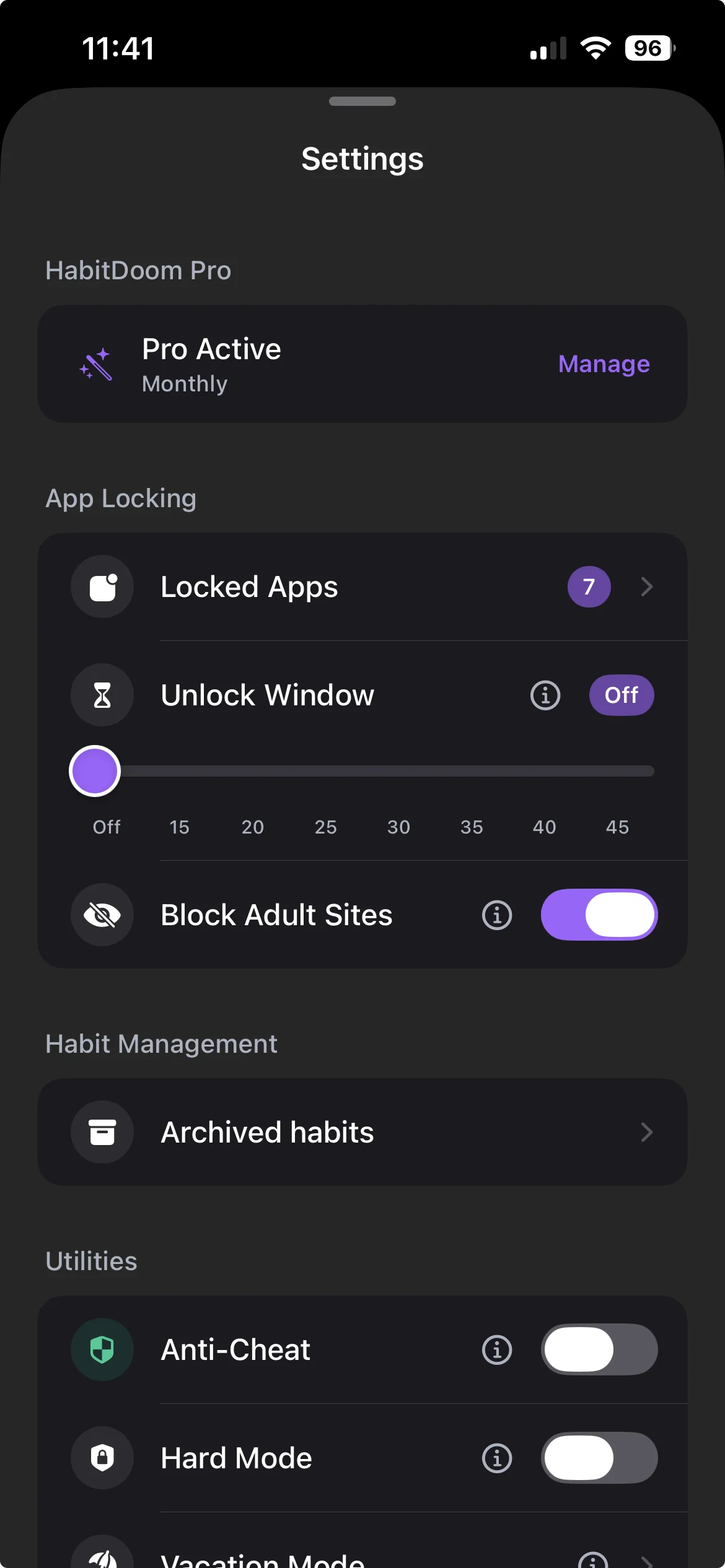
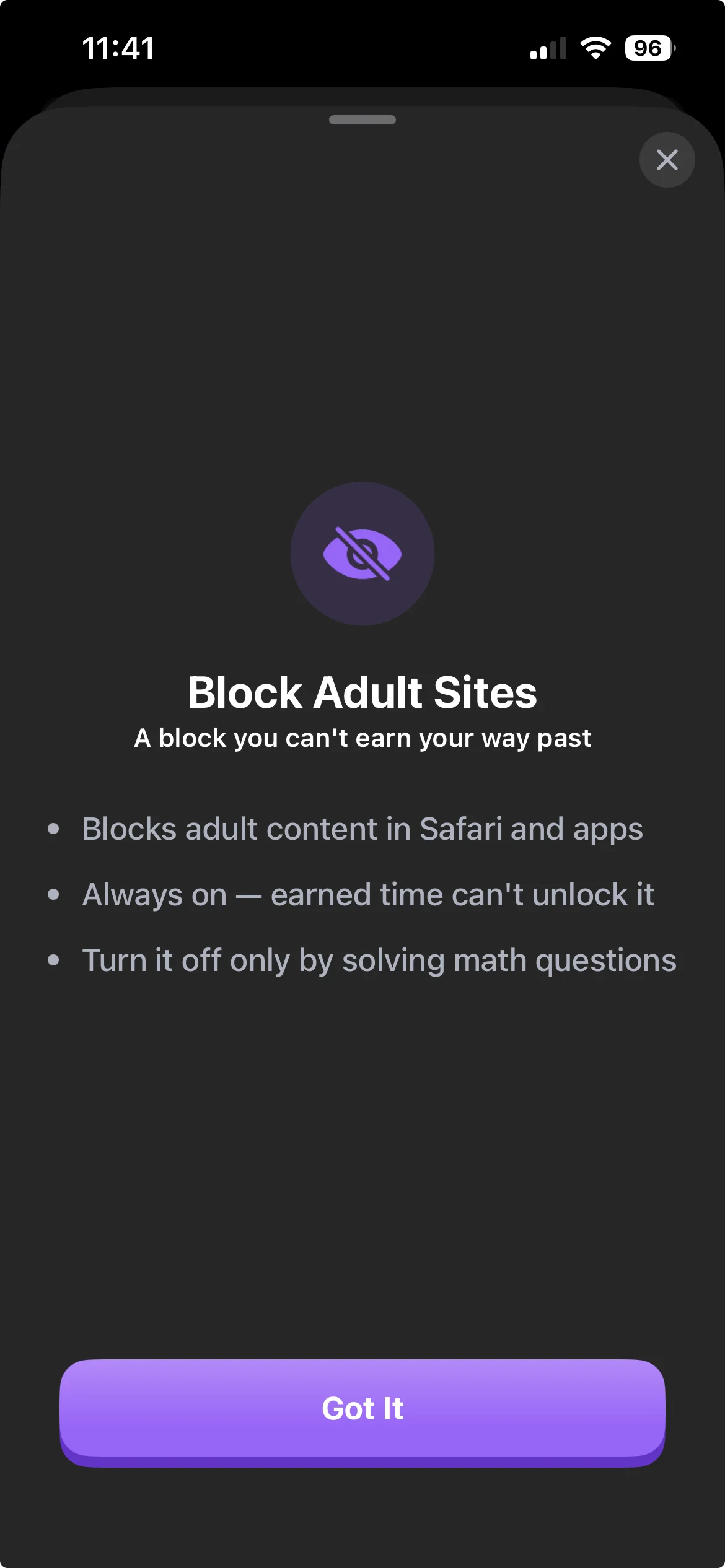
What it actually does: it switches on Apple's own Limit Adult Websites filter, the exact same engine described in Method 1. Habit Doom does not curate its own blocklist, so coverage is whatever Apple's filter catches, and a blocked site shows Apple's own restriction page (Habit Doom cannot customize that page). Because it is Apple's system filter, it covers Safari and in-app browsers using the standard iOS web stack, and it is OS-enforced.
Why it is different from the rest of Habit Doom: the adult-site filter is always-on and deliberately separate from the earn-your-screen-time loop. Finishing your habits, opening an unlock session, spending earned time, or turning on vacation mode does none of it lifts the filter. It just stays on, and it persists across app launches. This is intentional. Distracting apps are something you earn back; adult sites are something you decided to remove, so they should not come back as a reward.
The friction that makes it hold: turning the filter on is one tap. Turning it off is gated behind a math challenge, the same friction Habit Doom uses for Anti-Cheat. That asymmetry is the point. Protecting yourself should be easy, and undoing that protection on an impulse should not be. It is not an unbreakable vault. It is a speed bump placed exactly where impulse lives, so the urge has time to pass.
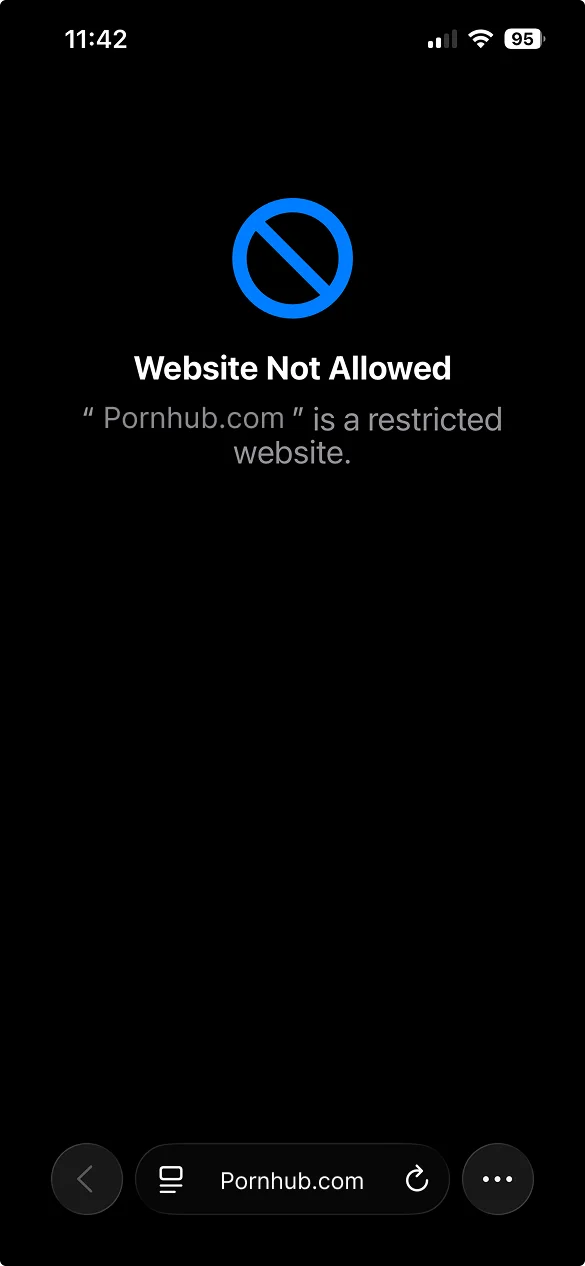
Honest limits, stated plainly. Coverage is Apple's list and heuristics, so occasional gaps or false positives are Apple's call. Using "Clear all data" inside the app resets the filter. And like any system web filter, it does not stop a VPN, a custom DNS profile, or a browser that ships its own non-standard engine. One more honesty note: unlike Habit Doom's app-blocking Anti-Cheat, the adult-site filter does not survive uninstalling the app. If you delete Habit Doom, the filter goes with it.
Price: adult-site blocking is a Pro feature. Habit Doom Pro is $4.99/month, $19.99/year (with a 7-day free trial), or $29.99 lifetime. If Pro lapses the filter turns off, and it re-applies when you resubscribe. Habit Doom itself is free to download, with habit tracking, app blocking, custom alarms, and streaks in the free tier.
Best for: people who already use Habit Doom for app-blocking and habits, and want adult sites off with impulse-friction, a math gate instead of a Screen Time passcode, without adding another subscription. If a dedicated porn blocker is what you are shopping for, One Sec or the accountability tools below are a more direct fit.
Method 3: The broadest coverage, for the determined case
If you route around blocks, with a VPN, a second browser, or a DNS change, you need something that sits below the browser. Two approaches go the deepest on iPhone.
DNS-based blocking
A DNS-based blocker filters the lookups your phone makes before a site ever loads, so it works across browsers rather than app by app. This is often cited as the most effective approach on iPhone precisely because it is not tied to one browser or to Apple's web filter. The honest tradeoff: a DNS or VPN profile can be deleted from Settings, and a second VPN can tunnel around the first, so on an unsupervised phone a determined owner can still get past it. Several tools take this route: BlockerX combines VPN and DNS filtering with accountability and courses, and Freedom is a general focus blocker whose category filter can include adult sites (it is not porn-specialized). Choose these if you want coverage that spans every browser, not just Safari.
Supervised MDM (the hardest to remove)
The strongest option on iPhone is a configuration profile on a supervised device. A supervised iPhone (set up through Apple Configurator or a device-management service) can carry a web-content restriction that cannot be removed on-device without the passcode. This is the setup families and organizations use, and it is the hardest to bypass, harder than any app, because the restriction lives at the management layer, not in an app you can delete. The tradeoff is real friction to set up, and it usually means someone other than the user holds the management passcode, which is either exactly what you want (accountability) or a dealbreaker (autonomy).
If you want a human in the loop: accountability tools
Blocking and accountability are different jobs. A block stops the site. Accountability means someone knows if you go looking. If the second one is what keeps you honest, these are built for it, and for some people accountability works far better than any wall.
- Covenant Eyes is accountability-first: AI screenshots your screen and sends reports to a human accountability partner. On iOS it monitors Safari. Pricing is $18/month, $198/year, or $950 lifetime. Best if you specifically want a trusted person seeing your activity.
- Ever Accountable uses on-device AI that reads the screen inside every app via iOS Screen Broadcast, then sends weekly reports to a partner. It is $89.99/year. Its reach inside non-browser apps is its edge.
- Accountable2You does VPN-based monitoring of browsers with partner reports, at $9.99/month. Note it cannot see inside non-browser apps on iOS.
- Canopy is a real-time AI image filter that whites out explicit visuals, plus a category and AI-chatbot filter, VPN-based on iOS, from $7.99/month. Its "99.8% accuracy" is a company claim, so take it as marketing, but the live image filtering is a genuinely different approach.
- Bark is worth naming for honesty: it monitors and alerts, it does not hard-block. If you want an actual wall, it is the wrong tool; if you want alerts to a parent, it fits.
- Truple takes a screenshot-accountability approach similar in spirit to Covenant Eyes.
Quick comparison
| Approach | Coverage | Can you bypass it? | Best for |
|---|---|---|---|
| Apple Limit Adult Websites | Safari + in-app browsers | Owner can toggle off unless a Screen Time passcode protects it | A free, instant filter |
| One Sec Adult Content Detox | System-wide web views | Locked out for a period you set | A hard commitment window |
| Habit Doom (Apple filter, always-on) | Safari + in-app browsers | Math gate to turn off; removed if you uninstall | Existing users who want impulse-friction |
| DNS-based blocker | Across browsers | Profile can be deleted; a second VPN can tunnel around | Widest browser coverage |
| Supervised MDM | System-level restriction | Cannot be removed on-device without the passcode | The hardest wall, for families or a partner-held setup |
| Accountability apps | Reports, not a block | Not a block at all | A human in the loop |
The honest takeaway
The best blocker is the one that matches the specific way you slip, not the one with the most features.
If you just want adult sites off and you will leave the setting alone, Apple's free Limit Adult Websites filter is genuinely enough, and if you are setting up someone else's phone, add a Screen Time passcode. If you keep turning your own block off in a weak moment, add a lock: One Sec's timer if you want a dedicated porn blocker with a hard commitment window, or Habit Doom's always-on filter with a math gate if you already use it for app-blocking and would rather not manage another passcode or another subscription. If you route around blocks with a VPN or a second browser, go to DNS filtering or, for the firmest wall, a supervised MDM profile. And if what actually keeps you accountable is another person, Covenant Eyes or Ever Accountable will do more for you than any filter.
Be honest with yourself about which of those you are. No filter on iPhone is foolproof, Apple says so about its own, so the goal is not a perfect wall. It is enough friction, in the right place, that the urge passes before you can act on it. Pick one, use it for two weeks, and move up a level only if you blow past it.
Frequently Asked Questions
Keep Reading
Try Habit Doom
Lock your distracting apps. Complete your habits. Earn your screen time. It takes 30 seconds to set up.
Download Free