


Screen Time Alternatives That Actually Block (iOS 2026)

 X
X LinkedIn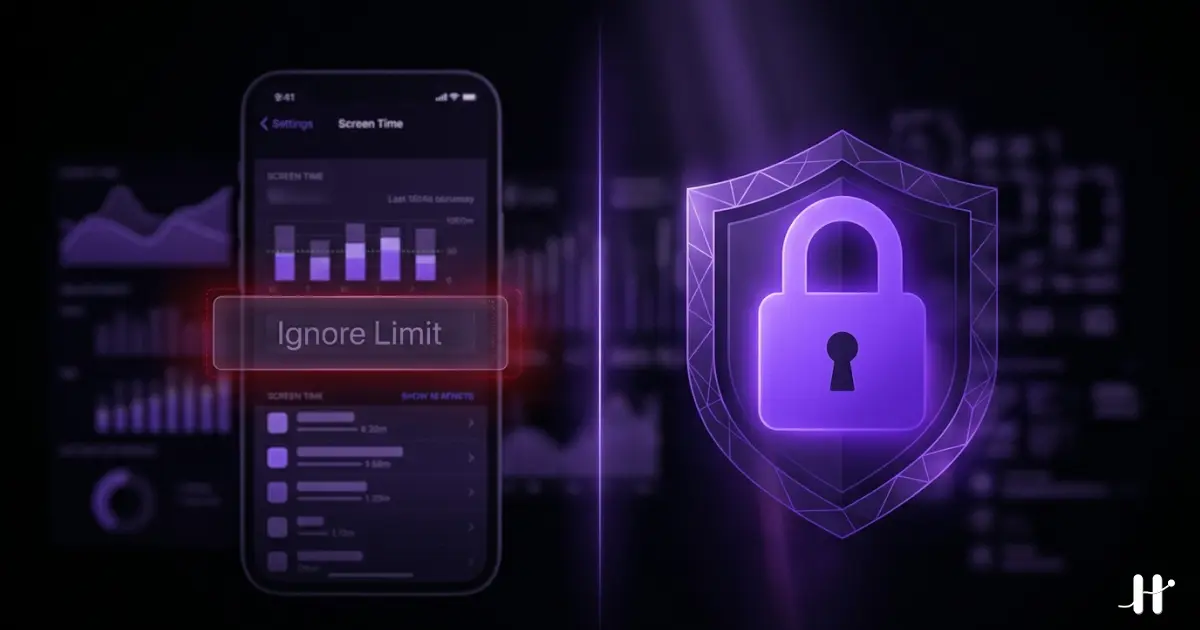
iOS Screen Time alternatives: quick answer
Updated June 2026 with current pricing and Habit Doom's Anti-Cheat (AI photo-verified check-ins, free for everyone). Apple's built-in Screen Time has one fatal flaw: the Ignore Limit button. One tap and the block is gone. For self-directed adults, that defeats the entire purpose. Eight third-party apps replace it in 2026:
- Habit Doom: apps locked until daily habits are done. Free + $4.99/mo. Tamper-resistant, with optional AI photo-verified check-ins (Anti-Cheat).
- Opal: scheduled focus sessions with analytics. $19.99/mo or $99.99/yr.
- Freedom: cross-device blocks across phone, laptop, tablet. $8.99/mo.
- One Sec: breathing pause before opening apps. $19.99/yr.
- ClearSpace: centering exercises before app opens. $6.99/mo.
- ScreenZen: configurable per-app delay timers. Free, donation-supported.
- Jomo: cheaper scheduled blocking. $5.99/mo.
- Cold Turkey: unbreakable desktop blocking. Free / $39 lifetime.
This guide is about what to run instead of Apple's built-in Screen Time. If you want the whole category ranked rather than just the Apple replacements, start with our screen time app roundup. And if your specific problem is that every blocker you try gets bypassed, the no-bypass stress test puts seven of them against the five common escape routes.
All eight build on or replace Apple's Screen Time. Habit Doom, Opal, and Freedom use Apple's Screen Time API (FamilyControls, DeviceActivity, ManagedSettings) so the block is enforced at the same OS level, but without the Ignore Limit escape hatch.
iOS 27 gives Screen Time its biggest overhaul in eight years, but the Ignore Limit button survives it. See what iOS 27 actually changed for why the new controls help parents and leave self-limiting adults where they were.
Below: why Screen Time fails for adults, what each alternative does differently, and how to pick one.
Why iOS Screen Time fails for adults
iOS Screen Time was designed for parents managing a child's phone. The feature set reflects that:
- Daily time limits per app or app category.
- Downtime windows when only allowed apps work.
- Communication limits restricting who the device can contact.
- A passcode that only one person (the parent) knows.
For its intended use case (parental control), Screen Time works. The problem is what happens when an adult uses Screen Time on their own phone. When the limit triggers, iOS shows two buttons: "Ask for More Time" and "Ignore Limit." Tapping Ignore Limit dismisses the block for 1 minute, 15 minutes, or the rest of the day. The user knows the Screen Time passcode (they set it). There is zero friction.
Researchers at the University of Texas at Austin (Ward et al.) have documented that even visible phones reduce cognitive capacity, regardless of use. App-usage trackers consistently show US smartphone users average roughly four hours per day on their devices. Apple's Screen Time was meant to dent that number. It has not.
The fix is not to abandon Screen Time. It is to layer a third-party app on top that uses Apple's underlying Screen Time API without exposing the Ignore Limit button. Apple opened that API to developers in iOS 15 specifically so adult users could get the friction Apple cannot ship in the default app. The eight alternatives below all use it. If you have already narrowed the field to the three most common picks, the Habit Doom vs Opal vs One Sec breakdown compares them head to head.
The 8 alternatives that actually enforce blocks
1. Habit Doom: habit-based blocking, free tier
What it does: Locks distracting apps by default. Apps unlock when you complete the daily habits you set (reading, exercise, study, anything). No Ignore Limit button. Tamper-resistant enforcement blocks bypass attempts including uninstall, force-quit, and system clock changes.
Why it beats Screen Time: Tied to actual work. The "earn your screen time" framing reverses the punitive feeling of Screen Time. Habits done means apps unlocked. Habits not done means apps stay locked.
Built on: Apple Screen Time API (FamilyControls + DeviceActivity + ManagedSettings).
Anti-Cheat (free): Shipped June 2026. When you check off a habit, the camera opens for a real-time photo, and an AI model running entirely on the iPhone confirms it matches the habit in under half a second. The photos never leave the device, so the App Store privacy label stays at zero collected data. No other app on this list verifies completion, because the others either self-report or do not track habits. See the habit tracker you cannot cheat breakdown.
Price: Free with 3 habits, app blocking, custom alarms, streaks, and Anti-Cheat. $4.99/month, $19.99/year (with a 7-day free trial), or $29.99 lifetime for unlimited habits.
Bypass resistance: Hard. The tamper-resistant enforcement is the strongest in the category. For technical detail on how this works, see our Apple Screen Time API guide.
2. Opal: scheduled blocking with analytics
What it does: Create scheduled focus sessions ("Deep Work 9 AM to 12 PM"), pick apps to block, Opal enforces the schedule with strong analytics on time saved.
Why it beats Screen Time: Real session enforcement with no Ignore Limit button. Polished analytics that Screen Time's weekly report cannot match.
Price: Free with limits. $19.99/month or $99.99/year.
Bypass resistance: Hard, but Opal's profile-based enforcement has historically had a few workarounds patched in updates.
3. Freedom: cross-device blocking
What it does: Blocks apps and websites across iPhone, iPad, Mac, Windows, Android, and Chromebook. Sessions sync across all devices.
Why it beats Screen Time: Screen Time only works on Apple devices. Freedom is the only mainstream blocker covering all major platforms in one subscription, including Chrome extensions for browser-level blocking.
Price: $8.99/month, $39.99/year, or $199 lifetime via in-app purchase. Freedom's own site regularly discounts the lifetime plan to $99.50.
Bypass resistance: Medium for regular sessions, very high with Locked Mode (opt-in unbreakable mode).
4. One Sec: gentle friction
One Sec adds a breathing pause before you open a selected app, then asks whether you still want to go in, and tracks how often you decided not to. Friction without a hard block. For anyone who finds Screen Time too binary, it inserts the "wait, why am I opening this?" moment before autopilot kicks in. Free with limits, then $19.99/year. Bypass resistance is low: you can tap through after the pause. That is the intended design, not a flaw.
5. ClearSpace: mindful pause
ClearSpace asks for a brief centering exercise before you open a distracting app: breathing, a check-in question, a visualization. It runs slightly longer and more reflective than One Sec, and it embeds intentionality into every app open. The exercise takes 10 to 20 seconds. Longer than Ignore Limit, brief enough to not feel oppressive. Free with limits, then $6.99/month. Bypass resistance is low. Finish the exercise and you proceed.
6. ScreenZen: configurable delays
ScreenZen gives you per-app delay timers, anywhere from 5 seconds to several minutes, and tracks open-rate stats so you can see whether the delay actually deterred you. The edge over Screen Time is granularity. Screen Time treats every app in a category the same. ScreenZen lets you set a 5-second delay for email and a 90-second delay for TikTok. It is completely free, funded by optional donations. Bypass resistance is low: wait out the timer and you are in.
7. Jomo: cheaper scheduled blocker
Jomo runs the same model as Opal (scheduled sessions, app categories, analytics) at a lower price point. Real session enforcement, no Ignore Limit, and cheaper. Free with limits, then $5.99/month, $29.99/year, or $99.99 lifetime. Bypass resistance is hard, comparable to Opal.
8. Cold Turkey: unbreakable desktop blocking
What it does: Blocks websites and applications on desktop with the strictest enforcement available in software. Frozen Turkey mode locks the entire computer except for whitelisted apps.
Why it beats Screen Time: Cross-platform desktop coverage. iOS Screen Time syncs to Mac, but its blocks are as bypassable on Mac as they are on iPhone. Cold Turkey on Mac or Windows is genuinely unbreakable once a block is active.
Price: Free basic version. $39 one-time for Pro.
Bypass resistance: Very high. Cold Turkey is the strongest software-based blocker in any category.
Quick comparison: Screen Time vs alternatives
| App | Bypass difficulty | Habit tracking | Photo verification | Cross-device | Free tier | Price |
|---|---|---|---|---|---|---|
| iOS Screen Time | Very Low (1-tap) | No | No | Apple only | Yes | Free |
| Habit Doom | Hard | Yes | Yes (free) | iOS + Android | Yes (3 habits) | $4.99/mo |
| Opal | Hard | No | No | iOS only | Limited | $19.99/mo |
| Freedom | Medium / Very High (Locked Mode) | No | No | All platforms | No | $8.99/mo |
| One Sec | Low | No | No | iOS + Android | Limited | $19.99/yr |
| ClearSpace | Low | No | No | iOS only | Limited | $6.99/mo |
| ScreenZen | Low | No | No | iOS + Android | Limited | Free |
| Jomo | Hard | No | No | iOS only | Limited | $5.99/mo |
| Cold Turkey | Very High | No | No | Desktop only | Yes | Free / $39 once |
How each alternative differs from Apple Screen Time
| App | How it differs from Apple Screen Time |
|---|---|
| Habit Doom | No Ignore Limit button. Apps stay locked until you complete your habits, with tamper-resistant enforcement. |
| Opal | Scheduled focus sessions with analytics, in place of Screen Time's dismissable limits. |
| Freedom | Extends blocking beyond iOS to Mac, Windows, Android and Chromebook, with sessions synced. |
| One Sec | Adds a breathing pause before an app opens rather than a limit you can ignore. |
| ClearSpace | A brief centering exercise before a distracting app opens, longer and more reflective than One Sec. |
| ScreenZen | Per-app delay timers from five seconds upward, with open-rate stats. |
| Jomo | The same scheduled model as Opal at a lower price, with real session enforcement and no Ignore Limit. |
| Cold Turkey | Desktop only, with the strictest enforcement available in software. |
Which Screen Time alternative fits which user?
If you want apps locked until work is done: Habit Doom. Its habit-based model is the only one on this list with that mechanic.
If you want scheduled focus blocks during work hours: Opal (premium) or Jomo (budget).
If you study or work across phone, laptop, and tablet: Freedom is the only true cross-platform option.
If hard blocking feels too aggressive: One Sec, ClearSpace, or ScreenZen for friction without a wall.
If your problem is laptop distraction: Cold Turkey, full stop. Pair with one of the iOS apps above for phone coverage.
If you want a free tier strong enough for full-time use: Habit Doom is the only iOS-side option that meets that bar. Cold Turkey covers desktop for free.
The honest verdict
Apple's Screen Time is not bad software. It was built for the wrong job. For parental control, it works. For an adult trying to manage their own screen time, the Ignore Limit button is a deal-breaker.
You do not have to choose between Screen Time and the alternatives. The Screen Time API that Apple ships powers most of these apps. Habit Doom, Opal, Freedom, and Jomo all use it. The alternatives layer on top of Screen Time, removing the Ignore Limit while keeping the underlying enforcement Apple provides.
Pick one based on the failure mode Screen Time has on you. Use it for two weeks. If it sticks, great. If it does not, switch, but commit to a real two-week test before you declare failure. Most "blocker not working" reports turn out to be "blocker not used."
Disclosure: this blog is published by Habit Doom, one of the apps on this list. Every alternative here got a fair read on its actual strengths. For broader context, see our best iPhone app blockers 2026 breakdown or the Opal alternatives guide.
Frequently Asked Questions
Keep Reading
Try Habit Doom
Lock your distracting apps. Complete your habits. Earn your screen time. It takes 30 seconds to set up.
Download Free