


Free Opal Alternatives: 7 Cheaper App Blockers (2026)

 X
X LinkedIn
Opal alternatives: quick answer
The best Opal alternatives in 2026 are Habit Doom (apps stay locked until your daily habits are done, free tier), One Sec (gentle friction at $19.99 per year), Freedom (cross-device, $8.99 per month), ClearSpace (centering exercises before app opens), ScreenZen (delay timers), Jomo (cheapest scheduled blocker at $5.99 per month), and Cold Turkey (unbreakable laptop blocking). Each solves a different failure mode. Pick by problem, not by feature count.
Why people switch away from Opal:
- Price: $19.99 per month or $99.99 per year sits at the top of the category.
- Limited free tier: most useful features are locked behind premium.
- iOS-only: no Android, Windows, or Chrome sync.
- No habit tracking: blocking is scheduled by time, not tied to completed work.
- Bypass: Opal's Screen Time API blocking is strong but some users find newer apps harder to bypass.
Below: every alternative worth testing, with current pricing and what each one actually does differently.
What Opal does (and what it does not)
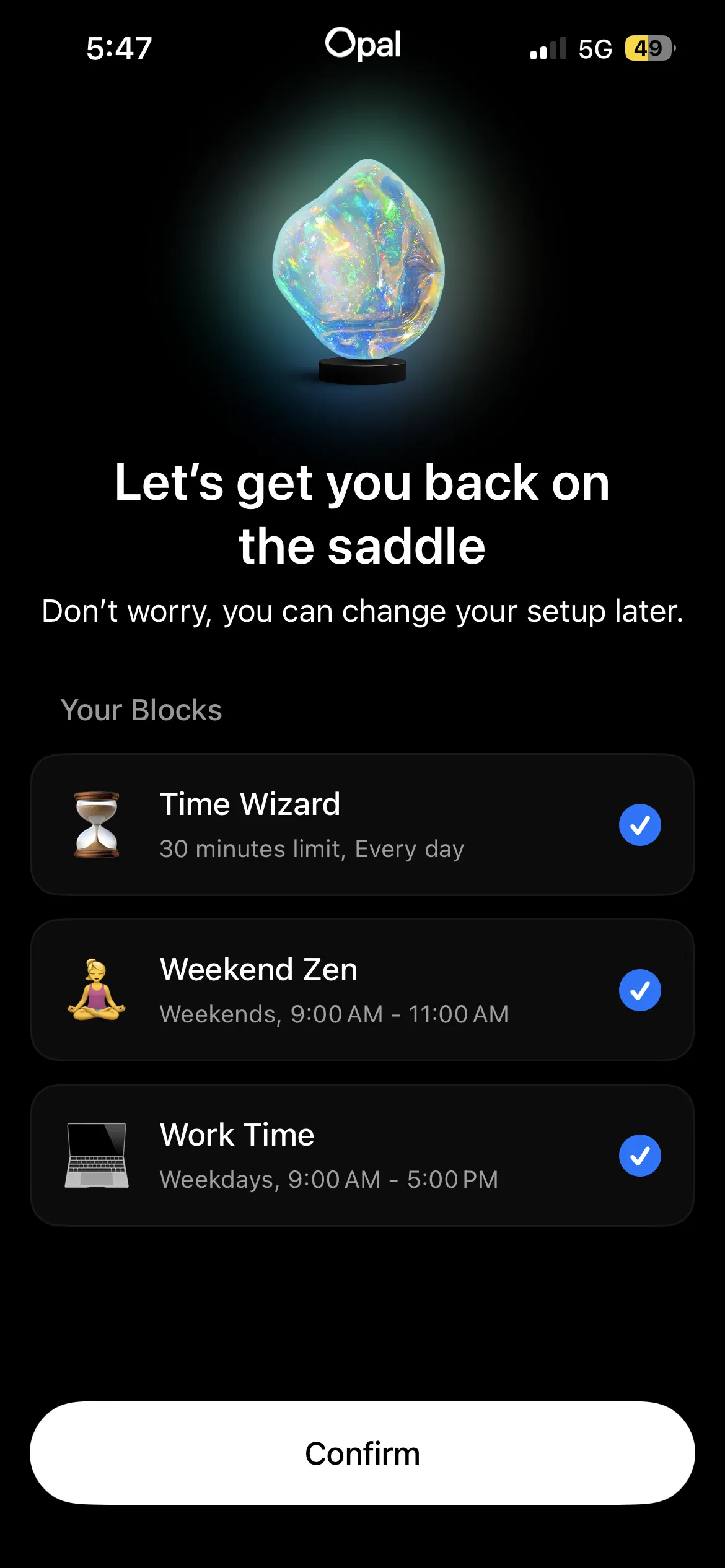
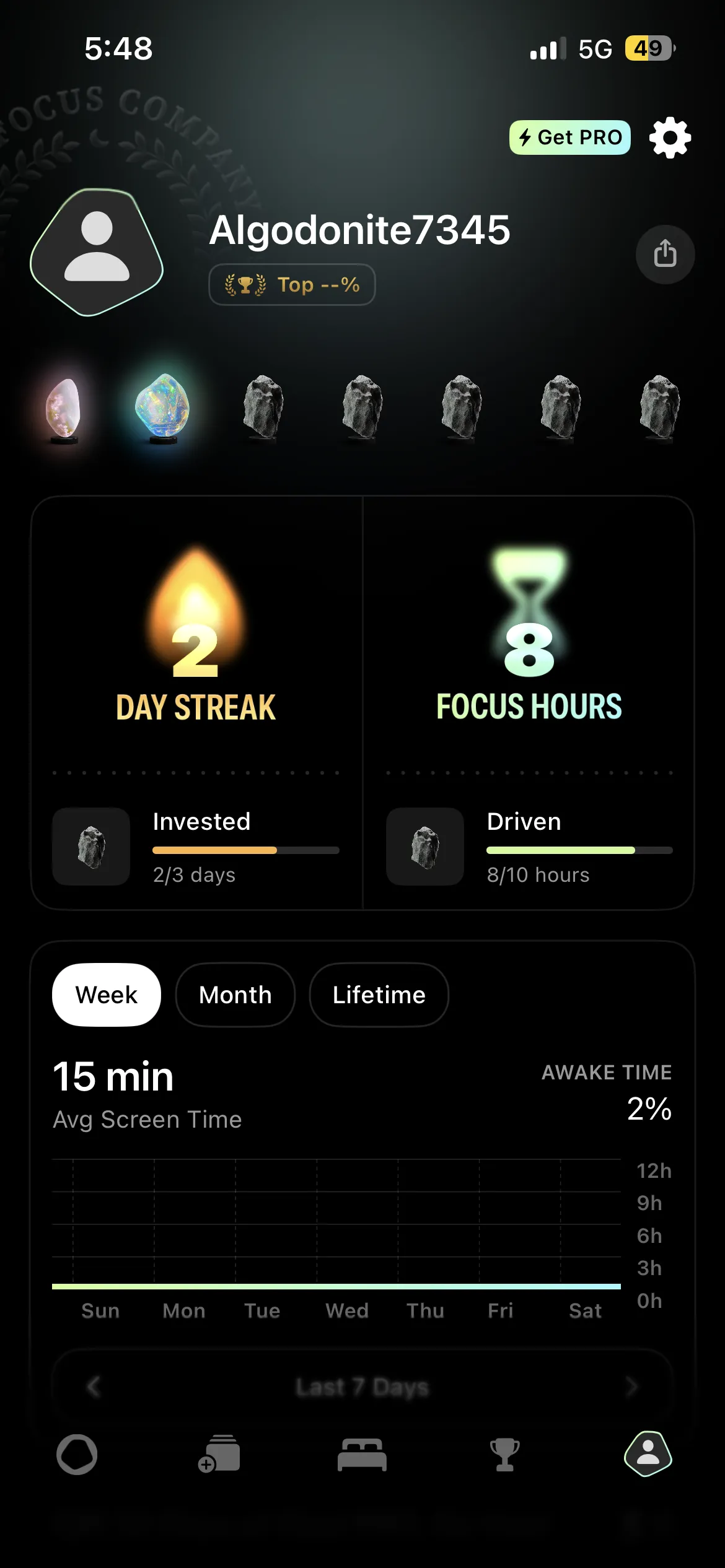
Opal is a premium screen time app for iPhone that blocks distracting apps during scheduled focus sessions. It is well-built, well-designed, and the analytics are genuinely useful. The fundamentals: you create focus sessions ("Deep Work 9 AM to 12 PM," "Evening Wind-Down 9 PM to 11 PM"), pick which apps to block, and Opal enforces the schedule.
What Opal does not do:
- It does not tie blocking to completed work. Sessions run on the clock, not on tasks.
- It does not include habit tracking.
- It does not sync to laptop or Android.
- It does not have a meaningful free tier.
Most people looking for Opal alternatives in 2026 are looking to fix one of those four gaps. The seven apps below each cover at least one of them.
The 7 best Opal alternatives in 2026
1. Habit Doom: best for habit-based blocking
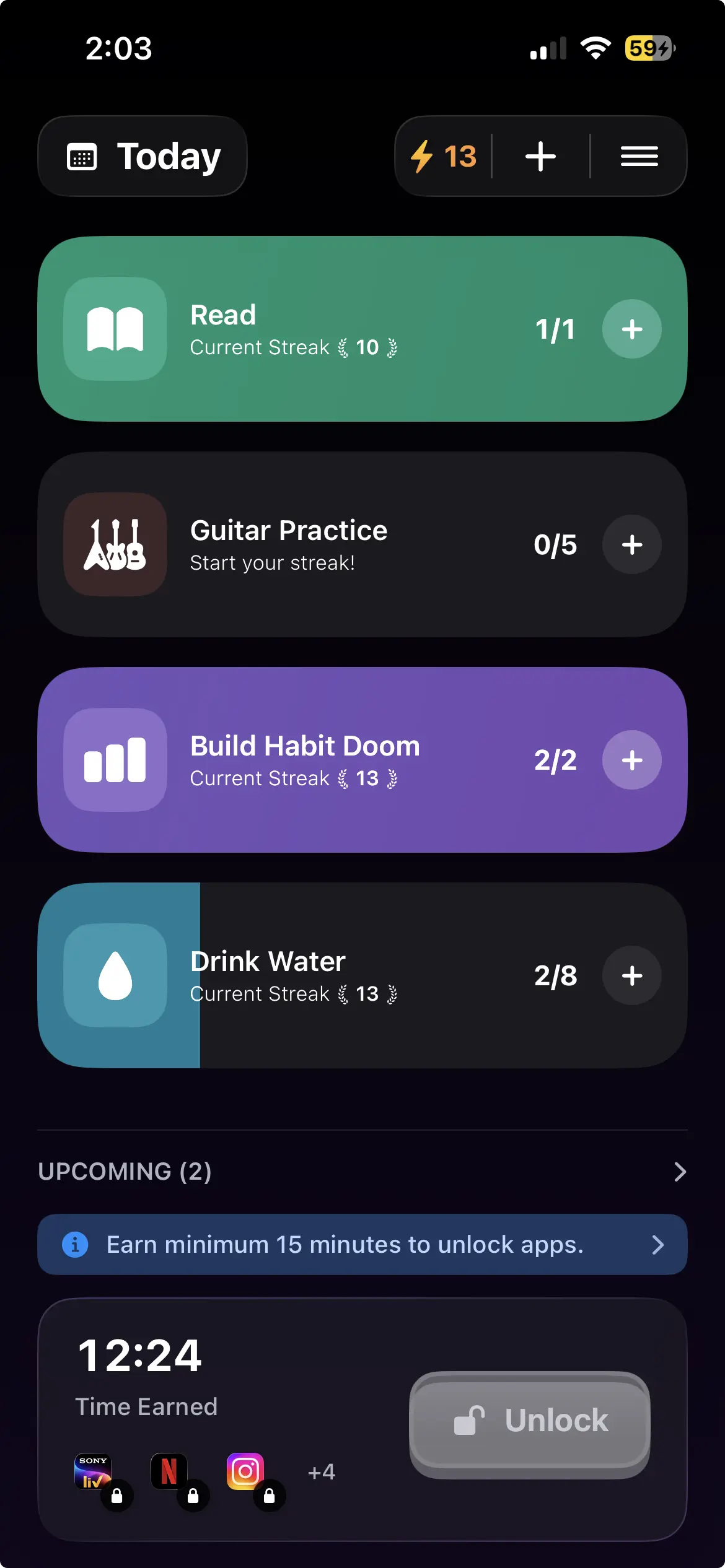
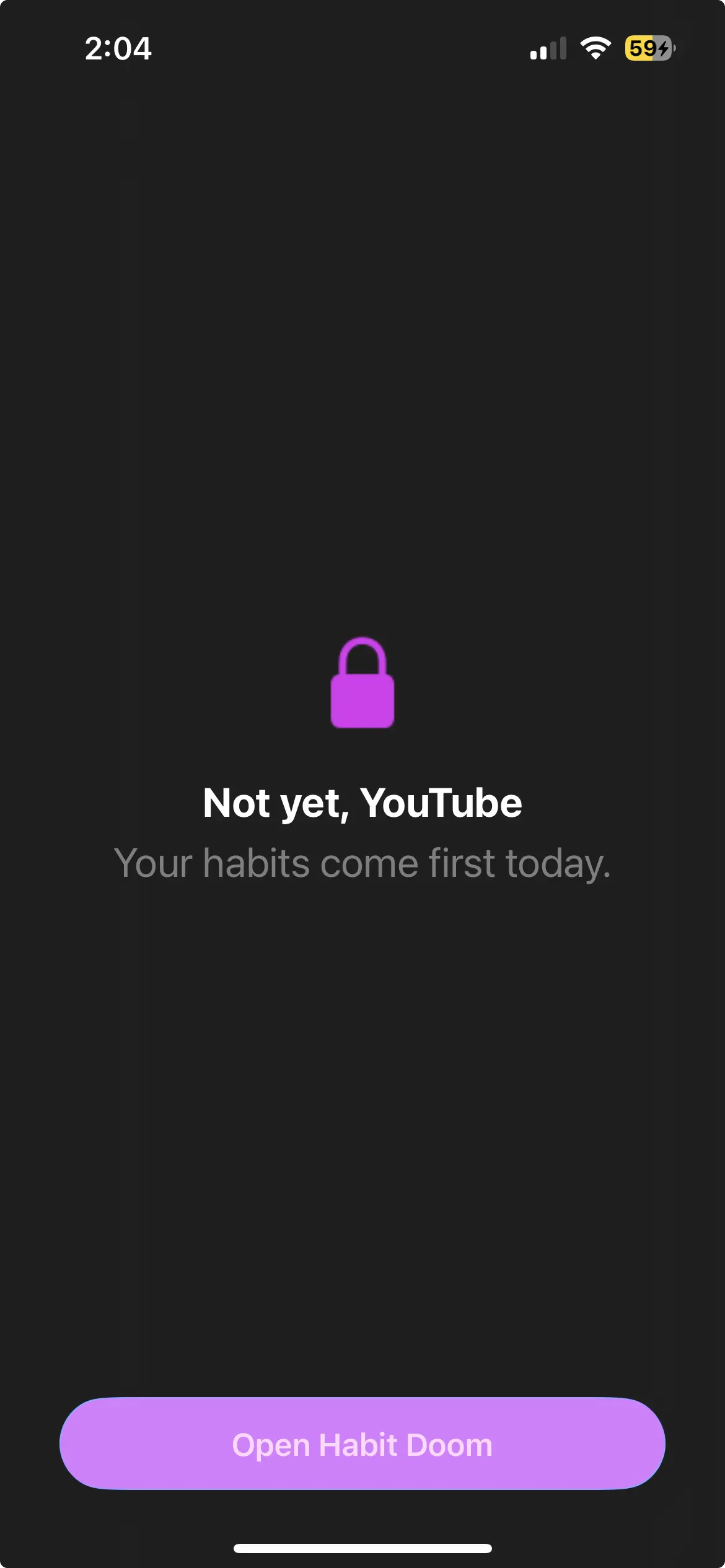
Where Opal blocks on a schedule, Habit Doom flips the default. Your distracting apps start the day locked, and they open only once you finish your daily habits. Read, exercise, study, whatever you pick. There is no session to launch and no timer to remember, because the apps are already locked when you wake up. That "earn your screen time" loop is the piece Opal has no answer for, since habit tracking is built into the app rather than bolted on beside it.
Enforcement runs on the same Apple Screen Time API that Opal uses, and it is tamper-resistant: the lock survives an uninstall, a force-quit, or a system clock change. The free Anti-Cheat feature, shipped in June 2026, goes further than any timer can. Check a habit off and the camera opens for a real-time photo, which an AI model running entirely on your iPhone matches against the habit in under half a second. Those photos never leave the device, so the App Store privacy label stays at zero data collected. Opal has nothing like it because Opal does not track habits in the first place. The habit tracker you cannot cheat breakdown walks through it.
The free tier is a real product, not a teaser: three habits, app blocking, custom alarms, streaks, and Anti-Cheat, with no card required. Unlimited habits and the rest of the premium features cost $4.99 a month, $19.99 a year with a 7-day free trial, or $29.99 once. Make the switch if you want apps locked by default until the work is done, or a free tier that actually holds.
2. One Sec: best for gentle friction
One Sec never actually blocks anything, and that is the whole design. Reach for Instagram and it drops a short breathing pause in front of you, then asks whether you still meant to open it. Say yes and it opens. What Opal does not give you in return is awareness: One Sec counts how often you backed out after the pause, which becomes concrete evidence of your impulse control improving over time.
The catch is the other side of that same coin. Nothing is actually locked, so if you decide to push past the pause, you are in. For a student or professional who needs a hard lock during specific hours, it is too gentle. It runs free with limits, or $19.99 a year, or $99.99 lifetime. Reach for it if Opal felt too restrictive and you would rather have awareness than a hard schedule.
3. Freedom: best for cross-device blocking
Freedom's whole reason to exist is reach. One subscription blocks apps and websites across your phone, laptop, tablet, and Chrome at once, with sessions synced across every device. That is the gap Opal leaves wide open, since Opal is iOS-only, while Freedom is the rare mainstream blocker that genuinely spans iPhone, iPad, Mac, Windows, Android, and Chromebook on a single plan.
The trade-off shows up on the iPhone specifically. Freedom's iOS blocking leans on a VPN-based profile that can behave inconsistently, and the phone experience is not as polished as Opal's. Its Locked Mode, the session you cannot break out of, is excellent, but you have to opt into it on purpose. Pricing is $8.99 a month, $39.99 a year, or $199 for lifetime in-app. Freedom's own site regularly discounts the lifetime plan to $99.50. Reach for it if you study or work across several devices and need the block to follow you everywhere.
4. ClearSpace: best for mindful-pause blocking
ClearSpace puts a brief centering exercise in front of a distracting app before it opens: a breathing beat, a check-in question, or a short visualization, slightly longer and more reflective than One Sec's pause. The effect is to fold a moment of intention into every app open, not just the windows you scheduled to block. Like One Sec, though, it stops short of a hard block. The exercise takes 10 to 20 seconds and then the app opens anyway. It is free with limits, or $6.99 a month or $44.99 a year for premium. Worth a look if you want behavioral friction rather than time-based blocking.
5. ScreenZen: best for configurable delay timers
ScreenZen's angle is the configurable delay. You set a wait before each distracting app opens, anywhere from 5 seconds to several minutes, tuned per app, and it tracks how often the delay actually deterred you through detailed open-rate stats. It is the most granular of the friction tools here. The same caveat as One Sec and ClearSpace applies: the delay is bypassable by simply waiting it out. It is completely free, funded by optional donations. Pick it if you want per-app delay tuning and hard numbers on whether the pause is working.
6. Jomo: best cheaper scheduled blocker
Jomo runs the same model as Opal, scheduled focus sessions with app categories, just priced a lot lower. It is branded around "Joy of Missing Out" and ships custom block templates. The thing it solves is price: the premium plan runs about $5.99 per month against Opal's $19.99, and the feature set is close enough that this is the closest "cheaper Opal" you can actually get.
The catch is polish. The interface and analytics are less refined than Opal's, and the smaller user base means the community accountability features are less developed. Pricing is free with limits, then $5.99 a month, $29.99 a year, or $99.99 for lifetime. It is the pick if you like Opal's model but the price stings.
7. Cold Turkey: best for unbreakable laptop blocking
Cold Turkey is the desktop specialist. It blocks websites and applications with about the strictest enforcement software can offer, and its Frozen Turkey mode locks down the entire computer except for the apps you whitelist. That is the one thing Opal cannot touch, since Opal is iOS-only, and on a laptop Cold Turkey is as strong as blocking gets. The catch is the mobile side, which is minimal, so you would pair Cold Turkey on the desktop with a real iOS blocker for full coverage. There is a free basic version, and Pro is a one-time $39. The right call if your studying or work happens mainly on a laptop.
Quick comparison: Opal vs alternatives
| App | Price (mo) | Free tier | Blocking model | Habit tracking | Photo verification | Multi-device |
|---|---|---|---|---|---|---|
| Opal | $19.99 | Limited | Scheduled sessions | No | No | iOS only |
| Habit Doom | $4.99 | Yes (3 habits) | Habit-based | Yes | Yes (free) | iOS + Android |
| One Sec | $19.99/yr | Limited | Breathing friction | No | No | iOS + Android |
| Freedom | $8.99 | No | Scheduled sessions | No | No | All platforms |
| ClearSpace | $6.99 | Limited | Mindful pause | No | No | iOS only |
| ScreenZen | Free | Limited | Delay timers | No | No | iOS + Android |
| Jomo | $5.99 | Limited | Scheduled sessions | No | No | iOS only |
| Cold Turkey | Free / $39 once | Yes | Unbreakable schedule | No | No | Desktop only |
How each alternative differs from Opal
| App | How it differs from Opal |
|---|---|
| Habit Doom | Apps start the day locked and open only once you finish your daily habits, instead of unlocking on a clock schedule. The free tier includes a real block, not a trial. |
| One Sec | Adds a breathing pause before an app opens rather than blocking it. Nothing is ever hard-locked, so you can always continue. |
| Freedom | The same scheduled-session model as Opal, but the block syncs across iPhone, Mac, Windows and Android. |
| ClearSpace | Replaces the schedule with a short centering exercise each time you reach for an app. |
| ScreenZen | Configurable delay timers before an app opens, free, in place of Opal's paid scheduled sessions. |
| Jomo | The same scheduled blocking model as Opal at a lower monthly price. |
| Cold Turkey | Desktop only, and once a session starts it is considerably harder to lift than anything on iOS. |
Is there a free alternative to Opal?
Yes, but the word "free" hides a lot of variation. Opal itself is free to download, but its free tier is limited: meaningful blocking depth lives behind Opal's premium plan at $19.99 per month. Most users searching for a free Opal alternative are not looking for a trial. They want a tool that actually locks apps without a subscription or a card on file.
Among the alternatives on this list, the genuinely free paths split into two groups: apps with a hard block on a free tier, and apps that only add friction.
Habit Doom (free tier with a real block). Habit Doom's free tier covers up to 3 habits, real app blocking through the Apple Screen Time API, custom alarms, and streaks. No card is required to use it. The lock is tamper-resistant: it holds through uninstall, force-quit, and system clock changes, which is the part most free blockers skip. For a user who wants Opal-style enforcement without paying, this is the closest fit. (AI photo verification, the Anti-Cheat feature, is free for everyone too.)
ScreenZen and One Sec (free, but friction only). Both have free tiers, and both are worth trying, but it helps to know what they do and do not include. ScreenZen's free tier adds configurable delay timers before an app opens. One Sec's free tier adds a breathing pause. Neither places a hard block on a free plan, and the deeper features sit behind their paid tiers. They build awareness and slow the reflex, which suits some users perfectly, but they will not hold a lock the way Habit Doom or Cold Turkey will.
iOS Screen Time (free, but one tap to bypass). Apple's built-in tool is free and works as a backup layer, but its Ignore Limit button defeats the block in a single tap for the person who set it. Free, but not enforcement.
The honest summary: if a free tier needs to enforce a real block, Habit Doom is the only Opal-style option here that does it without a card. If a user only wants friction or awareness, the free tiers of ScreenZen and One Sec are good places to start.
Which alternative fits which Opal user?
If you left Opal because of price: Jomo (~$5.99/mo) or Habit Doom (free tier).
If you left because Opal felt too rigid: One Sec or ClearSpace for friction instead of hard blocking.
If you left because Opal does not cover your laptop: Freedom (cross-device) or Cold Turkey (laptop-only, free).
If you left because Opal does not track habits: Habit Doom. It is the only alternative on this list with habit tracking built in.
If you left because Opal's blocking felt bypassable: Habit Doom's tamper-resistant enforcement (which holds through uninstall, force-quit, and clock changes) or Cold Turkey's Frozen Turkey mode are the two strongest enforcement layers in the category.
Comparing one of these apps specifically? We have dedicated roundups for One Sec alternatives, Freedom alternatives, ClearSpace alternatives, ScreenZen alternatives, and Jomo alternatives, each mapping that app to the same failure modes covered here.
Disclosure: this blog is published by Habit Doom, one of the apps on this list. Every alternative here got a fair read, but factor that in. The best alternative is the one that fits how you actually fail, not the one with the strongest feature list. For broader context on what each app does best, see our head-to-head between Habit Doom, Opal, and One Sec or the best iPhone app blockers of 2026.
The honest take
Opal is a good app. People do not look for alternatives because Opal is broken. They look because Opal solves one specific version of the problem, scheduled blocking with analytics on iOS, and most of us have a slightly different version. Match the alternative to yours. Pick one. Use it for two weeks. If it does not stick, try the next. Cycling between apps without ever committing is the slowest path to fewer doom-scrolls.
Frequently Asked Questions
Keep Reading
Try Habit Doom
Lock your distracting apps. Complete your habits. Earn your screen time. It takes 30 seconds to set up.
Download Free