


Best App to Stop Mindless Scrolling (iPhone, 2026)

 X
X LinkedIn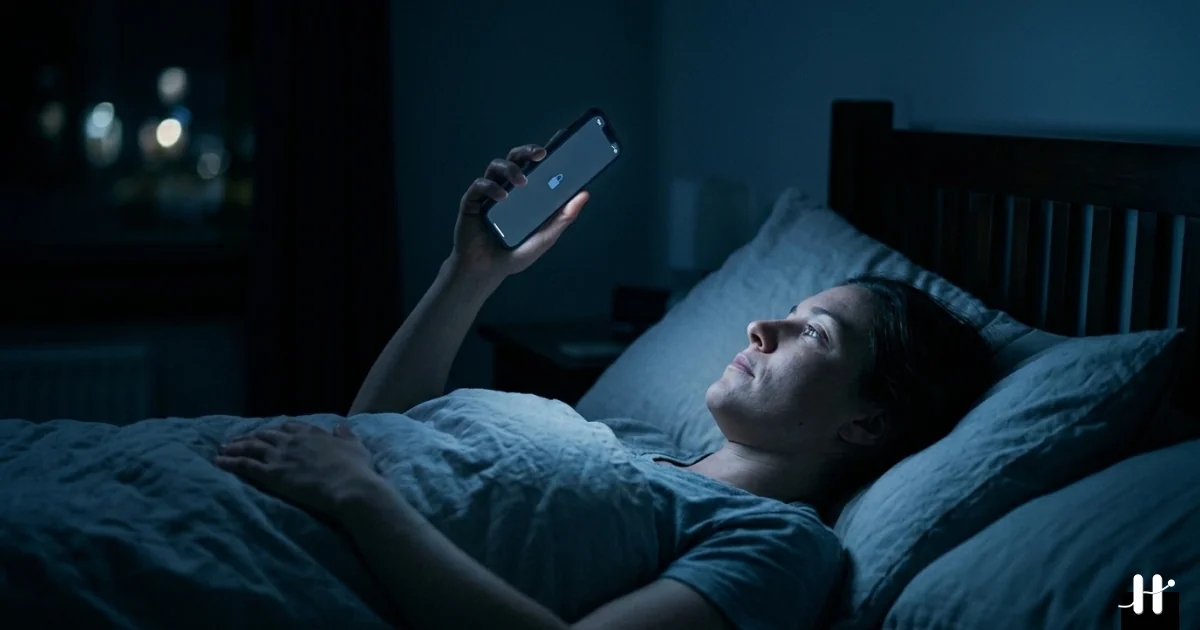
Mindless scrolling is not the same problem as intentional phone use. A user who decides to watch a specific video and watches it is not the target of this guide. The target is the user who picks up the phone without a specific intent and finds themselves 40 minutes deep in Reels with no memory of how they got there. The Reddit pattern is consistent. A highly upvoted r/getdisciplined post opened with: "Just scrolling. Reels. Random posts. Refresh. Open app. Close app. Open another one. Nothing actually sticks." The top reply called it autopilot. The word recurs across every thread in the category.
The problem is structural. Apps that ask the user to decide not to scroll at the moment of weakness do not work because there is no decision happening. The autopilot bypasses the deliberation entirely. Apps that interrupt before the decision point can work. The choice is which interruption strength matches the strength of the underlying habit.
This guide reviews six iPhone apps in 2026 ranked by interruption strength. For the full screen time app roundup beyond the mindless-scrolling angle, see our test of the best screen time apps.
Why willpower-based blockers fail at mindless scrolling
The underlying mechanism is covered in more depth in why you cannot stop scrolling.
The mismatch is timing. The window of conscious decision closes before the phone is even in hand. By the time the app is open, the scroll has already started. Nobody is really choosing to scroll here. They are just watching themselves do it.
This is not just how it feels from the inside. In a diary study published in the Journal of Personality and Social Psychology, Wendy Wood, Jeffrey Quinn and Deborah Kashy tracked what people actually did hour by hour and found that roughly 43% of reported behaviours were performed almost daily and almost always in the same setting (Wood, Quinn and Kashy, 2002). Behaviour repeated that way is cued by context rather than chosen in the moment. That is the mechanism underneath the autopilot language people reach for on Reddit, and it is why a blocker that asks for a decision at the moment of the cue is asking for the one thing the situation has already taken away.
Apple Screen Time's Ignore Limit button hits exactly this failure mode. The user encounters the limit, taps Ignore, and resumes. The dismiss decision is made in the same autopilot mode that produced the scrolling in the first place. Apps that require an in-moment choice to honor the limit fail because the in-moment choice is exactly what the user has lost access to.
The apps that work either move the decision earlier (Habit Doom: define rules at setup, enforce structurally) or insert a physical interrupt (Brick: walk to the device, tap it, then unlock). Both bypass the moment-of-weakness decision point.
Quick comparison: 6 apps to stop mindless scrolling (2026)
| App | Interruption | Enforcement | Free Tier | Price |
|---|---|---|---|---|
| Habit Doom | Locked until daily habits done | iOS ManagedSettings | Yes (full) | Free + $4.99/mo |
| Brick | Physical NFC tap required | Configuration Profile | App free | $59 hardware |
| Opal | Scheduled session block | iOS ManagedSettings | Limited | Free + $19.99/mo |
| ScreenZen | Delay timer before app | Soft (skippable) | Yes | Free (donations) |
| One Sec | 10-second breathing pause | Soft (skippable) | Yes | Free + $19.99/yr |
| Apple Screen Time | Daily limit + downtime | Trivial (Ignore button) | Free | Free |
The strength axis is sharp. Habit Doom and Brick are the strongest. Opal is strong on schedule but pauseable. ScreenZen and One Sec rely on friction. Apple Screen Time fails structurally for autopilot scrolling.
Detailed reviews
1. Habit Doom: Habit-locked, OS-enforced
Habit Doom locks selected scrolling apps at the iOS ManagedSettings layer until daily habits are checked off. For mindless scrolling specifically, this addresses the autopilot problem at the right point. The user does not have to decide not to scroll at the moment of weakness. The decision was made at habit setup: Instagram is locked until the reading habit is done. The lock holds without user intervention.
For users whose scrolling habit is fully automatic, this is the cleanest software interrupt. The lock is at the operating system level, not the app overlay level. Force-quitting Habit Doom does not release the lock. Deleting Habit Doom does not release the lock. The autopilot encounters a wall, not a question.
The trade-off is that Habit Doom expects the user to define daily habits. For users only wanting blocking without habit framing, this is setup friction. For users whose underlying goal is replacing scrolling time with productive habits, the habit layer is the entire point.
As of June 2026, Habit Doom adds free Anti-Cheat: a real-time photo at check-in that an AI model on the iPhone verifies against the habit in under half a second, with photos never leaving the device. It stops the user from clearing the habit (and unlocking the scroll apps) without actually doing it. Detail in the habit tracker you cannot cheat post.
Among software-only options this is the highest interrupt strength, and the price of that is having to define daily habits up front. It is free, with premium at $4.99/month or $29.99 lifetime.
2. Brick: Physical NFC commitment
Brick is a small NFC-tagged hardware device. Selected apps stay locked until the user physically taps the phone against the Brick. To unlock, the user has to walk to where the Brick is stored.
For mindless scrolling, the physical step defeats autopilot in a way no software can. The user reaches for the phone unconsciously, finds the apps locked, and has to consciously decide whether to walk to the Brick. The conscious decision is the interrupt. The pattern r/getdisciplined keeps landing on is that deleting apps does not work on its own, and that what moves screen time is replacing and restructuring rather than relying on restraint. Brick is the hardware end of that idea.
The trade-off is hardware cost (~$59 once). For users who tried software-only blockers and bypassed them, Brick adds the physical step that the autopilot cannot route around.
Nothing in the category interrupts harder, and the trade-off is a one-time hardware purchase. The app is free; the Brick itself runs about $59.
3. Opal: Scheduled focus sessions
Opal blocks selected apps during scheduled time windows. The user defines focus sessions (Deep Work 9 to 12, Evening Wind-Down 9 to 11) and Opal enforces the schedule at the iOS ManagedSettings layer. Outside the windows, the apps are unrestricted.
For mindless scrolling that follows predictable patterns (always after work, always before bed), the schedule can match the pattern. The block holds during the high-risk hours. The mindless scrolling is interrupted during the windows that matter most.
The trade-off is the pause-Opal weakness that comes up again and again in Reddit threads. The block is real, right up until the user, in autopilot, pauses Opal itself. And when autopilot is strong enough to override a person's own scheduled commitments, Opal collapses into the same thing as Apple Screen Time.
It interrupts strongly inside the windows you schedule, but the catch is that you can pause Opal in the same autopilot state that started the scrolling. It is free with limits, with premium at $19.99/month.
4. ScreenZen: Configurable delay
ScreenZen inserts a configurable delay timer before selected apps open. The user picks the apps to gate and sets the delay (5 seconds, 30 seconds, or longer). The delay is the interrupt.
For mindless scrolling that is partially conscious (the user is at least aware they are reaching for the phone), the delay can break the automatic loop. A user on r/getdisciplined wrote about ScreenZen's earlier sibling: "the 5-second pause was great because by the end of those five seconds, you'd be surprised how much your interest has waned."
The trade-off is skippability. ScreenZen does not enforce. The user can wait out the timer the same way they can wait out the One Sec breathing pause. For users whose autopilot has deepened past soft friction, ScreenZen becomes background noise.
The interrupt is moderate and skippable, so the only thing standing between you and the app is a little patience. It is free with limits, with premium around $5/month.
5. One Sec: Breathing pause
One Sec inserts a 10-second breathing-pause screen before selected apps open. The mechanic is the same as ScreenZen with a different UX. The breathing prompt adds an explicit "do you still want to open this" question after the pause.
For early-stage mindless scrolling, One Sec's pause is often enough. The brief deliberation interrupts the autopilot. Many users report stopping in the middle of the pause and choosing not to open the app at all. The Reddit endorsement is "I love one sec!" with the implicit qualifier that it works for users at the friction-receptive stage.
The same skippability limit applies as ScreenZen. One Sec works for users whose scrolling habit is not yet fully automatic. Users past that point graduate to enforced blockers.
Like ScreenZen, its interrupt is moderate and the soft friction is bypassable once you are past the friction-receptive stage. It is free with limits, with premium at $19.99/year.
6. Apple Screen Time: The structural fail
Apple Screen Time is the built-in option and the most-cited failure mode for adult mindless scrolling. The structural problem is the Ignore Limit button. When the user hits their own limit, iOS displays a one-tap dismiss. The autopilot taps it. The scrolling resumes.
For mindless scrolling specifically, Apple Screen Time is the wrong tool. The architecture assumes the user has the conscious decision capacity to honor their own limit. The user searching for help with mindless scrolling has explicitly lost that capacity at the moment of weakness. Apple Screen Time is designed for parental control, not adult autopilot.
A user on r/getdisciplined captured the failure cleanly: "When the limit is reached it just sends me a notification and I can just click 'okay' and go back to scrolling lol." The structural reality is on display.
The interrupt is trivial, bypassed in a single tap, and the only thing in its favor is that it is free and already built into iOS.
How to pick by autopilot strength
The decision rule matches the depth of the scrolling habit.
- The user is early-stage. Scrolling is sometimes automatic. One Sec or ScreenZen. Soft friction breaks the loop at this stage.
- The user is past soft friction. Tapping through is automatic. Habit Doom. The iOS-level lock interrupts before the decision point.
- The user has tried software and bypasses everything. Brick. The physical NFC step defeats autopilot the software cannot.
- The user has predictable scrolling hours. Opal. The scheduled block holds during the high-risk windows.
- The user wants free and accepts the limits. Apple Screen Time, knowing the Ignore Limit defeats most adult use.
The honest read across the Reddit data and the research: mindless scrolling is autopilot, and autopilot does not answer questions asked at the moment of weakness. Apps that interrupt earlier in the sequence (Habit Doom's habit-locked unlock, Brick's physical commitment) work where willpower-based apps fail. For the broader Reddit-sourced analysis see the screen time apps Reddit recommends breakdown.
Frequently Asked Questions
Keep Reading
Try Habit Doom
Lock your distracting apps. Complete your habits. Earn your screen time. It takes 30 seconds to set up.
Download Free