


How to Block Reddit on iPhone

 X
X LinkedIn
You delete the Reddit app, feel virtuous for an afternoon, and by evening you are reading the exact same threads in Safari. That is the whole problem with Reddit specifically. Most apps you can starve by removing them from your home screen. Reddit is different, because reddit.com and old.reddit.com are fully usable in a browser, so blocking the app just reroutes the scroll one tap to the left.
So the real job is not "block the Reddit app." It is "close both doors at once." This guide covers both: the app, the website, the bypass holes nobody mentions, and the cleanest combination that actually holds.
It helps to know what you are up against. Reddit reached 121.4 million daily active users in late 2025, and the average user spends roughly 18 minutes per visit, with logged-in U.S. users closer to 25 to 30 minutes a day across repeat visits, per We Are Tenet's Reddit usage roundup. The platform is engineered for the open-ended return visit. You are not fighting a lack of willpower so much as a product built to pull you back.
Step 1: Block the Reddit app with Screen Time
Start with the app, because it is the easiest surface to lock and the one most people open on autopilot.
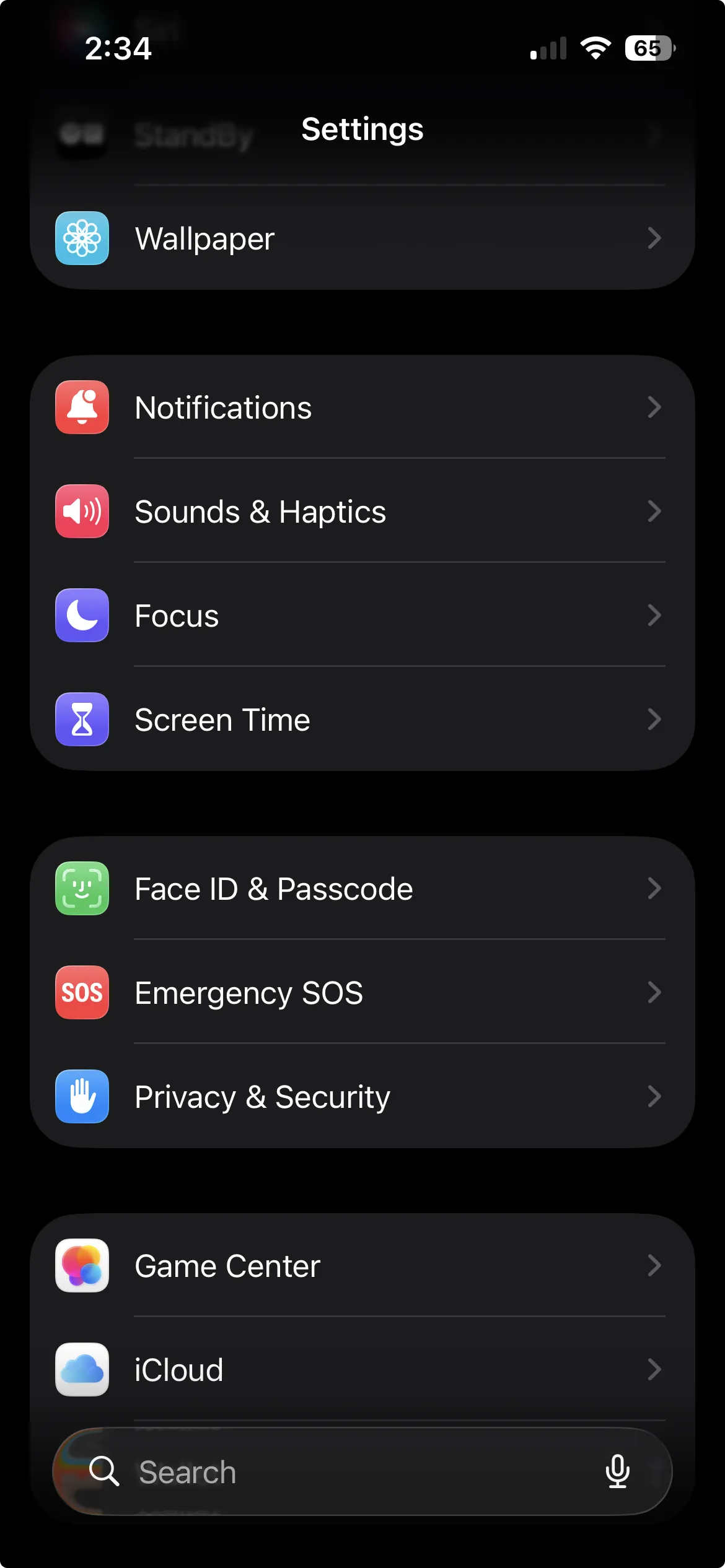
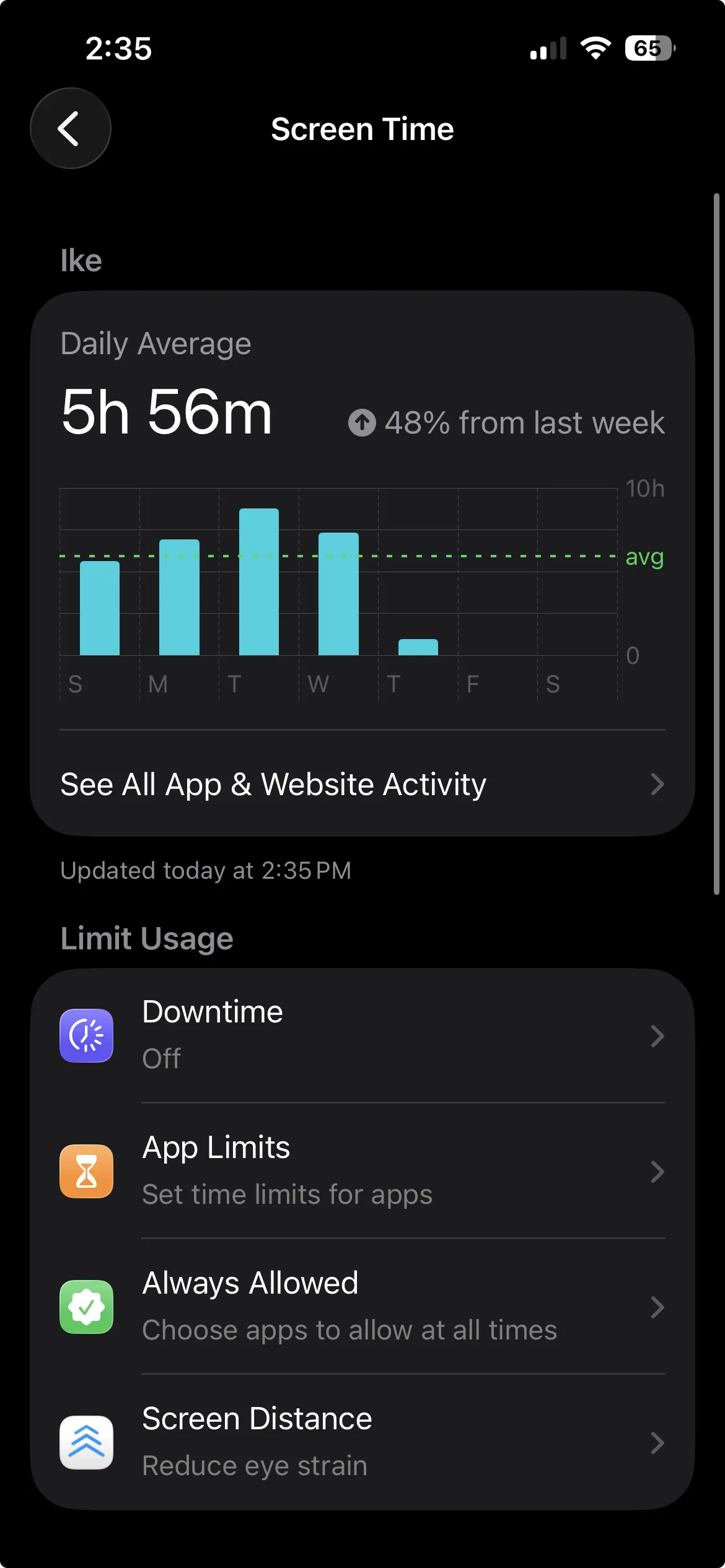
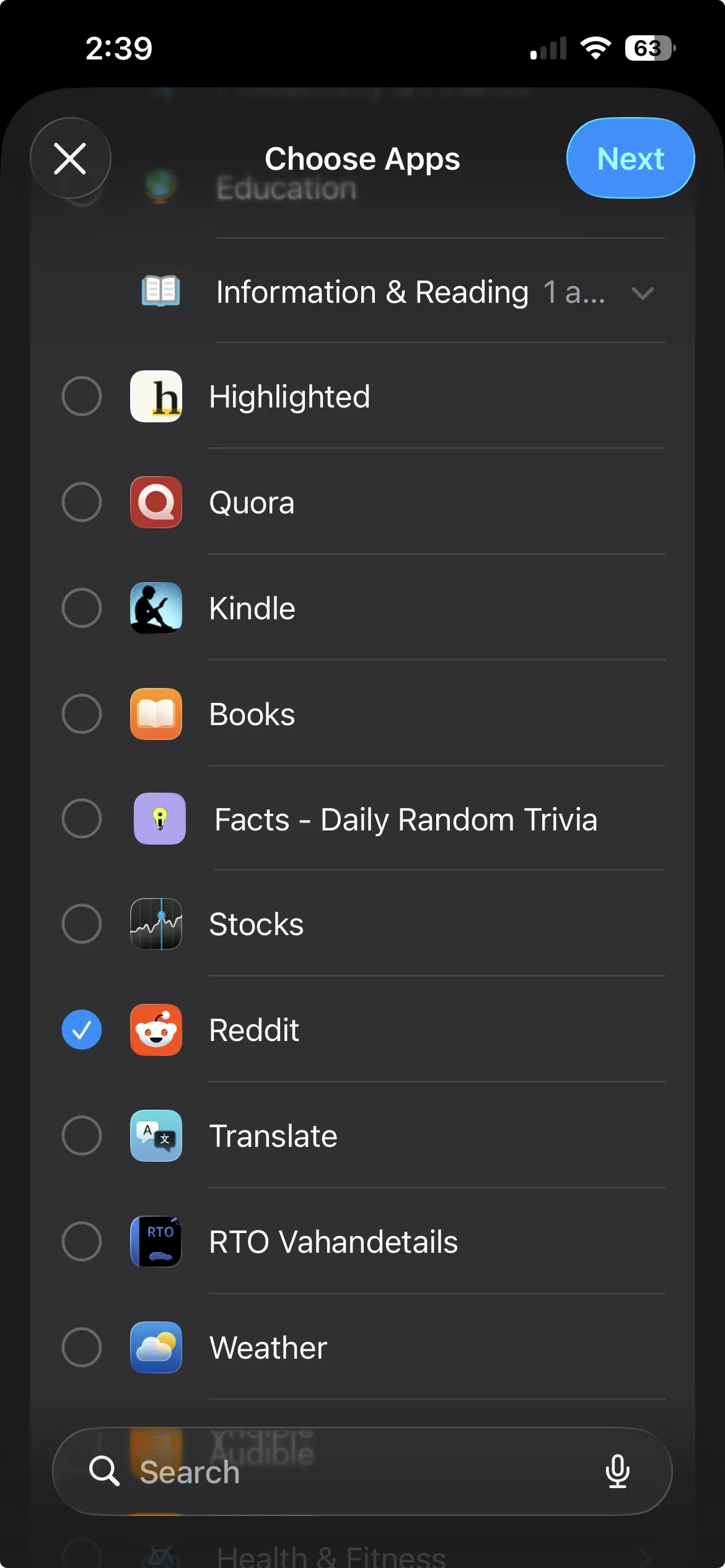
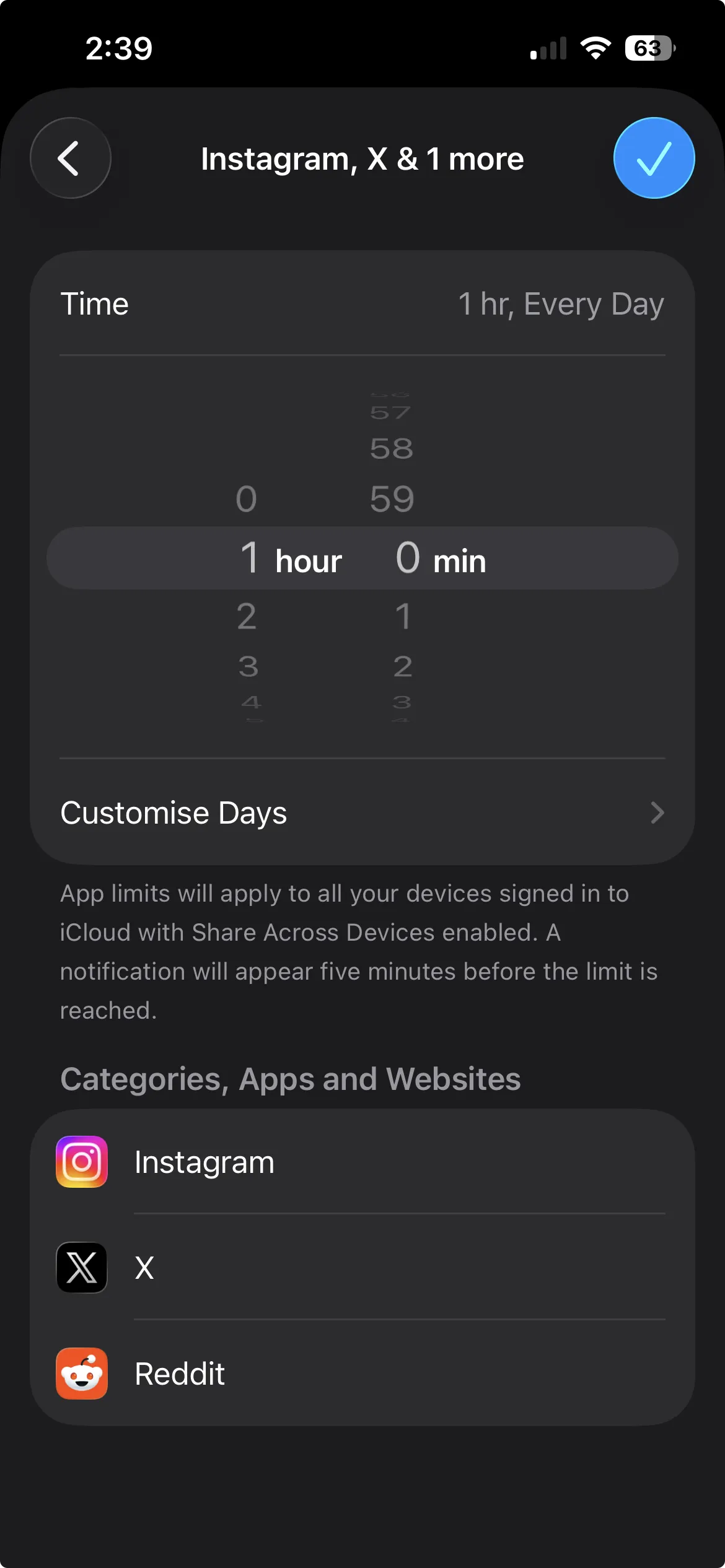
- Open Settings, tap Screen Time.
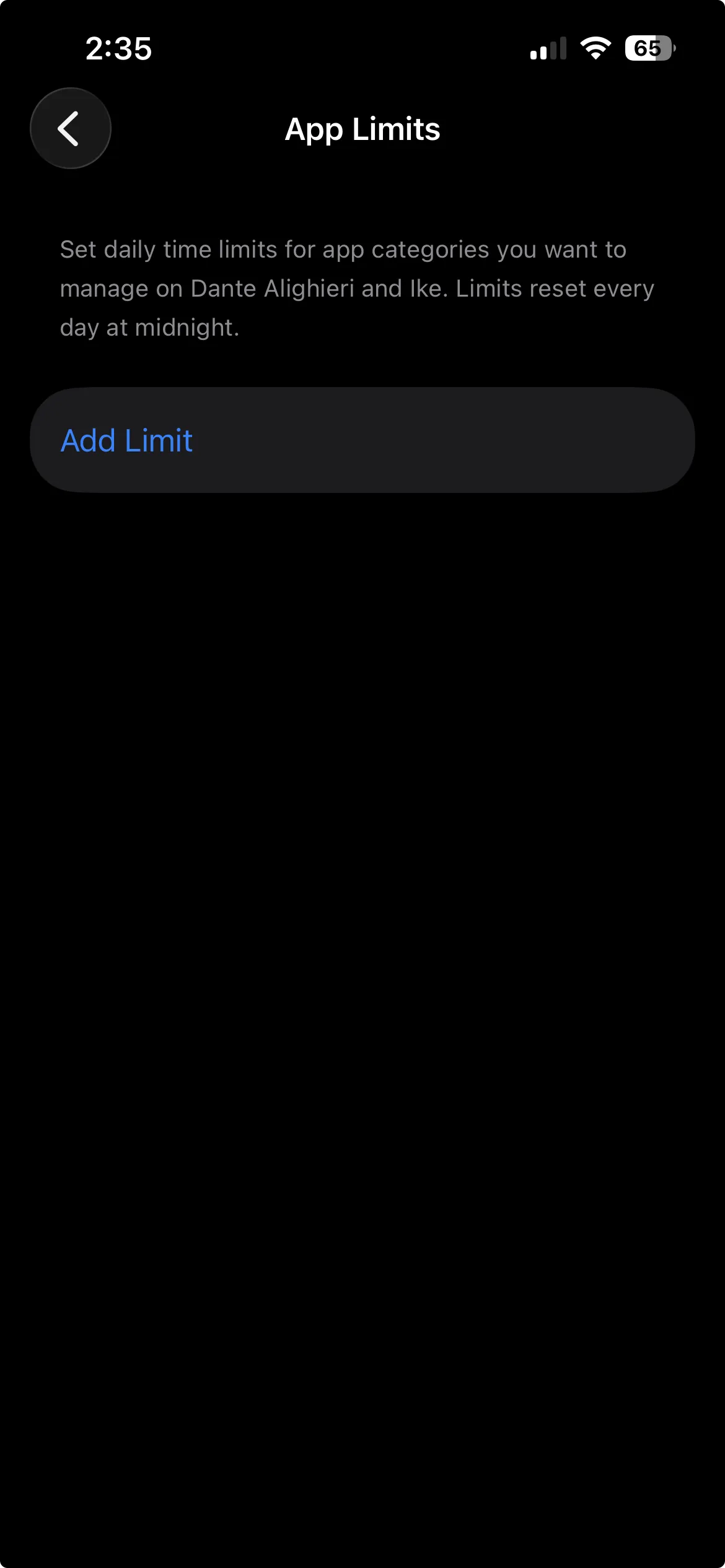
- Tap App Limits, then Add Limit.
- Find Reddit and tick it. It sits under Information & Reading, not Social, so expand that category or use the search bar at the bottom. Tap Next.
- Set a daily time. One minute if you want it effectively blocked, longer if you just want a cap.
- Tap the checkmark in the top right to save.
When you hit the limit, iOS shows a "time's up" screen. This is where the built-in tool reveals its ceiling. That screen has an Ignore Limit button, and tapping it grants more time instantly, with no delay and no friction. Apple designed Screen Time as a guardrail, not a vault. As Tech Lockdown notes, Apple itself has described Screen Time as not meant to be ironclad.
If your self-control is mostly intact and you just want a nudge to wrap up, the app limit is genuinely fine. But if you open Reddit the second a moment goes quiet, the one-tap override is the whole weakness. The moment you are weakest is exactly the moment Ignore Limit sits one tap away.
Step 2: Block the Reddit website (this is the part people skip)
Here is the step that separates a real Reddit block from a fake one. If you only did Step 1, open Safari right now and go to reddit.com. It still works. The app limit did nothing to the browser.
iOS does let you block a specific website, but it lives in a different menu than app limits, under Content & Privacy Restrictions.
- Open Settings, tap Screen Time.
- Tap Content and Privacy Restrictions and turn it on.
- Tap App Store, Media, Web & Games (Content Restrictions on older iOS), then Web Content.
- Choose Limit Adult Websites.
- Under Never Allow, tap Add Website and enter
reddit.com.
This blocks Reddit in Safari. The steps are confirmed in Apple's own support guide and walked through specifically for Reddit by Opal and Wondershare FamiSafe.
Two honest warnings.
The Never Allow list is leaky. Some users report Reddit still loading after adding it, and the filter does not reliably cover the in-app browsers inside other apps. If you tap a Reddit link from inside another app, it can open in that app's own web view, outside the filter.
The stricter option closes more holes. Instead of Limit Adult Websites, choose Only Approved Websites. This flips the logic: everything is blocked except sites you explicitly approve, and it applies system-wide, including the in-app browsers in third-party apps, per Bitdefender's iPhone website-blocking guide. The trade-off is real: you now have to whitelist every site you actually use, which is heavy-handed for most people. It is the nuclear option, useful if Reddit is genuinely wrecking your day and you want the browser locked down hard.
The bypass holes worth knowing about
Website blocking on iOS is genuinely harder than app blocking, and it is fair to be upfront about why. Screen Time content restrictions have several known gaps, documented by filtering specialists like Tech Lockdown:
- In-app browsers. A Reddit link tapped inside another app can open in that app's web view rather than Safari.
- The Passwords app browser. iOS ships a small browser inside the Passwords app that cannot be removed, and it can reach sites the filter would otherwise block.
- URL tricks. Certain URL manipulations can slip past the filter on some sites.
- The passcode. All of this is held in place by a Screen Time passcode. Anyone who knows it can switch the whole thing off in seconds.
The takeaway is not "give up." It is that the website filter is a strong deterrent for honest mistakes and autopilot reaches, and a weak one against a determined version of yourself at 11pm who knows the passcode. Set a Screen Time passcode you do not have memorized casually, and lean on the app lock for the surface that matters most.
Step 3: Safari content blockers (an optional layer)
If you want a little more on the browser side, Safari supports content-blocker extensions. These are third-party apps that, once enabled under Settings, Safari, Extensions, can block or hide content on specific sites. Some are aimed at distraction reduction and can hide a feed or block a domain.
They are worth a look if Safari is your main Reddit surface, but treat them as a supporting layer, not the foundation. They only govern Safari itself, they can be toggled off, and they do nothing about the app. Use them to reinforce Step 2, not to replace it.
The cleanest combination
Put it together and a real Reddit block on iPhone has two parts working at once:
- Lock the app so the one-tap home-screen open is gone.
- Filter the website so the habit cannot just slide over to Safari.
Screen Time can do a version of both, and for a lot of people that combination, with a passcode you do not know by heart, is enough. The weak point is the app side, where Ignore Limit undoes the block in a single tap. That is the piece worth upgrading.
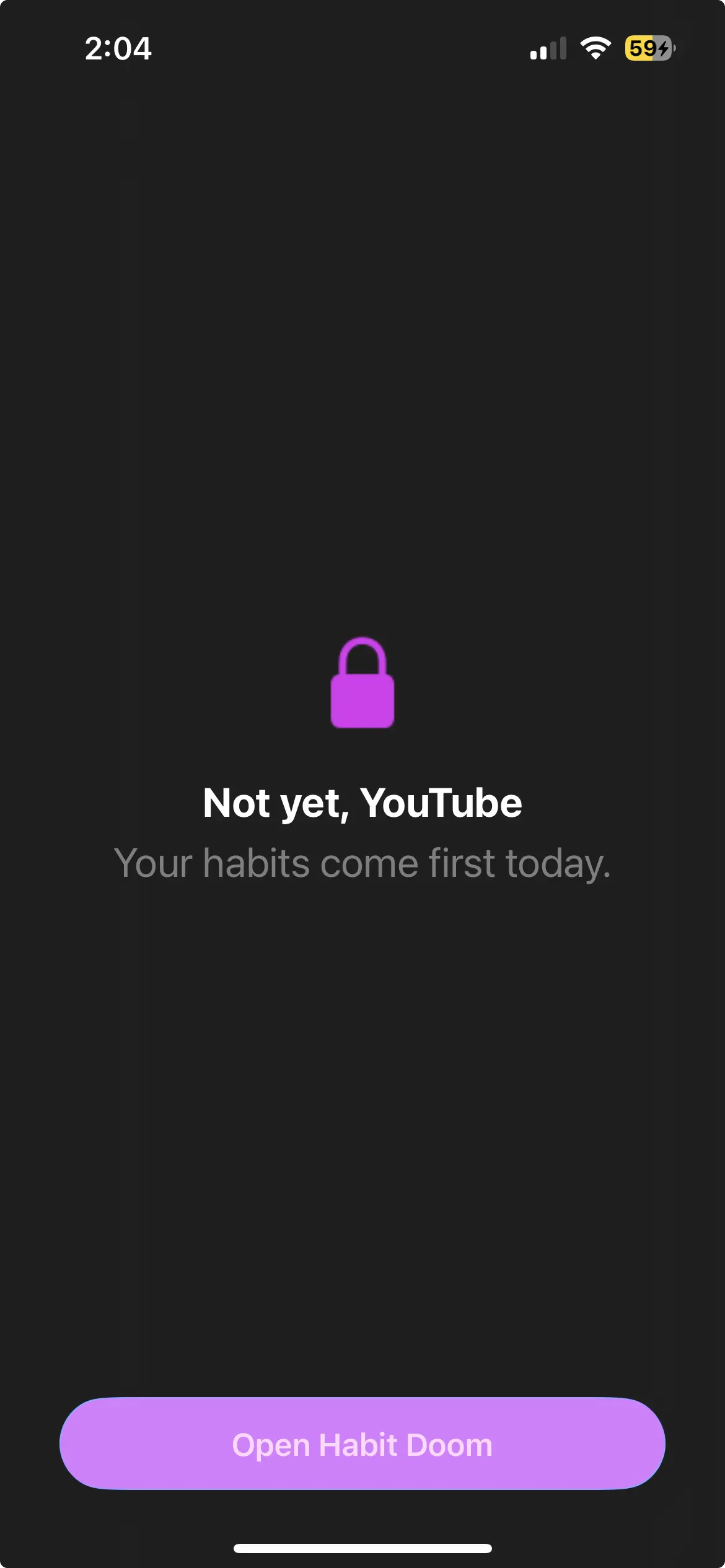
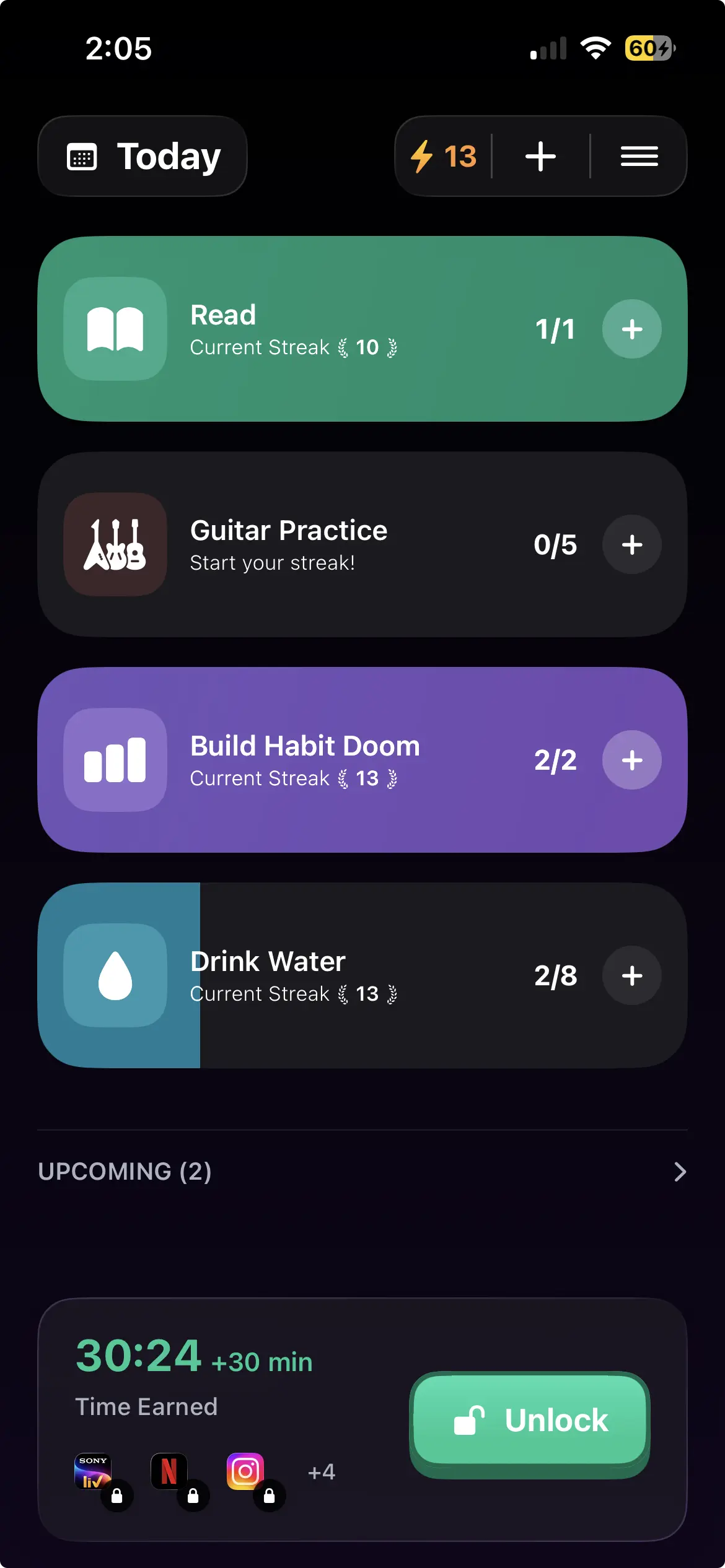
Step 4: Conditional locking for the app side
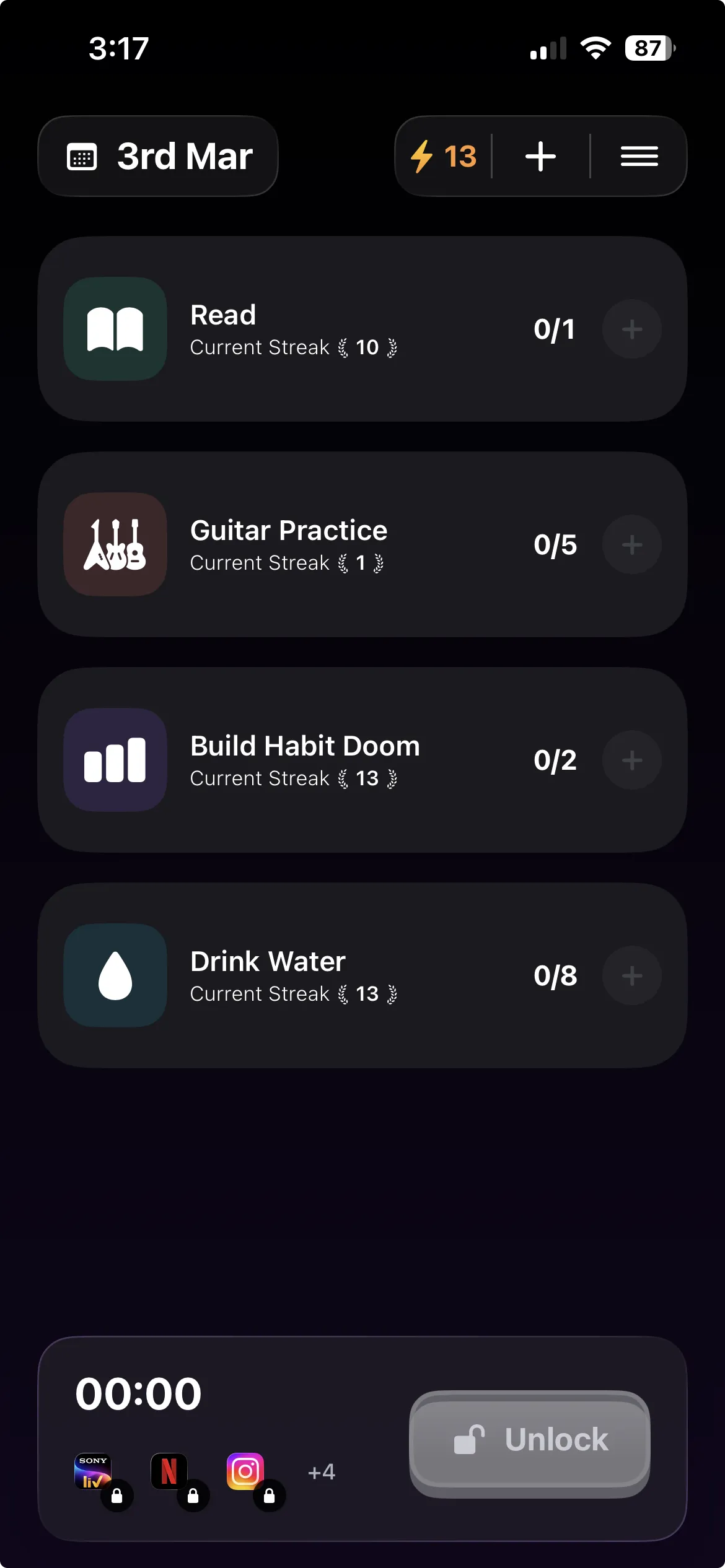
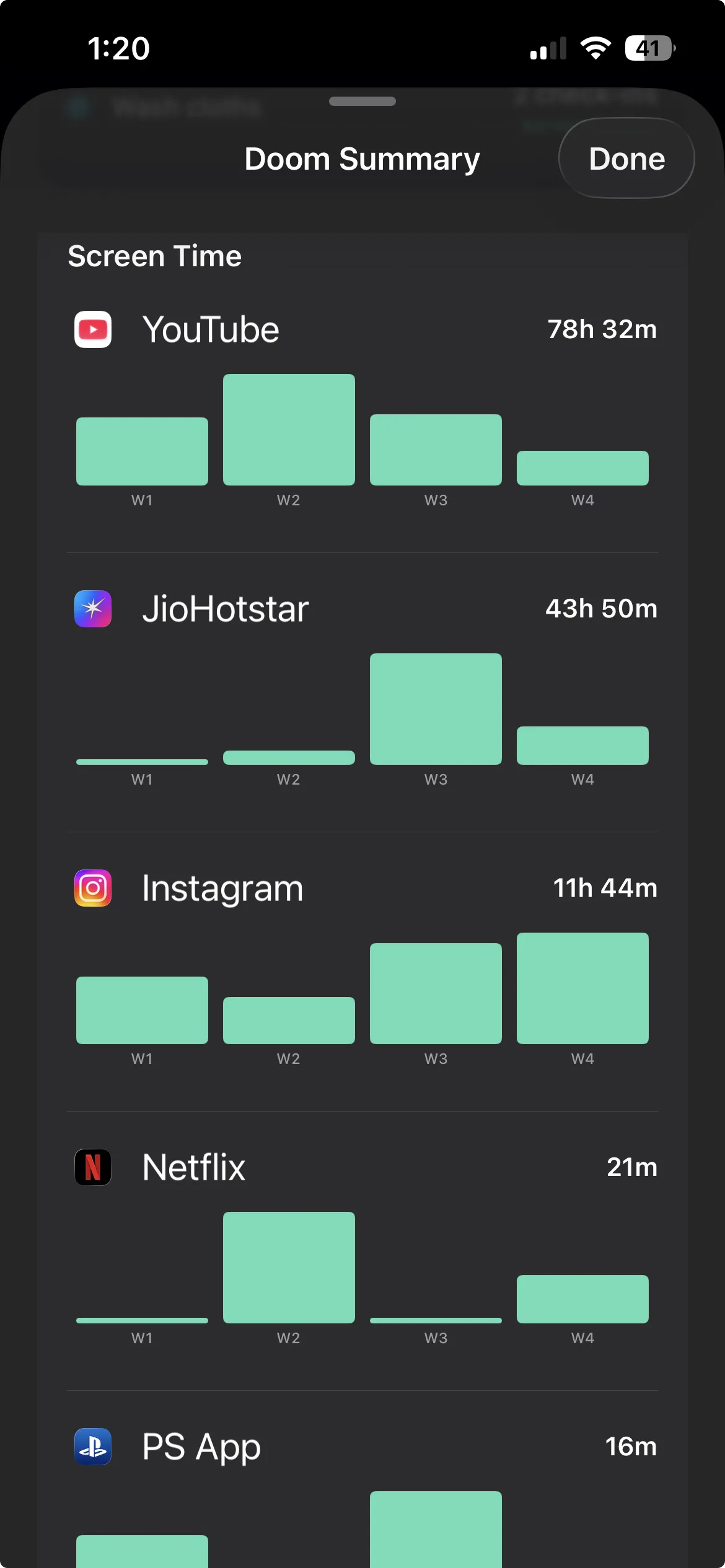
This is where Habit Doom fits, and it fits the app half of the problem specifically.
Instead of a daily timer with an escape hatch, Habit Doom uses conditional locking. You choose the apps to lock (Reddit, plus whatever else pulls you), and they stay locked until you complete the daily habits you set. The condition is not "what time is it" or "have I used my 30 minutes." It is "did I do the thing I actually wanted to do today." Until you check off your reading, your workout, your study block, whatever you defined, Reddit stays shut. Completing the habits is what earns the access.
The mechanism matters here. The lock is enforced at the iOS ManagedSettings layer, the same system level Screen Time uses, and it is built to be tamper-resistant: it survives force-quitting the app, restarting the phone, and even deleting Habit Doom. For the part of you that would tap Ignore Limit or reinstall a deleted app at midnight, there is no easy hatch. The deeper write-up on why that survivability matters is in apps that actually block doomscrolling with no bypass.
There is also an optional Anti-Cheat feature, free for everyone, that uses an on-device photo check to verify you actually did a habit before it counts, for the days you catch yourself tapping "done" without doing it.
To be clear about scope: Habit Doom locks the Reddit app, not the website. The honest, complete setup is to pair the two. Use Habit Doom (or its conditional lock) for the app, where its goal-based enforcement beats a one-tap timer, and use the Screen Time web filter from Step 2 for reddit.com in Safari. App lock plus website filter is the combination that closes both doors.
Habit Doom is free to download and use, with up to 3 habits, app blocking, custom alarms, and streaks, and no ads. Pro adds unlimited habits, Hard Mode, and advanced analytics at $4.99/month, $19.99/year (with a 7-day free trial), or $29.99 lifetime. On iPhone and Android.
So, which setup do you actually need?
Match the setup to your real failure mode.
If you mostly need a reminder to wrap up, Screen Time app limit plus the website filter is enough, and it is already on your phone tonight.
If Reddit is genuinely eating your day and you keep tapping Ignore Limit, upgrade the app side to a conditional lock and keep the Screen Time web filter for Safari.
If you want the browser locked down hard, switch the web filter to Only Approved Websites and accept the whitelisting overhead.
The thread through all of it: Reddit lives in two places, so blocking it means closing both. An app-only block leaks to the browser, and a browser-only block leaves the one-tap app open. Close both doors, set a passcode you do not casually know, and the autopilot reach finally hits a wall instead of a detour.
Habit Doom keeps the Reddit app locked until your daily habits are done, and survives the force-quit-and-reinstall move that defeats softer blocks. Free on the App Store.
Frequently Asked Questions
Keep Reading
Try Habit Doom
Lock your distracting apps. Complete your habits. Earn your screen time. It takes 30 seconds to set up.
Download Free