


Jomo Alternatives: 5 That Beat a Timer (2026)

 X
X LinkedIn
Jomo alternatives: quick answer
The best Jomo alternatives in 2026 are Habit Doom (habit-gated blocking, free tier, tamper-resistant), Opal (polished scheduled sessions with strong analytics), One Sec (a breathing pause, gentle friction), Freedom (blocking across every device you own), and ScreenZen (configurable delay timers). Jomo itself is a solid, affordable take on scheduled focus sessions, essentially a cheaper Opal. Most people who go looking for an alternative want one of three things: the block tied to behavior instead of a clock, a free tier that includes a real block, or stronger tamper resistance. Pick by how you actually fail, not by feature count.
Why people look for Jomo alternatives:
- Timer, not behavior: Jomo blocks on a schedule you set. Some people want the block tied to finishing a habit instead of watching a clock.
- Free tier limits: the free version is capped, and the block many people want sits behind the paid tier.
- Polish and analytics: Jomo's interface and reporting are less refined than Opal's, so some users want a cleaner scheduled-session app.
- Tamper resistance: a schedule you can edit is a schedule you can undo. Some people want a block that holds when they try to wriggle out.
Below: five alternatives worth testing, with current pricing and what each one actually does differently.
What Jomo does (and what it does not)
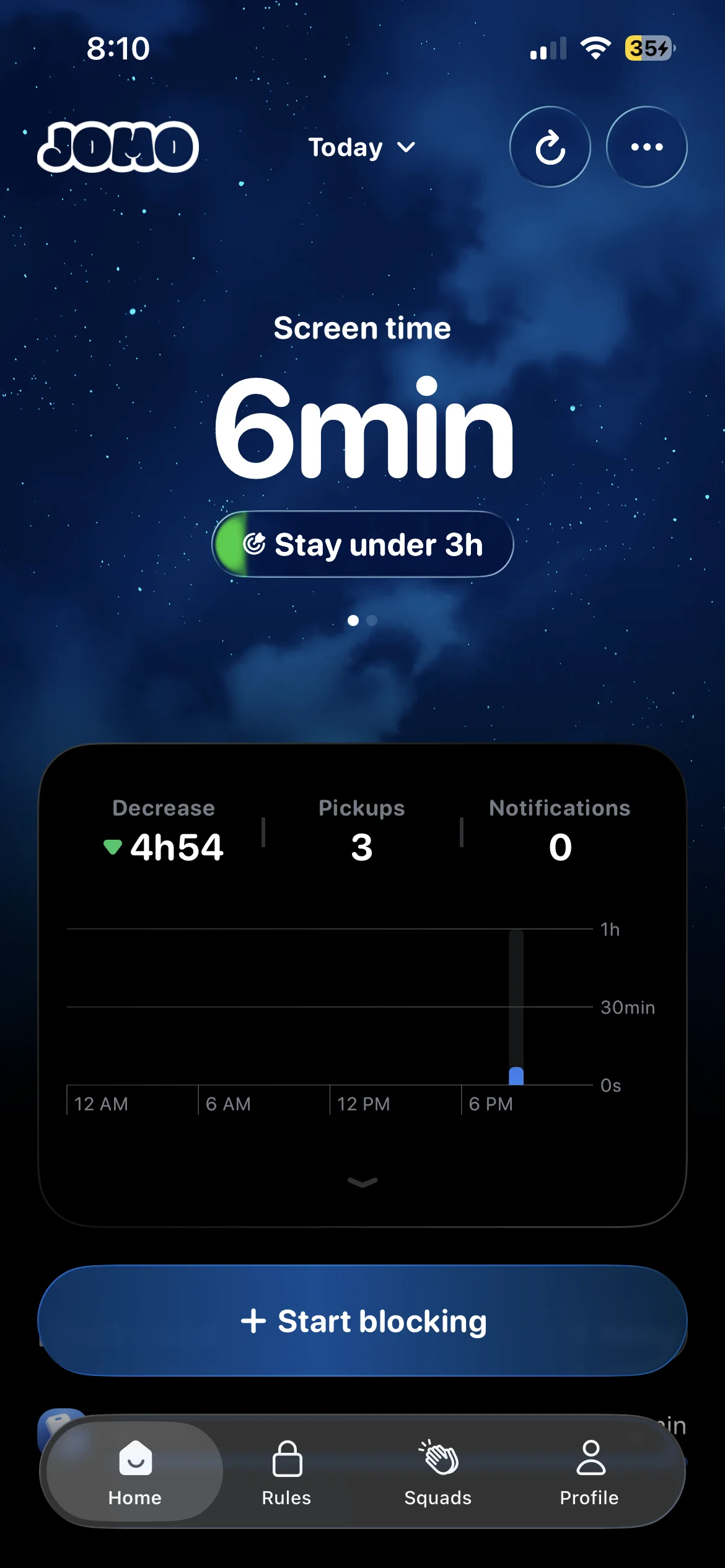
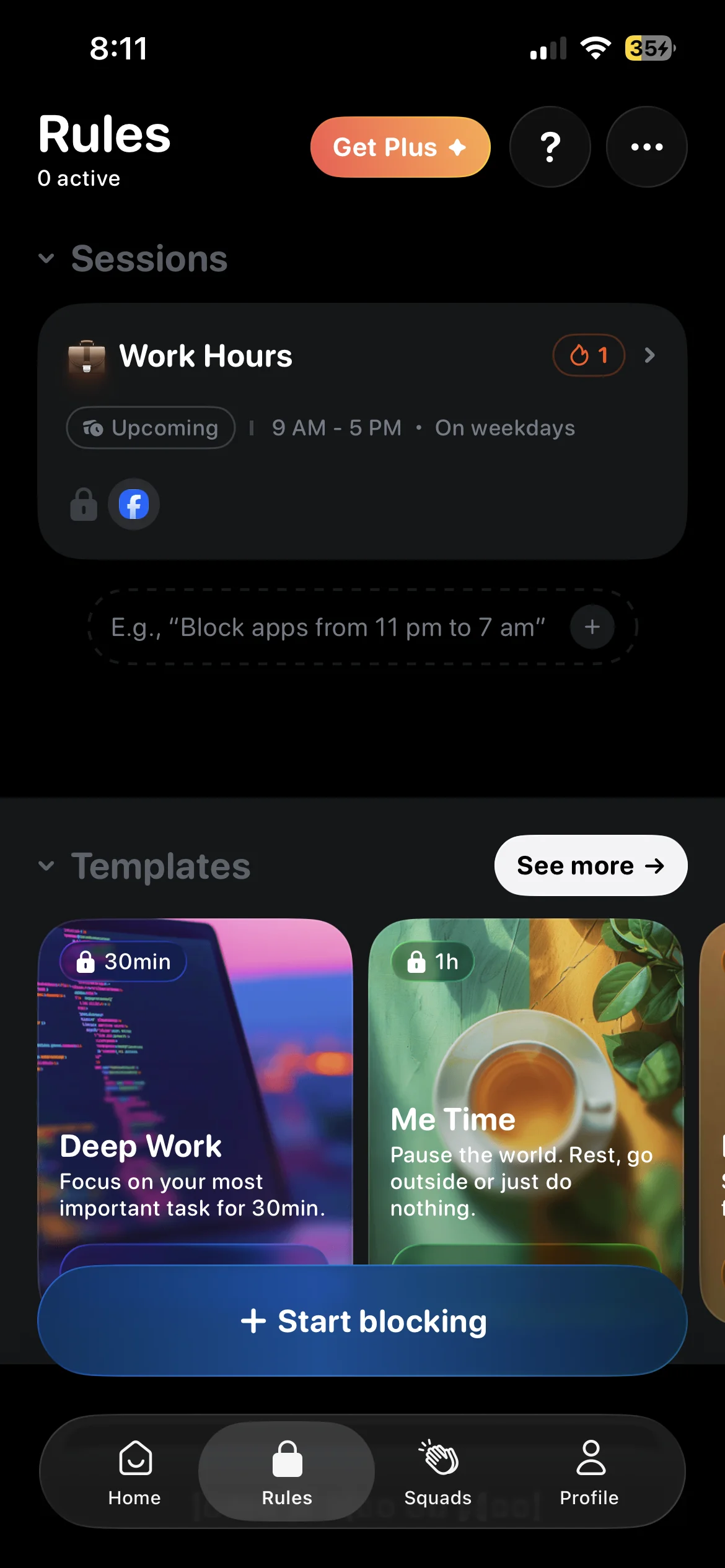
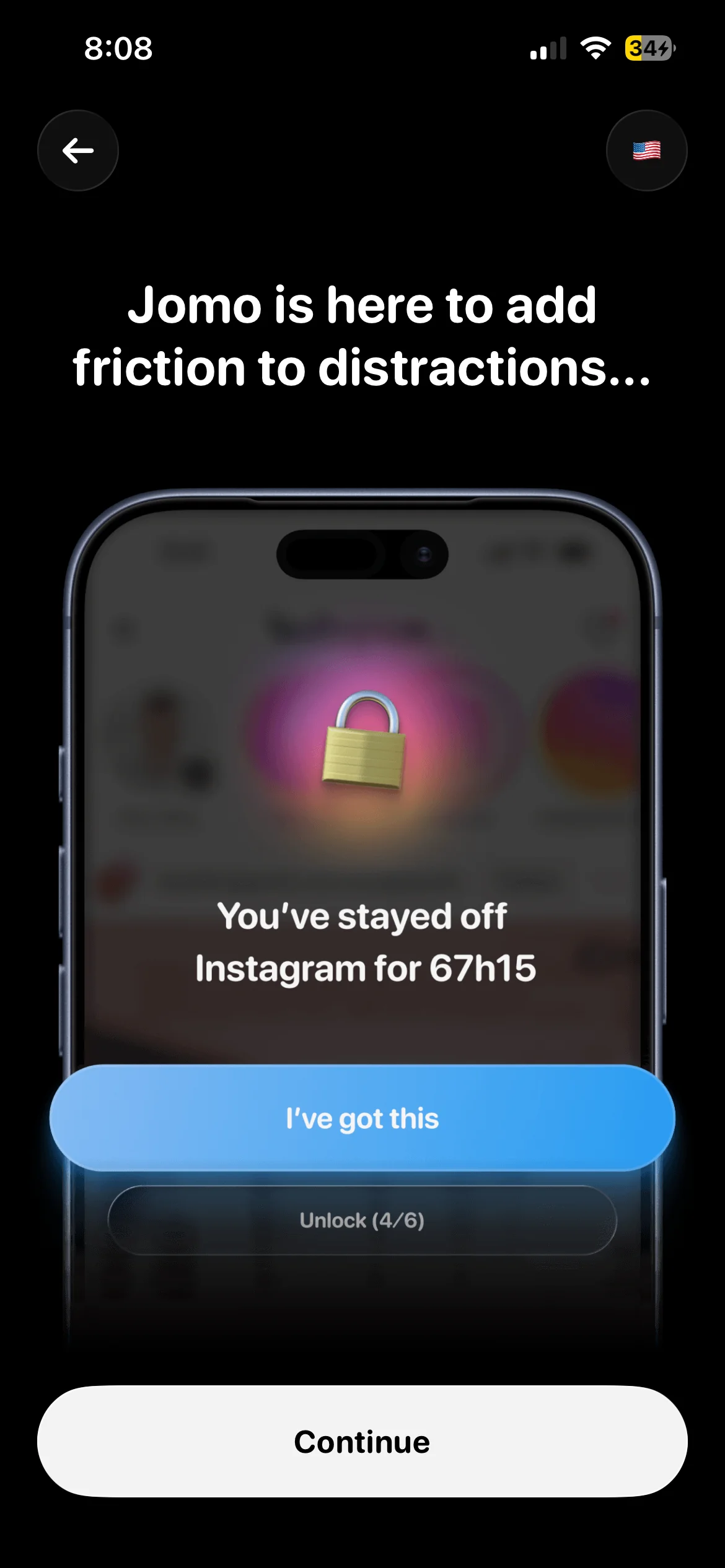
Jomo runs scheduled focus sessions under the banner "Joy of Missing Out." You pick the apps to block and the windows to block them, and Jomo enforces the schedule so distracting apps go dark during your focus time. It is, at heart, a cleaner-priced take on the same idea Opal sells: block on a timer, get some reporting back. It runs free with limits, or $5.99/month, $29.99/year, or $99.99 lifetime for the full version, on iOS.
The pitch is simplicity and price. If you want scheduled focus sessions without paying Opal money, Jomo is a reasonable buy, and the "Joy of Missing Out" framing is a genuinely nice way to think about time off your phone.
What Jomo does not do:
- It does not tie the block to finished work. The schedule runs on a clock, not on whether you did anything.
- Its analytics and interface are less polished than Opal's, which is the main knock reviewers land on.
- It does not track habits or verify that you completed anything.
- A schedule you set is a schedule you can edit, so the block is only as firm as your willpower in the moment.
Most people searching for a Jomo alternative want to fix one of those. The five apps below each cover at least one.
The 5 best Jomo alternatives in 2026
1. Habit Doom: best for tying the block to finished habits
Jomo unlocks your apps when the clock says so. Habit Doom unlocks them when you finish your habits. Apps sit locked by default and open once the work is done, whether that is reading, a workout, or study time. The friction is still there, but it is pinned to something productive instead of a schedule you can quietly reschedule when you feel the pull. The difference that matters is that the block follows your behavior, not a timer, because habit tracking is built into the loop rather than being a window you set and later move.
Underneath, it uses the Apple Screen Time API, the same enforcement layer serious blockers use, and the lock is tamper-resistant: it holds through uninstall, force-quit, and system clock changes. That is precisely the gap a schedule-based app leaves open, since a schedule you set is a schedule you can edit. The free Anti-Cheat feature closes another one. Check a habit off and the camera opens for a real-time photo, verified against the habit by an AI model running entirely on your iPhone in under half a second, with the photos never leaving the device. Jomo has no equivalent because it does not track what you actually did. The habit tracker you cannot cheat breakdown has the full picture.
Free covers three habits, app blocking, custom alarms, streaks, and Anti-Cheat. Unlimited habits are $4.99 a month, $19.99 a year with a 7-day free trial, or $29.99 once. Switch if you want the block tied to finished work, or a free tier that includes a real, tamper-resistant block.
2. Opal: best for polished scheduled sessions and analytics
Opal is the natural upgrade for anyone who liked Jomo's scheduled-session model but wanted it more refined. You set focus windows ("Deep Work 9 to 12"), pick the apps, and Opal enforces the schedule, then hands back strong, polished analytics on where your time went. It is the same core idea as Jomo, done with more finish.
The tradeoff is price. Opal runs $19.99/month or $99.99/year with a limited free tier, which makes it the priciest option here and noticeably more than Jomo's $5.99/month. It also does not track habits: this is scheduled blocking with reporting, not a behavioral loop. If Jomo's interface and analytics felt thin and you do not mind paying for polish, Opal is the pick. If price was part of why you chose Jomo in the first place, this is where Jomo still wins. Make the move if you want the same scheduled sessions with better analytics and a cleaner interface, and the higher price does not bother you.
3. One Sec: best for gentle friction
One Sec does not block anything outright. Open Instagram and it slips a breathing pause in first, then asks whether you still want to continue. What you get in place of Jomo's scheduled wall is awareness: it logs how often you backed off after the pause, a concrete read on your impulse control over time. It also runs on both iOS and Android, so it is the pick if your time is split across the two.
The catch is the usual friction trade-off. Once the pause is over you can proceed, and there is no scheduled boundary holding you out during set hours, which makes it gentler than Jomo for anyone who needs a firm block. It runs free with limits, or $19.99 a year, or $99.99 lifetime. Reach for it if you want awareness and a moment of friction rather than a hard scheduled block.
4. Freedom: best for blocking across every device
Jomo lives on your iPhone. Freedom's whole pitch is that distraction does not. It blocks across iPhone, iPad, Mac, Windows, Android, and Chrome in a single subscription, so when your phone locks Twitter, your laptop does too. If you found yourself just moving the scroll to your computer during a Jomo session, this closes that door. It does not track habits: this is pure cross-device blocking.
Two honest caveats. On iOS the blocking is VPN-based and can be inconsistent, so if the phone is your main battleground, its Locked Mode is the option to reach for since it is the unbreakable one. And it runs on a subscription: $8.99/month, $39.99/year, or $199 lifetime in-app. Freedom's own site regularly discounts the lifetime plan to $99.50. If your distraction genuinely spans devices, Freedom is the only tool here built for that. Reach for it if you need one blocker covering your phone, laptop, and browser at once.
5. ScreenZen: best for tuning delay timers
ScreenZen sits between a hard block and gentle friction. Instead of a scheduled lockout, it puts a configurable delay timer in front of an app: open Instagram and you wait out a countdown before it lets you in, and it shows you open-rate stats so you can see how often you are reaching for it. You tune the delay to be as long or short as you need, which makes it the most adjustable option on this list. It runs on iOS and Android and is completely free, funded by optional donations.
The tradeoff is that the delay is bypassable by waiting it out. There is no hard wall, so it works best as a pattern-breaker for compulsive opens rather than a firm boundary during focus hours. If Jomo's all-or-nothing schedule felt too rigid and you want a dial instead of a switch, ScreenZen is the one to try, especially if you want an adjustable delay before apps open instead of a fixed scheduled block.
Quick comparison: Jomo vs alternatives
| App | Price | Blocking model | Free tier | Habit tracking | Platforms |
|---|---|---|---|---|---|
| Jomo | Free / $5.99 mo | Scheduled sessions | Yes (limited) | No | iOS |
| Habit Doom | Free / $4.99 mo | Habit-gated | Yes (3 habits) | Yes | iOS |
| Opal | $19.99 mo | Scheduled sessions | Limited | No | iOS |
| One Sec | Free / $19.99 yr | Breathing pause | Yes (limited) | No | iOS, Android |
| Freedom | $8.99 mo | Cross-device block | No | No | All devices |
| ScreenZen | Free (donations) | Delay timers | Yes (limited) | No | iOS, Android |
How each alternative differs from Jomo
| App | How it differs from Jomo |
|---|---|
| Habit Doom | Jomo unlocks your apps when the clock says so. Habit Doom unlocks them when you finish your habits. |
| Opal | The same scheduled-session model as Jomo, more refined, with stronger analytics. |
| One Sec | Does not block outright: a breathing pause in place of Jomo's scheduled wall. |
| Freedom | Extends the block off the iPhone to Mac, Windows, Android and Chrome in one subscription. |
| ScreenZen | A configurable delay timer in front of an app instead of a scheduled lockout. |
Is there a free alternative to Jomo?
Yes, and the honest answer depends on what you wanted from Jomo.
If you want a real block for free: Habit Doom's free tier covers up to 3 habits, real app blocking through the Apple Screen Time API, custom alarms, and streaks, with no card required. The lock is tamper-resistant, holding through uninstall, force-quit, and clock changes, which is the part most free blockers skip. Instead of blocking on a schedule, you unlock by finishing your habits, so the block is tied to behavior.
If you want gentler free options: One Sec is free with limits and adds a breathing pause before an app opens. ScreenZen is free with limits and puts a configurable delay in front of the app. Both are software only and cross-platform, though neither is a hard block.
What is not really free: Jomo is free with limits, but the full version sits behind $5.99/month, $29.99/year, or $99.99 lifetime. iOS Screen Time is free and built in and works as a backup layer, but its Ignore Limit button defeats the block in one tap for the person who set it, so lean on it as a second layer, not your only one.
Which alternative fits which Jomo user?
If you wanted the block tied to finished work, not a clock: Habit Doom is the only option here that gates your apps behind completed habits.
If you liked scheduled sessions but wanted better analytics: Opal, as long as the higher price does not bother you.
If Jomo felt too strict and you wanted a softer nudge: One Sec for a breathing pause, or ScreenZen for an adjustable delay.
If your distraction jumps to your laptop: Freedom, the only cross-device blocker here.
If you wanted a free tier with a real block: Habit Doom, whose free tier includes tamper-resistant blocking.
Disclosure: Habit Doom is our app. We have tried to give every alternative on this list a fair read, but factor that in. Jomo is a genuinely good pick for people who want affordable scheduled focus sessions and like the "Joy of Missing Out" framing. The best alternative is the one that fits how you actually fail, not the one with the longest feature list. For broader context, see the best iPhone app blockers of 2026 or the task-based app blockers roundup.
The honest take
Jomo works because it makes missing out feel good: set your focus windows, let the schedule do the rest, and enjoy the quiet. That framing is genuinely nice, and at $5.99/month it undercuts Opal while doing most of the same job. But a schedule is only as firm as your willingness to leave it alone, and the block follows a clock rather than anything you actually accomplished. The alternatives here each fix a different piece. Habit Doom ties the unlock to finished habits and makes the lock tamper-resistant, Opal keeps the scheduled model but polishes the analytics, One Sec and ScreenZen trade the hard wall for awareness and adjustable friction, and Freedom stretches the block across every device you own. Pick one. Use it for two weeks. If it does not stick, try the next. Cycling between blockers without committing is the slowest path to less time on your phone.
Frequently Asked Questions
Keep Reading
Try Habit Doom
Lock your distracting apps. Complete your habits. Earn your screen time. It takes 30 seconds to set up.
Download Free