


2 Weeks to Ship 3 Buttons on iOS

 X
X LinkedIn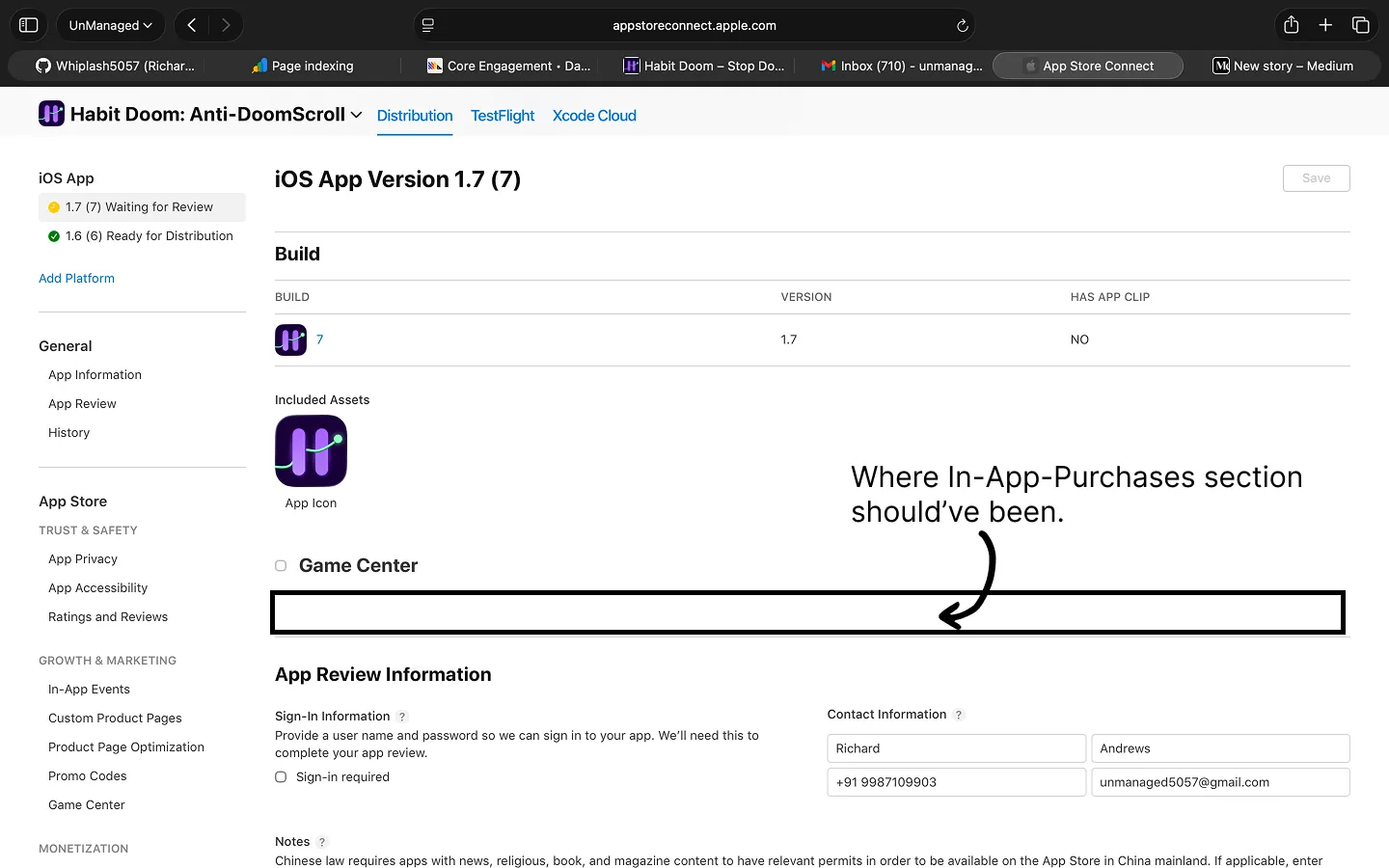
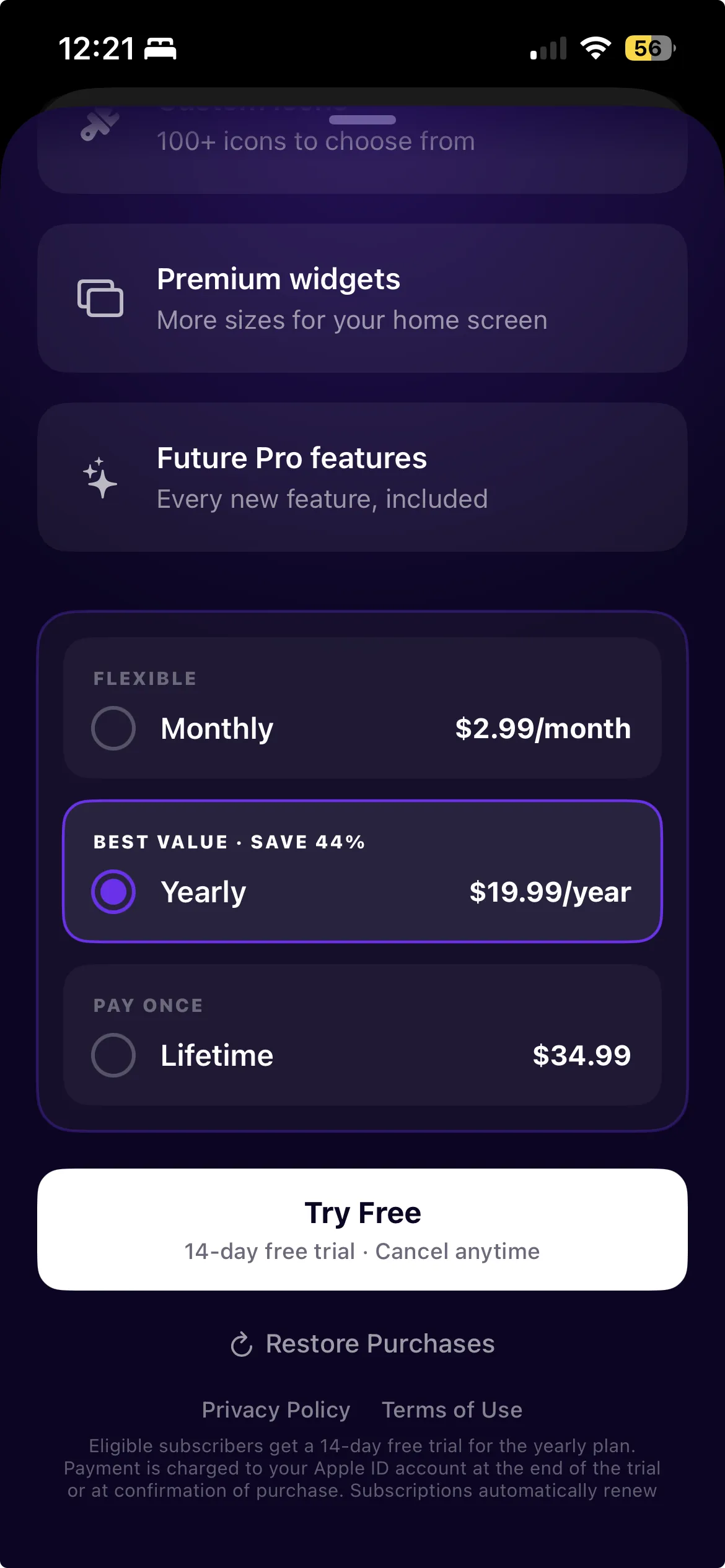
Three buttons. Monthly, Yearly, Lifetime. That is all I needed to add to Habit Doom, an iOS app that locks your distracting apps until you do your habits.
The code took two days. Getting those buttons live on the App Store took two weeks.
The Bug
I had version 1.4 live on the App Store. I renamed it to v1.5 in App Store Connect to submit it with in-app purchases. The rename went through fine.
Except the "In-App Purchases and Subscriptions" section was gone. Not collapsed. Not behind a toggle. Gone. The entire section where you attach IAPs to a version for review had vanished from the page.
I assumed I had done something wrong. So I created a fresh version, v1.6, via "+ Version or Platform." New version, clean slate.
Still missing.
v1.7. Missing. v1.8. Missing. v1.9. Missing.
Different browsers. Cache cleared. Different Apple IDs. Nothing worked. Four versions, same hole in the page.
Apple Support
I filed a support case. By the time Apple responded, the EU Digital Services Act compliance form (which had its own bug, an infinite loading spinner that never resolved) had already been approved on its own.
One UI bug was now blocking three revenue streams: Monthly, Yearly, and Lifetime. My app was live. Users were downloading it. And I could not charge a cent, because Apple's own website was broken.
Then this email landed:
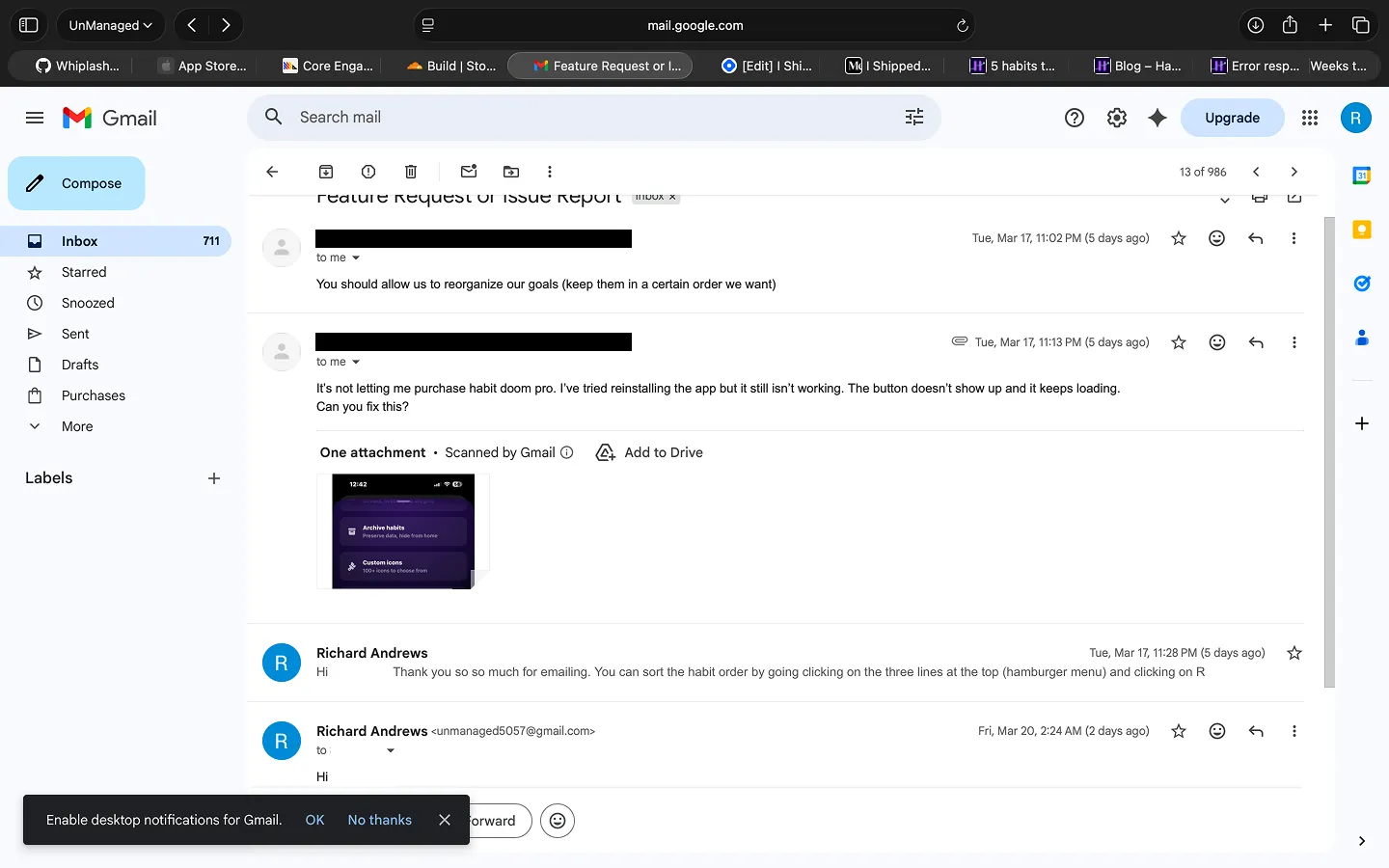
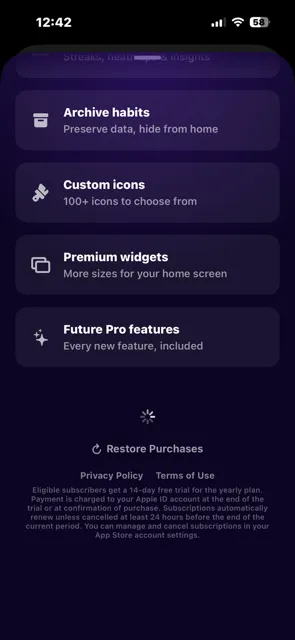
This is what they saw: the paywall loaded, but there were no purchase buttons. Just an infinite spinner where the pricing should be.
The API Detour
After a week of dead ends, I tried bypassing the web UI entirely using the App Store Connect REST API. I generated an API key, looked up my Lifetime purchase's inAppPurchaseV2 ID, and submitted it programmatically.
The API accepted it. The Lifetime IAP went into review alongside v1.7. I thought I had found the fix.
I was wrong.
The Real Problem
When v1.7 shipped and I tested the live purchase flow, nothing worked. StoreKit returned zero products. The paywall was empty.
The reason: my code used com.unmanagedboy.habitdoom.monthly but App Store Connect had com.unmanagedboy.habitdoom.pro.monthly. An extra .pro. in the path. A typo I made when creating the products two weeks earlier.
Here is the thing about product IDs in App Store Connect: you cannot change them. Ever. Once created, they are permanent. The only option is to create entirely new products.
So the API workaround had submitted the wrong product. The Monthly and Yearly API submissions had also failed with DEVELOPER_ACTION_NEEDED. A week of work on the API, wasted.
What Actually Fixed It
I created three brand new products with the correct IDs:
| Product | Old ID (wrong) | New ID (correct) |
|---|---|---|
| Monthly | ...habitdoom.pro.monthly |
...habitdoom.monthly |
| Yearly | ...habitdoom.pro.yearly |
...habitdoom.yearly |
| Lifetime | ...habitdoom.pro.lifetime |
...habitdoom.lifetime |
Each one needed pricing across 175 territories, localization, review screenshots, subscription group setup, and a 3-day free trial offer for Yearly.
Then I created a fresh version (v1.10) and the IAP section appeared. Just like that. The section that had been missing for a week across four different versions was suddenly there, working perfectly.
I attached all three IAPs through the UI. Submitted for review. Approved in less than 24 hours.
The old v1 products still sit abandoned in App Store Connect with "Developer Action Needed" status. A little monument to a two-week detour caused by one misplaced .pro. in a product ID.
Lessons
-
Product IDs are permanent. Copy-paste them from your code into App Store Connect. Do not type them. One typo means recreating everything from scratch.
-
The first IAP submission must be linked to a binary. When you submit IAPs or subscriptions for the very first time, they need to be attached to an app version with a binary. After that first approval, they can be managed separately. This is easy to miss and not obvious from the UI.
-
Do not remove your app submission after attaching IAPs. If you have already submitted a version with IAPs attached and you pull or remove the app submission, the IAPs get detached and you are back to square one. Submit once and leave it alone.
-
Local StoreKit testing hides ID mismatches. Your
.storekitconfig file has its own product IDs. Tests pass perfectly while the live configuration is completely wrong. Test against the sandbox, not just the local config. -
Do not rename versions in ASC. Always create fresh ones via "+ Version or Platform." Renaming triggered the vanishing IAP section for me.
-
If the IAP section is missing, try creating new products. In my case, creating fresh products with new IDs made the section reappear. No API workaround needed.
-
The code is the easy part. StoreKit 2 is genuinely well-designed. The App Store Connect configuration, agreements, tax forms, and UI bugs are what eat your time.
-
Budget two weeks for IAP integration, not two days. The code is fast. Everything around it is slow, broken, or both.
For a company that makes $100 billion a year from the App Store, a broken IAP section is a rounding error. For a solo developer with 97 downloads and $0 in revenue, it was a gut punch.
Habit Doom is live on the App Store. All three buttons work. It just took two weeks to ship them.
Frequently Asked Questions
Keep Reading
Try Habit Doom
Lock your distracting apps. Complete your habits. Earn your screen time. It takes 30 seconds to set up.
Download Free