


Best Free App Blocker for Android (2026)

 X
X LinkedIn
"Free" does a lot of work in this category. Some apps mean free forever, some mean free until the feature that would actually help you, and one of them is already installed on your phone.
Here is what each one really gives away, checked against Google Play on 31 August 2026.
Start with the one you already paid for
Digital Wellbeing is free, already on your phone, and reached through Settings. Which version you have depends on the manufacturer, and the difference matters.
On Google's build you get daily app timers, Focus mode, Bedtime mode, Chrome website limits, and an App limits PIN. The PIN is the part write-ups miss and it changes the maths: set a 4-digit code and limits cannot be changed without it, and Google's own tip is to set an app's limit to zero with the PIN on, which blocks that app outright. That is a genuine free lock.
On Samsung you get a different app entirely, and Google's is not installed. Samsung's timers are better in some ways, with alerts at 1, 5 and 10 minutes before the cap and per-day schedules, plus a Screen time goal and Content restrictions for Samsung Internet and Chrome. ⚠️ But the app timer flow has no PIN, so nothing stops you removing a limit the moment you want to.
Either way, every control is time-based rather than tied to anything you accomplish. Google's version holds 3.6 stars across roughly 1.47 million Play reviews, the lowest of any app here.
ScreenZen: free with no asterisk
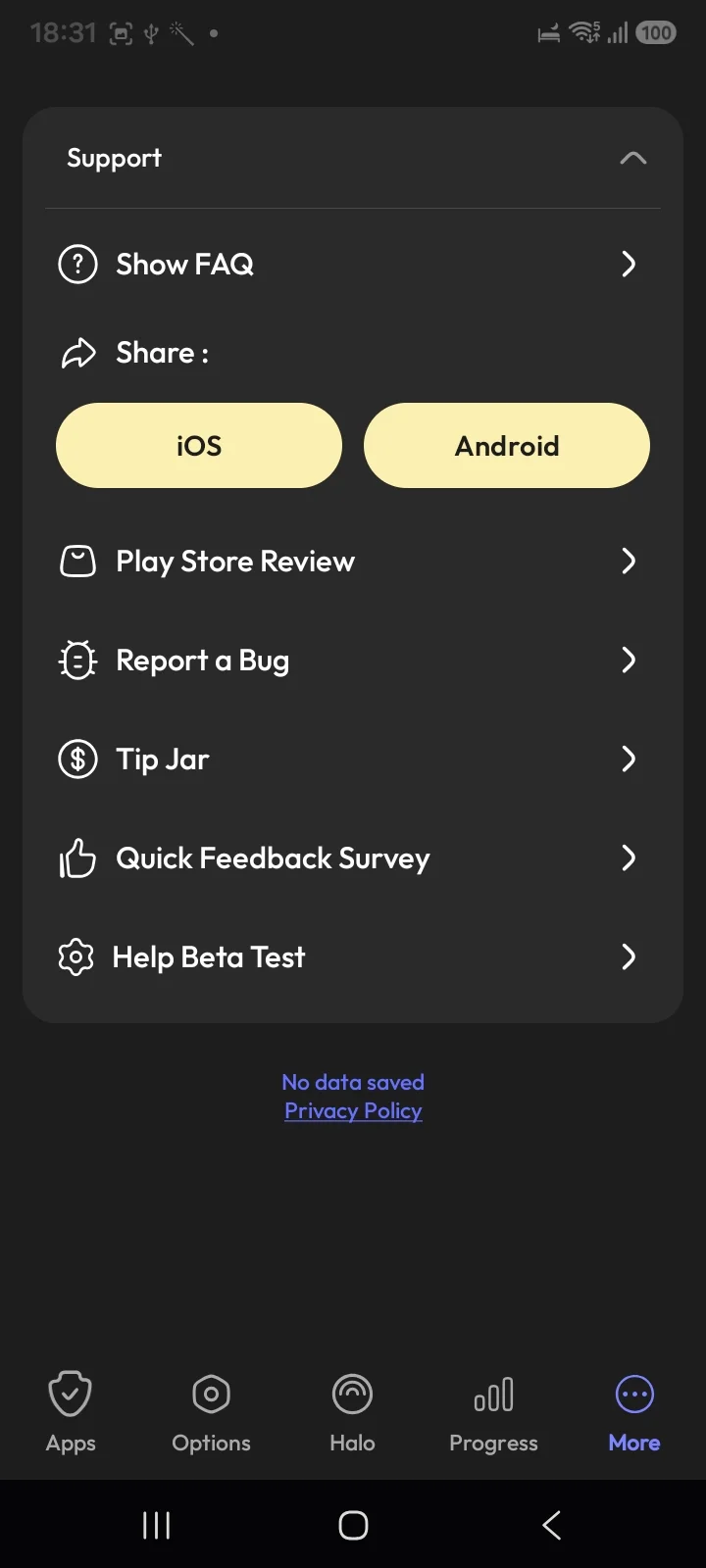
Roughly 31,600 Play reviews, donation supported, no paid tier at all. Installed and checked: the support screen offers a Tip Jar, not a subscription, and the app states "No data saved". Nothing is held back, which makes it the cleanest recommendation on this page.
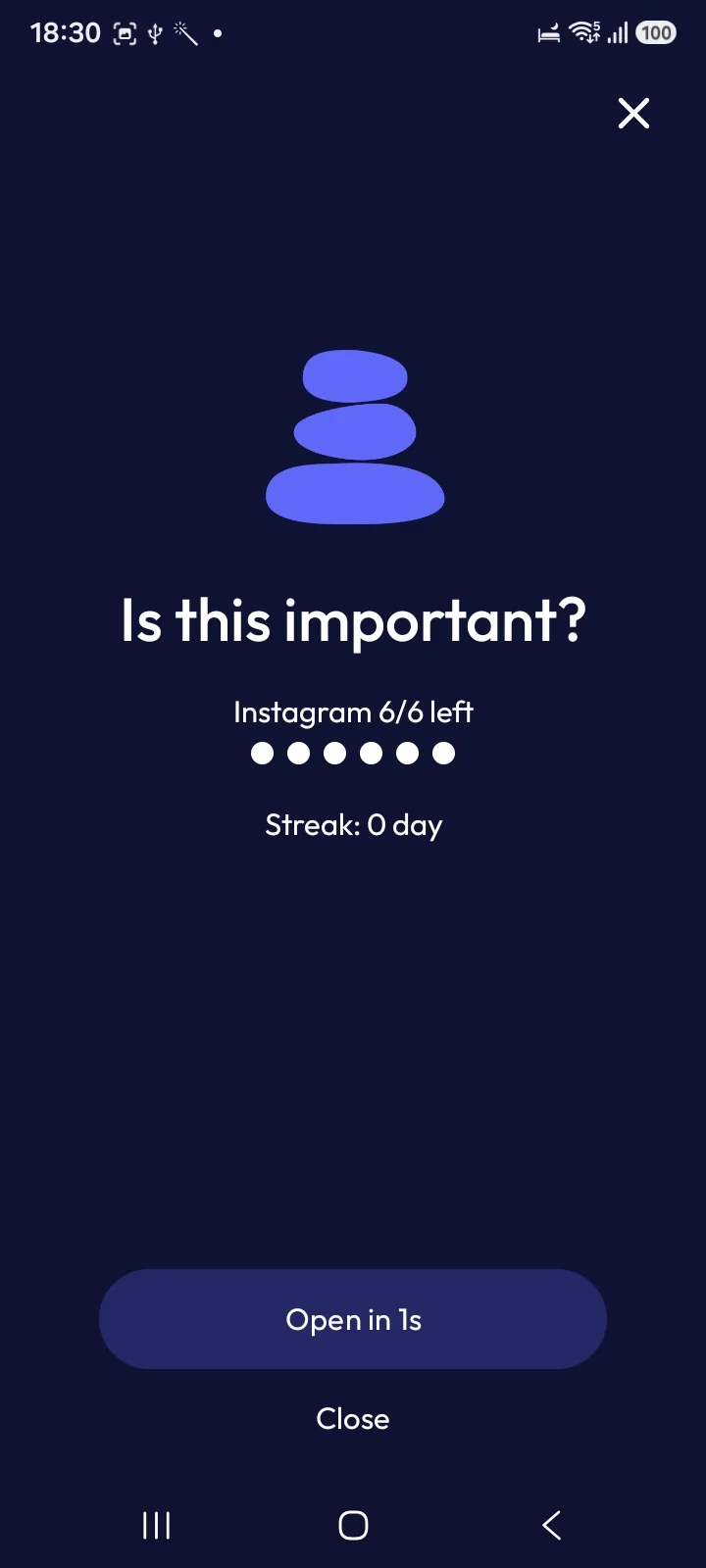
The signature is friction: open Instagram and you get "Is this important?", a one-second delay, and a counter of how many opens you have left today. That last part is quietly clever, and it is the same idea AppBlock charges for as Launch count.
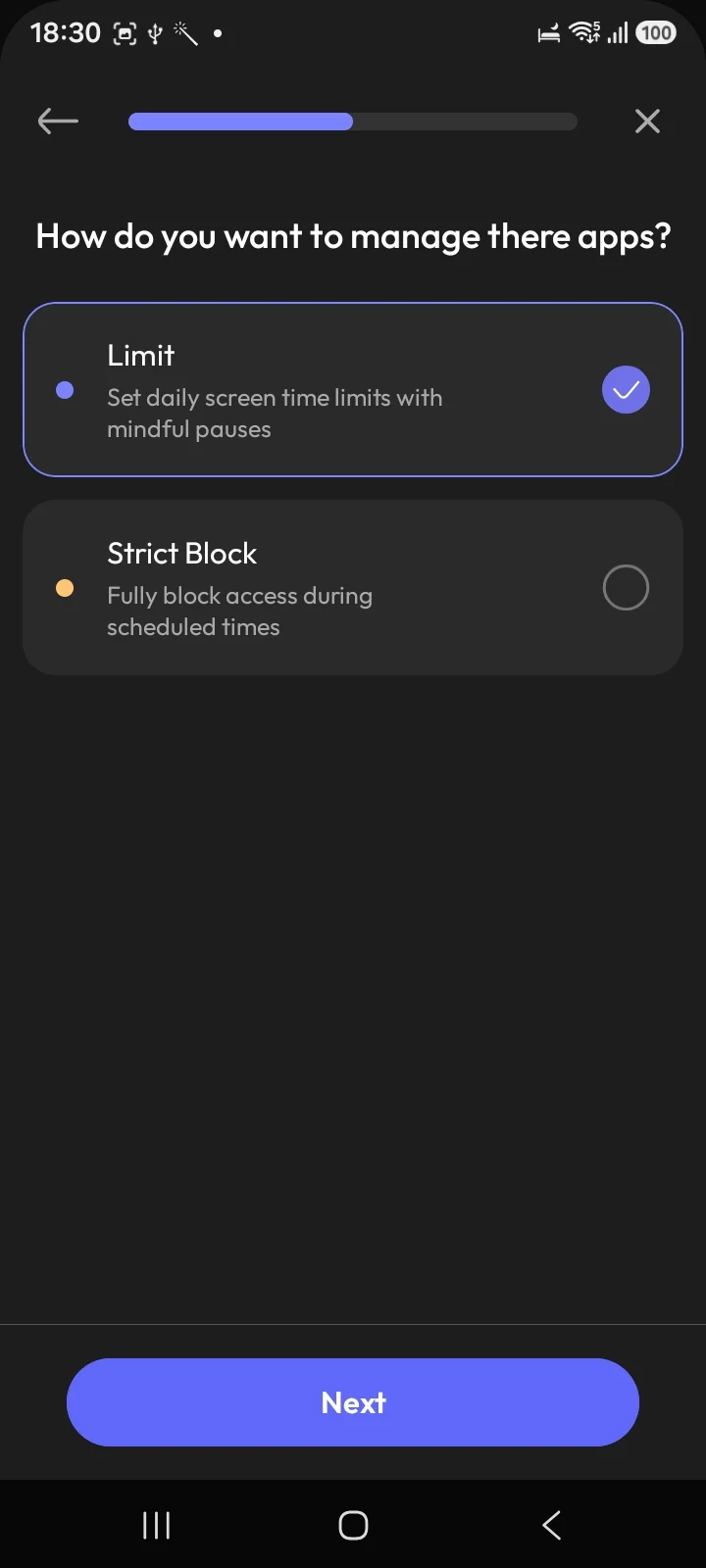
It is not only a pause, though, which most write-ups miss. Setup offers Strict Block, "fully block access during scheduled times", alongside the softer Limit mode.
The catch: in Limit mode the pause is dismissible by design, so if you tap through interruptions without noticing them, use Strict Block or it will change nothing.
AppBlock, StayFree and Forest: free tiers with edges
AppBlock (~238,000 reviews, 4.7 stars) has a usable free tier, but the features people install it for tend to sit in Premium. Reviews on Play are candid about this, including one complaining that a simple pause button is paywalled. There is a lifetime purchase as well as a subscription, which is worth knowing if recurring charges are the objection.
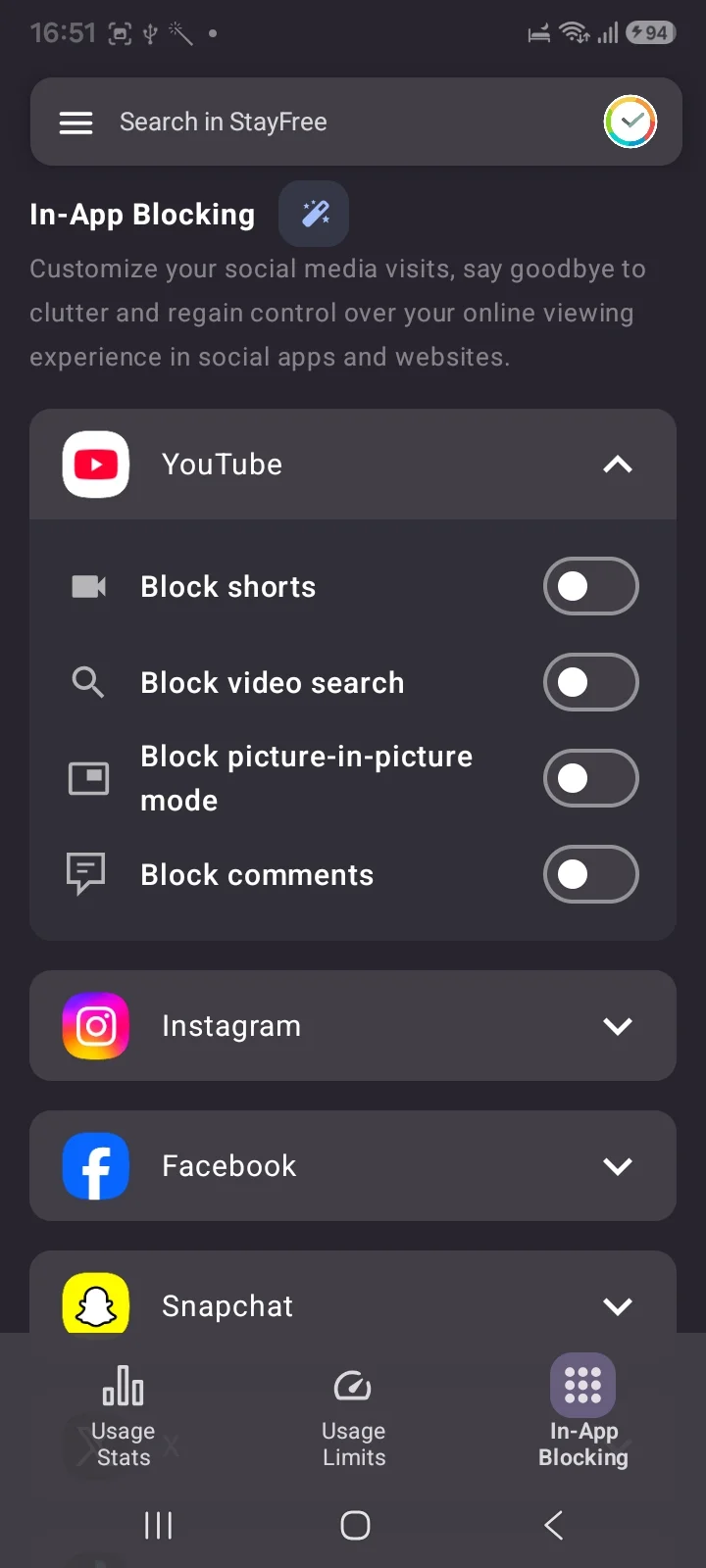
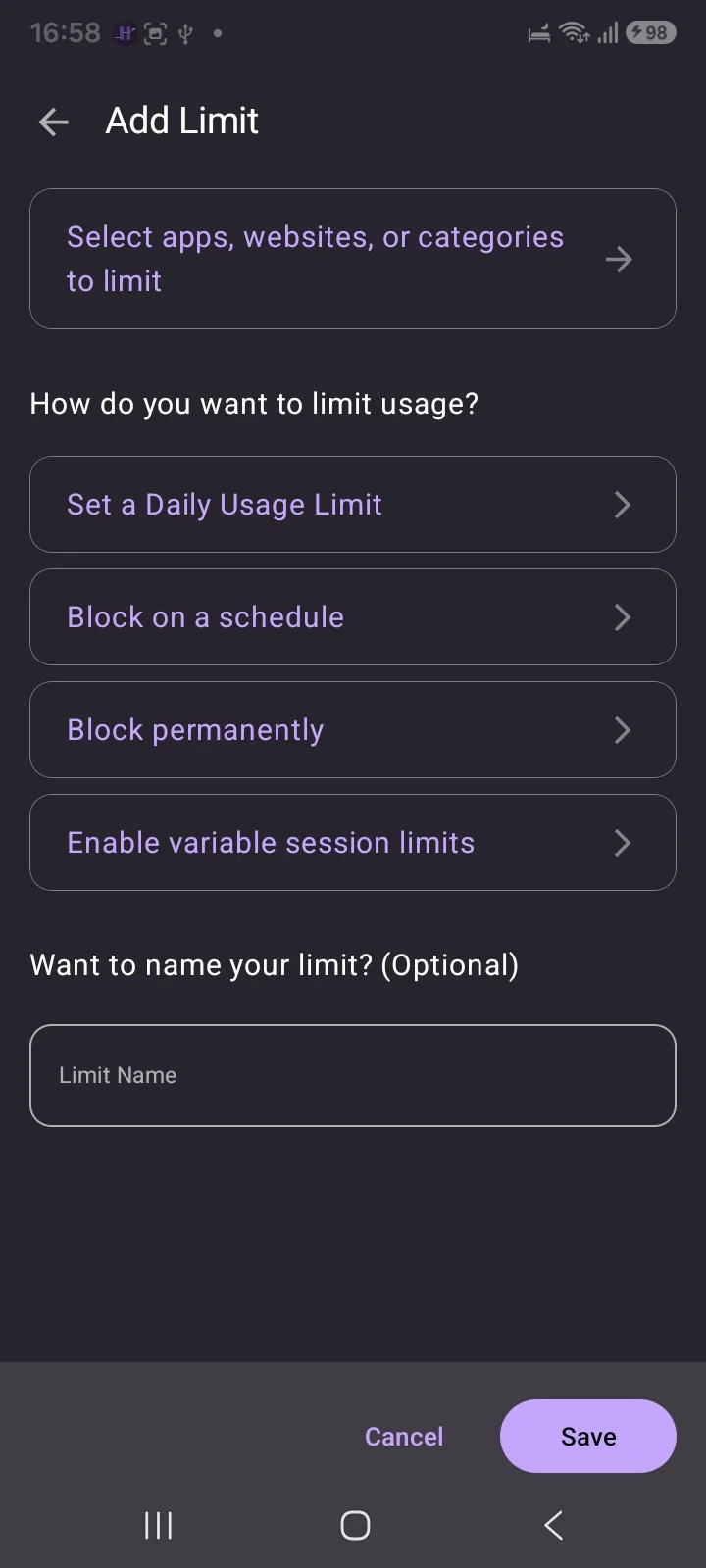
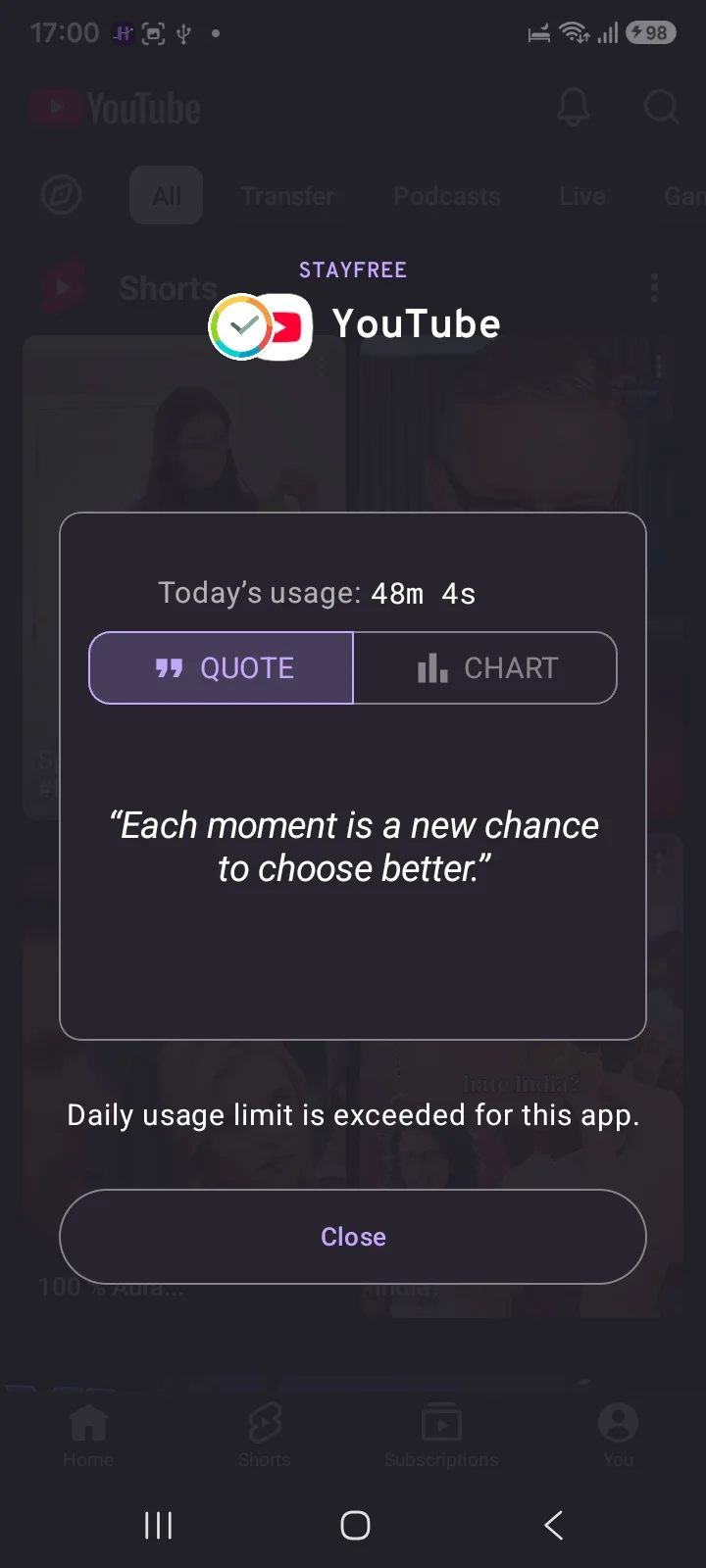
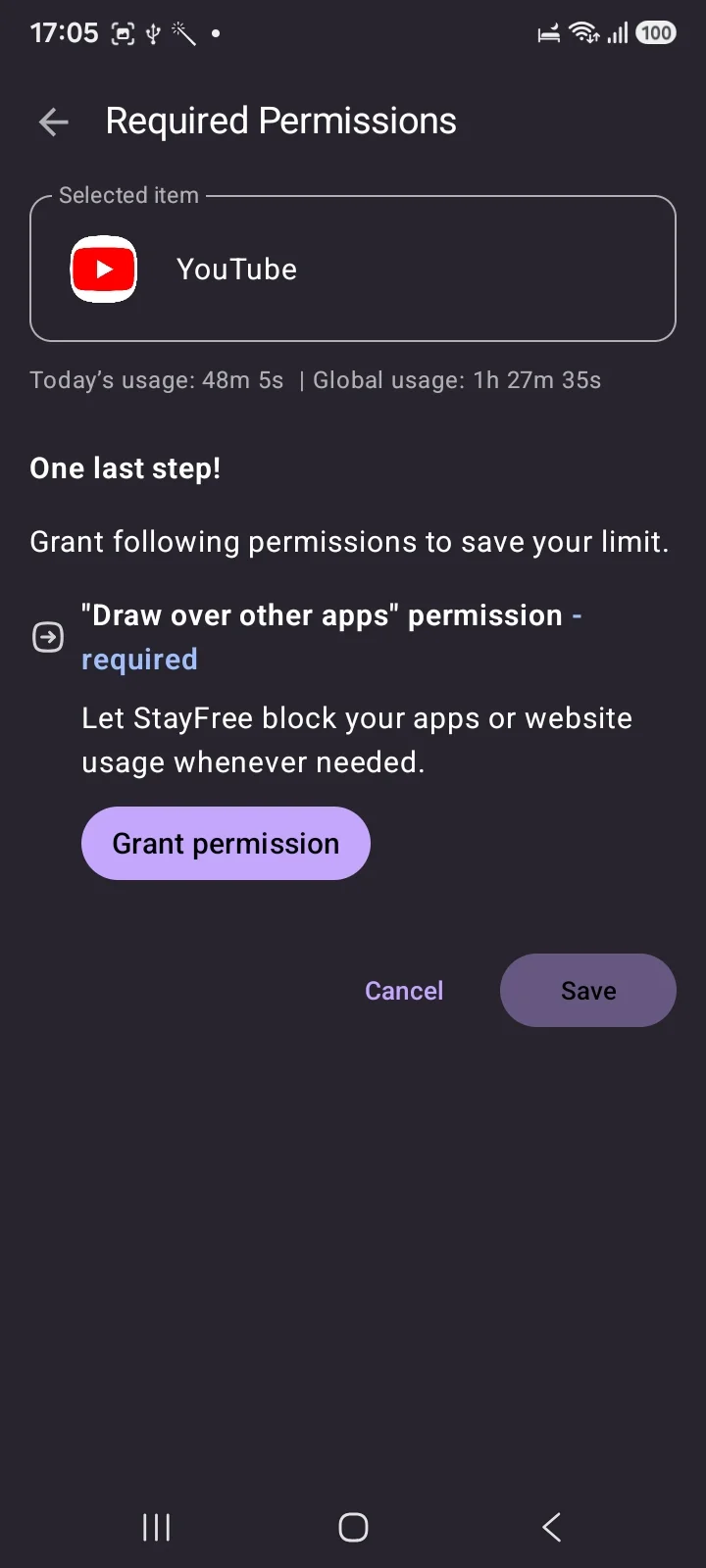
StayFree (~276,000 reviews) is free, ad-free, and the most capable free option on this page by some distance. Alongside usage tracking it offers Usage Limits in four modes across apps, websites and nine categories: daily limit, block on a schedule, block permanently, and variable session limits. Then there is In-App Blocking, which switches off Shorts, Reels, Stories and the Explore tab individually rather than blocking whole apps.
It blocks using the "Draw over other apps" permission, so it paints a screen over the app rather than preventing it opening, which is why it reads as an interruption rather than a wall.
Three things to weigh before signing up. It now asks you to create an account and continue with Google, storing your usage data there. It offers to clean up your email inbox and block senders, a large ask for a screen time app. And the listing says it is by Sensor Tower, an analytics company, with a data safety panel disclosing sharing app info with third parties.
Forest (~812,000 reviews) is free with ads on Android. Delightful, gentle, and not built to stop a determined scroll.
Habit Doom's free tier
Ours, so judge it accordingly. The free tier is:
- 3 habits
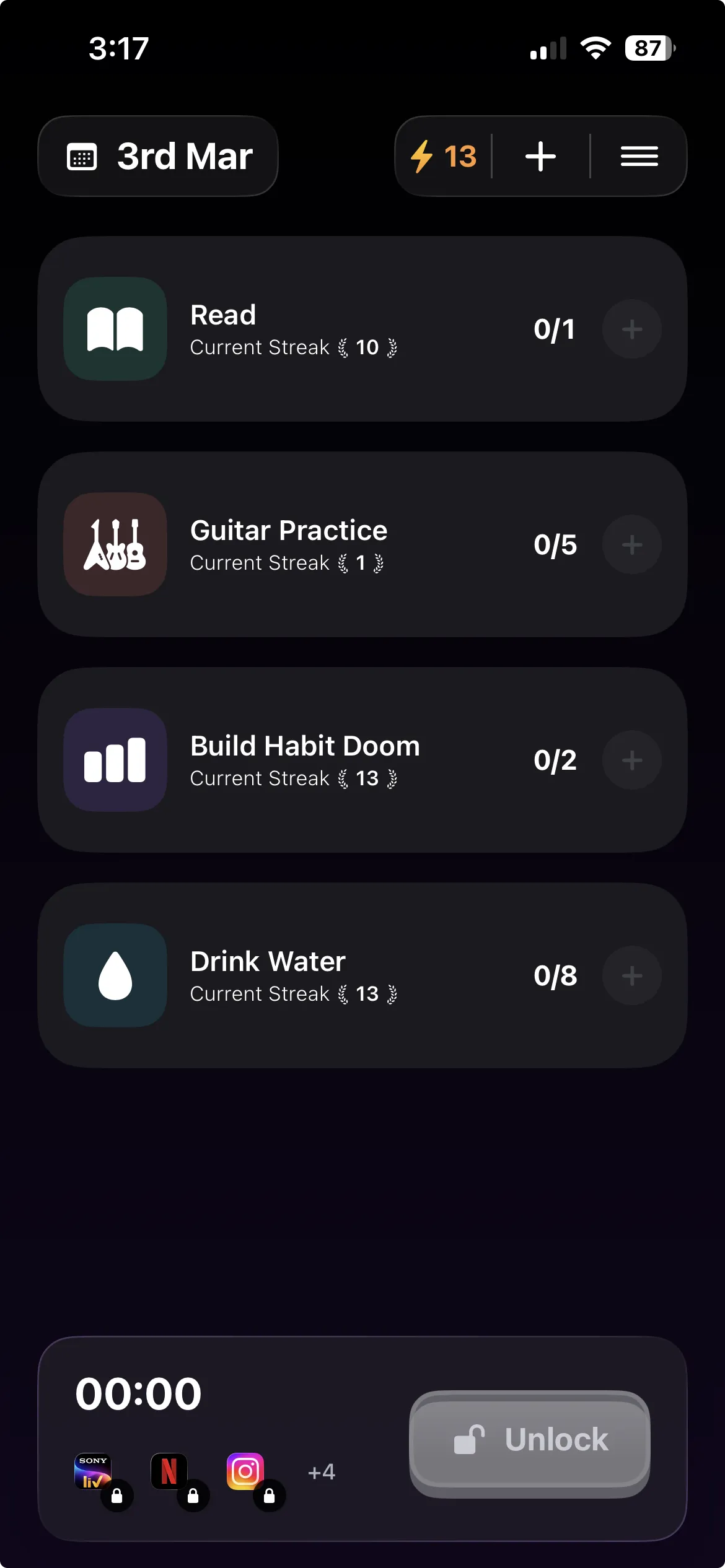
- Real app blocking, not a trial
- Streaks
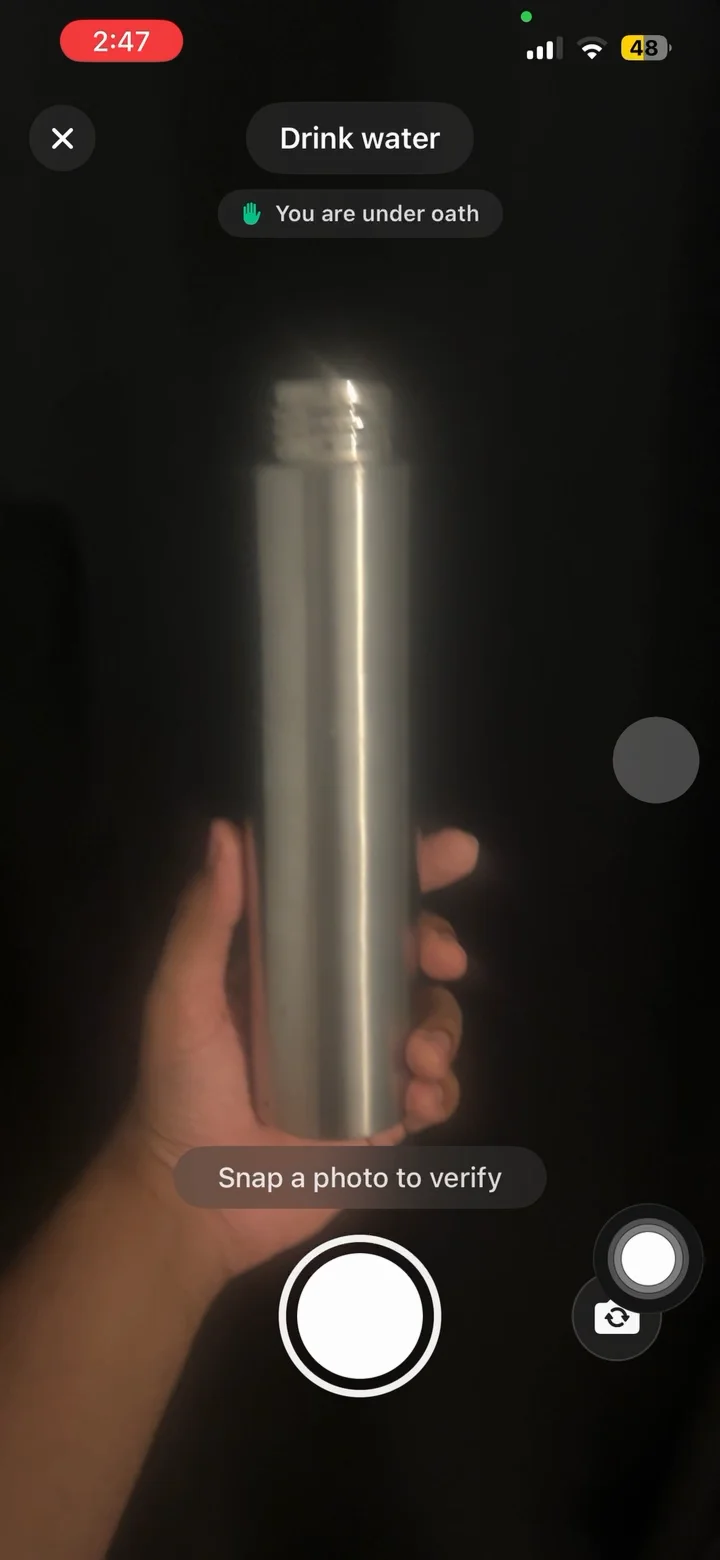
- Anti-Cheat photo verification, which runs an on-device model so a check-in cannot be faked
- No ads
Anti-Cheat is free for everyone rather than a paid feature, which is unusual enough to be worth stating plainly. Pro raises the habit cap and adds Hard Mode and analytics at $4.99/month, $19.99/year with a 7-day free trial, or $29.99 once.
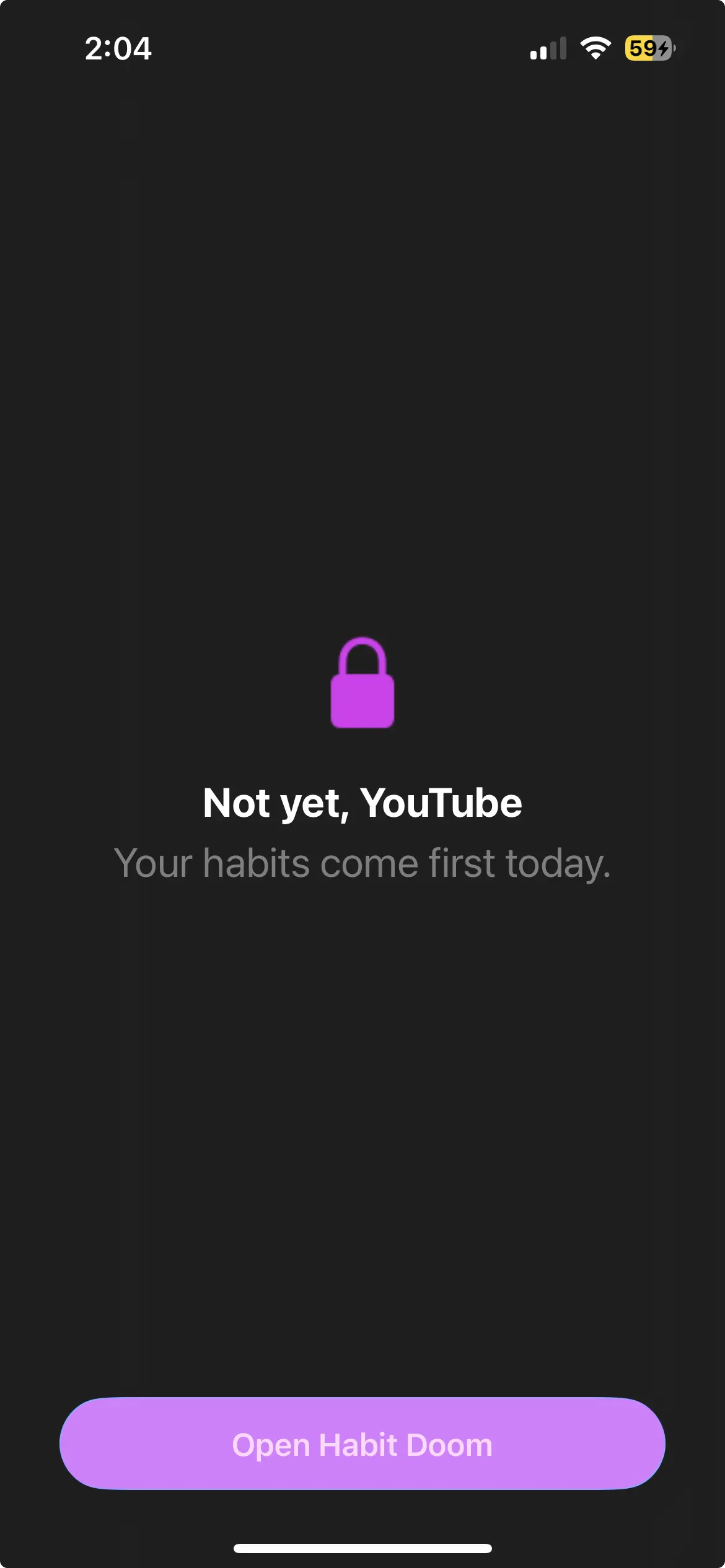
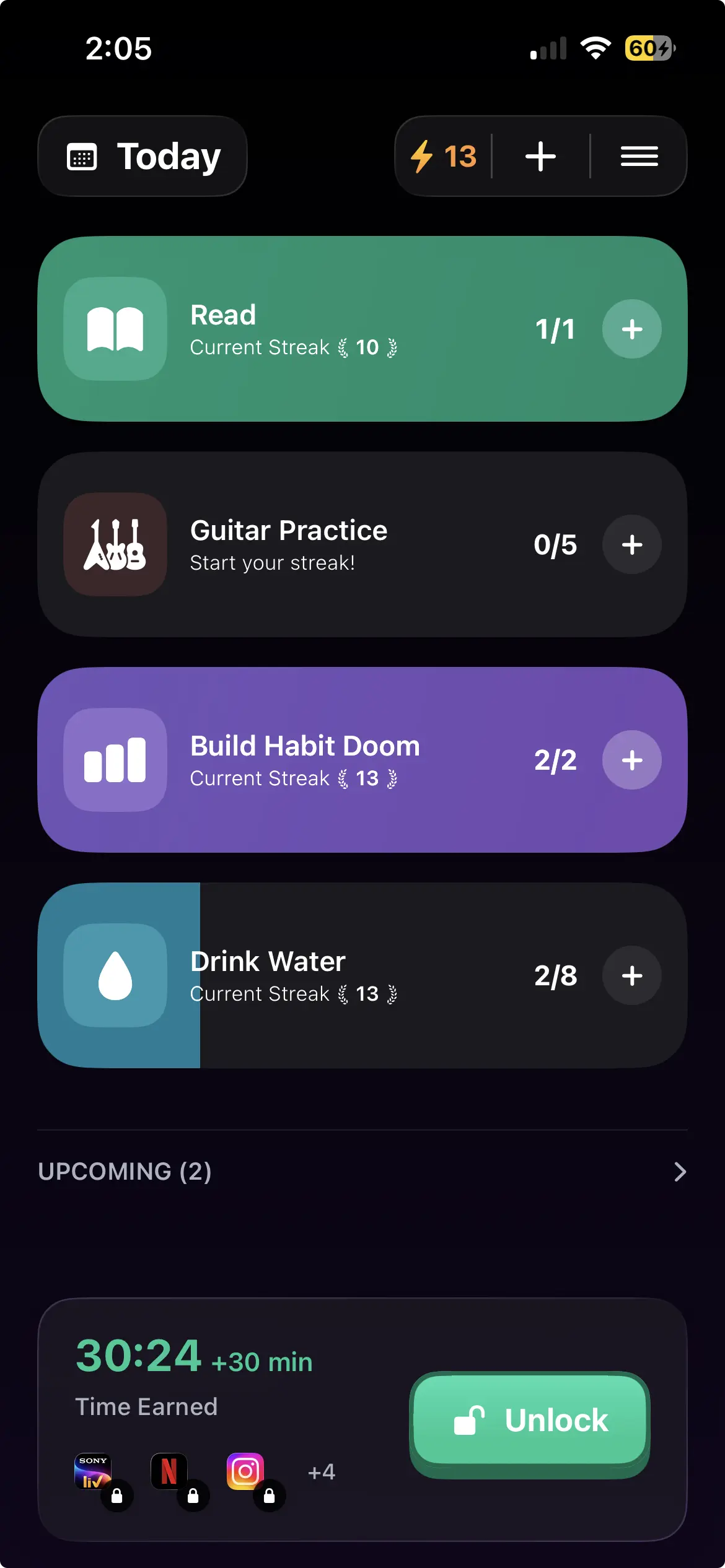
The mechanism differs from everything above. Rather than a timer you set or a pause you can dismiss, apps stay locked until your habits are done. The unlock is earned rather than decided, which matters because the deciding happens at the worst possible moment.
Android caveats: Block Adult Sites is iPhone only, custom alarms are notifications on Android, and it needs Android 10 or newer.
What "free" cannot buy on Android
Worth being direct, because it applies to every option here including the paid ones.
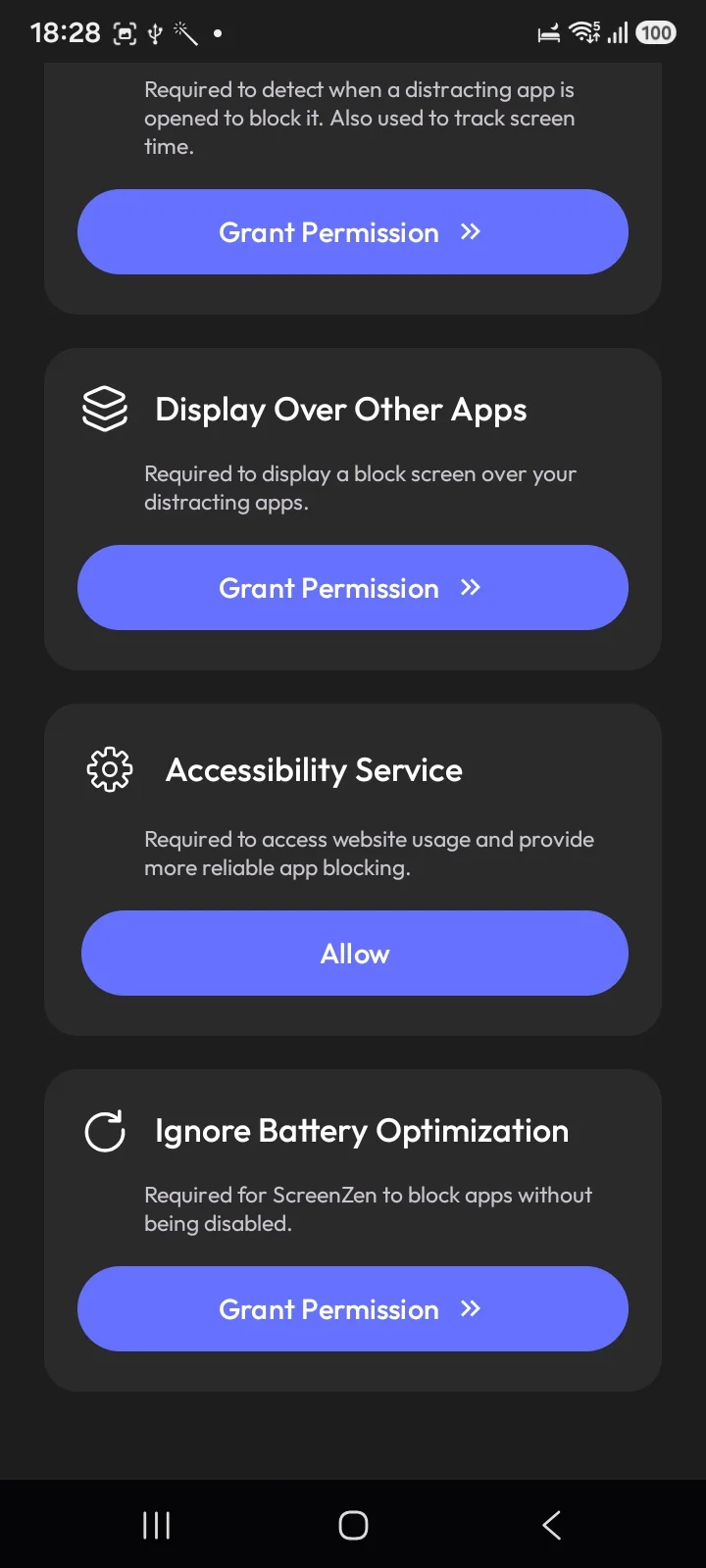
Android blocking runs on an Accessibility Service you grant in Settings and can revoke in Settings. There is no Android counterpart to Apple's ManagedSettings layer, which is what allows an iPhone blocker to survive a force-quit.
So paying does not buy you a stronger lock. It buys configuration, convenience, and sometimes support. If an Android app advertises tamper-proof blocking, it is describing something the platform does not currently permit.
Picking
Never tried anything. Digital Wellbeing. Free, installed, one week.
Want free forever with no upsell. ScreenZen, on Strict Block rather than the soft pause.
Want depth and will configure it once. AppBlock, reviewed in full in our Android roundup. Its free tier, upgrade only if you hit a wall.
Want to see the data first. StayFree, with the Sensor Tower note in mind. The full roundup covers the paid options too.
Need help starting rather than stopping. Forest.
Have already installed and disabled two of these. The pattern is the switch, not your willpower. Tying access to finished habits is the version that does not offer one.
Free is the right place to start in this category. The paid upgrade worth making is the one that changes the mechanism, not the one that unlocks a button.
Frequently Asked Questions
Keep Reading
Try Habit Doom
Lock your distracting apps. Complete your habits. Earn your screen time. It takes 30 seconds to set up.
Download Free