


Best App Blockers for Android (2026)

 X
X LinkedIn
Most "best Android app blocker" lists are the iPhone list with the word Android pasted on. That is how you end up recommending apps that are either not on Play at all or have a few thousand users there.
So this one starts from Google Play itself. Every number below is a Play review count checked on 31 August 2026. They are not comparable to App Store rating counts, only to each other.
The Android market is not the iPhone market
This is the thing worth understanding before you pick anything.
| App | Play reviews | Shape |
|---|---|---|
| Digital Wellbeing | ~1,470,000 (3.6 stars) | Built in, free |
| Forest | ~812,000 | Gamified focus |
| StayFree | ~276,000 | Tracking first |
| AppBlock | ~238,000 (4.7 stars) | Dedicated blocker |
| Regain | ~154,000 | Study timer, blocks Reels/Shorts |
| ActionDash | ~68,900 | Deep analytics, plus limits |
| One Sec | ~45,700 | Friction pause |
| ScreenZen | ~31,600 | Friction pause, free |
| Opal | ~8,250 | Sessions, iPhone-first |
| Freedom | ~8,050 | Cross-device |
| Brick | ~3,960 | Hardware puck |
If you have read about this category on an iPhone site, that table probably surprises you. Opal is one of the largest apps in the space on iPhone and has roughly 8,250 reviews on Play. Brick is a well-known iPhone product with under 4,000. Meanwhile Forest, StayFree, AppBlock and Regain, which rarely lead iPhone roundups, are the actual heavyweights here. Forest confirms a Contains ads label on Play, so its free Android tier is genuinely ad-supported.
Jomo and Foqos, both frequently recommended on iPhone, have no Android app at all.
The limitation that applies to everything below
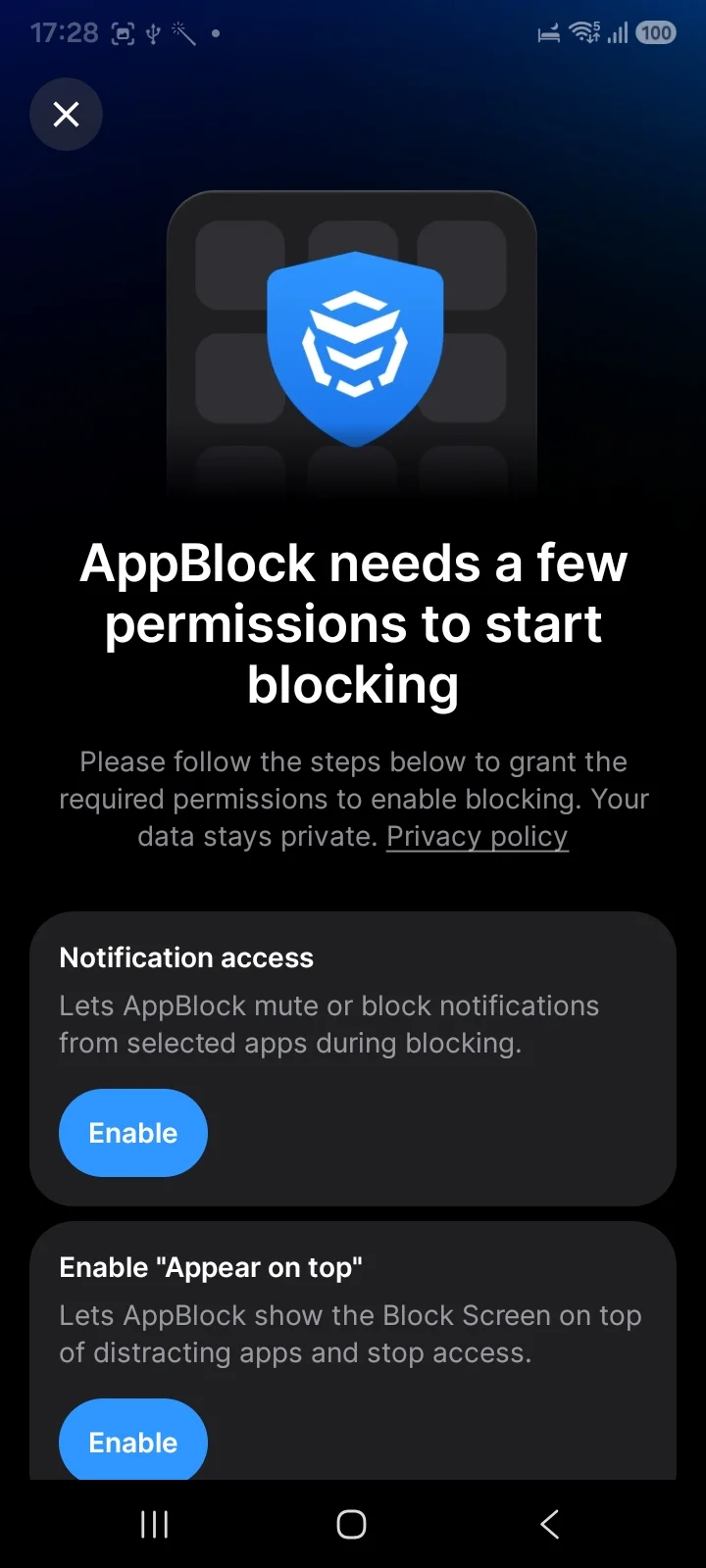
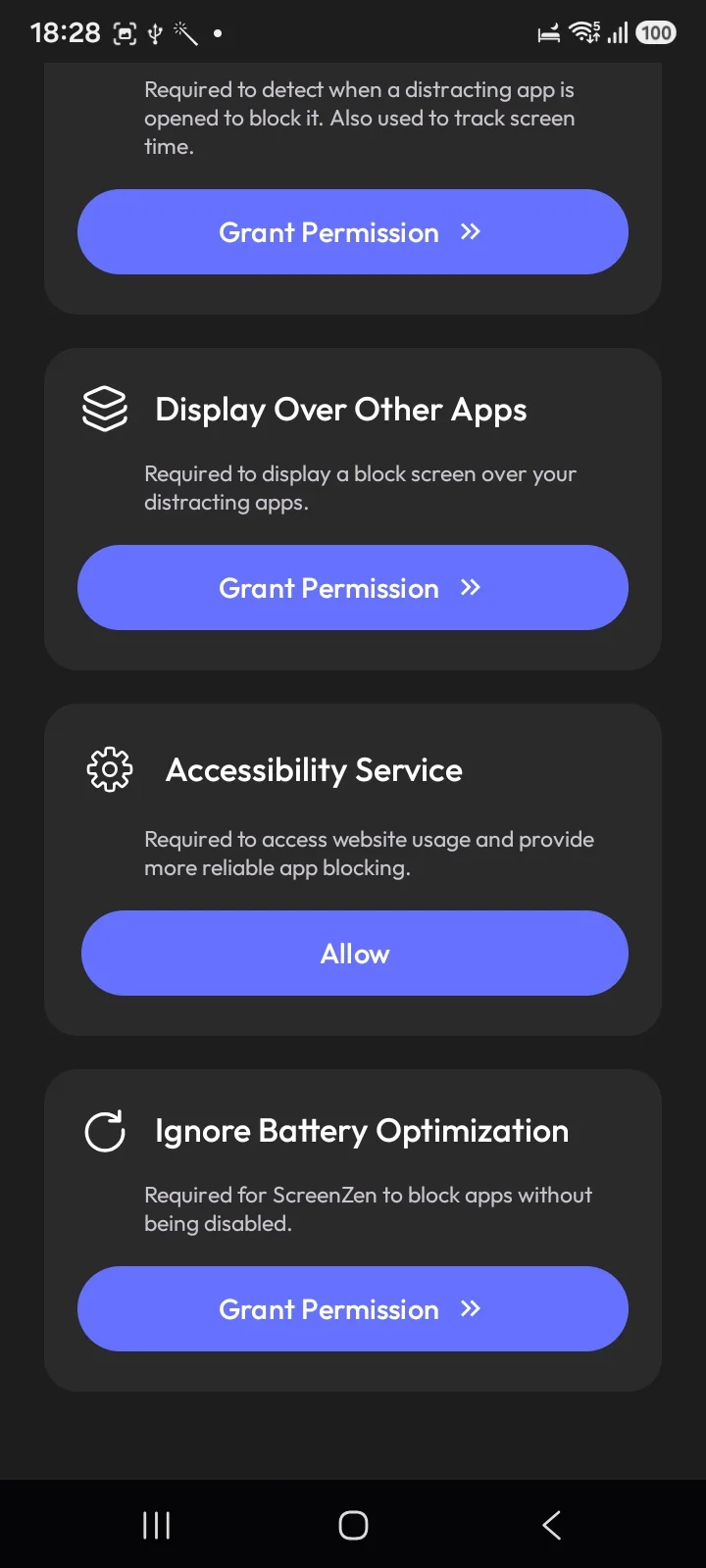
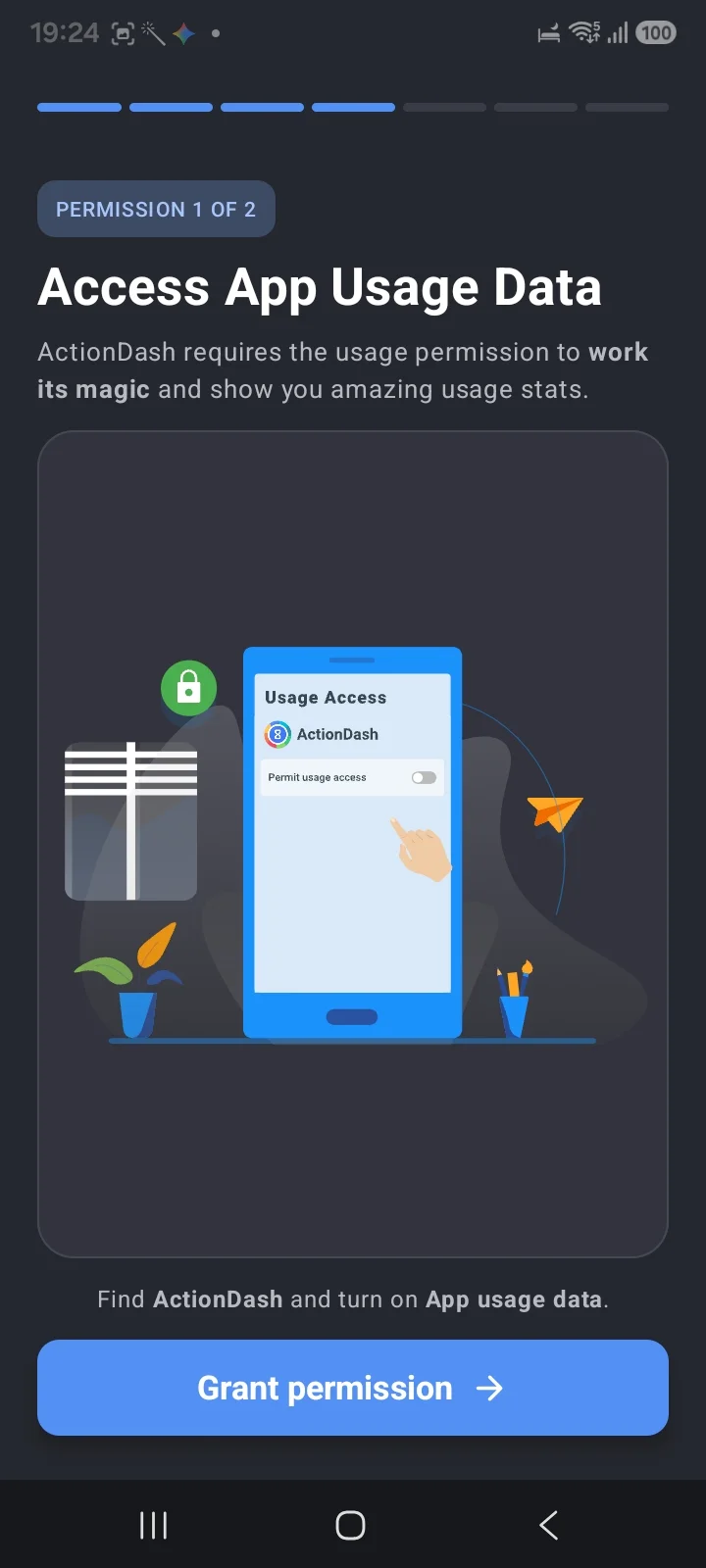
Here is the part that explains everything else. Android has no API that stops an app from opening. What blockers actually do is draw a screen on top of the app after it launches, using the permission Android calls "Appear on top" or "Draw over other apps". Checked on a Galaxy, both AppBlock and StayFree ask for exactly this, and AppBlock's own wording is that it "lets AppBlock show the Block Screen on top of distracting apps." Others take the Accessibility Service route, which Regain uses. ScreenZen asks for both, plus a fourth thing that gives the game away: Ignore Battery Optimization, described in its own words as "required for ScreenZen to block apps without being disabled."
An app that has to ask Android not to kill it is not a lock. Neither approach prevents the app starting.
So an Android block is a cover, not a lock. The app is running underneath it.
There is no equivalent of Apple's ManagedSettings layer, which genuinely prevents launch and lets an iPhone block survive a force-quit. And there are two more failure points on Android: you can revoke the overlay permission in Settings, and battery optimisation can put a blocker to sleep in the background, at which point it silently stops enforcing. On Android, the last switch always belongs to whoever is holding the phone.
That applies to our app too, and we would rather say it here than let you discover it later. Anyone advertising a tamper-proof Android blocker is describing something the platform does not currently allow. What you are really shopping for is friction placed where you personally break.
Digital Wellbeing, the one you already have
Before paying for anything, check what is already in Settings. But note that "Digital Wellbeing" is two different products with one name.
Google's version ships on 10B+ devices and includes daily app timers, Focus mode, Bedtime mode, Chrome website limits, and an App limits PIN. That last one is the best free lock on Android: set a 4-digit PIN and limits cannot be changed without it, and Google's own support page suggests setting an app's limit to zero with the PIN on to block it outright. Almost nobody knows it is there.
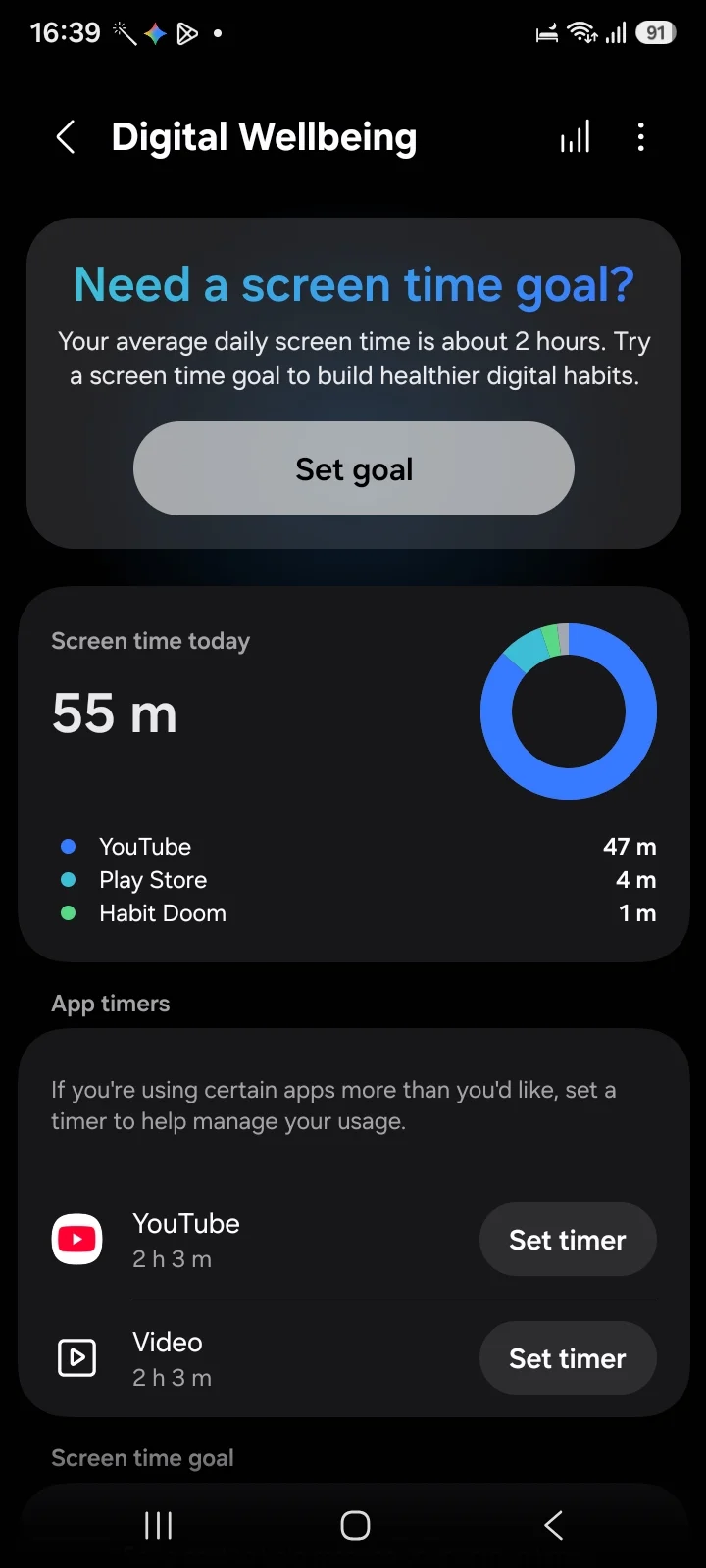
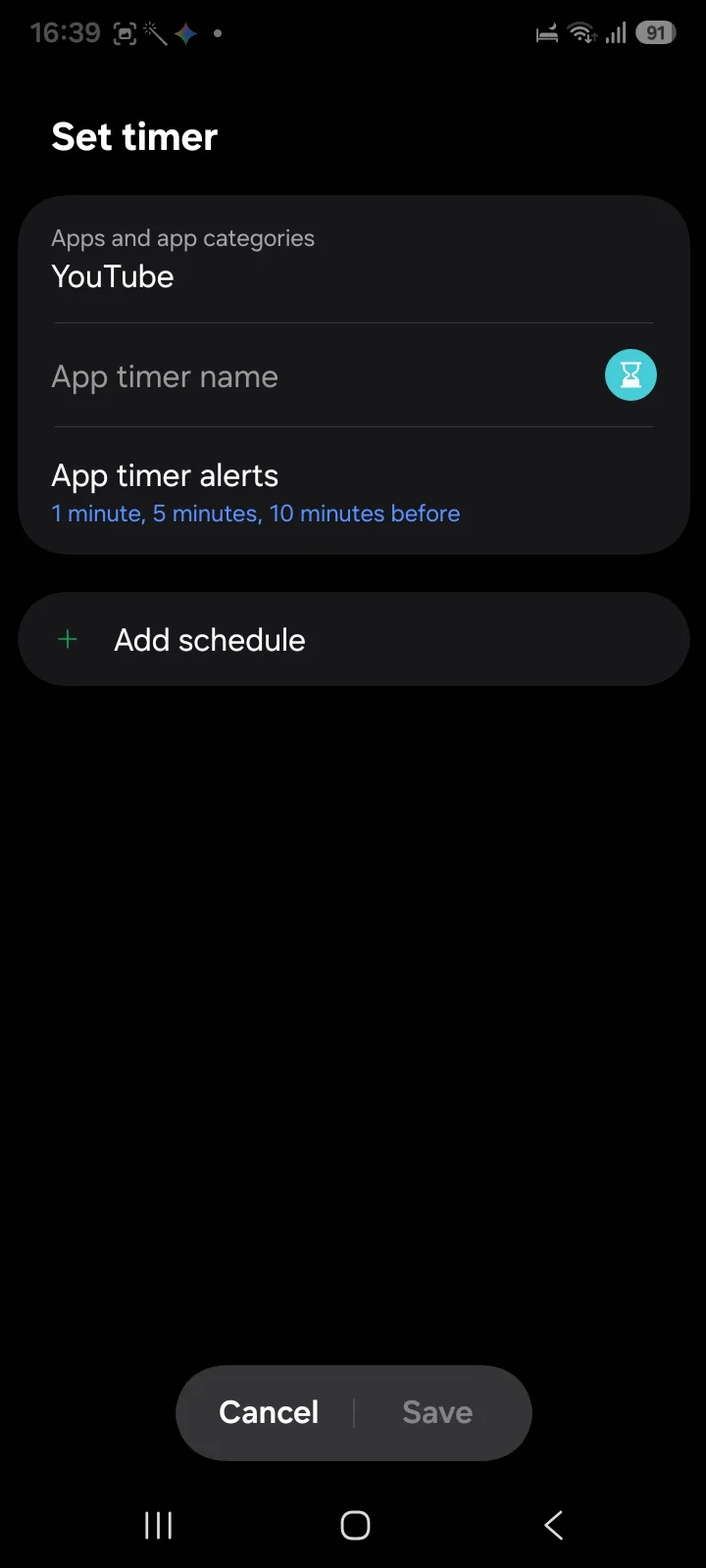
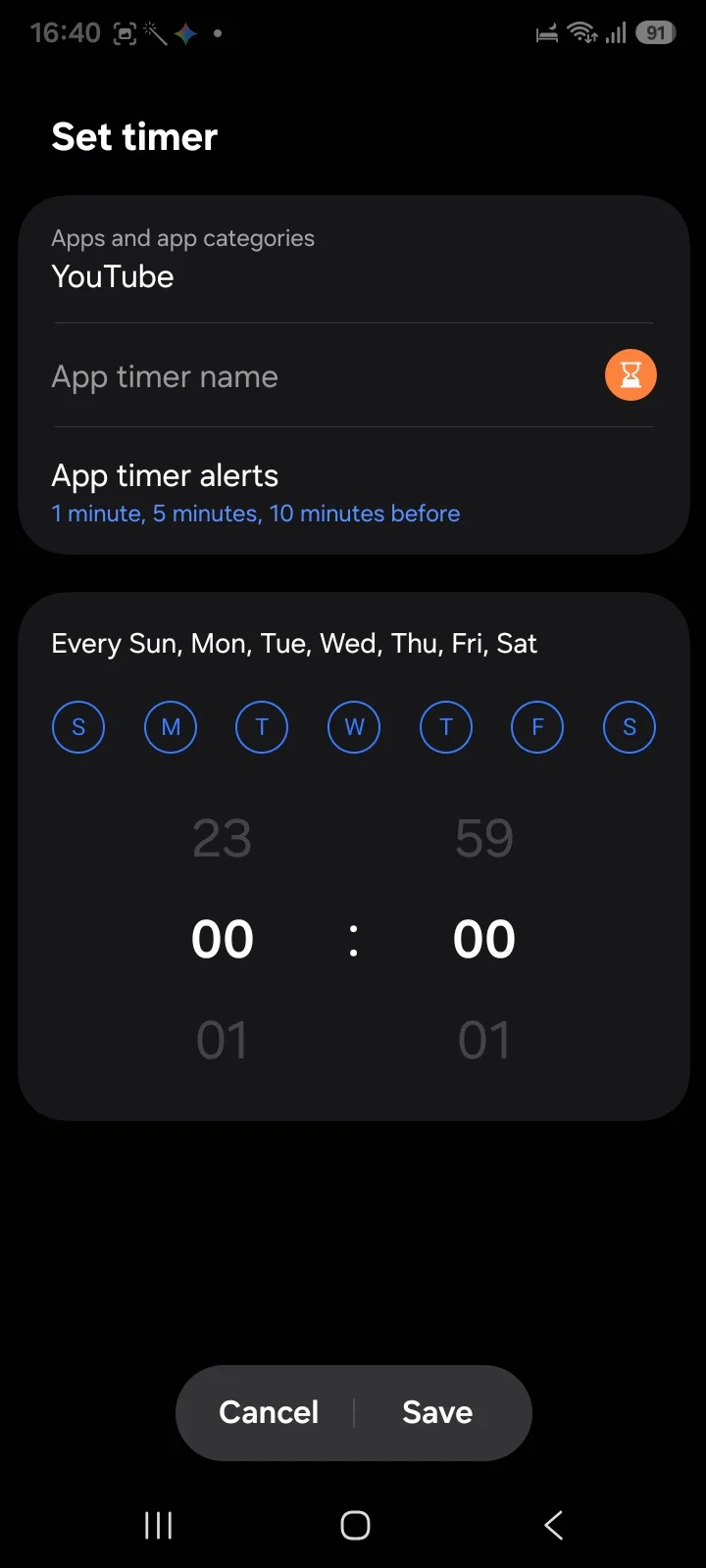
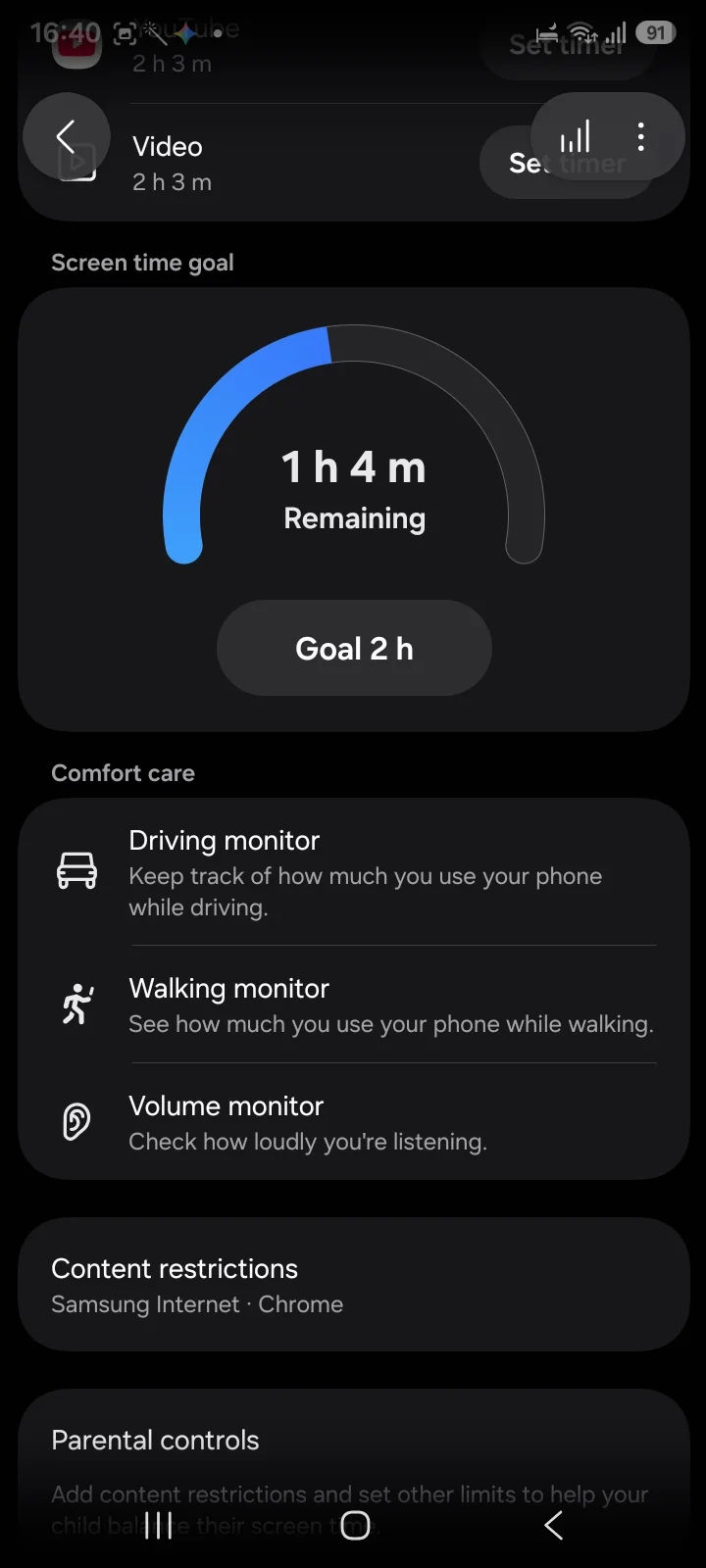
Samsung ships its own instead. On a Galaxy running One UI 8.0.5 we checked, Google's app is not installed at all. Samsung's version is richer in places: app timers carry alerts at 1, 5 and 10 minutes before the cap and support per-day schedules, plus a Screen time goal with a remaining gauge, Content restrictions for Samsung Internet and Chrome, and driving, walking and volume monitors.
⚠️ What Samsung's app timer flow does not appear to have is the PIN. So the strongest free option depends on who made your phone, which is not a sentence you will find in most roundups.
Either way, every control is time-based: none of it cares whether you did anything useful today, only what the clock says. Google's version holds 3.6 stars across roughly 1.47 million Play reviews, the lowest here, though a preinstalled system app attracts complaints for reasons unrelated to app timers.
AppBlock: the most complete dedicated blocker
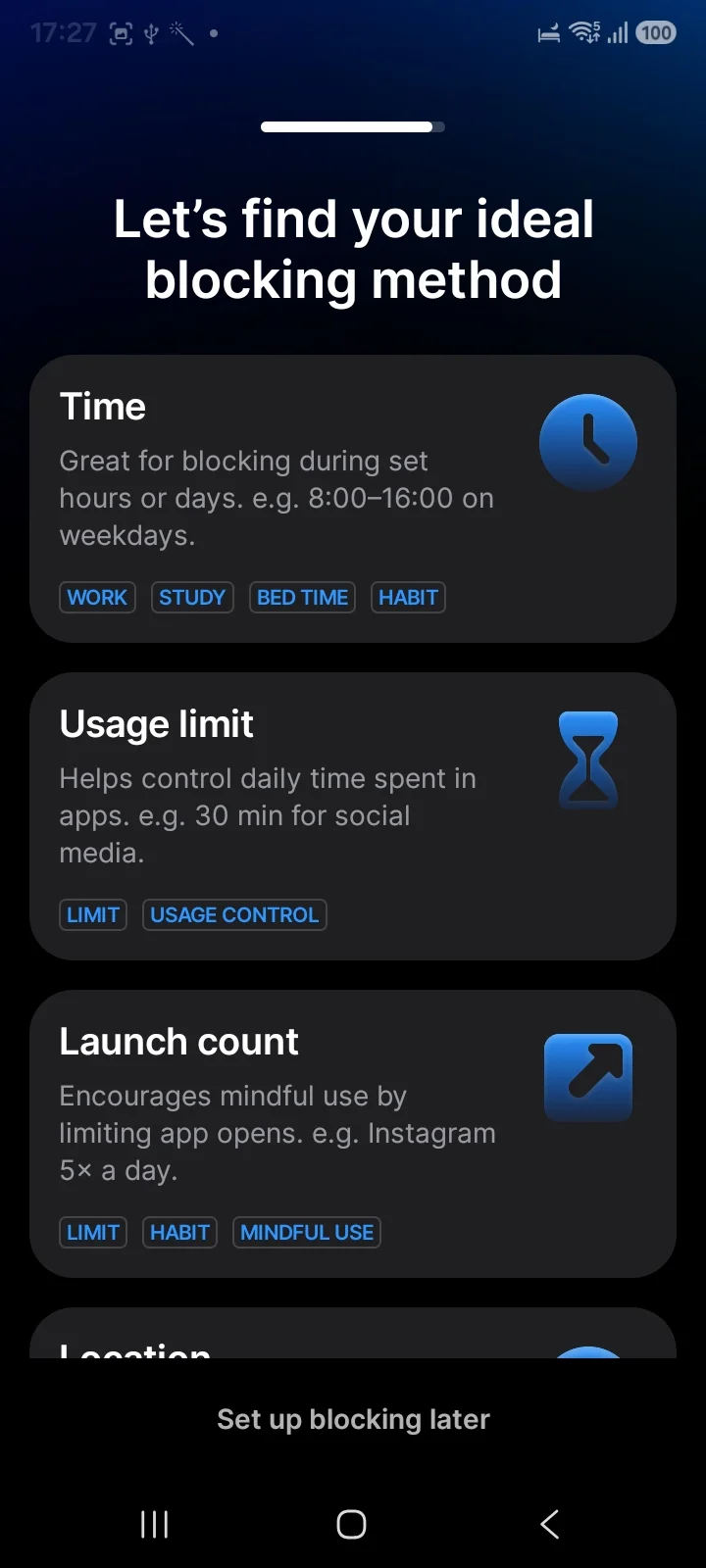
4.7 stars, ~238,000 reviews, 10M+ downloads. If you want one app whose entire job is blocking, this is it. Installed and worked through on a Galaxy, it offers four genuinely different blocking methods:
- Time, block during set hours or days
- Usage limit, a daily cap per app
- Launch count, limiting how many times you open something (Instagram five times a day)
- Location, block by where you are
Launch count is the one nothing else here does, and it is smarter than it sounds. Plenty of people do not spend long in Instagram, they just open it forty times. A time limit never catches that pattern; a launch limit does.
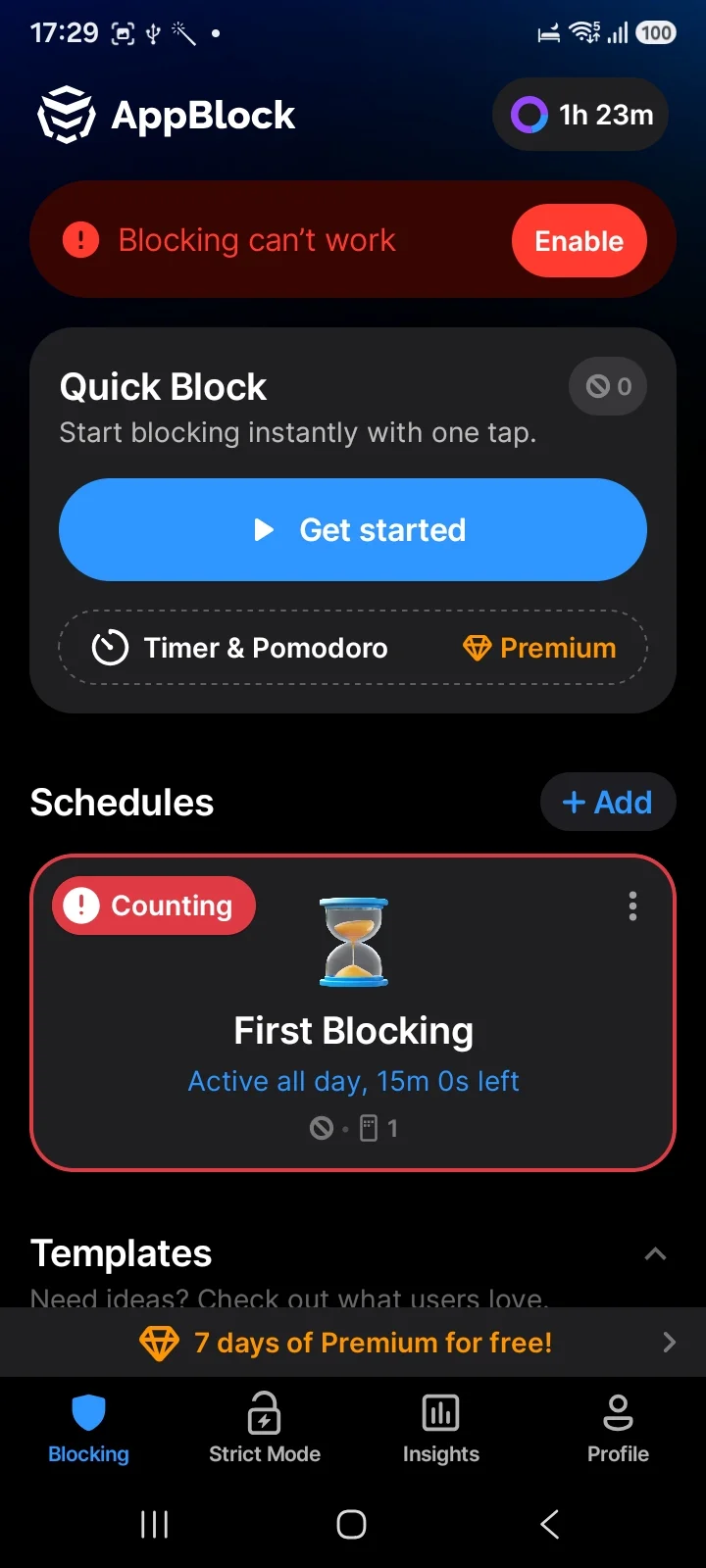
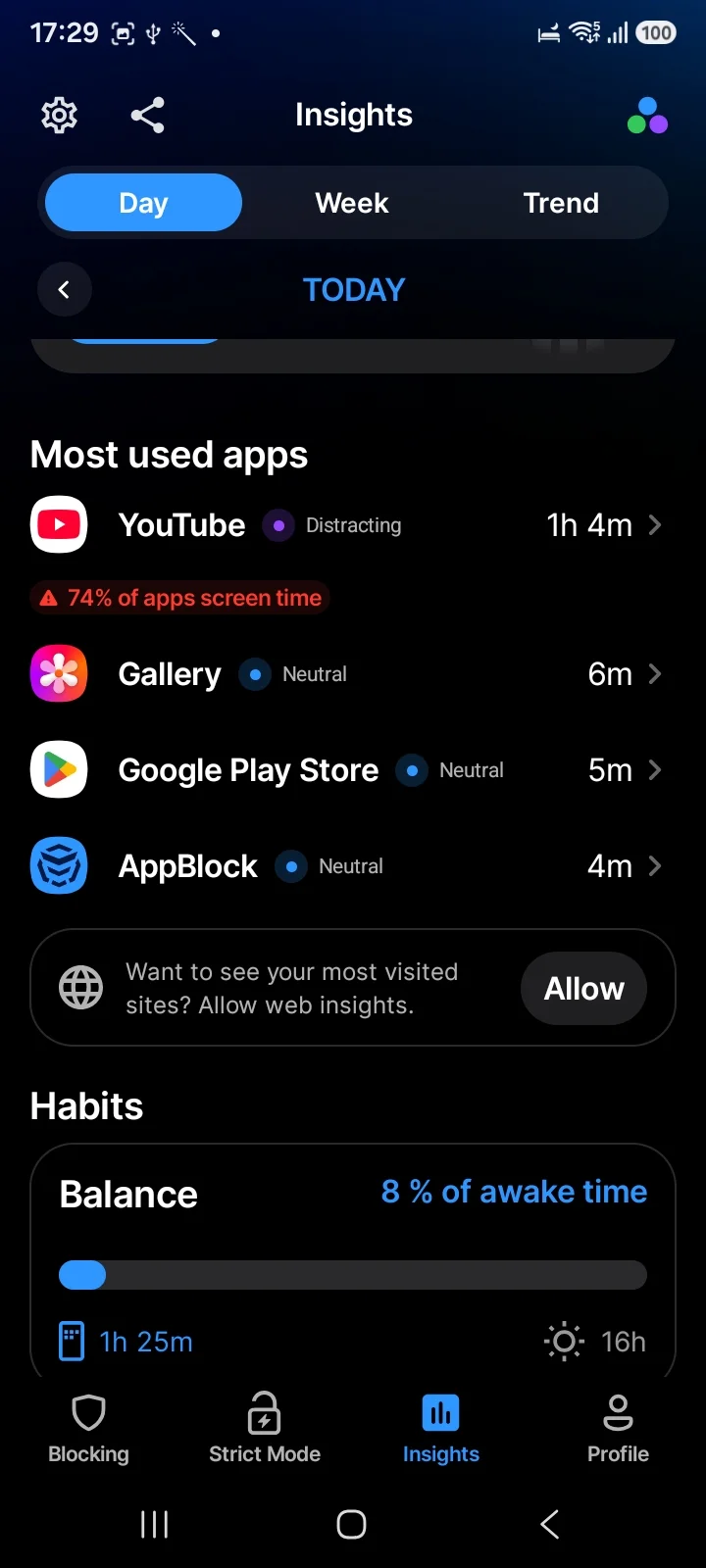
Strict Mode gets its own tab in the bottom navigation, alongside Blocking, Insights and Profile. Insights labels each app Distracting or Neutral and shows what share of your waking hours the phone took.
Two honest notes. Timer and Pomodoro sit behind Premium, and the app pushes a 7-day Premium trial fairly hard. And an August 2026 Play review describes getting past Strict Mode by typing the long password the app itself displays, with the developer replying to acknowledge it. Treat Strict Mode as a very good speed bump rather than a lock.
⚠️ Expect a setup cliff. Straight after onboarding, the home screen showed a red "Blocking can't work" banner, because the app needs Notification access and the "Appear on top" permission before anything is enforced. Grant them or you have a usage tracker.
Pick it if you want deep configuration, and especially if your problem is opening apps constantly rather than staying in them.
StayFree: understand it before you block it
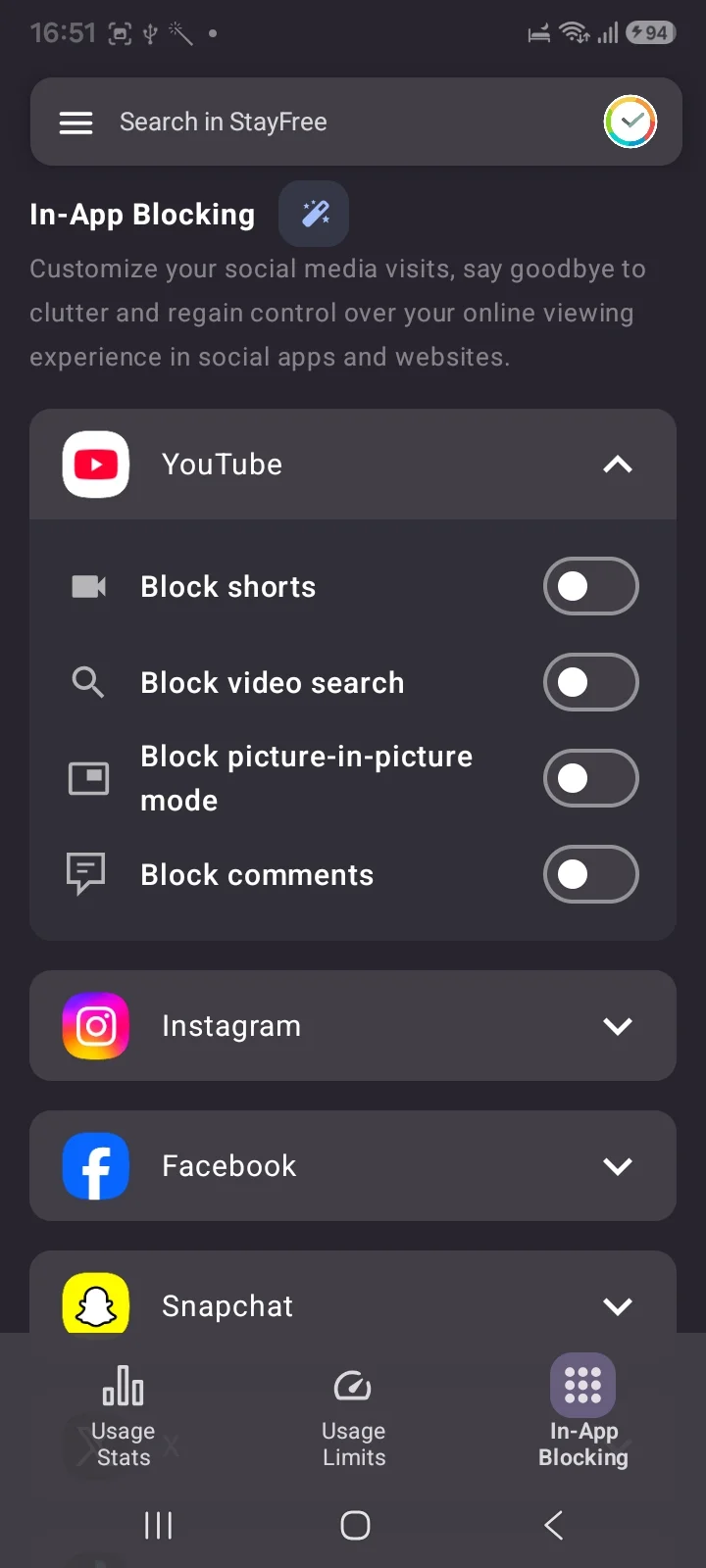
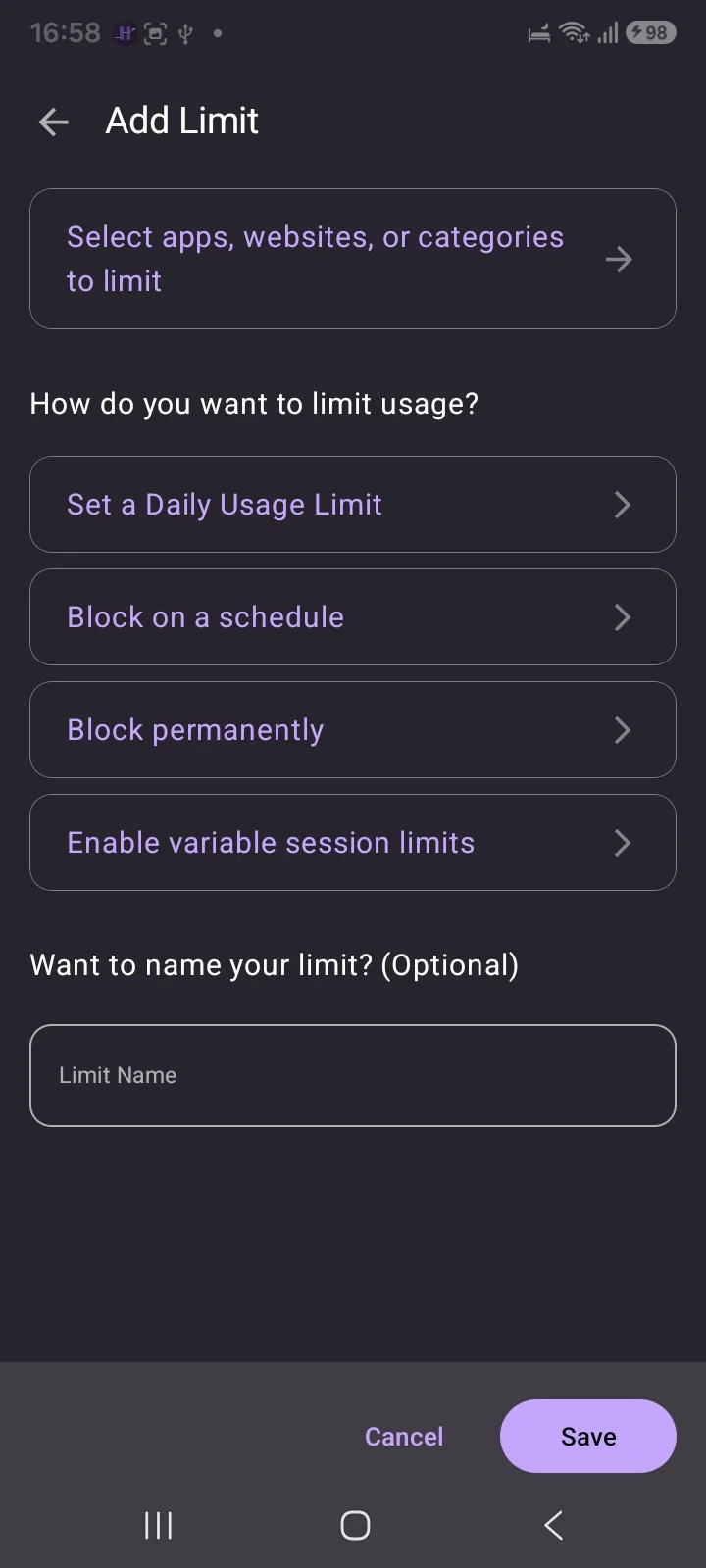
~276,000 reviews, and the biggest surprise of this roundup. It is usually filed as a tracker, which badly undersells it. Installed and worked through on a Galaxy (version 20.12.0), it has three sections: Usage Stats, Usage Limits and In-App Blocking, and the free tier covers a remarkable amount of it.
Usage Limits alone offers four modes across apps, websites and nine categories: a daily usage limit, block on a schedule, block permanently, and variable session limits. That is more control than several paid blockers give you.
That third one is the interesting part and almost nobody writes about it. Rather than blocking a whole app, it blocks features inside apps:
- YouTube: block Shorts, video search, picture-in-picture, comments
- Instagram: block Stories, Reels, the Explore tab
- Facebook and Snapchat are supported too
If your problem is Reels rather than Instagram, that is a sharper instrument than anything else on this page. You keep the messages and lose the feed.
Three honest notes. It now asks you to create an account and continue with Google, storing usage data there, which is a change from the Play listing's claim that device syncing works "without creating an account." It also offers to clean up your email inbox and block senders, which is a large permission ask for a screen time app. And the listing states it is by Sensor Tower, an app analytics company, with a data safety section disclosing sharing app info with third parties.
None of that is disqualifying. It is worth knowing before you sign in.
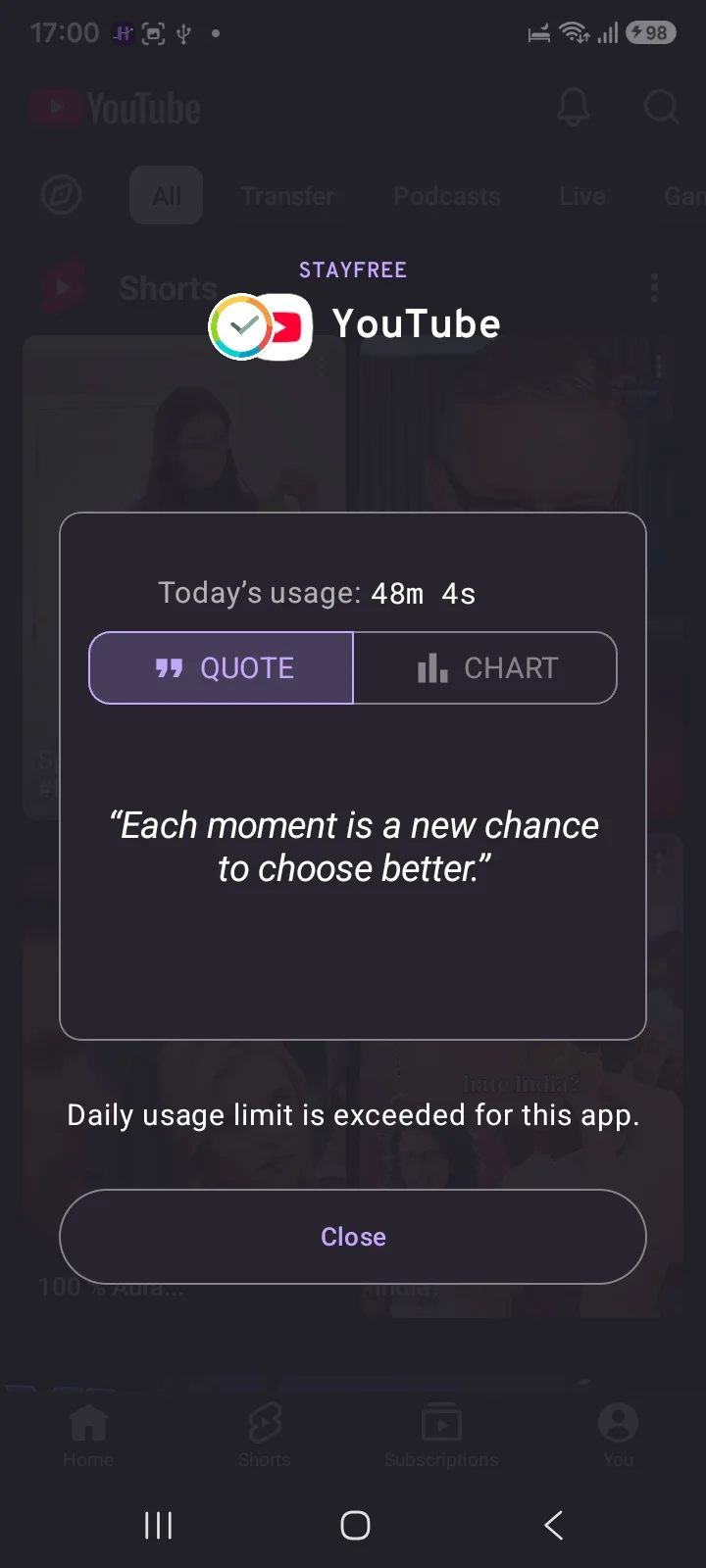
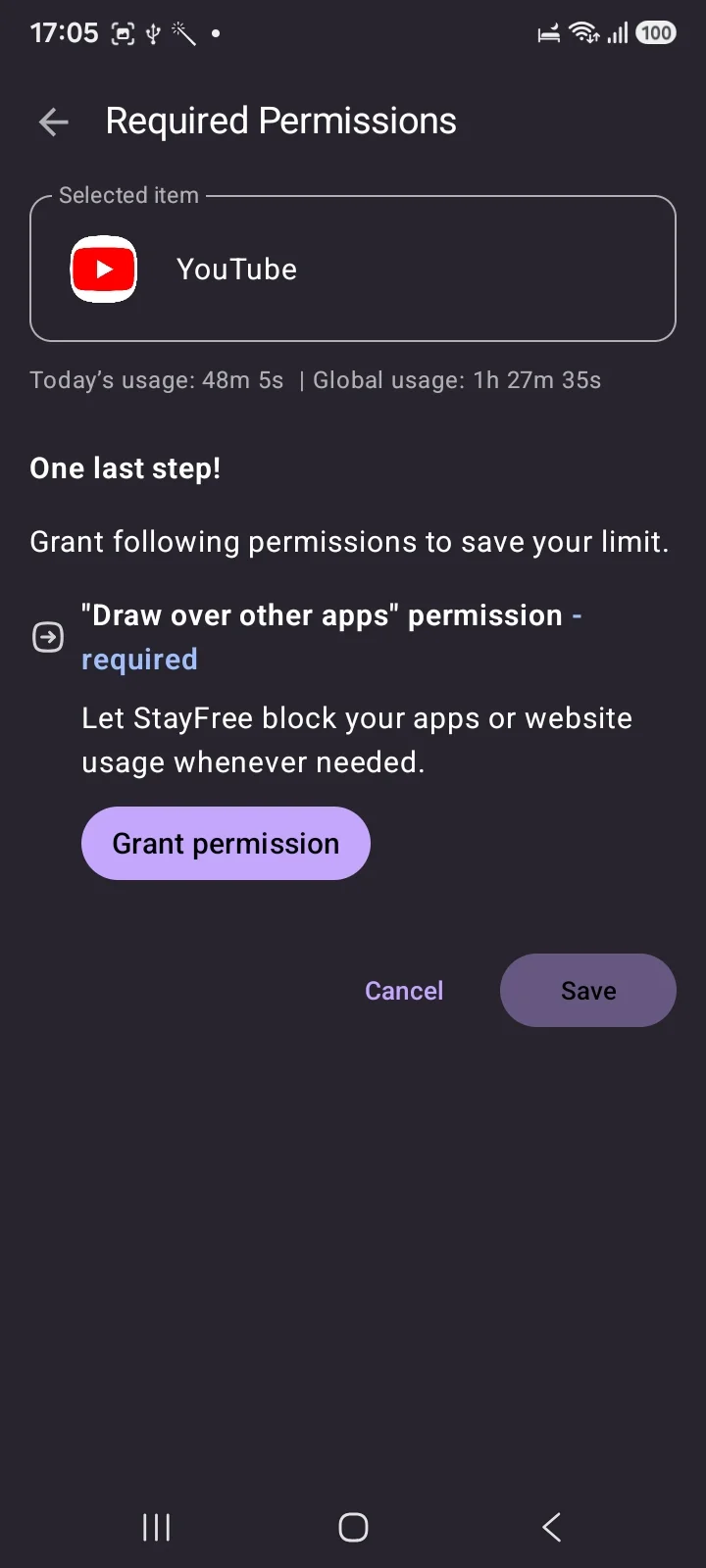
One mechanical note. StayFree does its blocking with the "Draw over other apps" permission rather than an Accessibility Service, meaning it paints a screen over the app rather than stopping it opening. In practice that is why the block feels like an interruption rather than a wall, and why some reviews describe it as inconsistent. Revoking that permission, or letting Android's battery optimisation put the app to sleep, stops it working.
Pick it if Reels and Shorts are the specific problem, or you want serious usage data first. Honestly, it is the most capable free thing here.
ScreenZen: the best free one
~31,600 reviews, completely free, donation supported. Installed on a Galaxy it turns out to be more than the pause it is known for.
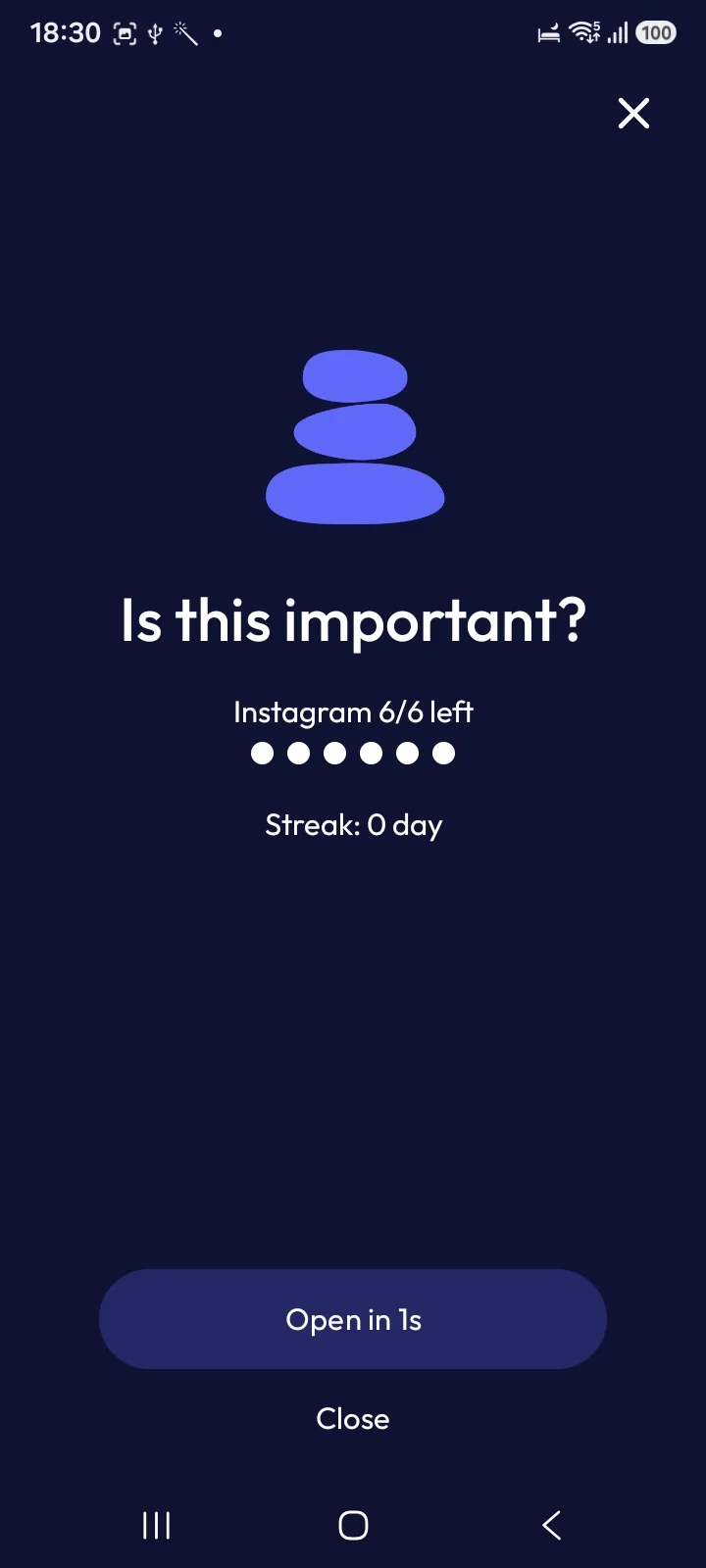
The pause is still the signature: open Instagram and you get "Is this important?", a one-second delay before the Open button arms, and a counter showing how many opens you have left today (6/6), plus a streak. That open-count idea is the same insight behind AppBlock's Launch count, and ScreenZen gives it away free.
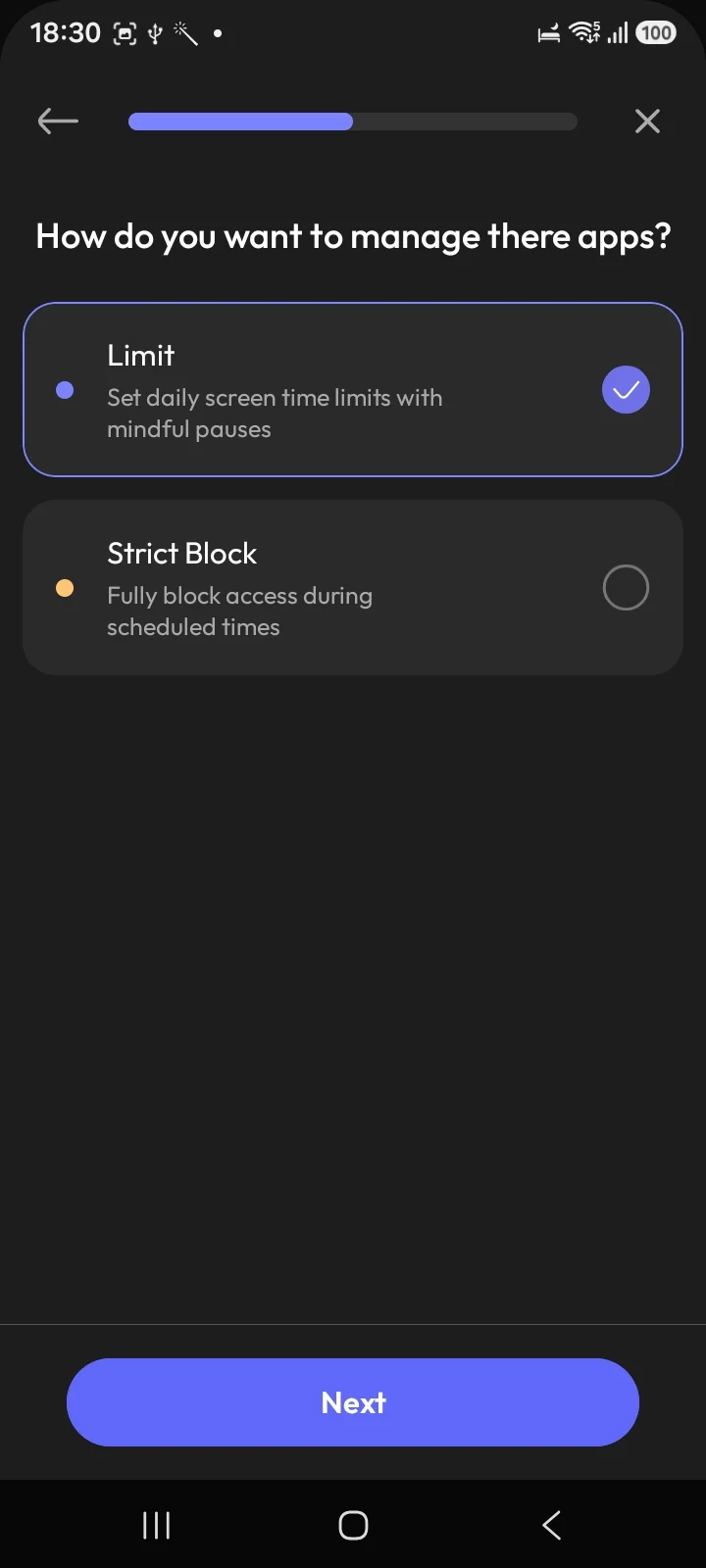
But it also has a Strict Block mode, described in setup as "fully block access during scheduled times", sitting alongside the softer "Limit" mode. Calling ScreenZen purely a friction app, as most write-ups do, undersells it.
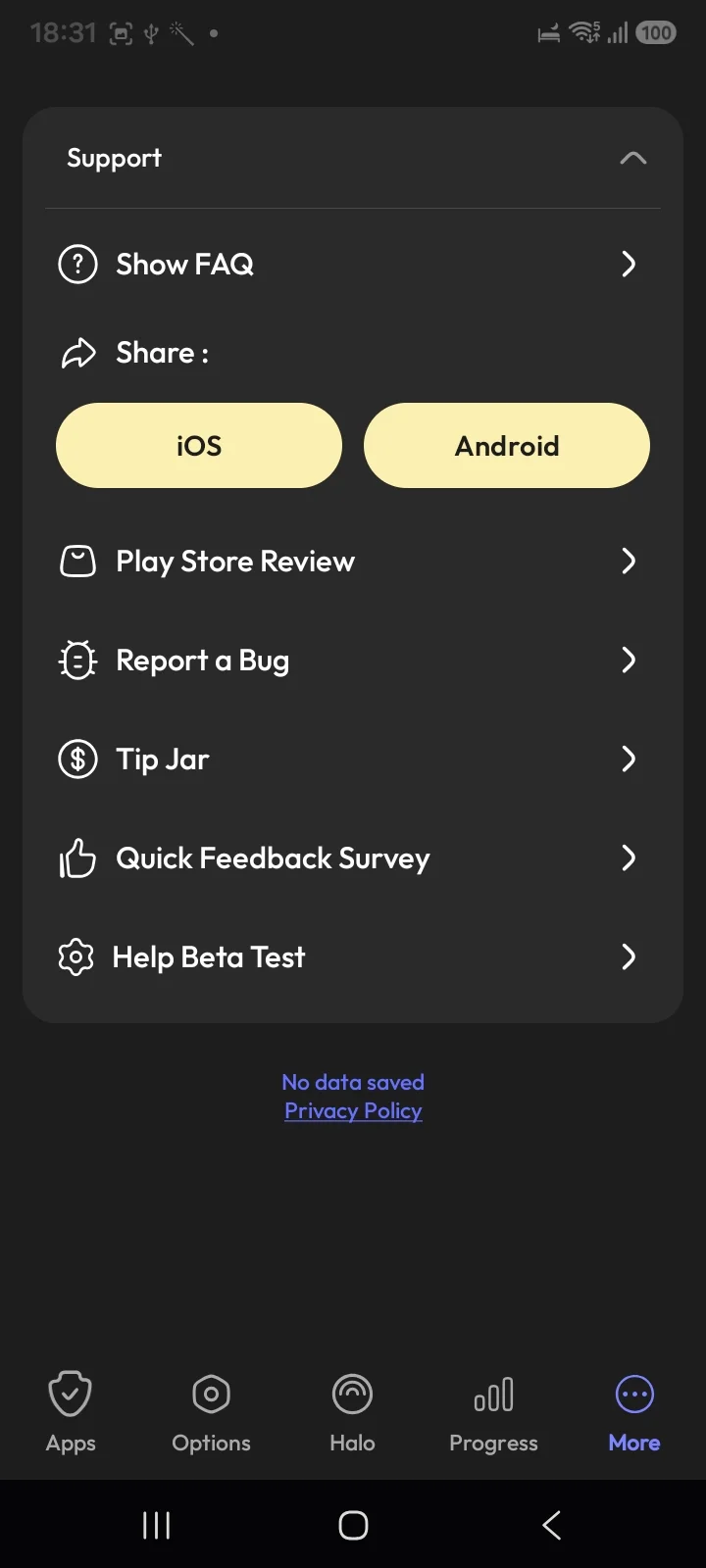
On funding and privacy it is the cleanest app in this roundup. The support screen offers a Tip Jar rather than a subscription, and the footer says plainly "No data saved". After StayFree's Google sign-in and Regain moving Strict Mode to $10 a month, that stands out.
Pick it if you want the best free option and would rather not hand over an account. Skip it if you tap through pauses without registering them and will not bother configuring Strict Block.
Forest: the biggest, and the gentlest
~812,000 reviews, free with ads on Android. Start a session, a tree grows, leave the app and it dies. It is charming and it works for people who need a small nudge and a bit of ritual.
It is not a barrier and does not pretend to be. Pick it if your problem is starting focused work rather than escaping a scroll you are already inside.
Freedom: when the laptop is the problem
~8,050 Play reviews, which is smaller on Android than its reputation suggests. Its case is unchanged: it blocks across phone and desktop at once. If your drift happens at a desk, that matters more than any single-device feature.
Regain and ActionDash
Regain (4.4 stars, ~154,000 reviews, 1M+ downloads) is listed as "Regain: Study Timer for Focus" and is built for students rather than for doomscrollers generally. Pomodoro and stopwatch modes, multiplayer focus rooms where you study alongside strangers on a leaderboard, and a YouTube Study Mode that permits only channels you have added.
It does have a dedicated Block Reels and Shorts feature covering Instagram, YouTube, Snapchat Spotlight and Facebook, and unlike AppBlock and StayFree it uses an Accessibility Service rather than an overlay, which it states plainly on its listing.
Two caveats. It advertises "uninstall prevention" and says bypassing is impossible, which is a stronger claim than the platform supports. And Strict Mode has moved behind a paid tier: a June 2026 review complains that the app "started as a completely free focusing app" and now costs around $10 a month, with the developer replying to confirm that stronger blocking is now Pro.
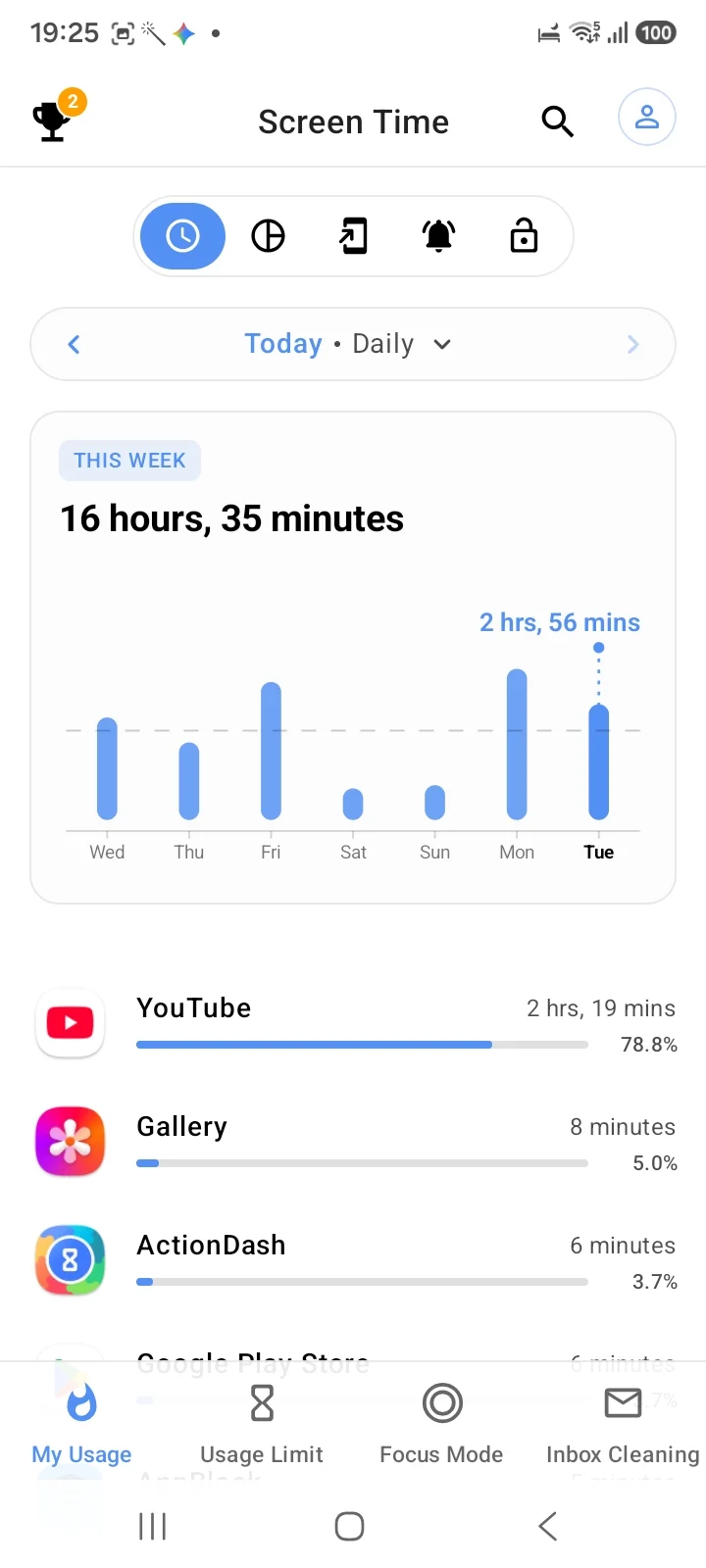
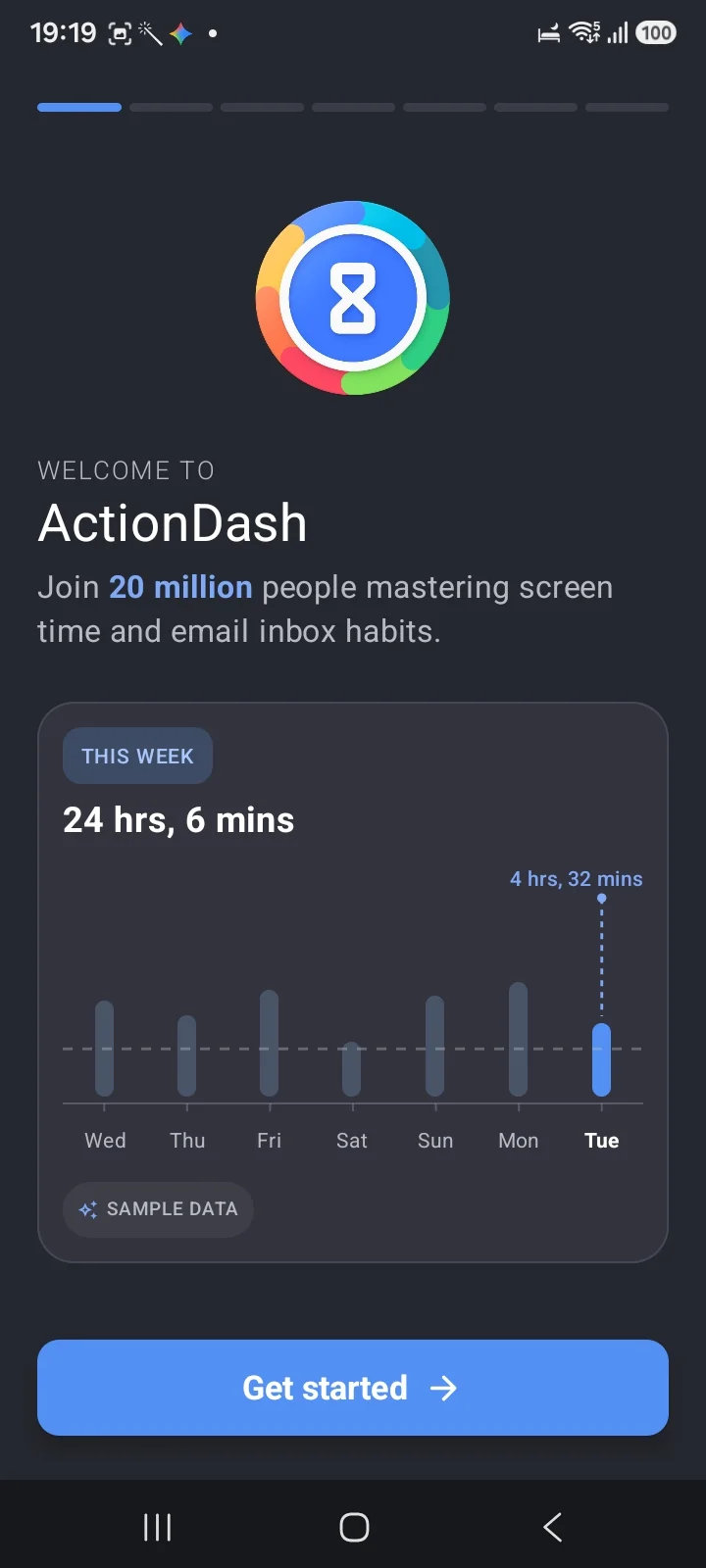
ActionDash (~68,900 reviews) is StayFree's sibling, and installing it makes that obvious: identical "join 20 million people mastering screen time and email inbox habits" onboarding, and the same Inbox Cleaning feature.
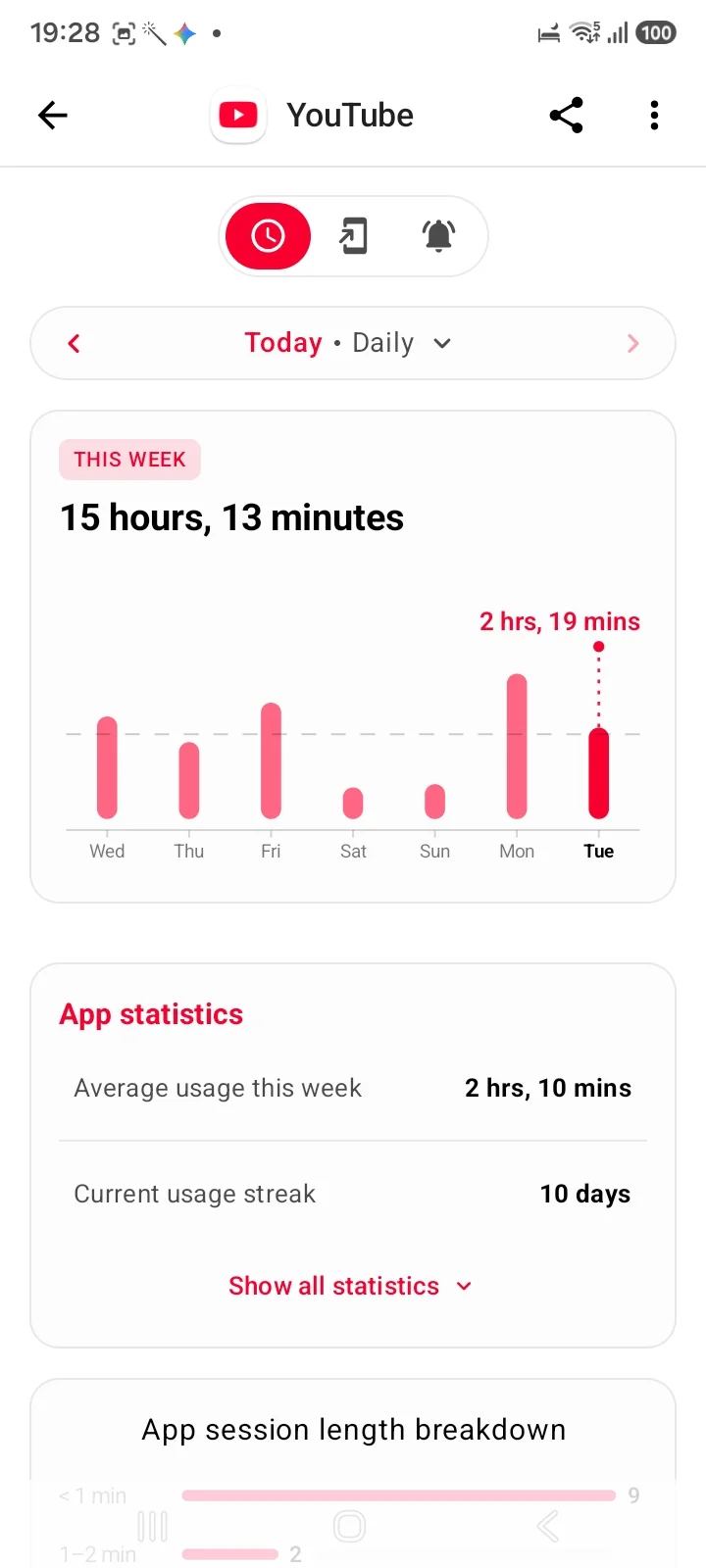
Calling it a dashboard undersells it, which is what most write-ups do. Its bottom navigation is My Usage, Usage Limit, Focus Mode and Inbox Cleaning, so it blocks as well as measures. Where it genuinely leads is depth of analysis: per-app session length breakdowns, usage streaks and weekly averages that nothing else here matches.
If you want StayFree's measurement with less emphasis on blocking, this is the same team's other answer. The Sensor Tower ownership note applies here too.
Both are bigger on Android than several apps that dominate iPhone coverage, which is worth noting given how rarely they appear in roundups.
Where Habit Doom fits
Ours, so weigh it accordingly.
Everything above shares one design assumption: at some point you decide to stop. A timer you set, a schedule you configured, a pause you can dismiss, a strict mode you can unwind. Each hands the final decision back to the version of you who wants to keep scrolling, which is the version least equipped to make it.
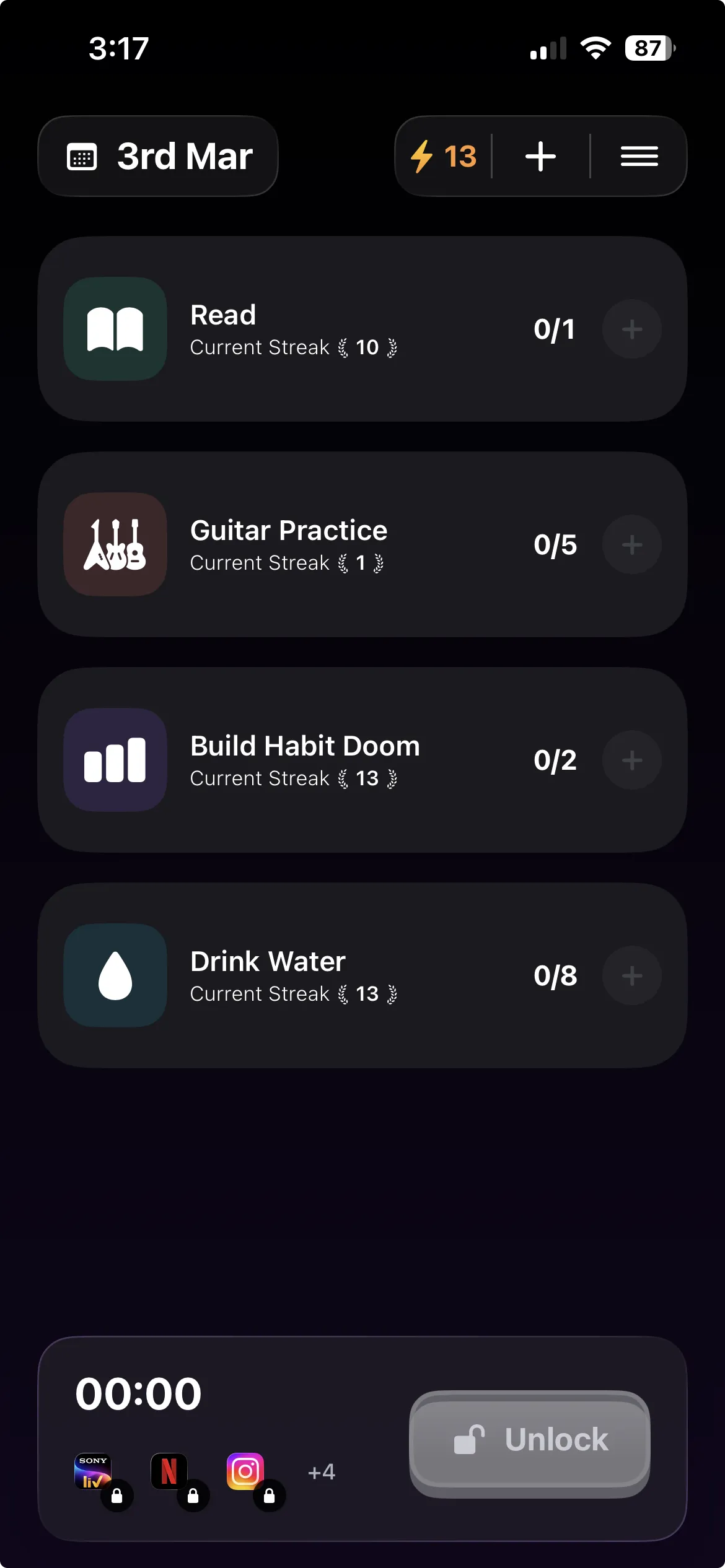
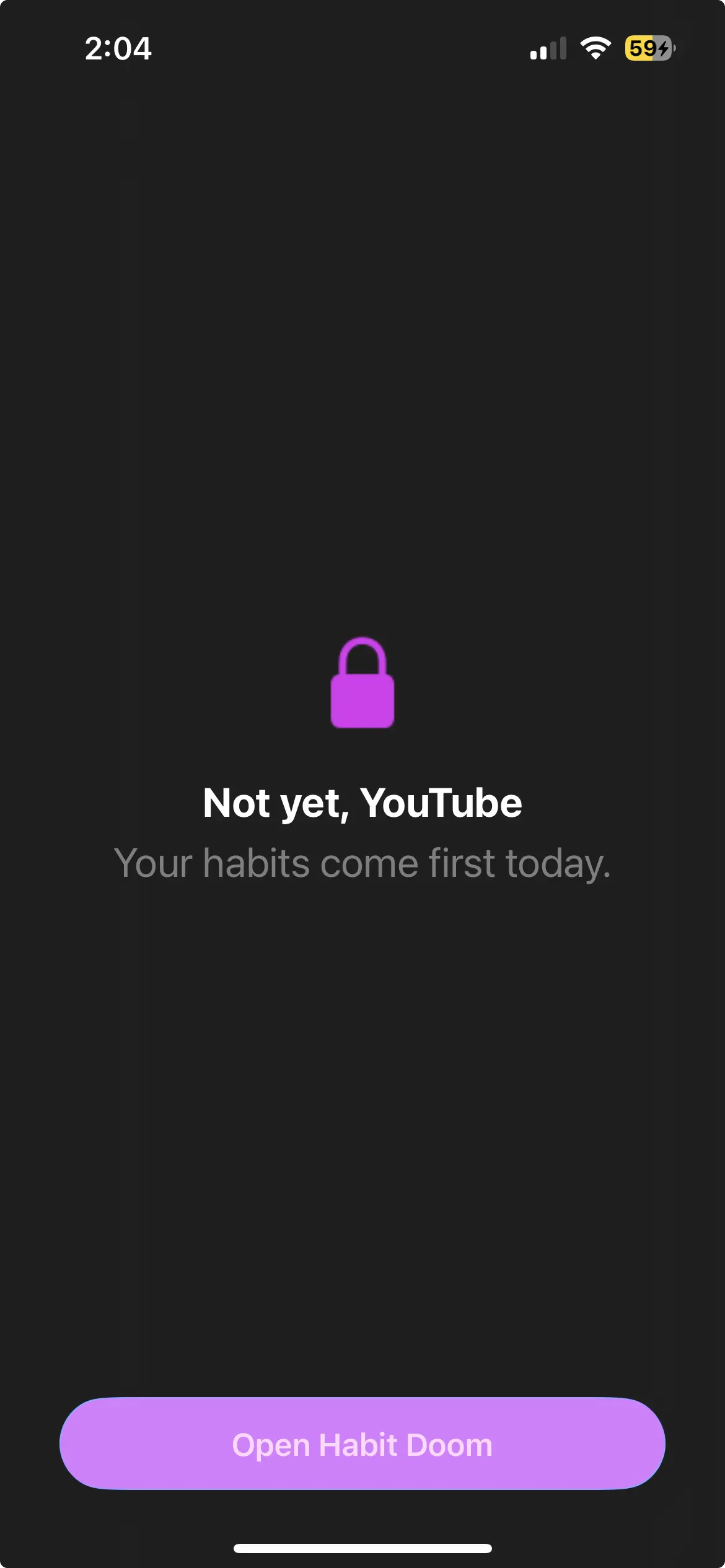
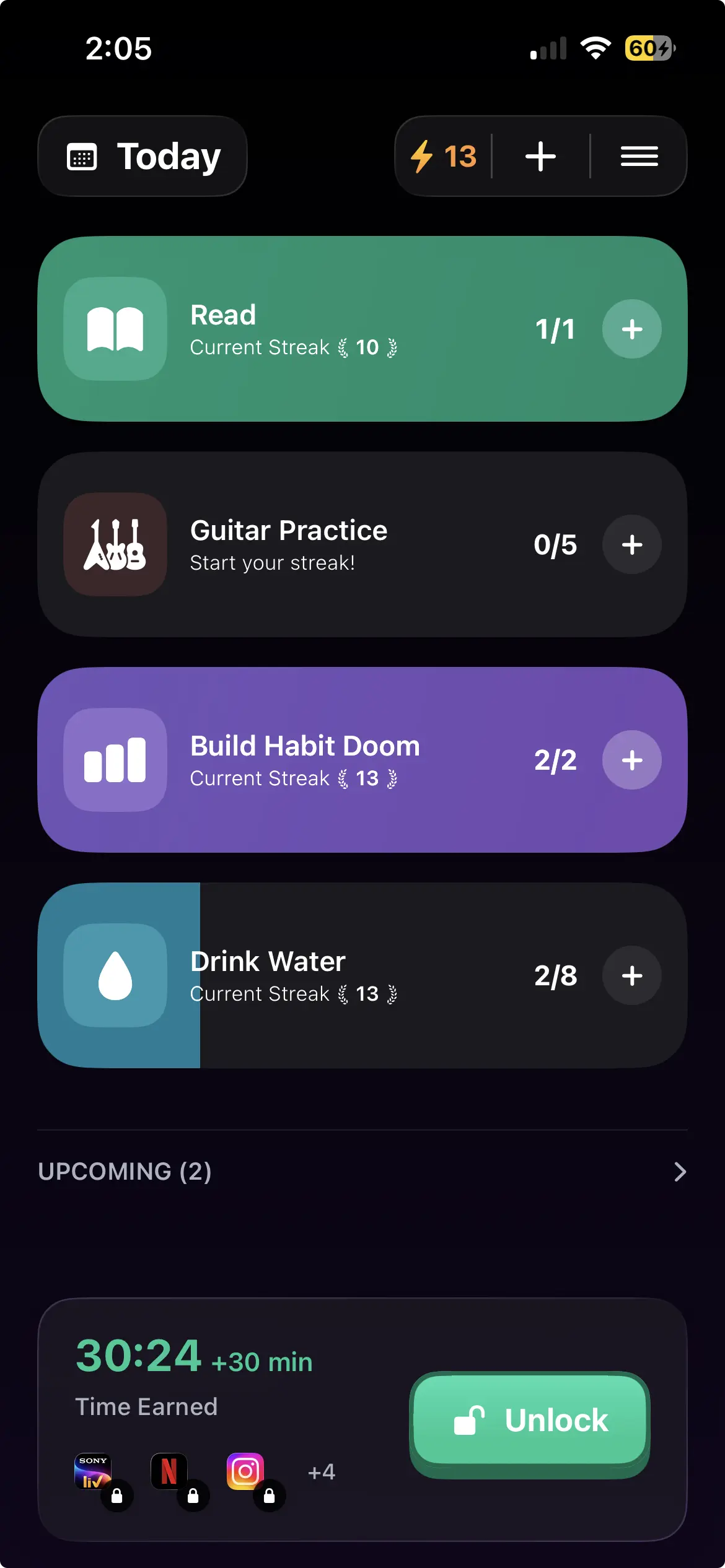
Habit Doom removes the decision. Distracting apps auto-lock, and they open when your daily habits are done. Not on a schedule and not on a tap. You do the reading or the workout you already decided mattered, and you have earned the time back.
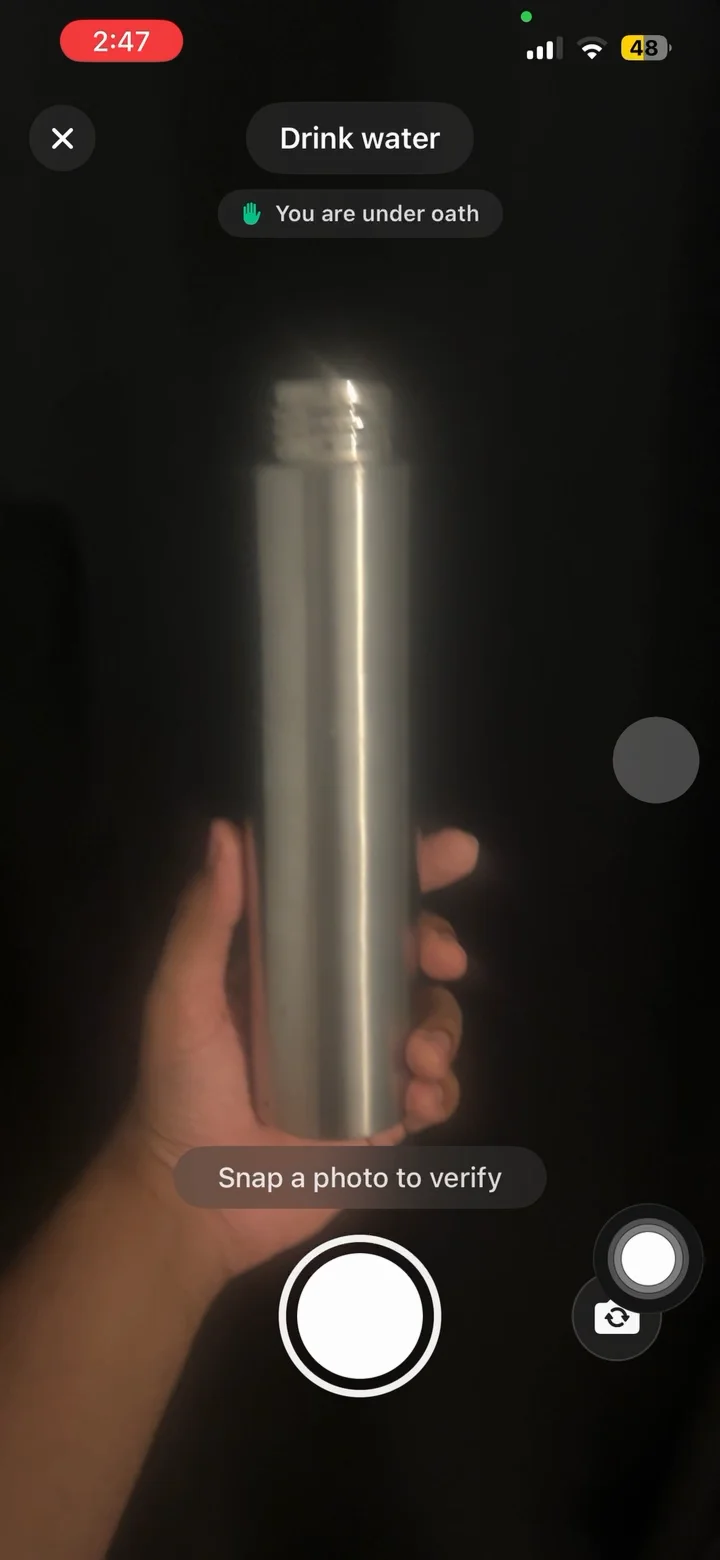
Free tier: 3 habits, app blocking, streaks, and Anti-Cheat photo verification, which runs an on-device model so a check-in cannot be faked by pointing the camera at the ceiling. Anti-Cheat is free for everyone rather than a paid extra. Pro adds unlimited habits, Hard Mode and analytics at $4.99/month, $19.99/year with a 7-day free trial, or $29.99 once. No ads.
Android specifics, stated up front. Block Adult Sites is iPhone only, because it relies on an Apple system filter Android has no counterpart for. What iPhone calls custom alarms are notifications here. Requires Android 10 or newer. And as with everything else on this page, turning off the Accessibility Service stops the blocking.
Pick by failure mode
You have never tried anything. Digital Wellbeing, free and already in Settings. On a Pixel, turn on the App limits PIN. On Samsung, set a Screen time goal and timers with alerts. A week will tell you a lot.
You want one properly configurable blocker. AppBlock.
You want free and nothing else. ScreenZen, and see the free options compared. Turn on Strict Block rather than leaving it on the soft pause.
You do not know where your time goes. StayFree for two weeks, then come back.
Your problem is Reels and Shorts specifically. StayFree's In-App Blocking is the most surgical option and it is free. Regain blocks them too, though it is a study timer first.
Your laptop is as bad as your phone. Freedom.
You need starting energy, not stopping power. Forest.
You have installed three of these and disabled all three. That is not a discipline failure, it is a design one. Every app on that list gave you a switch. The alternative is making access conditional on work you have finished, so quitting requires doing something useful first.
The honest bottom line for Android in 2026: nothing here is unbreakable, and any list that tells you otherwise has not read the platform docs. Choose the friction that matches how you actually fail, and expect to be the last line of defence yourself.
Frequently Asked Questions
Keep Reading
Try Habit Doom
Lock your distracting apps. Complete your habits. Earn your screen time. It takes 30 seconds to set up.
Download Free