


ClearSpace Alternatives: Hard Blocks, Not Pauses (2026)

 X
X LinkedIn
ClearSpace alternatives: quick answer
The best ClearSpace alternatives in 2026 are Habit Doom (habit-gated hard block, free tier, no ads), One Sec (a cheaper breathing pause), ScreenZen (configurable delay timers), Opal (scheduled focus sessions with analytics), and Freedom (blocking across every device). Each solves a different version of the problem. Pick by how you actually fail, not by feature count.
Why people look for ClearSpace alternatives:
- Skippable friction: ClearSpace shows a pause, but you finish it and the app opens. A determined scroll gets through.
- No habit tracking: the pause is not tied to finishing anything productive.
- Price: some people want cheaper friction or a genuinely free option that locks apps.
- Coverage: others want blocking on more than one device, or a hard block instead of a mindful moment.
Below: five alternatives worth testing, with current pricing and what each one actually does differently.
What ClearSpace does (and what it does not)
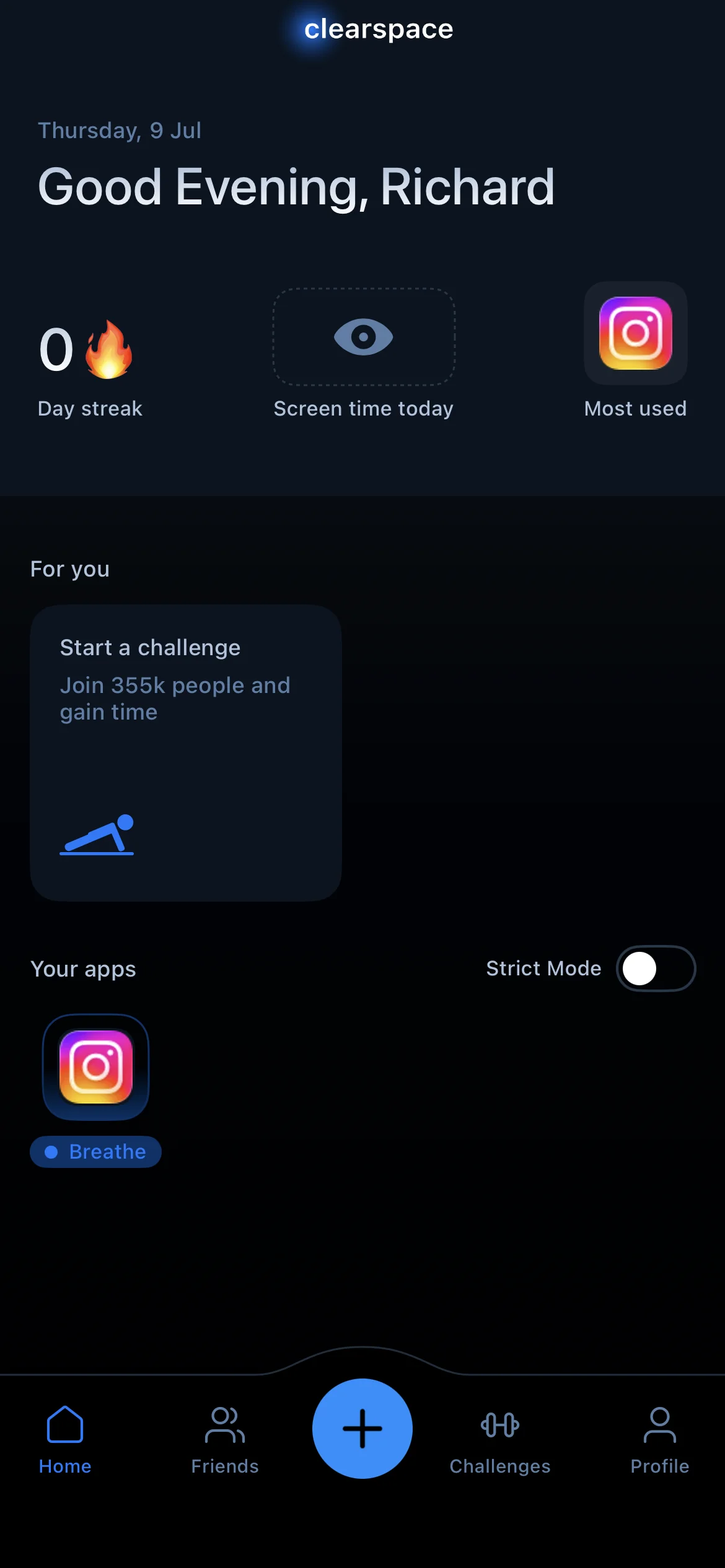
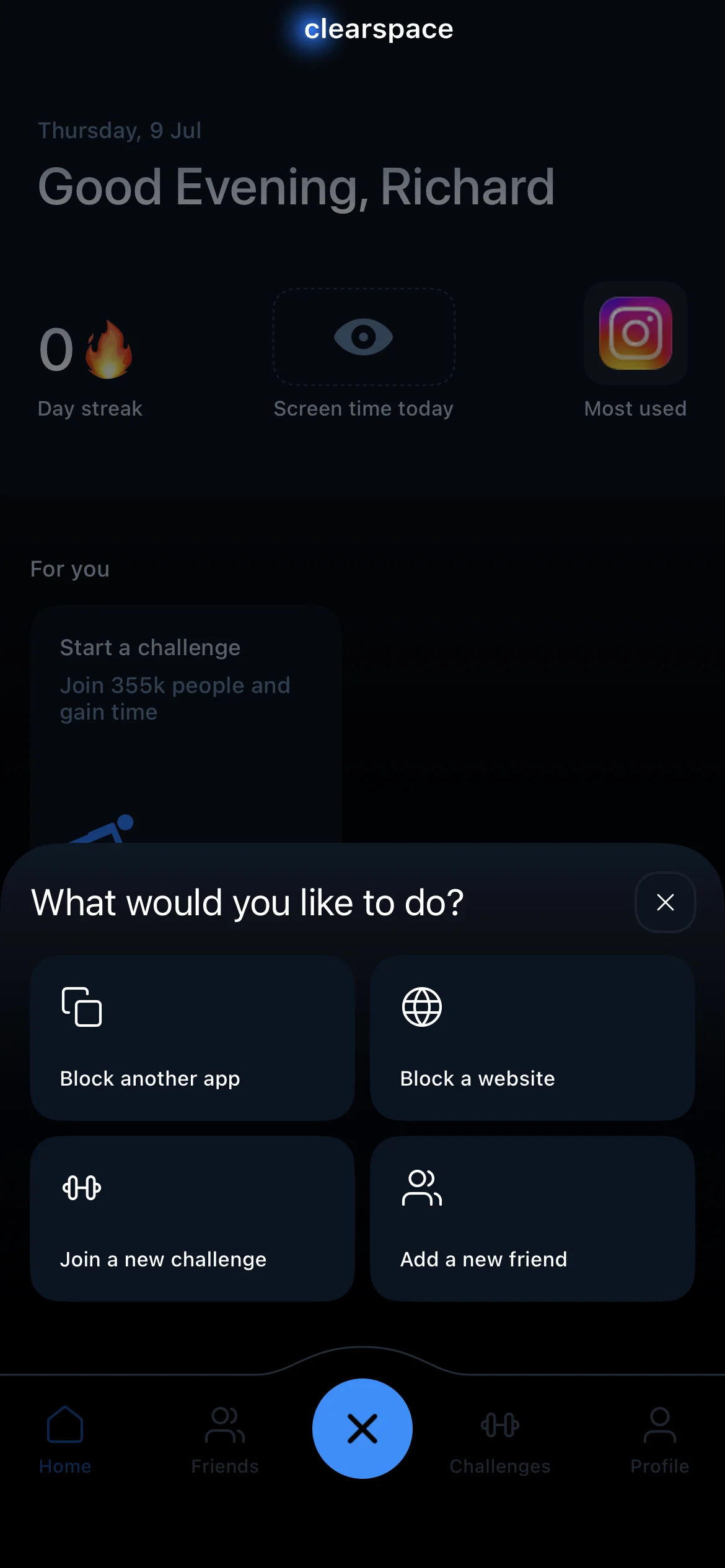
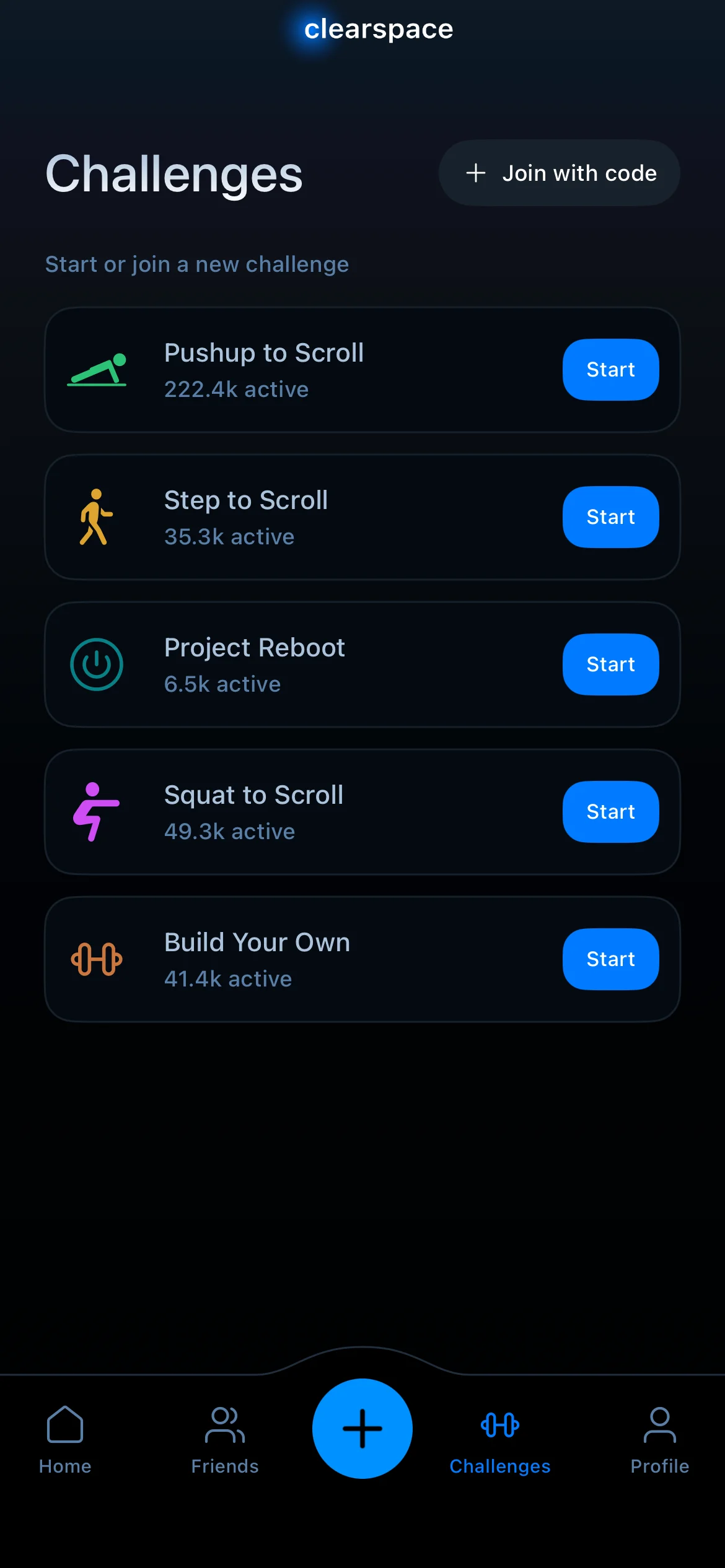
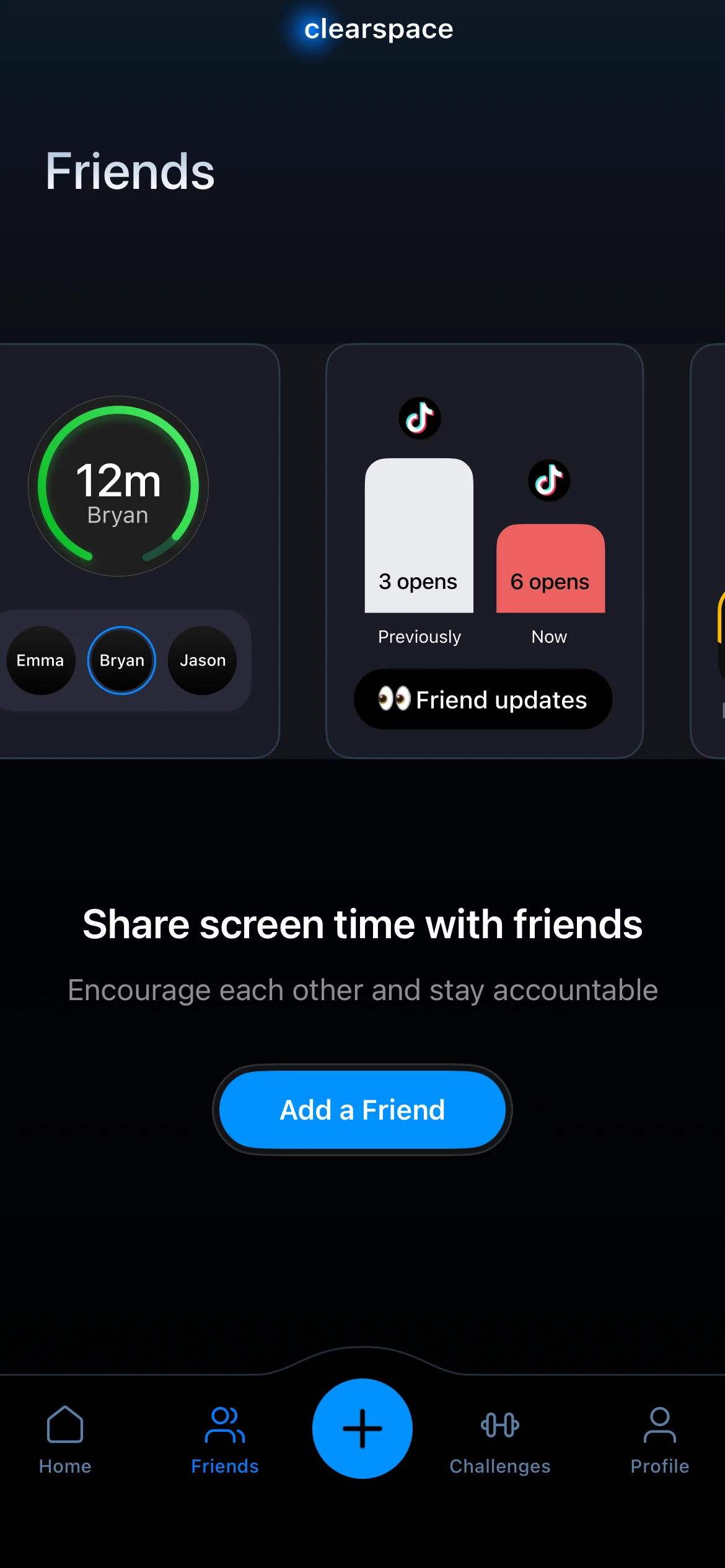
ClearSpace sits between you and a distracting app. When you tap Instagram, it interrupts with a brief centering or breathing exercise before the app opens. The idea is to break the reflex: the pause gives you a second to notice you reached for the phone on autopilot, and often that is enough to put it down. It runs on iOS and is free with limits, or $6.99/month or $44.99/year for the full version.
That design is the whole pitch: it is friction, not a wall. The pause is deliberately gentle, so it nudges rather than forces. For people whose problem is the mindless reach, that mindful beat can be exactly the right amount of intervention.
What ClearSpace does not do:
- It does not hard-block. Finish the exercise and the app opens, so a determined scroll gets past it.
- It does not track habits or tie unlocking to finished work.
- It does not block across your other devices.
- It does not enforce set schedules the way a session-based blocker does.
Most people searching for a ClearSpace alternative want to fix one of those four things. The five apps below each cover at least one.
The 5 best ClearSpace alternatives in 2026
1. Habit Doom: best for a hard block tied to finished habits
ClearSpace gives you a pause you can finish and walk straight through. Habit Doom removes the walk-through entirely: apps stay locked by default and unlock only when you finish your habits. Read, exercise, study, whatever you pick. The friction is real and it points at something productive, not a ritual you can skip on a whim. Where ClearSpace nudges and then lets you in, Habit Doom keeps the apps shut until the work is done, with habit tracking wired into the loop rather than sitting beside it.
The lock runs on the Apple Screen Time API, the same enforcement layer serious blockers use, and it is tamper-resistant, holding through uninstall, force-quit, and system clock changes. That is the piece a skippable pause can never match. The free Anti-Cheat feature adds a second layer of honesty: check a habit off and the camera opens for a real-time photo, which an AI model running entirely on your iPhone matches against the habit in under half a second. The photos never leave the device. ClearSpace has no equivalent because it does not track what you actually did, a point the habit tracker you cannot cheat breakdown expands on.
It is free with three habits, app blocking, custom alarms, streaks, and Anti-Cheat, and there are no ads. Unlimited habits run $4.99 a month, $19.99 a year with a 7-day free trial, or $29.99 once. Switch if you keep pushing through the pause and want a block you cannot skip, or you want the unlock tied to finished work.
2. One Sec: best cheaper friction alternative
One Sec is the closest peer to ClearSpace, and it is cheaper. Like ClearSpace, it interrupts the moment you open a distracting app with a breathing pause, then asks whether you still want to continue. What it adds is data: it tracks how often you decided not to open the app after the pause, which is concrete evidence of your impulse control over time.
The tradeoff is the same as ClearSpace's, because it is the same category. After the pause, you can proceed. There is no hard wall. So if the breathing-pause model works for you and you just want it for less, One Sec is the pick: it runs free with limits, or $19.99/year, or $99.99 lifetime. It is also on both iOS and Android, so it travels if you switch platforms. Make the move if you like the mindful-pause approach but want it cheaper, or you want the "times I chose not to open" data.
3. ScreenZen: best for delay-timer tuning
ScreenZen swaps the breathing exercise for a configurable delay. When you open a targeted app, it makes you wait out a timer you set before it lets you in, and it shows open-rate stats so you can see how often you are reaching for each app. The delay is the friction, and you get to tune exactly how much of it there is.
Like ClearSpace, it is bypassable: wait out the timer and the app opens, so this is friction rather than a hard block. But if the problem is the instant, thoughtless open, a forced pause of your own length is a clean fix, and the open-rate stats make the habit visible. It is free with limits, or about $4.99/month, and runs on iOS and Android. Reach for it if you want to dial in the exact delay before an app opens and watch your open-rate trend.
4. Opal: best for scheduled sessions and analytics
Opal takes the opposite approach to ClearSpace's per-open nudge. Rather than intervening one app-open at a time, it blocks distracting apps during scheduled focus sessions and hands back polished analytics on where your time actually went. You set the windows ("Deep Work 9 to 12"), pick the apps, and Opal runs the schedule on the clock. That automation and reporting is what ClearSpace does not offer, and it suits people who want data sitting next to their blocking. There is no habit tracking, so think of Opal as a blocker plus a dashboard, not a habit tool. The catch is cost: at $19.99 a month or $99.99 a year it is the priciest option here, the free tier is limited, and it is iOS only, so you are paying for polish and analytics. Reach for it if you want scheduled sessions and strong reporting instead of a per-open pause.
5. Freedom: best for cross-device blocking
Freedom's edge is reach. One subscription blocks apps and sites across iPhone, iPad, Mac, Windows, Android, and Chrome, so the block follows you off the phone. ClearSpace lives on your iPhone alone, so if your distraction just migrates to the laptop, Freedom closes that door. It is $8.99/month, $39.99/year, or $199 lifetime in-app. Freedom's own site regularly discounts the lifetime plan to $99.50.
The honest caveat is on iOS specifically: Freedom's iPhone blocking is VPN-based and can be inconsistent, and Locked Mode is the option that cannot be broken. It has no habit tracking. So Freedom is the pick when the real problem is that you have too many screens, not when you need the tightest possible block on the phone itself. Go this route if your distraction jumps between devices and you want one block that covers all of them.
Quick comparison: ClearSpace vs alternatives
| App | Price | Blocking model | Hard block | Free tier | Habit tracking |
|---|---|---|---|---|---|
| ClearSpace | Free / $6.99 mo | Breathing pause | No | Yes (limited) | No |
| Habit Doom | Free / $4.99 mo | Habit-gated | Yes | Yes (3 habits) | Yes |
| One Sec | Free / $19.99 yr | Breathing pause | No | Yes (limited) | No |
| ScreenZen | Free (donations) | Delay timers | No | Yes (limited) | No |
| Opal | $19.99 mo | Scheduled sessions | Yes (in session) | Limited | No |
| Freedom | $8.99 mo | Cross-device block | Yes (Locked Mode) | No | No |
How each alternative differs from ClearSpace
| App | How it differs from ClearSpace |
|---|---|
| Habit Doom | ClearSpace's pause can be finished and walked straight through. Habit Doom removes the walk-through: apps stay locked until your habits are done. |
| One Sec | The closest peer to ClearSpace and cheaper, with a breathing pause in place of the centering exercise. |
| ScreenZen | Swaps the breathing exercise for a delay timer you configure, plus open-rate stats. |
| Opal | Blocks on a schedule rather than intervening one app-open at a time. |
| Freedom | Extends the block beyond the iPhone to Mac, Windows, Android and Chrome. |
Is there a free alternative to ClearSpace?
Yes, and the right one depends on whether you want a real block or just gentler friction.
If you want a free block that actually locks apps: Habit Doom's free tier covers up to 3 habits, real app blocking through the Apple Screen Time API, custom alarms, and streaks, with no card required. The lock is tamper-resistant, holding through uninstall, force-quit, and clock changes, which is the part most free friction apps skip. Instead of a pause you finish, you unlock by finishing your habits.
If you want free friction like ClearSpace's: One Sec and ScreenZen are both free with limits. One Sec keeps the breathing pause, ScreenZen uses a delay timer you set. Both are bypassable by design, the same as ClearSpace, so they nudge rather than block.
What is worth knowing: iOS Screen Time is free and built into every iPhone, and it works as a backup layer. But its Ignore Limit button defeats the block in one tap for the person who set it, so treat it as a helper, not the main line of defense.
Which alternative fits which ClearSpace user?
If the pause was too easy to skip: Habit Doom, the only option here that locks apps until real work is done.
If you liked the mindful pause but wanted it cheaper: One Sec, same model for less.
If you want to control the exact delay before an app opens: ScreenZen and its tunable timers.
If you want scheduling and analytics: Opal for the polish and reporting.
If your distraction jumps between devices: Freedom, one block across your phone, laptop, and browser.
Disclosure: Habit Doom is our app. We have tried to give every alternative on this list a fair read, but factor that in. ClearSpace is a genuinely good product for people whose problem is the mindless reach and who just need a beat to notice it. The best alternative is the one that fits how you actually fail, not the one with the longest feature list. For broader context, see the best iPhone app blockers of 2026 or the how to stop doomscrolling guide.
The honest take
ClearSpace works because it inserts a mindful beat: reach for the app on autopilot and the breathing exercise makes you notice. For a lot of people, that noticing is enough, and a heavier block would be overkill. But a pause is not a wall. Finish the exercise and the app opens, so if you are the kind of person who pushes straight through, ClearSpace will not save you from yourself. The alternatives here trade "gentle" for "firm" in different amounts. Habit Doom ties the unlock to finished habits, One Sec and ScreenZen keep the friction but tune the cost, Opal schedules and reports, and Freedom spreads the block across every screen you own. Pick one. Use it for two weeks. If it does not stick, try the next. Cycling between blockers without committing is the slowest path to less time on your phone.
Frequently Asked Questions
Keep Reading
Try Habit Doom
Lock your distracting apps. Complete your habits. Earn your screen time. It takes 30 seconds to set up.
Download Free