


5 Digital Wellbeing Apps That Actually Build Habits (2026)

 X
X LinkedIn
The term "digital wellbeing" entered the mainstream around 2018 when Google rebranded their Android screen-time tools under the label and Apple released Screen Time on iOS. The intent was respectable. The implementation was mostly a passive log. By 2020 the gap between digital wellbeing as a marketed concept and digital wellbeing as actual behavior change was wide. Third-party apps stepped into the gap. Some delivered. Most just used the term as marketing.
This guide reviews five iPhone digital wellbeing apps in 2026 that specifically combine screen time reduction with daily habit building. The category excludes pure habit trackers (Streaks, Habitica) which do not address phone use, and pure blockers (Freedom, One Sec) which do not address habits. The honest list of apps that genuinely combine both is shorter than the App Store's "Digital Wellbeing" category page would suggest.
Three levers, and the tradeoffs between them
Apps in this space pull on three different levers, and almost none of them pull equally hard on all three. Knowing which one you care about most is how you pick.
Enforcement. How hard is the wall when your willpower is gone? Passive tracking sits at one end: it shows you a weekly graph and leaves the behavior to you, which builds awareness but rarely changes much on its own. A firm iOS-level block sits at the other. Stronger enforcement is more effective when your problem is genuinely impulsive, but it is also more friction, and some people find a hard wall more than they want.
Habit integration. Does the app tie the screen-time intervention to a positive habit, or just take time away? Opal blocks Instagram on a schedule. Habit Doom blocks it until you read, exercise, or journal. Neither approach is universally better: tying the block to a habit turns it into a routine builder, but if you only want distractions gone and do not want to be nudged into habit-building, a plain scheduled block is the lighter, cleaner fit.
Replacement scaffolding. Does the app help you fill the time the phone is no longer taking? Habit reminders, focus prompts, and redirect nudges can make the change more durable, but scaffolding you did not ask for reads as clutter. Some people want the suggestion of what to do next; others just want the space and will fill it themselves.
No single app maxes out all three, and it would not be the right app for everyone if it did. The five below sit at different points on these levers. Match the app to the lever you actually care about, not to a feature count.
Quick comparison: 5 digital wellbeing apps for iPhone (2026)
| App | Enforcement | Habit Integration | Replacement Layer | AI photo verification (Anti-Cheat) | Price |
|---|---|---|---|---|---|
| Habit Doom | iOS ManagedSettings | Native daily habits | Habit prompts | Yes (free) | Free + $4.99/mo |
| Apple Screen Time + Health | Trivial (Ignore button) | Via Health app | None integrated | No | Free |
| Opal | iOS ManagedSettings | Light, separate | Focus categories | No | Free + $19.99/mo |
| Jomo | iOS ManagedSettings | Redirect prompts | Alternative activity reminders | No | Free + IAP |
| Calm or Headspace | None | Meditation streaks only | Meditation sessions | No | Free + ~$15/mo |
Each app picks a different point on the integration axis. Habit Doom is the most fully integrated. Apple's built-in option is the most accessible but the least enforced. Opal is blocking-first with light habit support. Jomo handles the redirect layer specifically. Calm and Headspace are wellbeing-adjacent but focused on meditation rather than general habits.
Detailed reviews
1. Habit Doom: Habits and blocking native to the same app
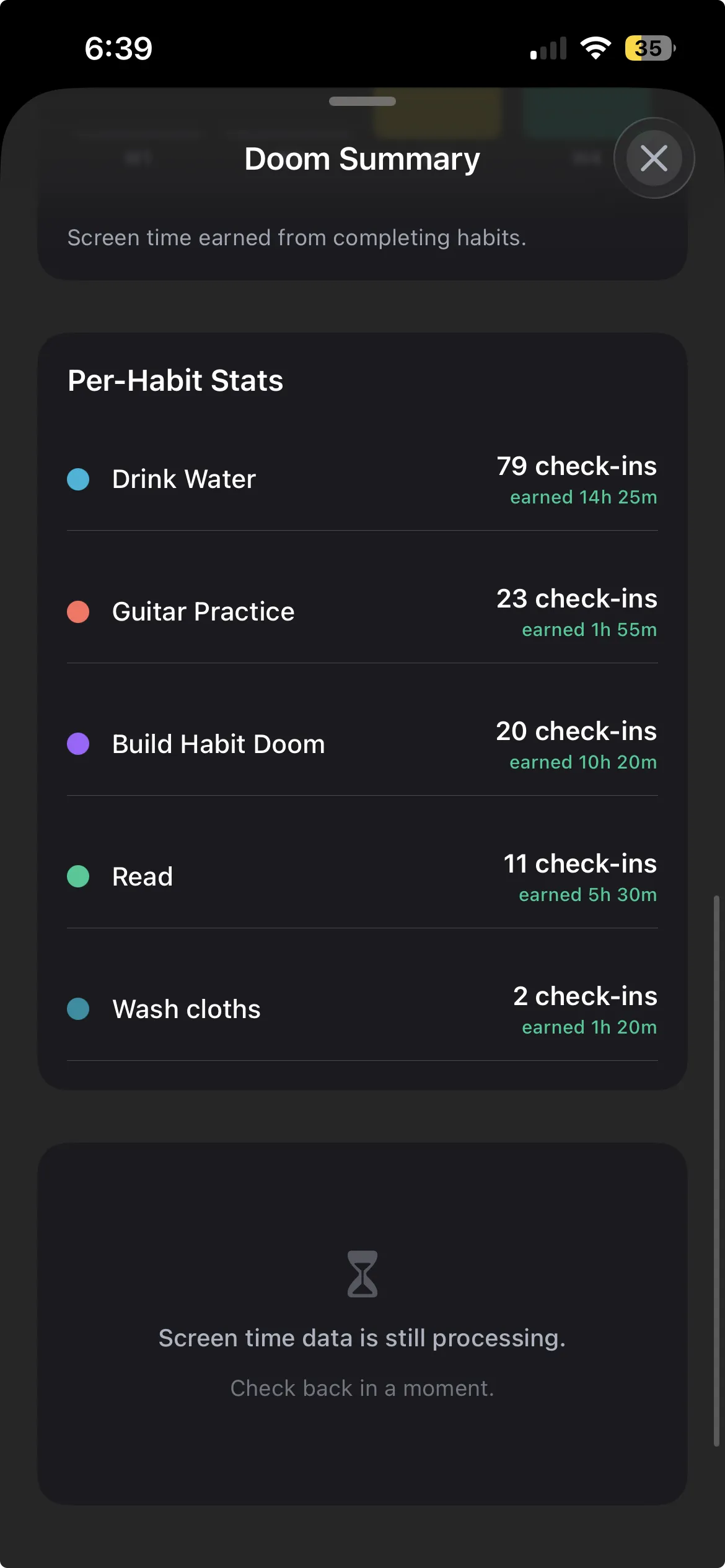
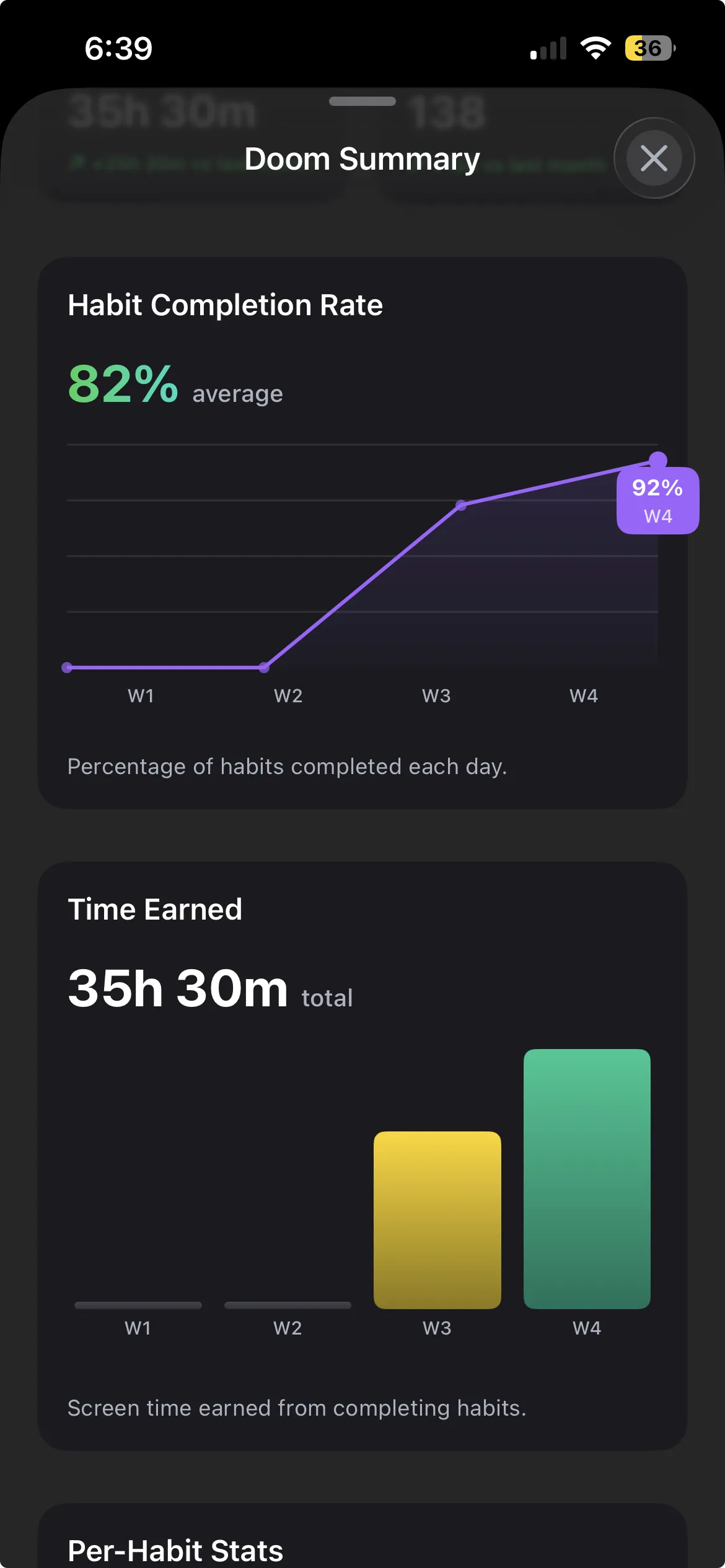
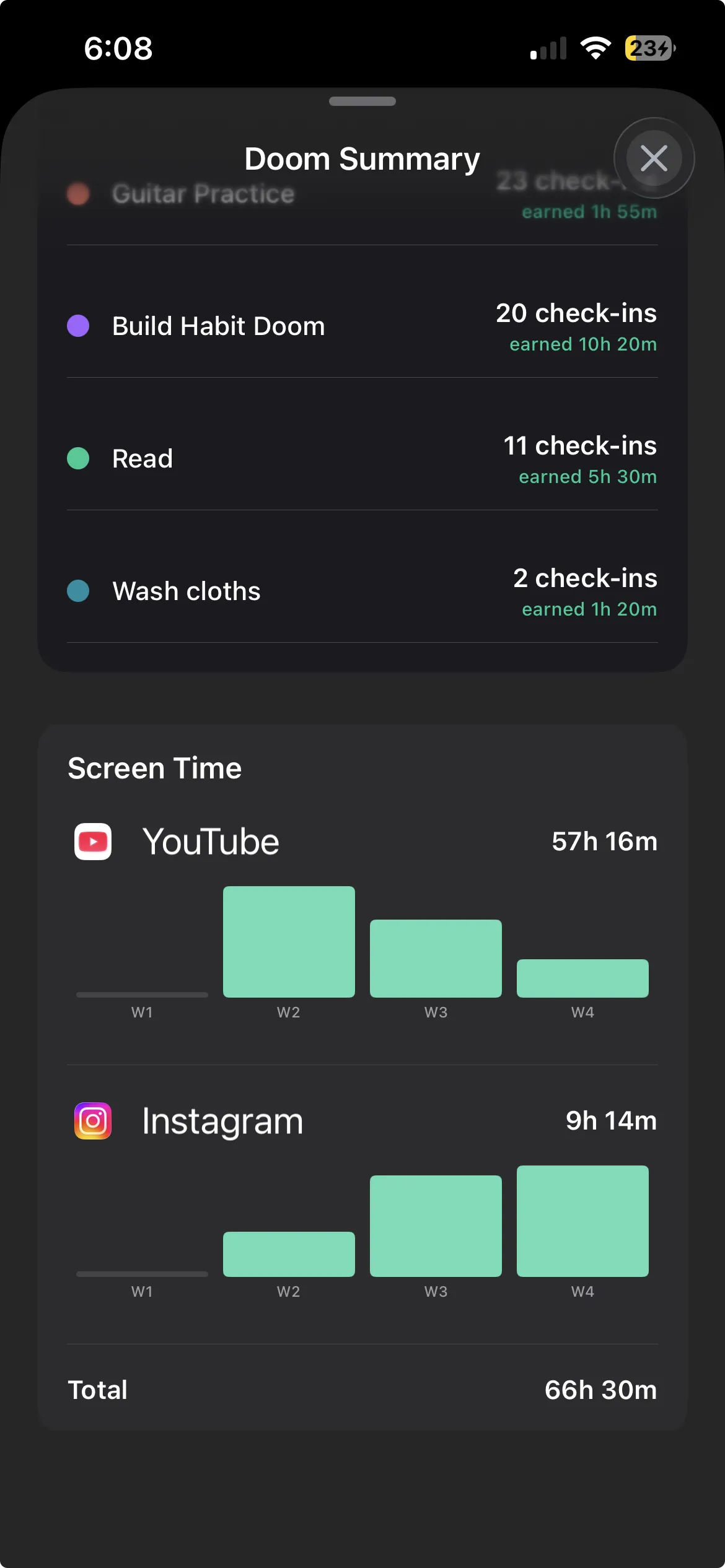
Habit Doom is the most direct fit for the digital wellbeing plus daily habits category. The app combines a habit tracker and an iOS app blocker that share state. Selected apps stay locked at the ManagedSettings system level until daily habits are completed. The two layers are not separate features bolted together. They are designed as a single mechanic.
For digital wellbeing purposes, this matters because the user's screen time is structurally tied to their habit list. Improving habit completion reduces screen time. Reducing screen time creates space for habits. The two metrics move together rather than in parallel. An optional free feature called Anti-Cheat tightens the link further: when a habit is checked off, the camera opens and an on-device AI model verifies a real-time photo matches the habit (usually in under half a second), so the wellbeing data reflects what actually happened rather than a self-report. The habit tracker you cannot cheat post covers how the verification works.
The trade-off is that Habit Doom expects you to define habits. If you want a wellbeing app that only blocks distractions without nudging you toward habit building, this is more than you asked for. Want both layers integrated? It is the cleanest fit in 2026. See how Habit Doom works for the mechanic.
Habit completion gates app access, enforced at the iOS ManagedSettings level. Free, with premium at $4.99/month or $29.99 lifetime.
2. Apple Screen Time + Health app: The built-in combination
Apple's native digital wellbeing system pairs Screen Time (usage tracking, app limits, downtime) with the Health app (activity, sleep, mindfulness metrics). For users wanting a built-in option with no third-party install, this is the floor of the category.
The Health app side works well as a passive log. Daily activity, sleep, and mindfulness metrics accumulate without user intervention. HealthKit integration is mature.
The Screen Time side is structurally broken for adult self-management. The Ignore Limit button defeats the enforcement layer in one tap. It was designed for parental control, not adult behavior change. If you want the built-in option with real enforcement, the Screen Time component is the bottleneck.
- Wellbeing integration: Tracking via Health, blocking via Screen Time.
- Enforcement: Trivial (Ignore Limit button).
- Price: Free, built in.
3. Opal: Blocking-first with light habit support
Opal is primarily a scheduled blocker with adjacent habit-tracking features. The user creates focus sessions (Deep Work 9 to 12, Evening Wind-Down 9 to 11) and Opal enforces those windows. Recent versions added a habit tracker, but the primary identity of the app is blocking.
For users prioritizing screen time reduction with habits as secondary, Opal works. The block is real and iOS-level. The interface is polished. The analytics are richer than most competitors.
The trade-off is that habits in Opal feel like a feature rather than the core. If you want habits-first, the focus on scheduled blocking will feel off. If you want blocking-first, Opal is more polished than Habit Doom on the blocking side. It comes down to which side of the integration you care about most. Blocking-first, habits secondary, enforced through iOS ManagedSettings. Free with limits, roughly $8/month for full features.
4. Jomo: Redirect layer specialist
Jomo blocks distracting apps and prompts the user to do something else instead. A user on r/getdisciplined captured the mechanic with 3 upvotes: "It's in Jomo where you are reminded to do other things when you try to open the app you restrict like go for a walk or call someone or read useful stuffs."
For the digital wellbeing category, Jomo's replacement layer is the most distinctive feature. Most blockers stop at "you cannot open Instagram". Jomo continues with "open this book instead, or go for a walk, or call your friend". The redirect addresses Clear's replacement principle from Atomic Habits without requiring the user to design the replacement themselves.
The trade-off is that Jomo's habit tracking is light. The redirect prompts are not the same as daily habit goals. Users wanting structured habit completion find Habit Doom better. Users wanting in-the-moment redirects find Jomo's mechanic uniquely useful.
- Wellbeing integration: Redirect prompts with light habit support.
- Enforcement: iOS ManagedSettings.
- Price: Free with IAP.
5. Calm or Headspace: Wellbeing-adjacent meditation apps
Calm and Headspace are meditation apps that occupy the broader digital wellbeing category without addressing screen time directly. Daily meditation streaks function as a single habit, and the apps provide guided content for the meditation practice itself.
For users whose digital wellbeing goal is specifically to add meditation as a daily habit, Calm or Headspace are the strongest content libraries. The streak mechanic supports daily consistency. The guided content removes the friction of figuring out what to do during meditation.
The trade-off is scope. Neither app does general habit tracking or screen time blocking. They are meditation specialists, not digital wellbeing systems. Most people run Calm or Headspace alongside a different tracker rather than in place of one. Wellbeing integration is meditation-specific only, with no enforcement layer. Free with limits, around $15/month for the subscription.
How to pick
The decision rule.
- You want habits and screen time integrated into one app. Habit Doom.
- You want the built-in option and can live with its limits. Apple Screen Time + Health.
- You want strong blocking with habits as a side feature. Opal.
- You want the redirect layer that prompts alternative activities. Jomo.
- Your one specific habit is meditation. Calm or Headspace.
The "digital wellbeing" category in 2026 is broader than any single app can fully cover. Wellbeing as a real outcome needs blocking, tracking, and replacement working together. Most apps marketed as "wellbeing" deliver one of the three. For the genuine combination, Habit Doom remains the most fully integrated option. For the broader screen time reduction strategy see the best apps to reduce screen time breakdown.
Frequently Asked Questions
Keep Reading
Try Habit Doom
Lock your distracting apps. Complete your habits. Earn your screen time. It takes 30 seconds to set up.
Download Free