


Running CLIP on an iPhone to Catch Habit Cheaters

 X
X LinkedIn
Habit Doom locks your distracting apps until your daily habits are done. For a year, the weak point of that system was a button. Tap it, claim the habit, unlock Instagram. The fix is Anti-Cheat: check-ins now require a photo, judged by an AI model.
The interesting engineering constraint: the photo could never leave the phone. Habit Doom has no accounts, no backend, and an App Store privacy label that says zero data collected. We were not going to break that for a cheat detector. So the entire pipeline, from camera frame to verdict, had to run on the iPhone.
This is the build log: model selection, the Core ML conversion, a compression experiment that failed in an instructive way, threshold tuning with real photos, and a self-poisoning bug that briefly certified a power bank as drinking water.
The shape of the problem
Worth noting what we could not build. The most requested design, in user emails and reviews, was tying a habit to another app's usage: verify "Study" by checking that a flashcard app stayed open for an hour. iOS sandboxing forbids it. Third-party apps cannot read other apps' usage, the Screen Time API only reports inside its own opaque extensions, and devs who hack around this get removed from the App Store. The only proof signal available to us was one the app could capture directly. Hence: camera.
Strip away the product and the ML task is: given a photo and a habit name like "Read" or "Drink water", decide if they match. Habit names are free text, so a fixed classifier with N classes was never an option. Users invent habits we have never seen.
That is zero-shot image classification, which is exactly what CLIP does. CLIP embeds images and text into the same 512-dimensional space; if the embedding of your photo sits close to the embedding of "a person reading a book", the photo is probably of reading. No training per habit, no server, no labels. Cosine similarity between two normalized vectors is a dot product: the actual "AI decision" costs about a millisecond. The expensive parts are everything around it.
Picking the model
Two real candidates: Apple's MobileCLIP-S0, built for exactly this kind of deployment, and OpenCLIP ViT-B-32 trained on LAION-2B.
MobileCLIP would have shipped at roughly a third of the size. We tried it first and hit a wall the benchmark tables don't show: its text encoder is weak on short strings. And habit names are short. Two or three words ("Read", "Drink water", "Stretch"). With prompts that brief, MobileCLIP's text embeddings came out too coarse, and honest photos kept failing verification. A cheat detector that accuses honest users is worse than no cheat detector at all.
ViT-B-32 on LAION-2B has a stronger text tower, and its weights are MIT-licensed, which a paid App Store app can ship without legal creativity. We paid the 90 MB difference and considered it the cost of not gaslighting users about their own workouts.
Conversion: PyTorch to two Core ML packages
CLIP is two networks in a trench coat, and we converted it as such. Splitting the encoders means the text side only runs when a habit's prompts change (then gets cached), while the image side runs per verification.
The conversion runs in a Docker container with PyTorch and coremltools and produces:
| Package | Input | Output | Size (INT8) |
|---|---|---|---|
| Image encoder | 224×224 RGB pixel buffer | 512-d normalized embedding | 84 MB |
| Text encoder | 77 BPE token IDs | 512-d normalized embedding | 61 MB |
Two details earned their keep:
Normalization baked into the model. CLIP expects channel-wise normalized pixels. Instead of doing that in Swift, the conversion bakes the scale and bias into the image encoder via ct.ImageType. Swift hands Core ML a raw CVPixelBuffer and the model fixes the rest. One less place for a silent preprocessing mismatch, which is the classic way to get embeddings that are subtly wrong everywhere.
INT8 weight-only quantization. Linear-symmetric INT8 halved the size versus FP16, and on our test photos the cosine similarities drifted by less than half a percent. For a thresholded decision system, that is free money. Compute units stay on .all, letting Core ML route layers across the Neural Engine, GPU, and CPU.
The 4-bit experiment that failed
145 MB is a lot of habit tracker, so we tried to push further: 4-bit k-means palettization, targeting around 73 MB total.
The image encoder palettized cleanly to 42 MB. The text encoder crashed the converter. Its weight matrices contain literal inf values, and the k-means clustering underneath palettization cannot cluster infinity. 6-bit failed the same way. A uniform-quantization fallback technically produced a 31 MB file, along with numpy warnings about invalid values, and embeddings that had quietly lost their meaning: our reference water-bottle photo dropped from 29 percent similarity to 14, below any usable threshold.
The lesson worth writing down: post-training compression assumes sane weights, and pretrained checkpoints do not promise sane weights. Test compressed models on real end-to-end outputs, not just file size and converter exit codes. We shipped INT8 and kept the 145 MB; On-Demand Resources can shrink the install later without touching the model.
Look at the object, not the kitchen
Early testing surfaced a humbling failure: a photo of a wallet on a kitchen counter passed the "Drink water" check. So did a spice box. The model wasn't hallucinating; it was seeing "hand, counter, kitchen context", which is also the context of most water-drinking photos. The scene was matching, the object was irrelevant.
The fix came from Apple's Vision framework: an attention-based saliency request finds the prominent subject, we crop to it with 8 percent padding, and only that crop goes to CLIP. The model is forced to look at the bottle, not the room where bottles live. If saliency fails or returns a sliver under 10 percent of the frame, we fall back to the full image rather than verifying a 40-pixel mystery.
Tuning thresholds with real photos
CLIP similarities for related image-text pairs live in a narrow band, roughly 0.20 to 0.40, so the verification threshold is a knife-edge decision. We tuned it with real photos and kept notes:
- 0.25 verified nearly everything, including photos taken for the purpose of fooling it. Too friendly.
- 0.40 bounced honest first-time check-ins to the override screen so often the feature felt like an accusation. Too hostile.
- 0.30 landed as the "clearly related" floor, workable because it is not the only layer.
Each habit also gets 3 to 6 prompt variants (the raw name plus curated visual descriptions), embedded once and cached; the photo races against all of them and the best match wins. Short habit names are ambiguous, and prompt ensembling is the cheap fix.
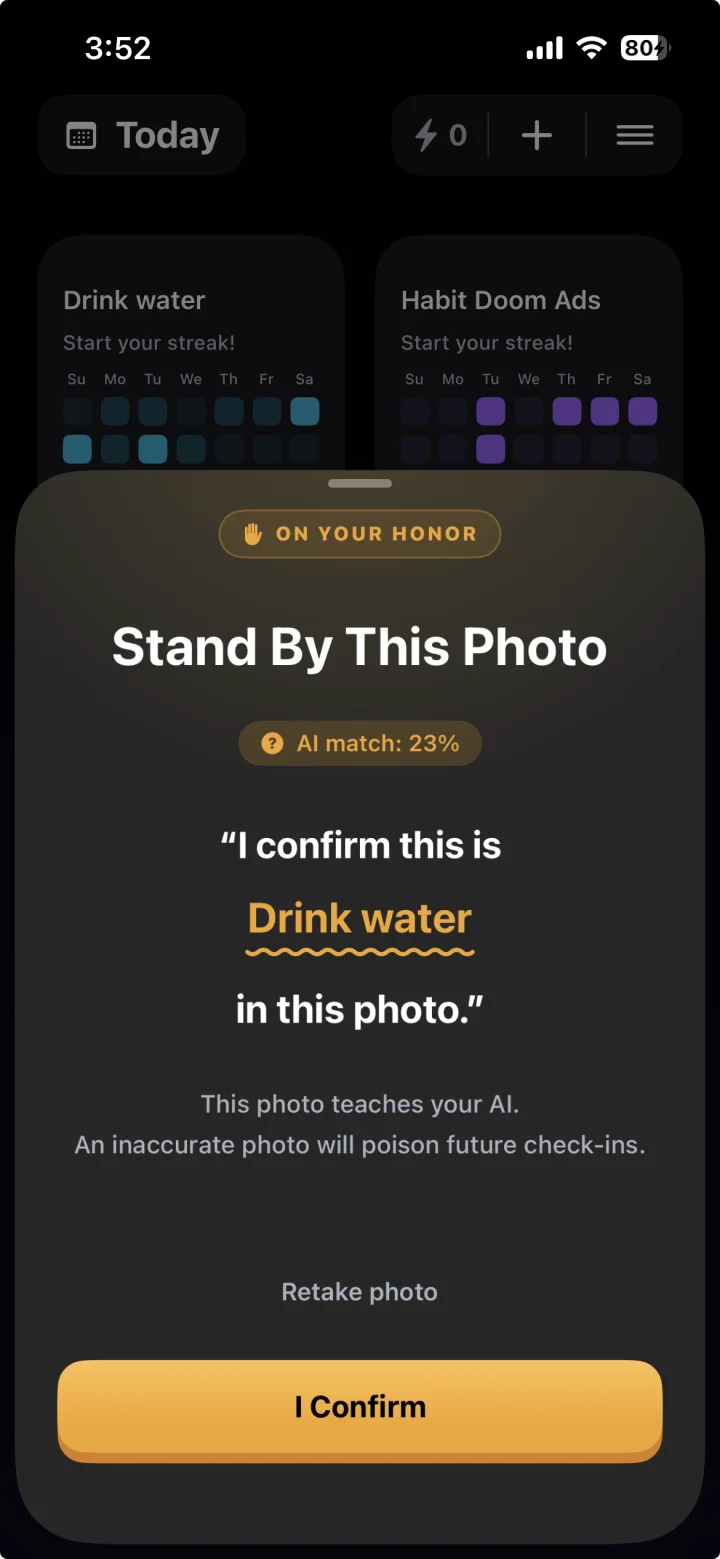
The second layer is the personal canon: when a user deliberately stands by a borderline photo, its embedding joins a per-habit history (capped at 20, FIFO, about 40 KB). Future photos compare against the canon too, with an asymmetric rule: canon similarity of 0.70 can rescue a photo only if text similarity clears a 0.20 gate. The gate exists because of another concrete failure: a wallet photo scored 17 percent against "Drink water" text but 62 percent against canon, purely on shared scene context. Without the text gate, your canon slowly becomes a "photos taken in my kitchen" detector.
The canon poisoning bug
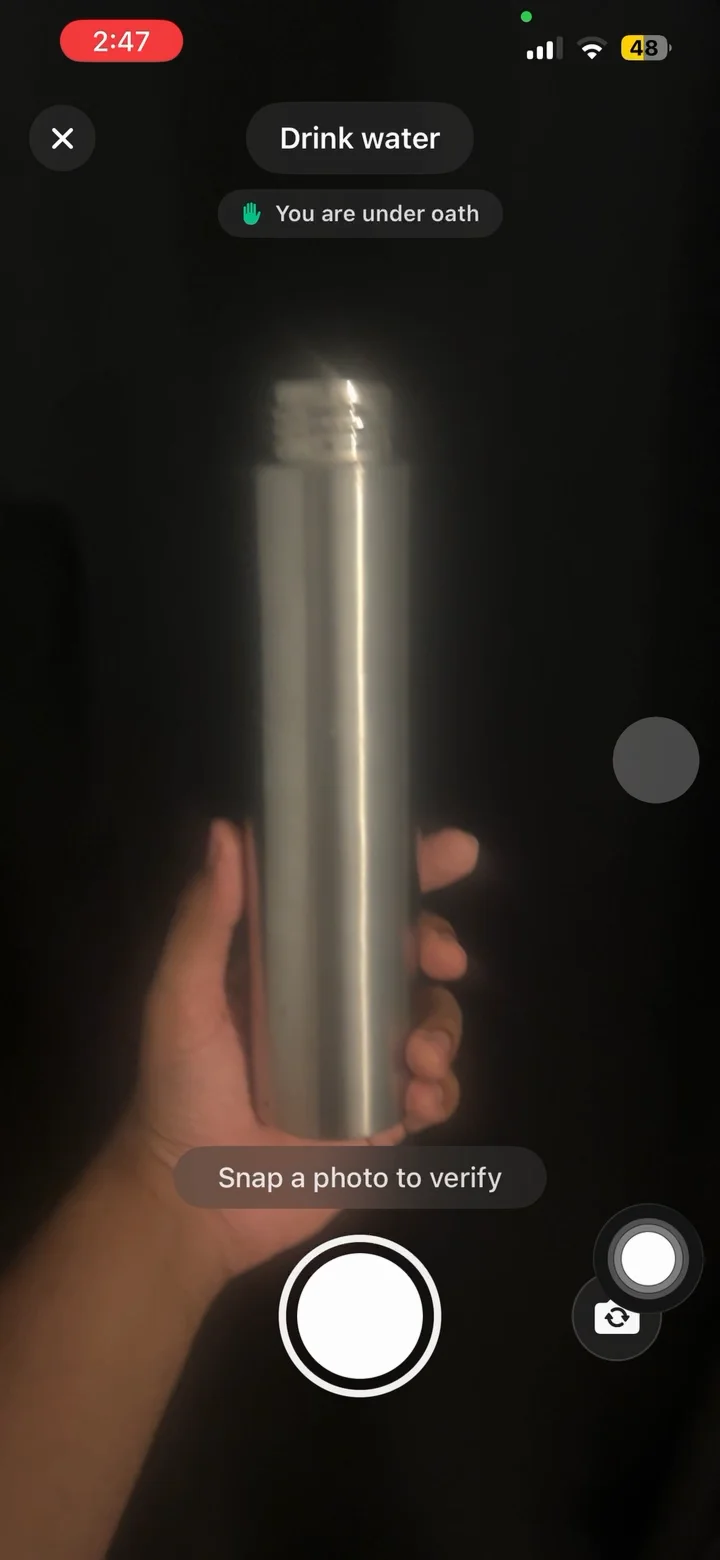
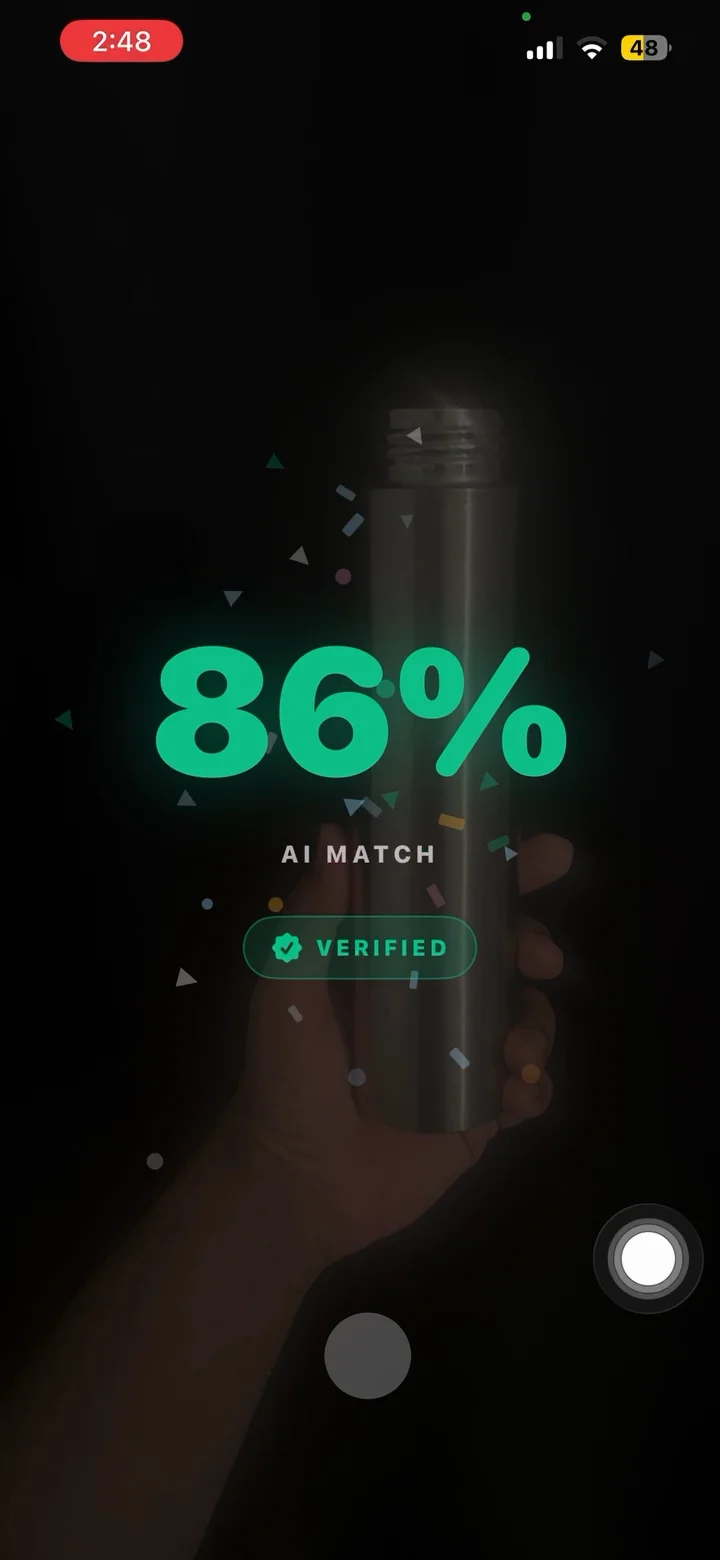
The personal canon shipped with a bug that is obvious only in hindsight: every auto-verified photo also joined the canon. Sounds harmless. Sounds smart, even. It is also how a tester got a USB power bank verified for "Drink water" at 61.3 percent confidence.
The chain: one marginal photo auto-verifies at the threshold edge, joins the canon, drags the canon's character toward generic desk-and-hand scenes, which makes the next marginal photo score higher, which also joins the canon. Each generation is slightly worse than the last. Photocopy of a photocopy, except the photocopier controls your Instagram access.
The fix is a single rule with outsized consequences: only deliberate override confirmations write to the canon. Auto-verified photos never do. The user explicitly vouching for a photo is the only signal trustworthy enough to teach the system. Any feedback loop where a model's outputs become its own training signal needs a human gate somewhere, even in a feature this small.
Making 145 MB feel instant
The model is fast. Loading it is not. MLModel.init JIT-compiles for the device's hardware, and the first verification after a cold launch took 2 to 5 seconds, which users experience as "the camera froze."
Three fixes, in escalating order of subtlety:
Pre-warm at launch. If anti-cheat is enabled, both encoders load about 2 seconds after app launch on a background-priority task. The delay is not arbitrary: the home screen plays an entry animation in the first 2 seconds, and pre-warming during it caused visible jank from Neural Engine and CPU contention. We tried 0.5, 1, and 1.5 seconds; all janked. The animation gets the hardware first, then the model does.
Actually-async loading. The synchronous MLModel.load() called from a main-actor singleton re-isolates to the main thread even when wrapped in a background Task, a Swift concurrency footgun that turns "async" loading into a frozen UI. The fix is loadAsync() from a detached task, with the non-Sendable MLModel pair crossing back in an @unchecked Sendable box.
Let the spinner render. Even with pre-warm, a cold path can pin the main thread. Dispatching the load 50 ms after showing a spinner was not enough for SwiftUI to actually paint the spinner; users saw black. 350 ms gives the run loop a chance to flush. A spinner that renders beats a faster load nobody can see.
Warm verifications land in 200 to 400 ms: saliency crop and image encode dominate, text embeddings come from cache, the similarity itself is a rounding error. Peak memory is about 280 MB with both encoders resident, paid only by users who enabled the feature. Everyone else pays nothing.
What leaves the device: nothing
The privacy architecture is the absence of architecture. No accounts, no uploads, no photo storage by us. The photo is encoded, scored, and discarded; canon embeddings live in the local database as packed floats; 512 numbers that cannot be inverted back into your bedroom.
Analytics receive verdict counts: verified or overridden or skipped, with the numeric scores and the habit name. No pixels, no embeddings. The App Store privacy label still reads zero collected data, because on-device processing genuinely is not collection. The camera permission prompt explains all of this before the feature turns on, with a demo video, and denying it leaves the rest of the app fully functional.
The scoreboard
| Thing | Number |
|---|---|
| Model | OpenCLIP ViT-B-32, LAION-2B, MIT license |
| On-device size | 145 MB (84 image + 61 text, INT8) |
| Embedding space | 512-d, L2-normalized |
| Verify threshold | 0.30 text-only, 0.35 with canon |
| Canon rule | 0.70 similarity, gated on 0.20 text, max 20 embeddings |
| Warm verification | 200-400 ms |
| Cold start | 2-5 s, hidden by launch pre-warm |
| Peak memory | ~280 MB, only when enabled |
| Photos uploaded | 0 |
The result, from the user's side, is anticlimactic in the way shipped infrastructure should be: point the camera at the book, see the checkmark, get on with your day. The model, the quantization war, the poisoned canon, and the thread that wouldn't yield are all invisible at 224 by 224.
Anti-Cheat is live in Habit Doom on the App Store, free for everyone. The app, and your photos, stay on your phone.
Frequently Asked Questions
Keep Reading
Try Habit Doom
Lock your distracting apps. Complete your habits. Earn your screen time. It takes 30 seconds to set up.
Download Free