


The 30-Day Phone Detox Plan

 X
X LinkedIn
Most phone detoxes are a vibe, not a plan. You wake up one morning, decide you are sick of your own thumb, delete a couple of apps, and feel virtuous for about four days. Then a stressful evening shows up, you reinstall Instagram "just to check one thing," and the whole experiment quietly dies. There was never a structure to fall back on.
This is the structure. A 30 day phone detox built as four weeks, each with one job. You are not going cold turkey, you are not deleting your life, and you are not relying on willpower at 11pm. You are changing one variable at a time and stacking the wins.
A quick note before you start: if you want the science of why detoxes fail and how dopamine actually works, that is a separate read in our digital detox guide. And if you want one person's honest, unfiltered account of running a similar 30 days, see what happened when I blocked social media for 30 days. This post is the do-it-yourself plan: the what and the when.
How this plan works
Four weeks, four jobs:
- Week 1: Audit and friction. Measure your baseline and make the phone slightly less appealing without banning anything.
- Week 2: Cut the worst loops. Block your single biggest time-sink app during the hours it hurts you most.
- Week 3: Replace, do not just remove. Put a real activity in the gap where the scroll used to be.
- Week 4: Make it stick. Move from temporary blocks to earned access, so day 31 does not collapse back to day 0.
One change per week. That is the whole discipline. Trying to fix everything on day one is exactly how most people burn out by day five.
A realistic expectation up front: thirty days is enough to break the autopilot and build a new default, but it is not a magic number. The most-cited research on habit formation, a 2009 University College London study led by Phillippa Lally, found it took an average of 66 days for a behavior to feel automatic, with a range of 18 to 254 days across participants. So treat day 30 not as the finish line but as the point where the structure should be strong enough to keep going on its own.
Week 1: Audit and add friction
You cannot change a number you have never looked at. So week one changes almost nothing about your behavior. It just makes the invisible visible.
Days 1 to 3: measure the baseline
Open Screen Time on iPhone (Settings, Screen Time) and write down three things:
- Your total daily average for the week.
- Your top three apps by time.
- Your number of daily pickups and notifications.
Do not try to use your phone less yet. Just observe. This matters because the gap between estimate and reality is usually wide. People reach for their phones constantly out of habit, not because anything actually arrived: one 2024 report found Americans check their phones an average of 205 times a day, roughly once every five waking minutes. Most of those checks are reflex, not need. Seeing your own version of that number is the actual point of week one.
Days 4 to 7: add gentle friction
Now make two small changes that lower the pull of the screen without restricting anything:
Turn on grayscale. Stripping the color out of your phone removes a surprising amount of its appeal. The bright icons and red notification badges are part of the reward. Research backs this up: studies on grayscale interventions have found reductions in daily screen time of roughly 20 to 40 minutes per day, with a 2024 replication landing near the lower end of that range. It will not solve everything, and honestly a lot of people find it annoying enough that they switch back within a week. That is fine. Use it as a week-one nudge, not a permanent fix. (On iPhone: Settings, Accessibility, Display & Text Size, Color Filters, Grayscale. Tip: assign it to a triple-click of the side button so you can toggle it.)
Prune your notifications. Go through Settings, Notifications, and turn off everything that is not a real person or a real obligation. Social apps, games, news, shopping, anything that pings to pull you back in. Keep calls, texts, calendar, and maybe one or two things that genuinely matter. Every notification you kill is one fewer manufactured reason to pick the phone up.
That is week one. You measured, you dimmed the colors, you cut the pings. You have not banned a single app yet, and that restraint is deliberate.
Week 2: Cut the worst loops
Now you go after the loop that is actually costing you. Not your phone in general: the one or two specific apps that swallow the most time.
Look back at the top-three list from week one. For most people, the worst offender is obvious and it is usually a feed: TikTok, Instagram, YouTube, X, or Reddit. Pick the single biggest one. Maybe two if they are close.
Block it during the hours it hurts most
You do not need to block your worst app all day. You need to block it during the windows where it does the most damage. For most people that is two windows:
- The morning. The first scroll of the day sets a reactive, behind-the-curve tone. Lock the app until, say, 10am.
- The hour before bed. This is where "five more minutes" turns into 1am and wrecked sleep.
You can do this several ways. Apple Screen Time has app limits and a Downtime schedule, though its one-tap "Ignore Limit" override makes it easy to bypass on a weak-willed night. Dedicated blockers hold firmer. For a full breakdown of the options, see our guide to limiting social media without deleting it. For week two, any tool that enforces a scheduled block on your worst app is enough.
This works better than "use it less" because it removes the decision. You are not negotiating with yourself every morning about whether to open TikTok. During the blocked window, the answer is already no. And a no you set yesterday is far easier to keep than a no you have to summon in the moment.
Expect this to be the hardest week. Your hand will still travel to the app on autopilot and hit the wall. That jolt of mild frustration is the old loop breaking. It fades.
Week 3: Replace, do not just remove
Here is where most detoxes quietly fail, and it has nothing to do with discipline.
When you block an app, you create a gap. A small, restless, what-do-I-do-with-my-hands gap. Leave it empty and your brain fills it with the next-best scroll: you delete TikTok and surface two hours later, deep in YouTube Shorts. The vacuum does not stay empty. Removing a habit without replacing it is like cutting a vine and leaving the trellis. Something always grows back.
So week three is about deciding, in advance, what goes in the gap. The trick is to make the replacement easier to reach than the scroll was.
Queue the replacement so it is the path of least resistance
Pick one or two low-effort activities and physically pre-stage them:
- A book left open, face-down, on the arm of the couch where you usually scroll.
- A short walk you can start without changing clothes.
- A two-minute stretch, a glass of water, ten slow breaths. Tiny is fine. Tiny is better.
- A guitar, sketchpad, or puzzle left out, not put away.
The goal is that when the urge hits and the app is locked, the alternative is right there, requiring no setup. Our guide on what to do instead of doomscrolling goes deeper on why replacement beats restriction and which activities fill the dopamine gap best.
One reframe that helps: you are not punishing yourself by removing the phone. You are buying back the time the phone was taking. The reading, the walks, the actual conversations. Those are the point. The blocking is just what makes room for them.
Week 4: Make it stick
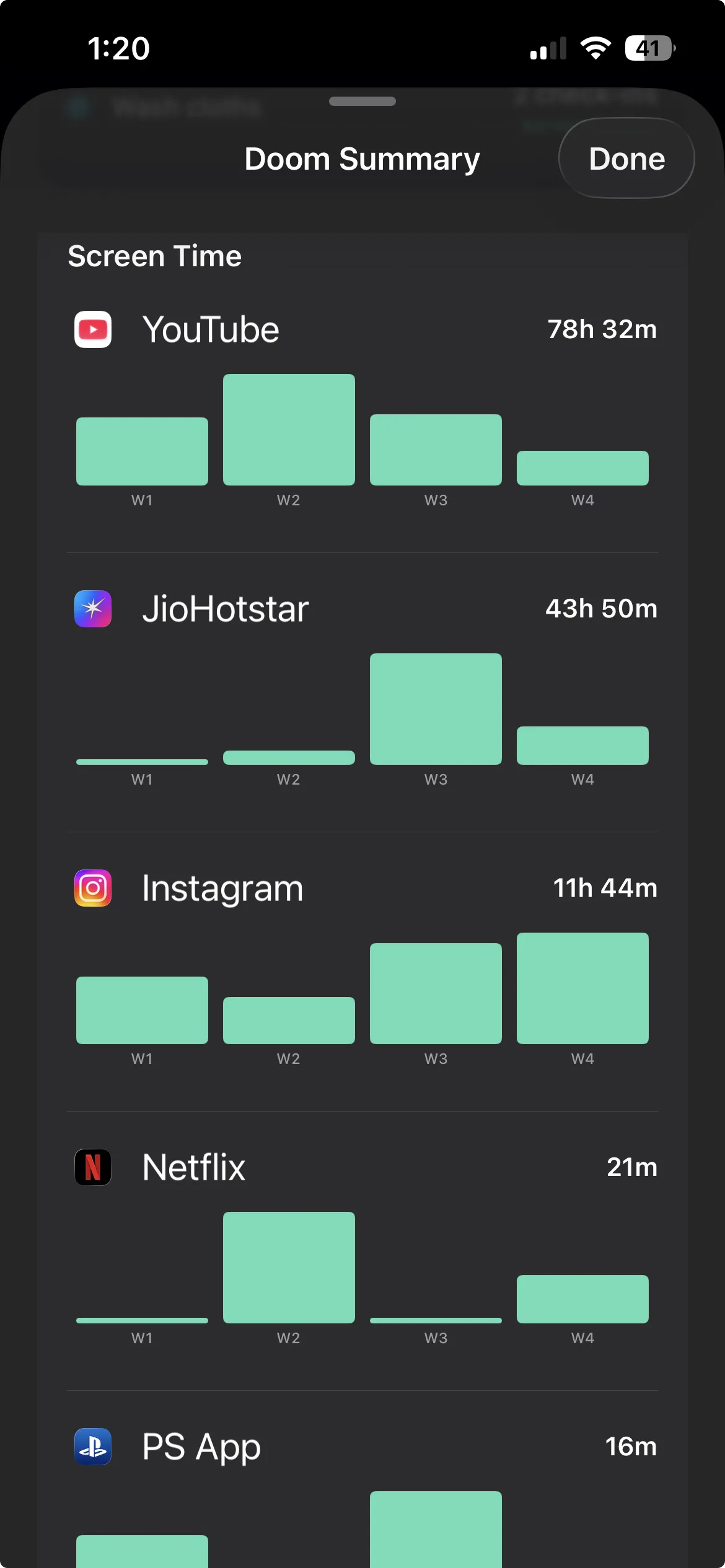
By week four the hard part is mostly behind you. The urge is quieter, the replacements are forming, your screen time number is down. And this is exactly where most 30-day detoxes fall apart, because the structure was always temporary. The blocks were scheduled, the willpower was finite, and on day 31 the schedule ends and everything snaps back.
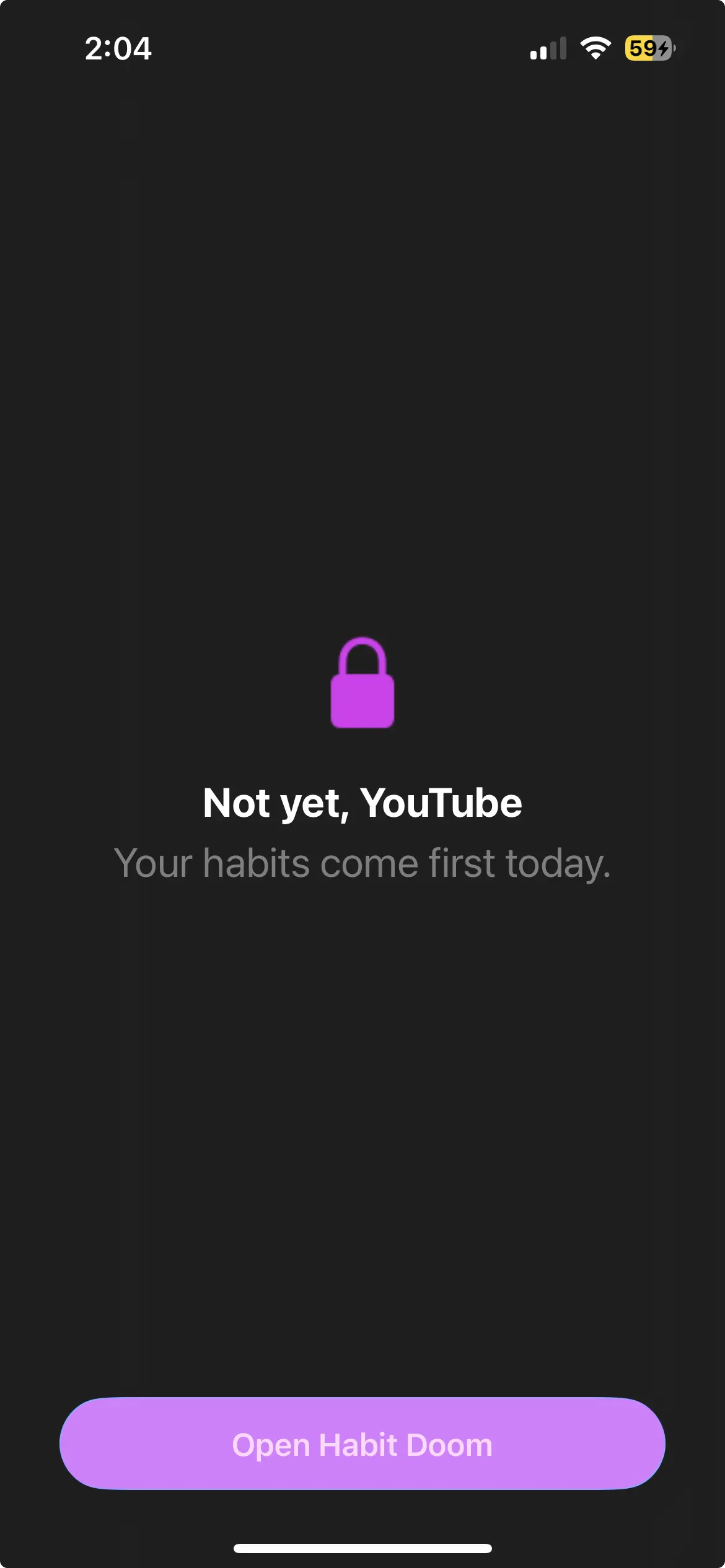
The fix is to change what the access depends on. For the first three weeks, your apps were locked by a clock. The clock is arbitrary, and arbitrary rules invite negotiation ("it is technically 9:58, close enough"). What holds up long-term is access that is earned, not merely timed.
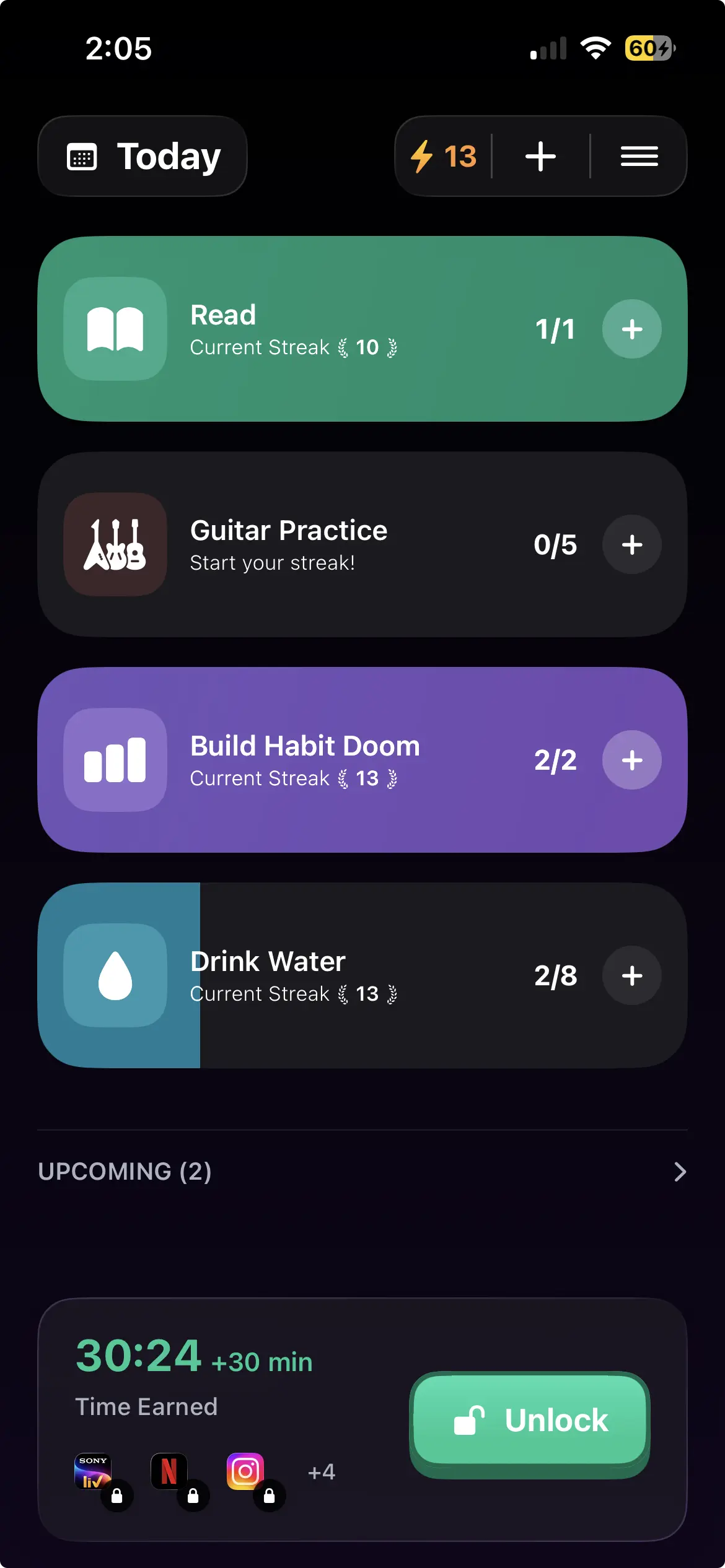
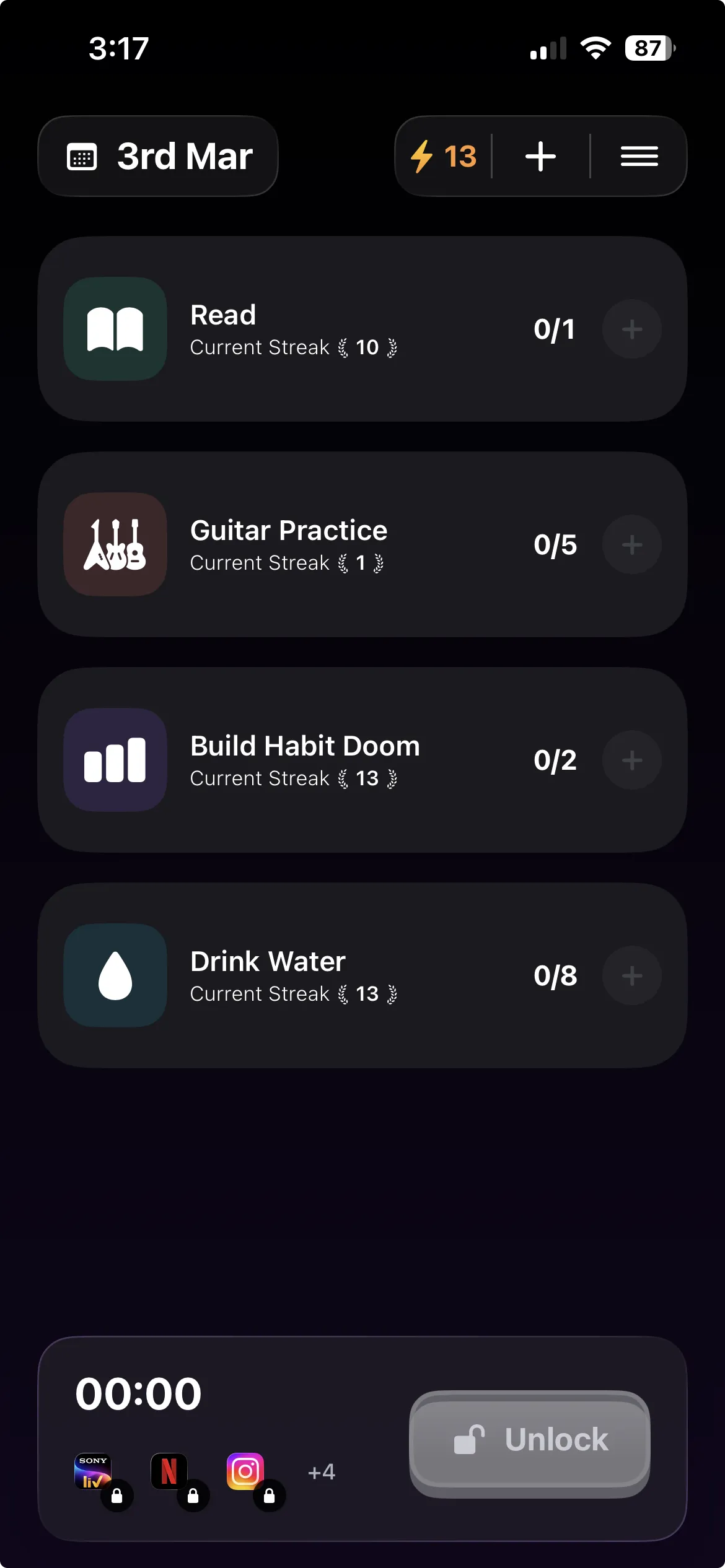
This is the idea behind conditional locking, and it is the mechanism Habit Doom is built around. Instead of "Instagram unlocks at 10am," the rule becomes "Instagram unlocks when you finish your morning habits." Your distracting apps stay locked at the iOS system level until you check off the things you actually wanted to do that day: drink water, read ten pages, work out, whatever you chose. Do the habits, earn the screen time.
The difference matters more than it sounds. A timed block is something done to you, and the moment it lifts there is nothing left holding the line. Earned access flips that. You are not being punished with a locked phone. You are unlocking it with a small win. After 30 days the structure does not expire, because it was never about the calendar. It is about a daily condition you keep meeting. That is what turns a 30-day experiment into a default you stop noticing. The author of our 30-day blocking experiment makes exactly this point: the system stuck because it asked for honesty and a checklist, not white-knuckled discipline.
A couple of honest notes for week four and beyond:
- Start with one or two habits, not five. The condition should be easy enough that you actually clear it every day. You can add more once the routine is stable.
- Slips are part of the plan, not a failure of it. You will have an off day. The point of a system is that it is still there the next morning, no fresh resolve required. Rebuild the streak, do not reset your self-image.
Habit Doom's free tier covers up to 3 habits, app blocking, custom alarms, and streaks, which is everything this plan needs. Its Anti-Cheat photo verification (check-ins your camera confirms on-device) is free too, which closes the "I'll just tell it I did it" loophole that sinks honor-system habit apps. There is a paid tier if you later want unlimited habits and extras, but the free version is enough to run week four. Whatever tool you use, the mechanism is the point: access earned by finishing the day's habits.
The plan on one page
| Week | Job | What you actually do |
|---|---|---|
| 1 | Audit and friction | Record baseline screen time and pickups. Turn on grayscale. Prune notifications. |
| 2 | Cut the worst loop | Block your single biggest time-sink app in the morning and before bed. |
| 3 | Replace the reach | Pre-stage one or two easy activities so the alternative beats the scroll. |
| 4 | Make it stick | Switch from timed blocks to earned access: apps unlock when daily habits are done. |
Notice what this plan does not ask of you. It does not ask you to delete your apps, quit social media, hate your phone, or summon heroic willpower on a bad night. It asks you to change one variable a week and to be honest with a checklist. That is a low enough bar that you can actually clear it.
Thirty days will not rewire you completely. The research says full automaticity takes longer than that. But thirty days is plenty to break the autopilot, see your own numbers drop, and build a structure that keeps working after the challenge ends. The version of you on day 31 is not a different person. They just have their thumb back.
If the part that resonated was earned access (apps that stay locked until you have done the thing you meant to do), that is the specific job Habit Doom is built for. Set your habits, block your worst apps, and let the system hold the line so you do not have to.
Frequently Asked Questions
Keep Reading
Try Habit Doom
Lock your distracting apps. Complete your habits. Earn your screen time. It takes 30 seconds to set up.
Download Free