

How to Remove Reels From Instagram (2026)

 X
 LinkedIn
Can you turn off Reels on Instagram?
No. Instagram has no setting to turn off, hide or remove Reels. We went through the app's settings on 20 November 2026 and there is no switch for it. Reels have their own tab, and they also show up in your main feed and in Explore.
So every method below works around Instagram rather than inside it. The right one depends on your phone and on what you still need Instagram for.
| What you want | iPhone | Android |
|---|---|---|
| Instagram without Reels, DMs kept | Use Instagram through another app that leaves Reels out (paid) | An app with Accessibility permission that blocks Reels inside the real app |
| Less Instagram overall, free | Lock or limit the whole app | Lock or limit the whole app |
| No YouTube Shorts | YouTube's own Shorts feed limit | YouTube's own Shorts feed limit |
Why iPhone apps can't remove Reels from Instagram
On iPhone, one app is not allowed to change what another app shows. A blocker can see that Instagram is opening and cover the whole app, but it cannot reach inside Instagram and remove one tab. This is how Apple's Screen Time system is built, and it is why every app blocker on iPhone works on whole apps. We explain the system in the Screen Time API guide.
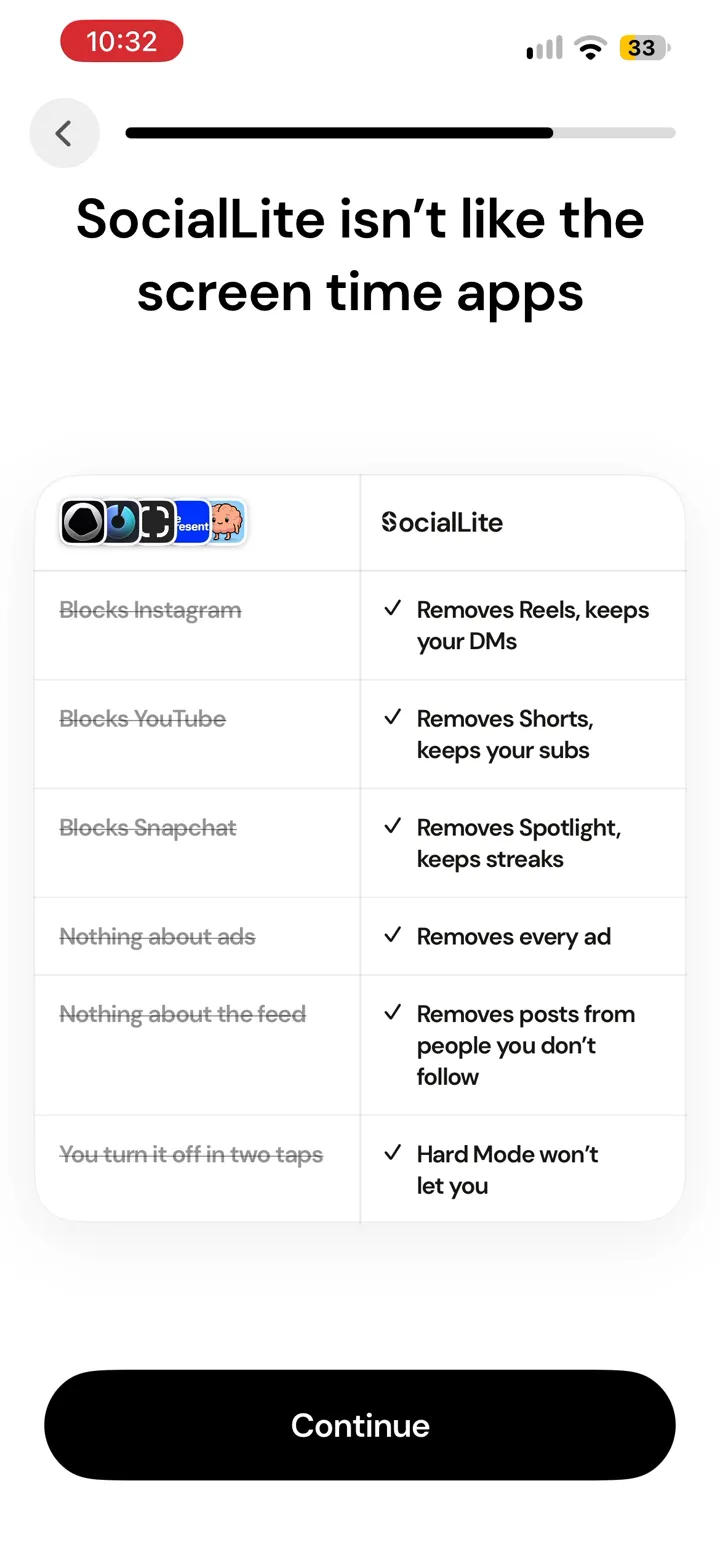
SocialLite, the best-known app for removing Reels, says the same in its FAQ: iOS does not let any app change what happens inside another app. So it takes a different route, described next.
Option 1: use Instagram through another app (iPhone)
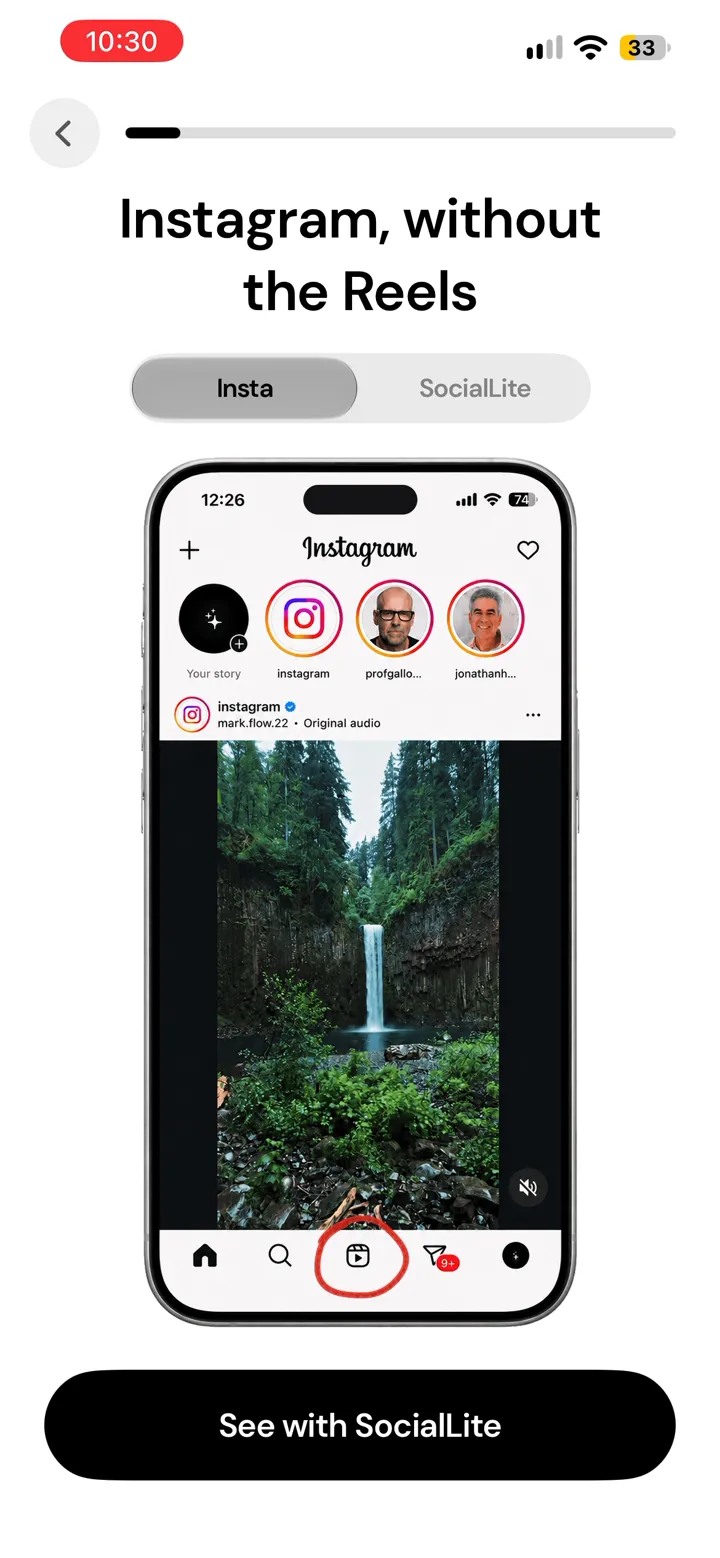
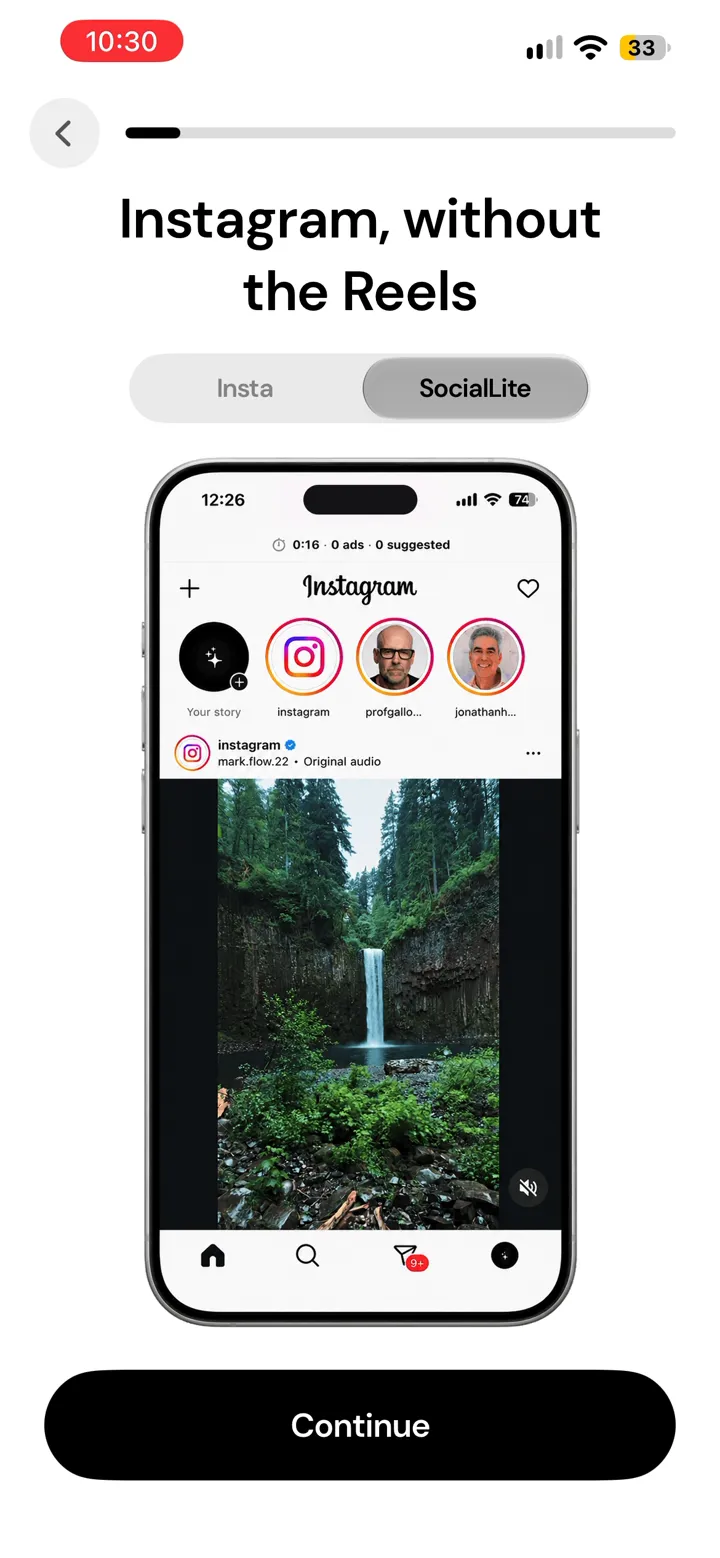
The only way to get Instagram without Reels on iPhone is to stop using Instagram's own app for it. SocialLite does this. According to its FAQ:
- It opens your Instagram account inside its own app, in a version without Reels, Shorts, algorithmic feeds or endless recommendations. You log in to Instagram inside SocialLite.
- You keep messages, your profile, posts and Stories from people you follow.
- If you open the real Instagram app, SocialLite sends you to its version instead.
- Some Instagram features are missing: sending videos, one-time photos in DMs, story polls, music on some posts, and creator tools. Posting goes through a "Post Mode" that briefly unlocks the real app.
The catches:
- It costs money. New users need a subscription. The US reference price is $9.99 a month or $29.99 a year, and we were not shown a free option when we installed it. The details are in is SocialLite free.
- It is slower than Instagram. SocialLite's FAQ says its version is meant to feel slow. About a third of the negative App Store reviews we read complain about lag, being logged out or bugs.
- You are logging in to Instagram inside another company's app. SocialLite says it never sees your password. A few reviewers say Instagram flagged their account or kept logging them out. That is a small number of reports, but if your account matters for work, think about it first.
We stopped at SocialLite's paywall, so the list above is what SocialLite says, not something we tested inside the app.
Option 2: block Reels inside the real app (Android)
Android allows something iPhone does not. An app with the Accessibility permission can see what is on screen in other apps and react to it, so it can notice when Reels opens inside the real Instagram app and close or cover it.
Several Android apps do exactly this, and they block only the Reels screen, so messages, Stories and your own posts keep working. These three describe it on their Google Play listings (read 20 November 2026). We have not tested them, and all three are small:
| App | What its listing says | Price, per the listing | Downloads |
|---|---|---|---|
| Scrolless | Blocks Reels, Shorts, TikTok, Facebook Reels and Snapchat; block all, a daily limit or an interval timer; can still allow videos friends send in DMs | Free, no ads, open source | 5K+ |
| Decafly | Turns off Reels and Shorts inside the real apps; each screen (Reels, Stories, Shorts) can be switched on or off | "Blocking is free", with in-app purchases | 500+ |
| Focsy | Blocks Reels and Shorts with daily limits or focus schedules; a Strict Mode and an option for a friend to approve changes | No in-app purchases listed | 100+ |
Detection like this depends on how Instagram's screens are laid out, so an Instagram update can break it until the app catches up. Some phones (Samsung, Xiaomi and others) also close background apps aggressively, which can switch blocking off until you change the phone's battery settings.
Accessibility is a powerful permission. It is the same one most Android app blockers use, ours included, because nothing gentler lets an app see what is on screen. Give it only to an app you trust, and check that the app explains what it does with it.
Option 3: lock all of Instagram entirely (free)
If you can live without Instagram for part of the day, locking the whole app is free and works on both phones. You lose DMs during the locked hours along with Reels. That is the trade.
- Apple Screen Time (iPhone, built in): set an App Limit on Instagram or a Downtime schedule. The weakness is the Ignore Limit button, which skips the limit in one tap.
- Android's Digital Wellbeing (built in): app timers lock Instagram for the rest of the day once you reach your limit.
- ScreenZen (free, iPhone and Android): adds a pause before Instagram opens and can cap how many times a day you open it.
- Habit Doom (our app, free to start): keeps Instagram locked until you have done your daily habits, then unlocks it. It locks the whole app, so it does not remove Reels while keeping DMs. It answers a different question: not "how do I use Instagram without Reels" but "how do I stop opening it before I have done what I meant to do".
More on the differences in how to lock Instagram on iPhone.
Reels in Facebook and Shorts in YouTube
YouTube is the one big app that gives you a real control. In the YouTube app, go to Settings, then Time management, then Shorts feed limit, and set it as low as it goes to remove most Shorts. It can be switched back on in a few taps. Full steps in how to stop watching YouTube Shorts.
Facebook Reels work like Instagram's: there is no switch. The same three options apply. SocialLite lists Facebook as a beta, and some reviewers say Facebook Reels still get through.
Which method should you pick?
- You need Instagram for messages and Reels are the only problem: on iPhone, a paid app like SocialLite that rebuilds Instagram without Reels. On Android, an Accessibility-based blocker such as Scrolless, which is free.
- You do not need Instagram during the day: lock the whole app for free, and check messages at set times.
- You keep opening Instagram on autopilot: a lock with a condition, such as a pause or a habit to finish first, does more than a timer you can skip.
Sources
- SocialLite FAQ (read 20 November 2026)
- SocialLite: How to remove Reels from Instagram (read 20 November 2026)
- SocialLite pricing page
- SocialLite on the App Store (US)
- Scrolless, Decafly and Focsy on Google Play (read 20 November 2026)
- YouTube Help: Shorts feed limit
- Our check of Instagram's settings, 20 November 2026, and our SocialLite install on iPhone, the same day
Frequently Asked Questions
Keep Reading
Try Habit Doom
Lock your distracting apps. Complete your habits. Earn your screen time. It takes 30 seconds to set up.
Download Free