


Refocus Alternatives for iPhone (2026)

 X
X LinkedIn
Refocus alternatives: quick answer
The best Refocus alternatives for iPhone in 2026 are Habit Doom (apps unlock after your habits are done), Opal (polished scheduled sessions), Foqos (free, unlocks with a physical tag), ScreenZen (free pause with an open counter) and One Sec (a gentler breathing pause). Two of them are free outright.
Refocus is a good blocker, so most people leave it for one of three reasons: they want the same control without a subscription, they keep turning Strict Mode down when it gets inconvenient, or they found it more machinery than they needed.
What Refocus does well
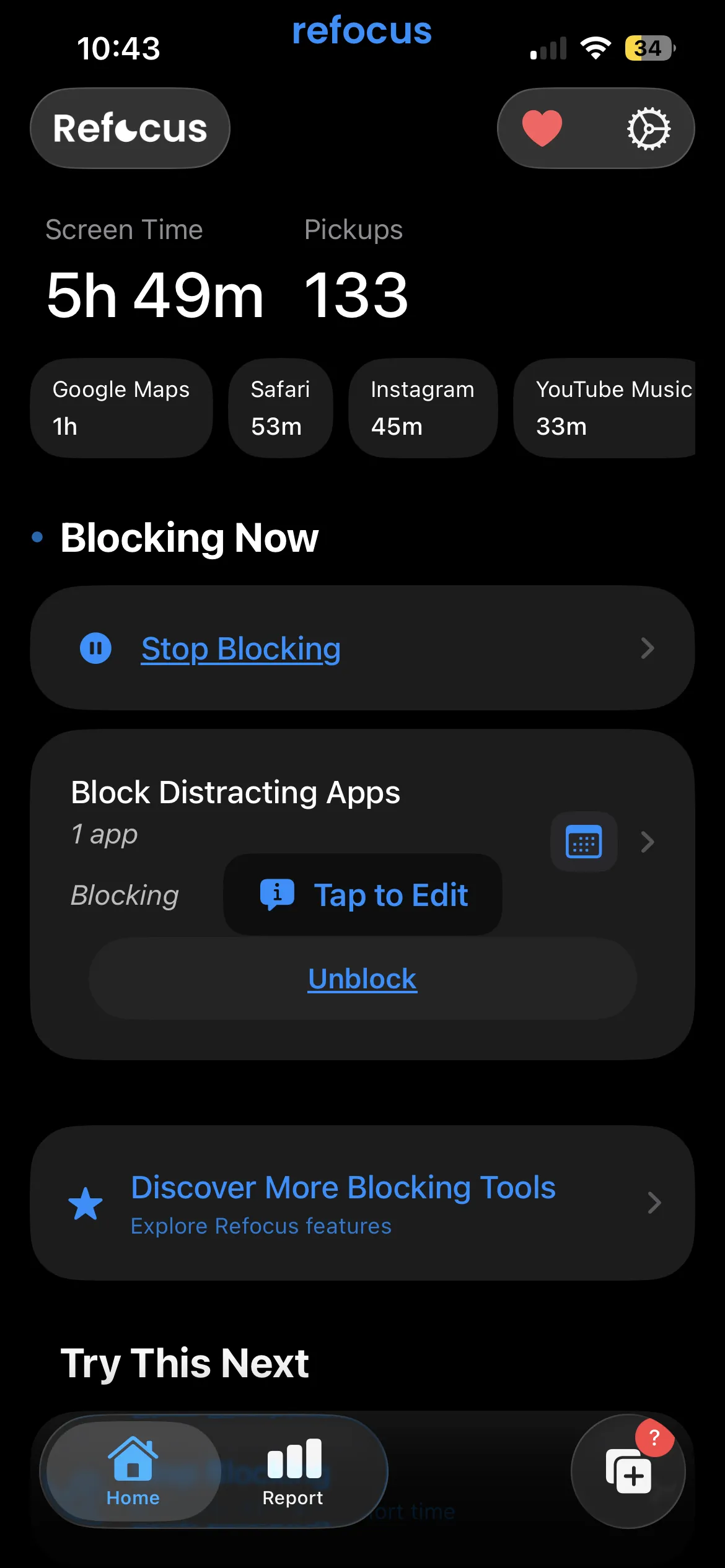
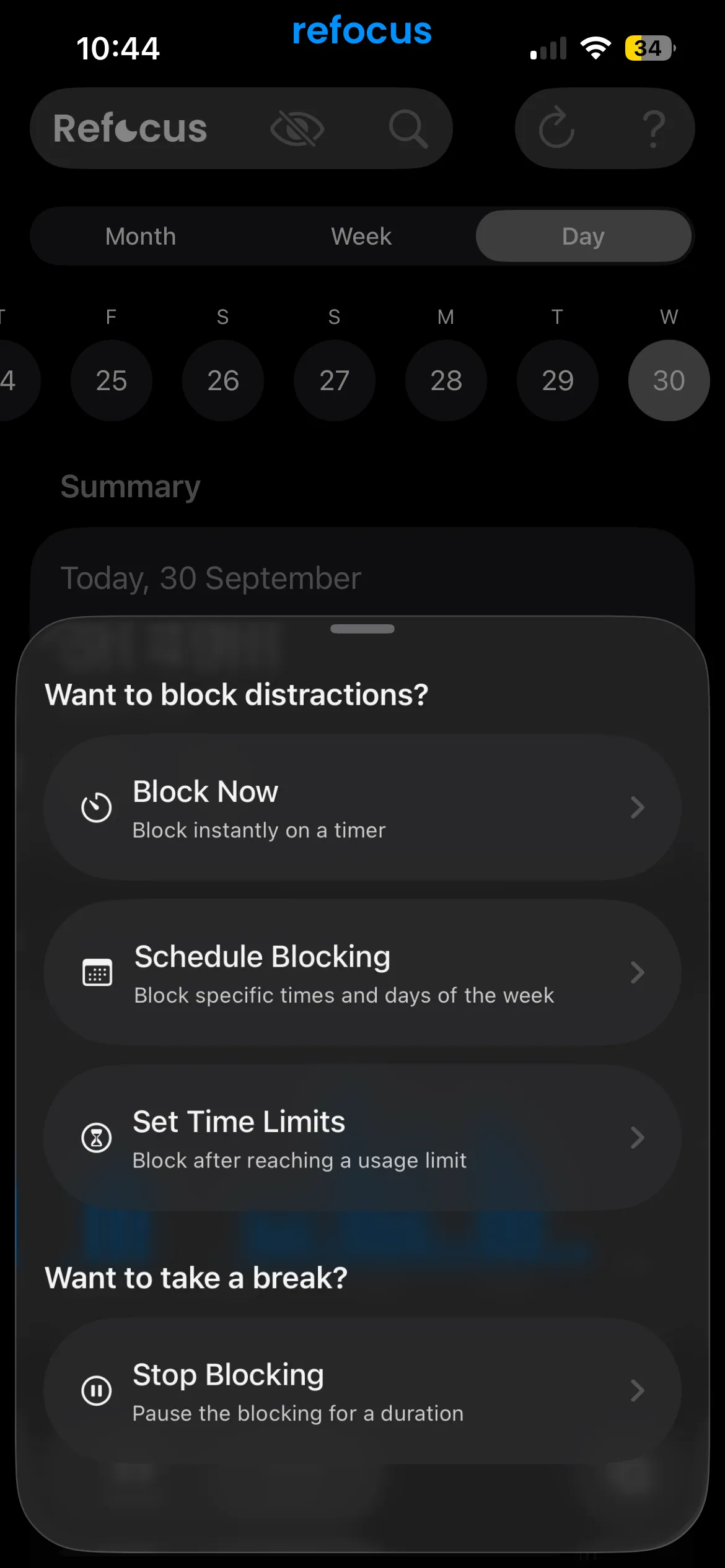
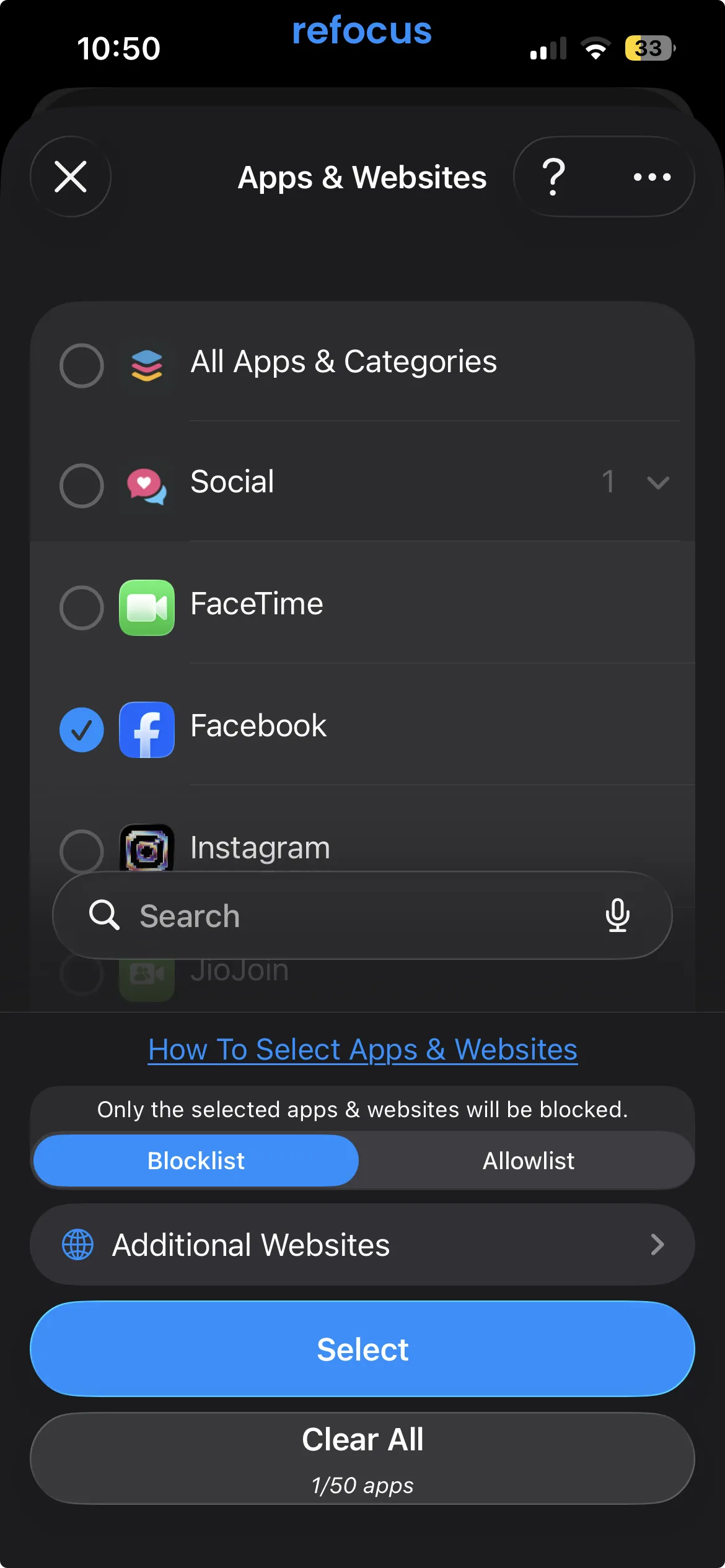
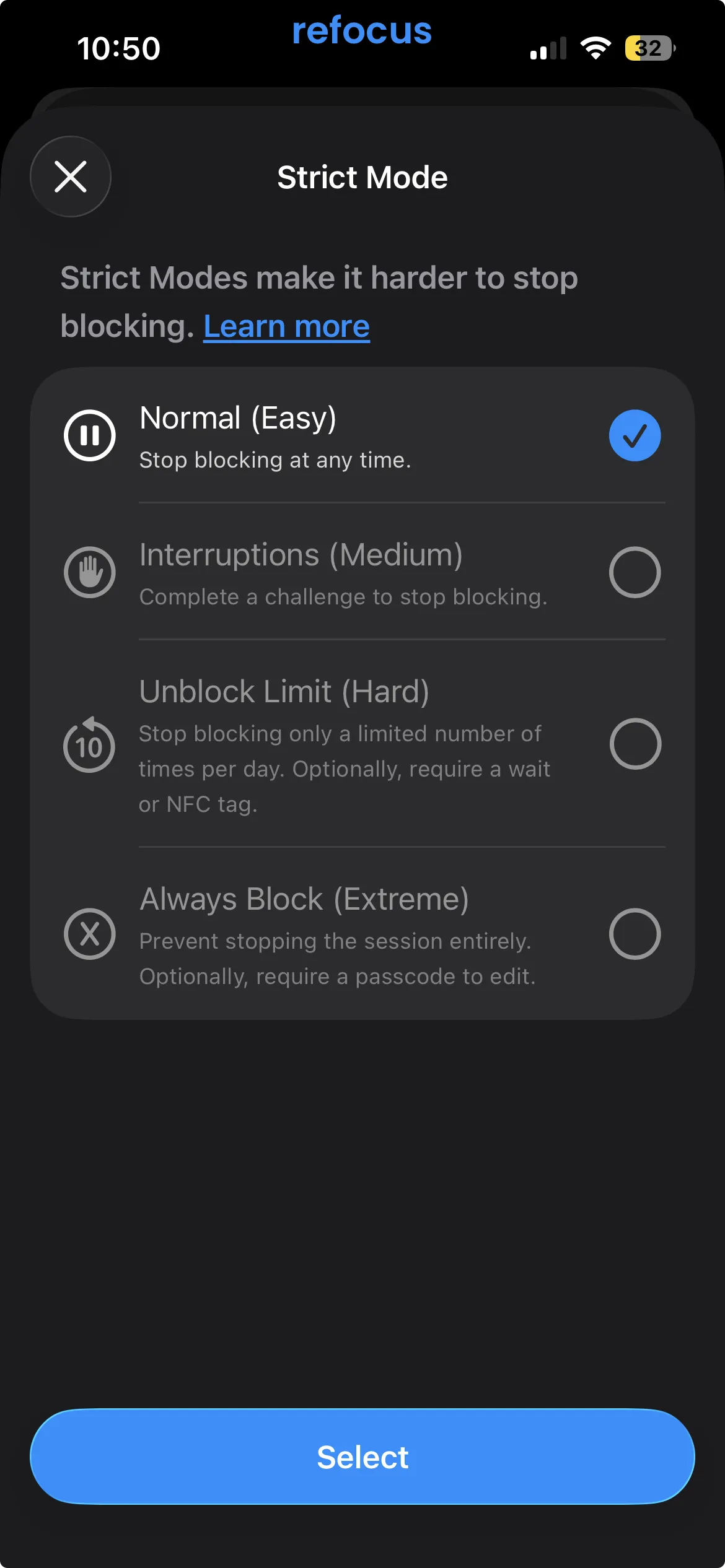
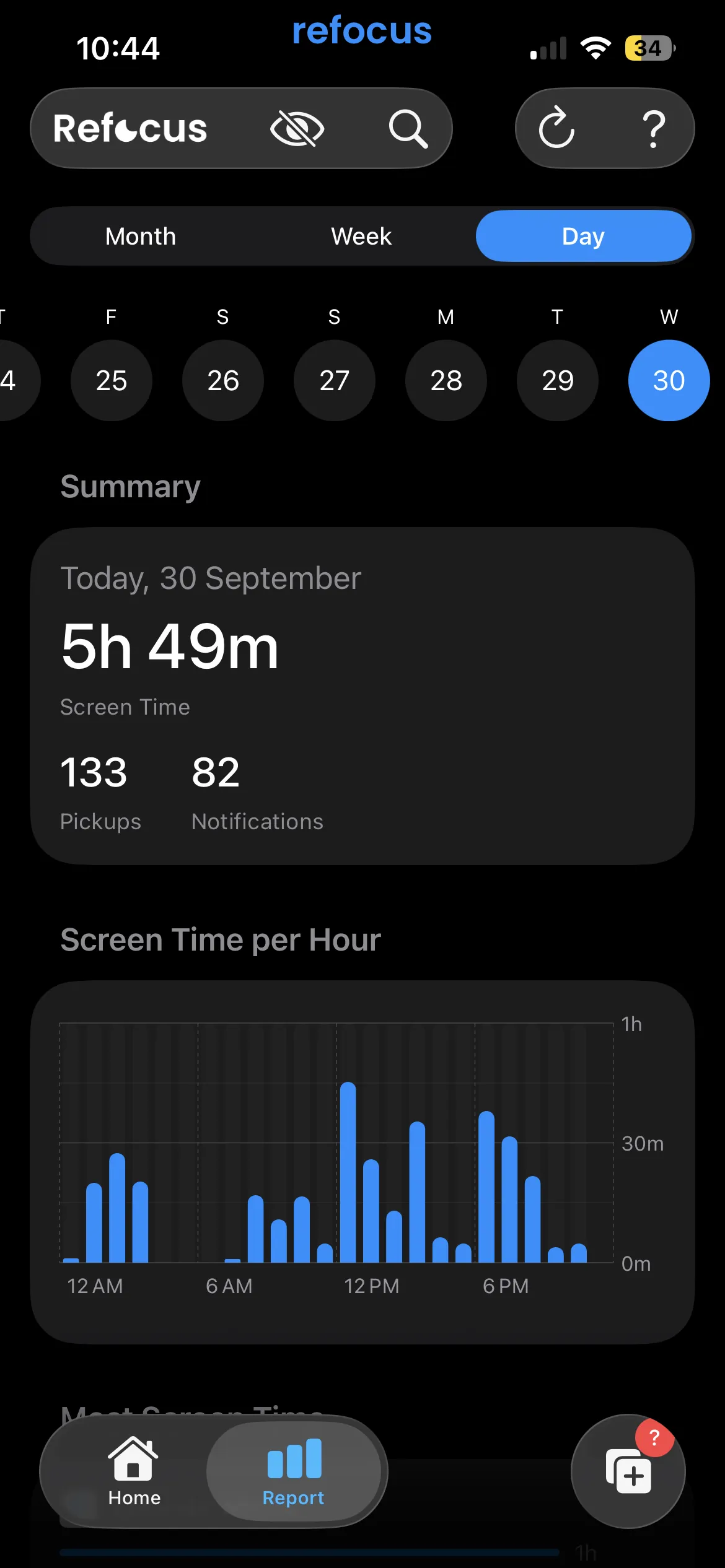
Refocus, by Labi, LLC, has about 11,500 US App Store ratings at 4.8 stars, and it is one of the more flexible blockers on iPhone. We went through it on an iPhone this week. Starting a block offers four routes: Block Now on a timer, Schedule Blocking for set days and hours, Set Time Limits that block after a usage cap, and Stop Blocking to pause for a set duration. You can build a blocklist or flip it to an allowlist, add websites, and block by location. There is a Mac app too.
The part worth understanding is Strict Mode, which comes in four levels:
- Normal (Easy): stop blocking at any time.
- Interruptions (Medium): complete a challenge to stop.
- Unblock Limit (Hard): a limited number of unblocks per day, optionally behind a wait or an NFC tag.
- Always Block (Extreme): the session cannot be stopped, and a passcode can protect edits.
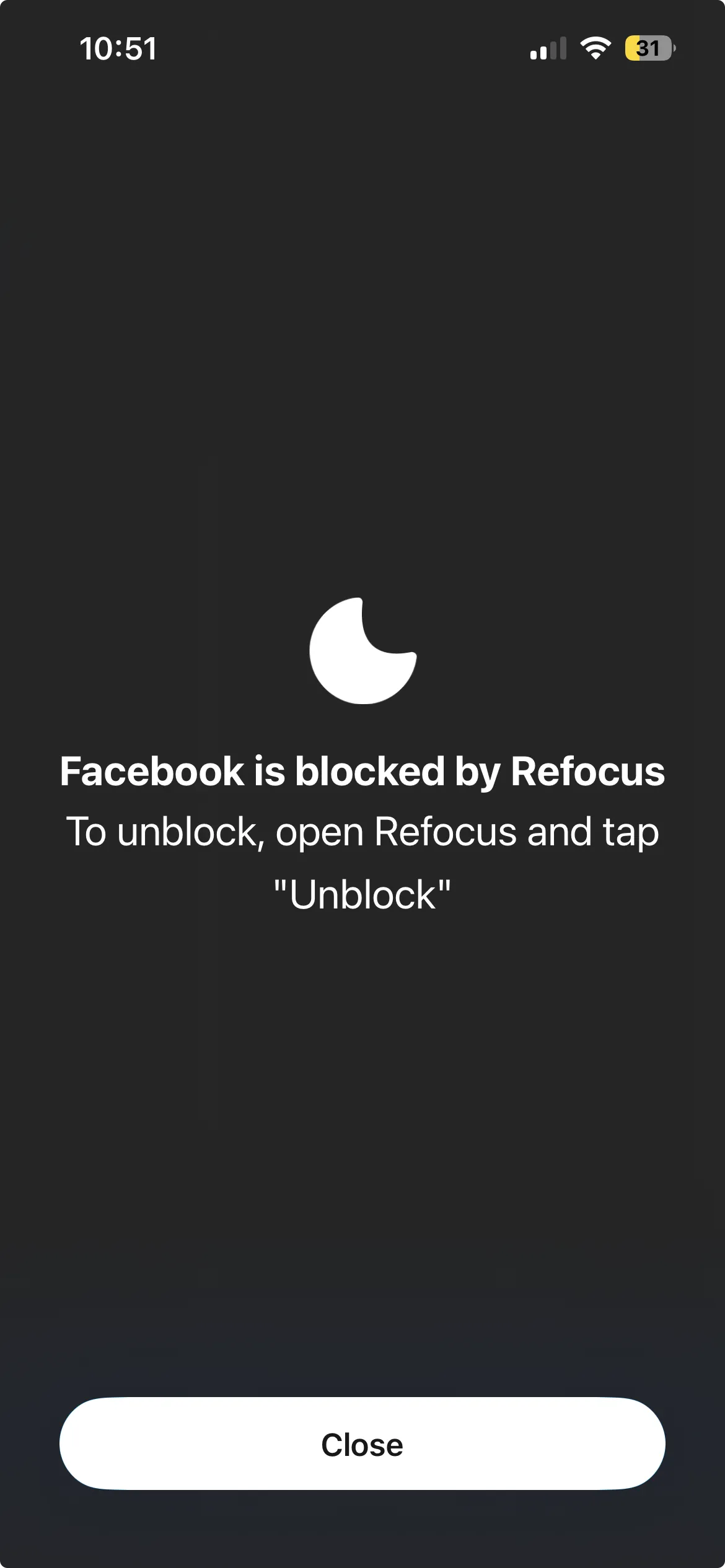
When you open a blocked app you get a plain shield: "Facebook is blocked by Refocus. To unblock, open Refocus and tap Unblock." Onboarding lets you continue as a guest, so no account is required.
Pricing. Onboarding leads with a 7-day free trial of Refocus Pro. The US App Store lists Refocus Pro plans between $7.99 and $59.99, and prices vary by country, so check the paywall for your region.
The 5 best Refocus alternatives
1. Habit Doom: when you keep lowering Strict Mode
Every Refocus level is a setting you choose, and the version of you choosing it is usually calm. The one who wants Instagram at 11pm can pick Normal next time. Habit Doom takes the setting away. Distracting apps stay locked by default and open only when your daily habits are done, whether that is reading, a workout or an hour of study. There is no level to lower, only work to finish.
The lock uses Apple's Screen Time API and holds through force-quit and uninstall. Free Anti-Cheat asks for a real-time photo when you check off a habit and matches it on your iPhone, so ticking "workout" from the couch does not unlock anything. It is free with 3 habits, app blocking, custom alarms, streaks and Anti-Cheat, with no ads. Pro is $4.99 a month, $19.99 a year with a 7-day free trial, or $29.99 once. It is also on Android, which Refocus is not.
Pick it if you have tried strict blockers and keep finding a way to switch them off.
2. Opal: the polished paid peer
Opal is the closest thing to Refocus in shape: scheduled blocks, app limits, blocklists and allowlists, plus stronger analytics and social features. Its free plan gives you app blocking with one rule. Unlimited rules, Hard Mode ("you can't turn Opal off") and the Allow Only list are Pro, at $19.99 a month or $99.99 a year on Opal's pricing page, with a lifetime option at $399. It now runs on iPhone, Android and Mac.
Pick it if you like Refocus's structure but want a more polished app and reporting, and the price does not bother you. More detail in is Opal free.
3. Foqos: free, with a physical key
Foqos is free, open source and has no subscription; its only in-app purchases are optional developer tips. You start and end sessions by tapping an NFC tag or scanning a QR code or barcode, so the off switch lives on a sticker across the room. It also has manual timers, smart schedules and timed breaks. It is iPhone only.
That is close to Refocus's "Unblock Limit with an NFC tag" level, without paying for it. Pick it if a physical key is the kind of friction that works on you.
4. ScreenZen: the free pause
ScreenZen is free and supported by a tip jar. Opening a blocked app gets you an "Is this important?" pause, a short delay and a count of how many opens you have left today. There is also a Strict Block mode for scheduled hours. It is less configurable than Refocus, and that is part of its appeal.
Pick it if you want to spend nothing and a pause is enough friction for you.
5. One Sec: the gentler option
One Sec interrupts an app open with a breathing exercise, then asks if you still want to continue, and tracks how often you did not. It is $6.99 a month, $19.99 a year or $99.99 lifetime in the US App Store, with a free tier. It is friction rather than a lock, which is the point.
Pick it if Refocus felt like too much, and you want a nudge rather than a wall.
Refocus vs the alternatives
| App | Price (US) | How apps unlock | Free option | Platforms |
|---|---|---|---|---|
| Refocus | Pro $7.99 to $59.99, 7-day trial | Strict Mode level you choose | Trial | iPhone, Mac |
| Habit Doom | Free / $4.99 mo | Finish your habits | Yes (3 habits) | iPhone, Android |
| Opal | Free / $19.99 mo | Schedule, Hard Mode on Pro | Yes (1 rule) | iPhone, Android, Mac |
| Foqos | Free | Physical tag or code | Yes | iPhone |
| ScreenZen | Free | Pause and open limit | Yes | iPhone, Android |
| One Sec | Free / $6.99 mo | Breathing pause | Yes (limited) | iPhone, Android |
Is there a free alternative to Refocus?
Yes, three. Foqos is completely free and uses a physical tag as the key. ScreenZen is free with a pause and an open counter. Habit Doom has a free tier that locks apps until 3 habits are done, with no ads. If you only need a backstop, iOS Screen Time is free too, though its Ignore Limit button undoes a limit in one tap.
The honest take
Refocus is a well-built blocker, and its four Strict Mode levels are a smart idea: you decide in advance how hard quitting should be. The weakness is shared by every blocker built on settings. The person who chooses the level on Sunday is not the person who wants to scroll on Thursday night.
Disclosure: Habit Doom is our app, so weigh our take accordingly. If Refocus's Always Block works for you, keep it. If you keep lowering the level, switch to a model where the app opens because you did something, not because you changed a setting.
Frequently Asked Questions
Keep Reading
Try Habit Doom
Lock your distracting apps. Complete your habits. Earn your screen time. It takes 30 seconds to set up.
Download Free