

SocialLite Hard Mode: What It Is and How to Turn It Off (2026)

 X
 LinkedIn
What Hard Mode does
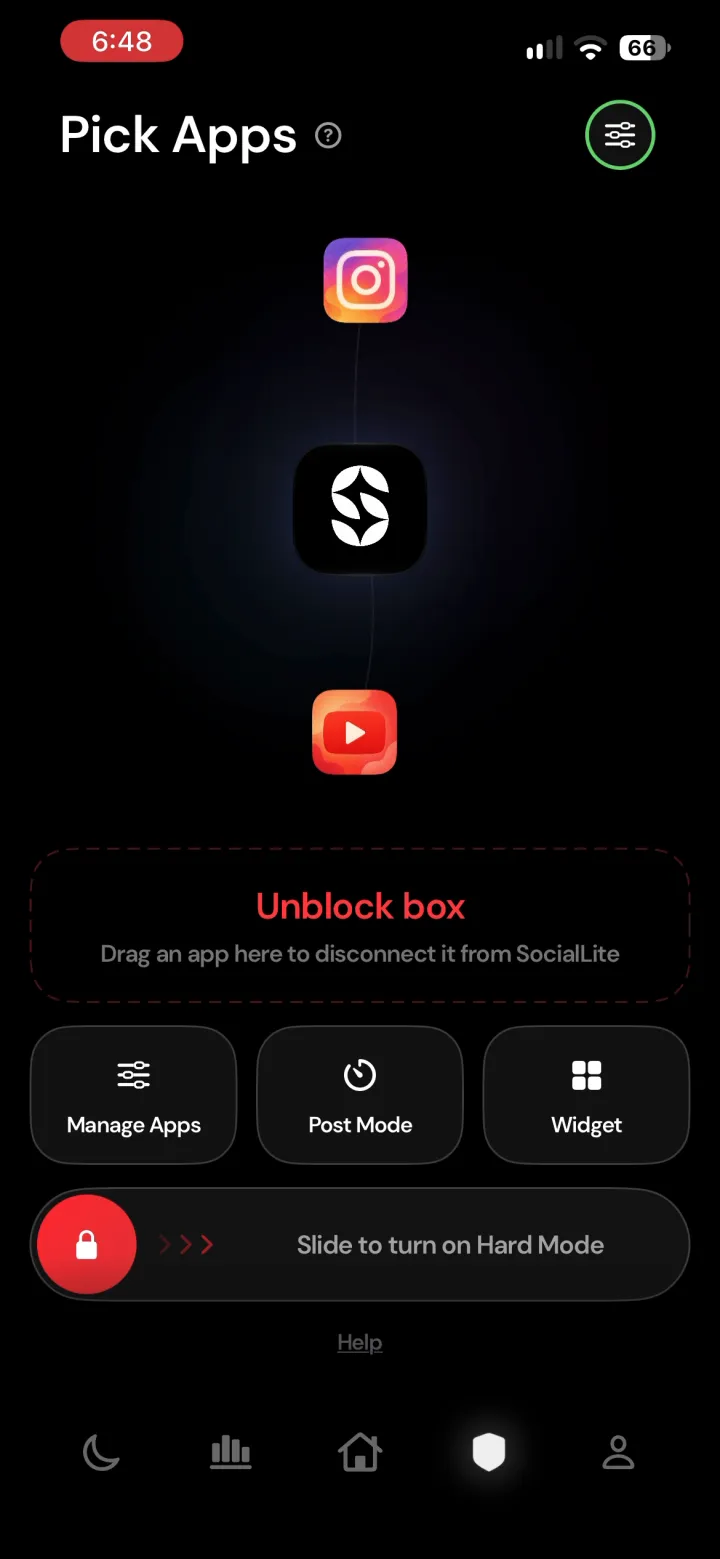
Hard Mode stops you unblocking Instagram and YouTube on a whim. SocialLite blocks the real Instagram and YouTube apps and sends you to its own versions, which have no Reels or Shorts. Normally you can undo that in a second: drag an app into the "Unblock box" on the Pick Apps tab and the real app works again.
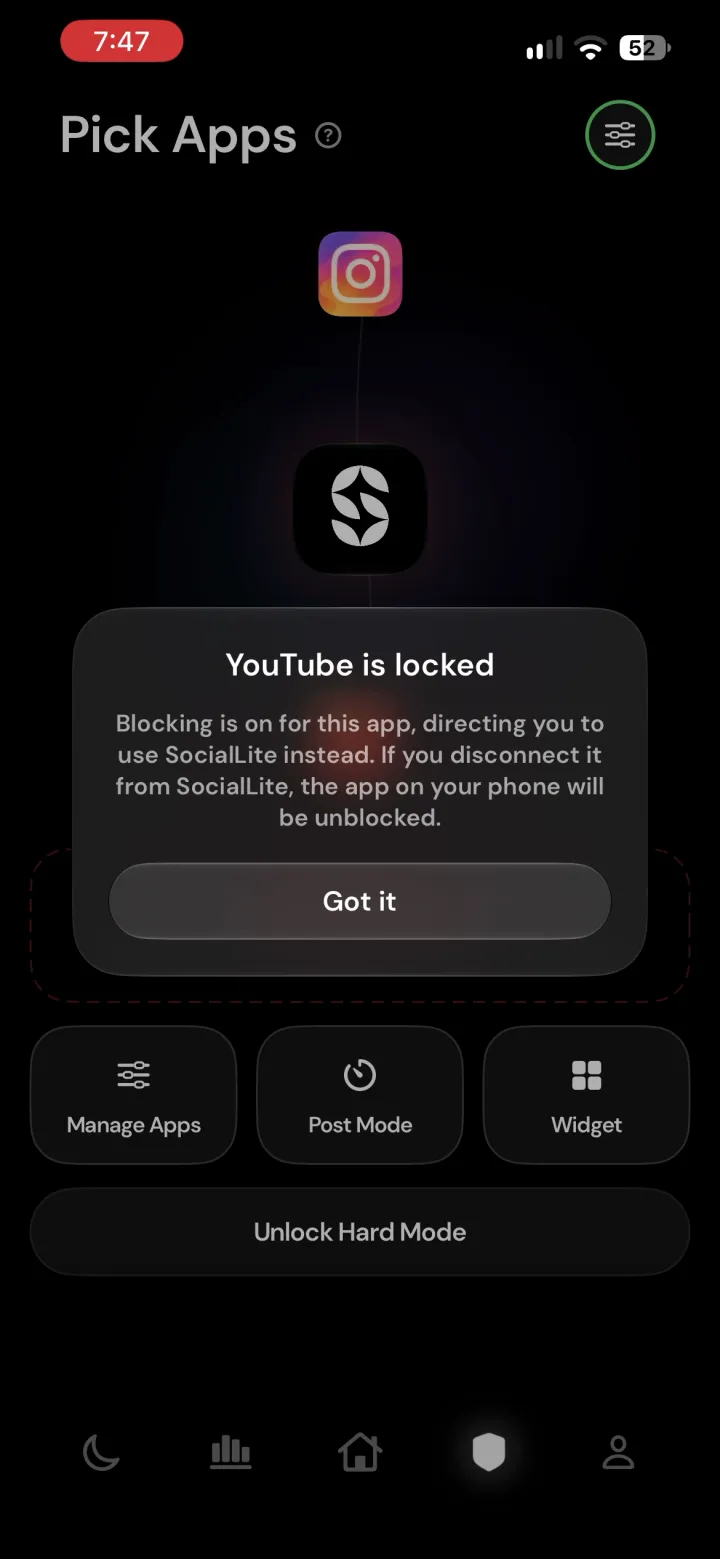
With Hard Mode on, that drag is refused. SocialLite just says the app "is locked", and the only way back is a deliberately slow unlock process. Everything inside SocialLite keeps working as normal.
We tested it on an iPhone on 25 November 2026 (SocialLite 3.1.5, with a paid subscription) and recorded the whole thing, including turning it off. For the rest of the app, see our SocialLite review.
How to turn on Hard Mode
- Open SocialLite and tap the shield icon in the bottom bar (the Pick Apps tab).
- Slide "Slide to turn on Hard Mode" all the way across.
- Read the warning. It says Hard Mode will take about 5 to 10 minutes to deactivate, and that SocialLite's own features and Post Mode keep working.
- Tap "Yes, I'm sure".
The slider is replaced by an Unlock Hard Mode button. That is how you know it is on.
How to turn off Hard Mode
Tap Unlock Hard Mode on the Pick Apps tab. SocialLite then makes you complete four steps in a row:
- Type a passage. A short pledge about why you turned Hard Mode on. Capital letters and punctuation do not matter, but spelling does: we misspelled one word and got "Check the words and keep going" until we fixed it. This was the slowest step, about three minutes.
- Draw a cat. You trace a cat's head on a blank canvas to match an outline. It does not need to be good. Ours was not.
- Multiply without a calculator. The screen says "Solve 5 problems", but ours had three, such as 25 × 19. The number keyboard has no calculator, so you work them out yourself.
- Wait one more minute. "Take 60 seconds to think about whether you want this", with a countdown you cannot skip.
After the countdown the slider comes back, and dragging an app into the Unblock box works again.
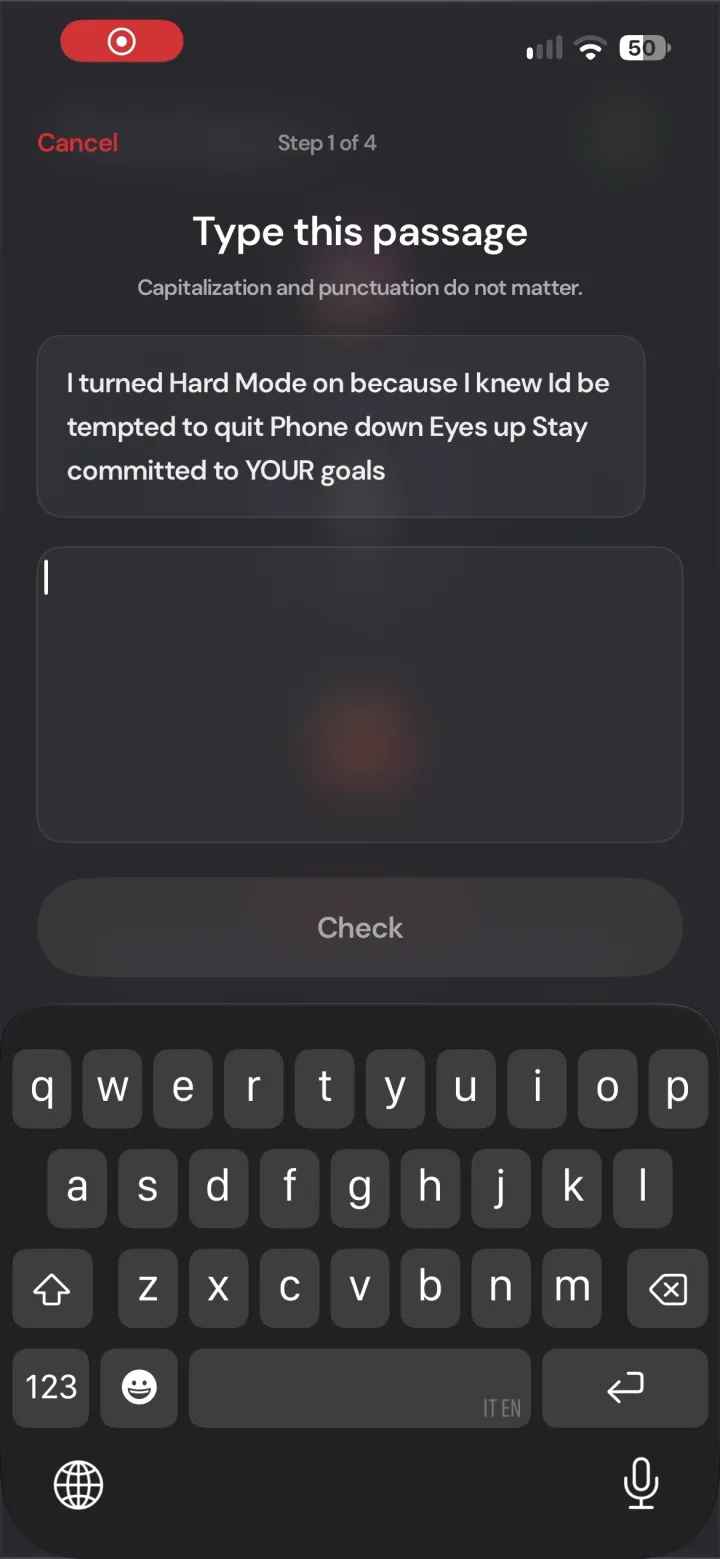
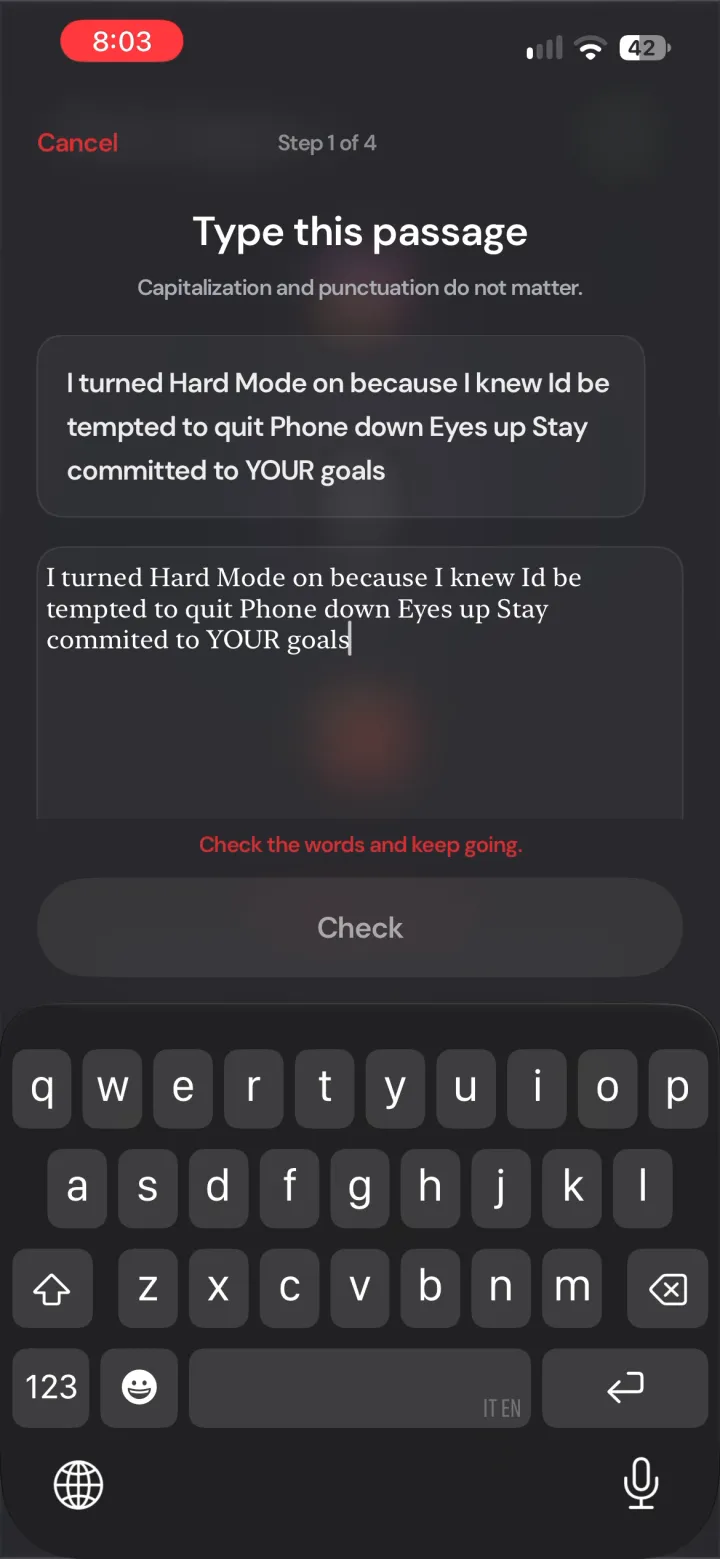
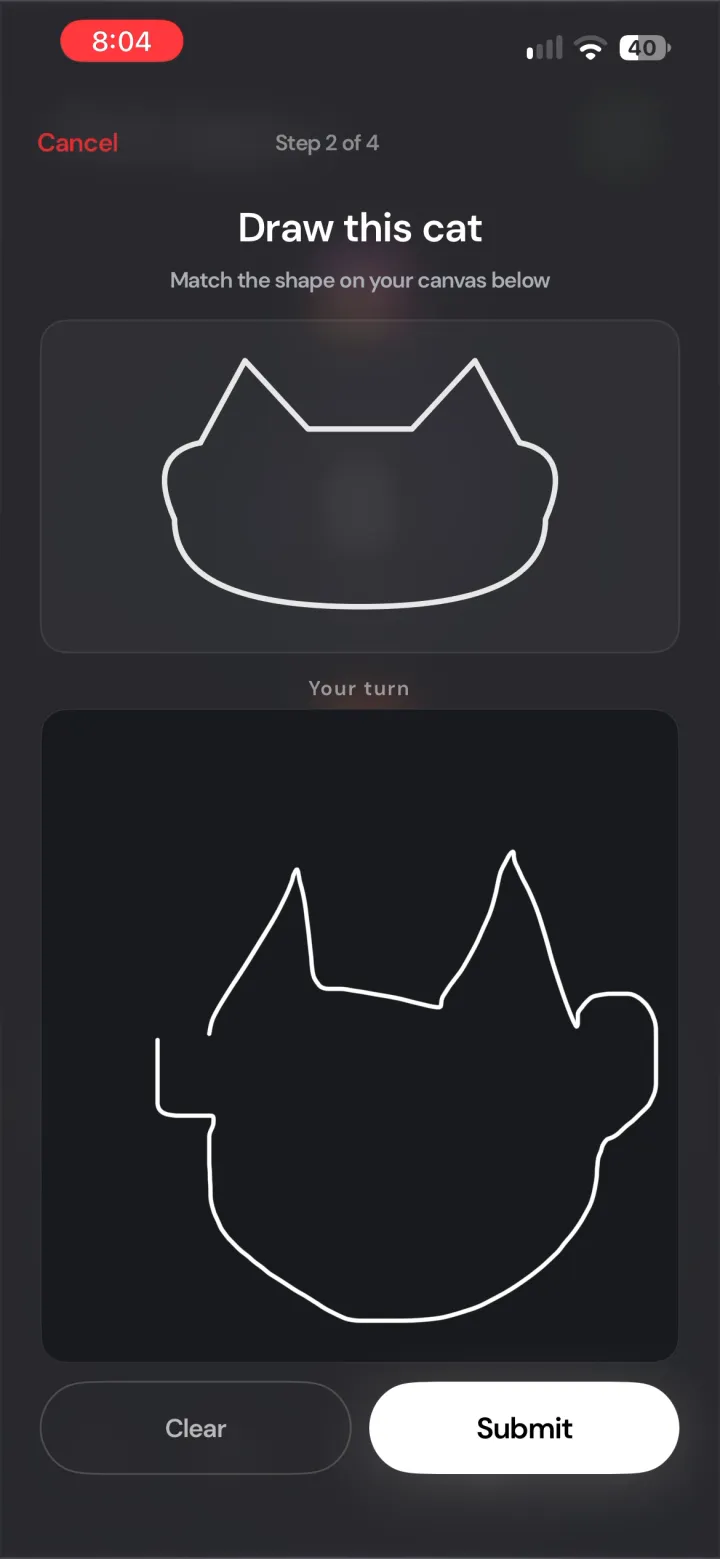
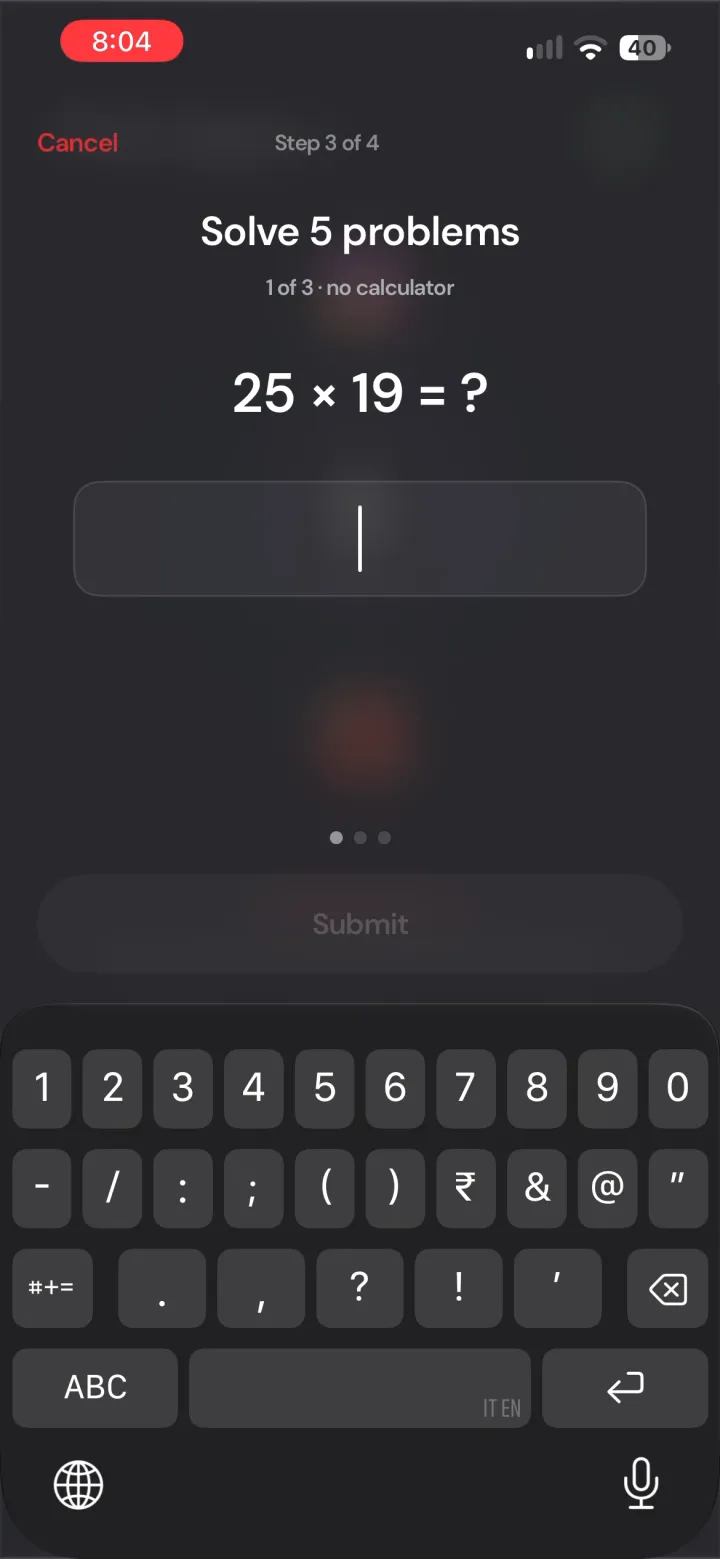
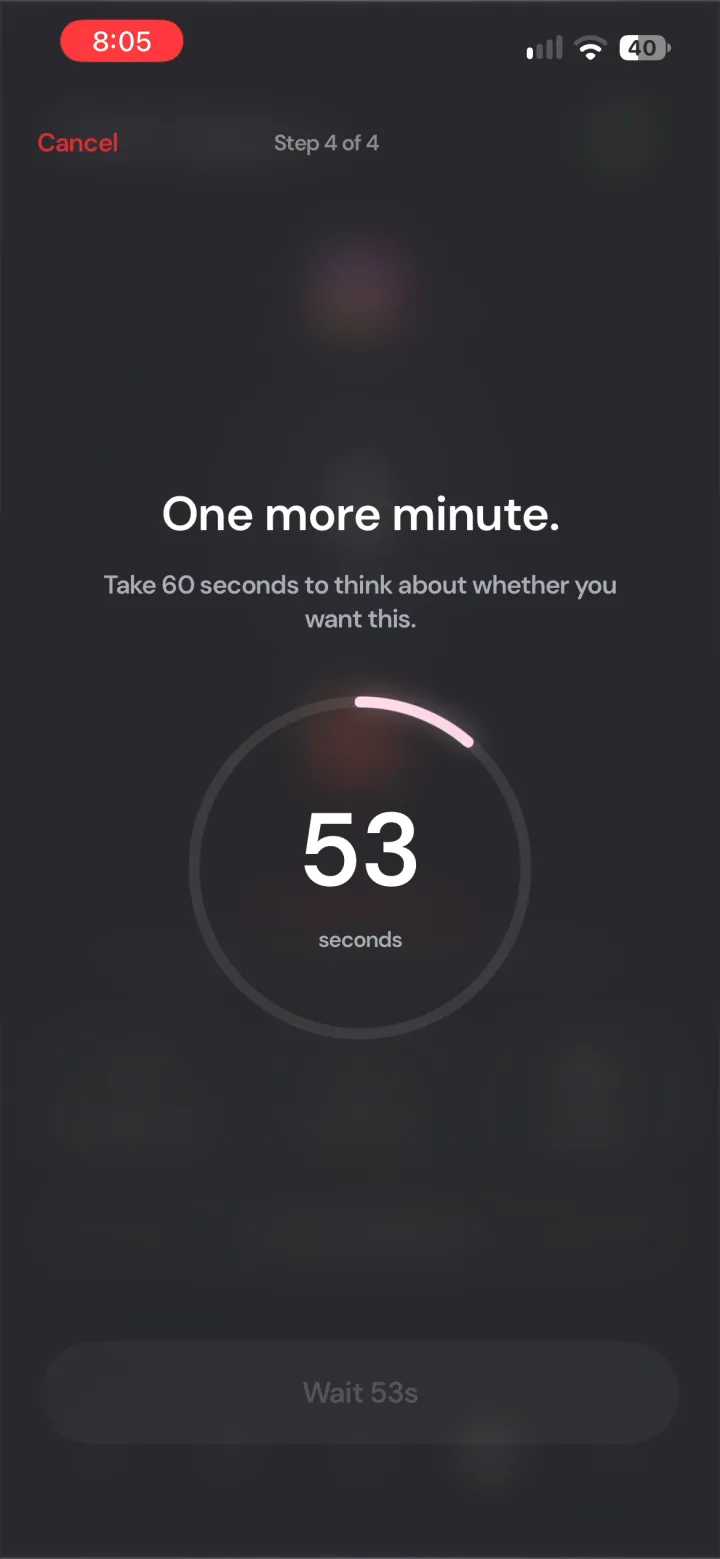
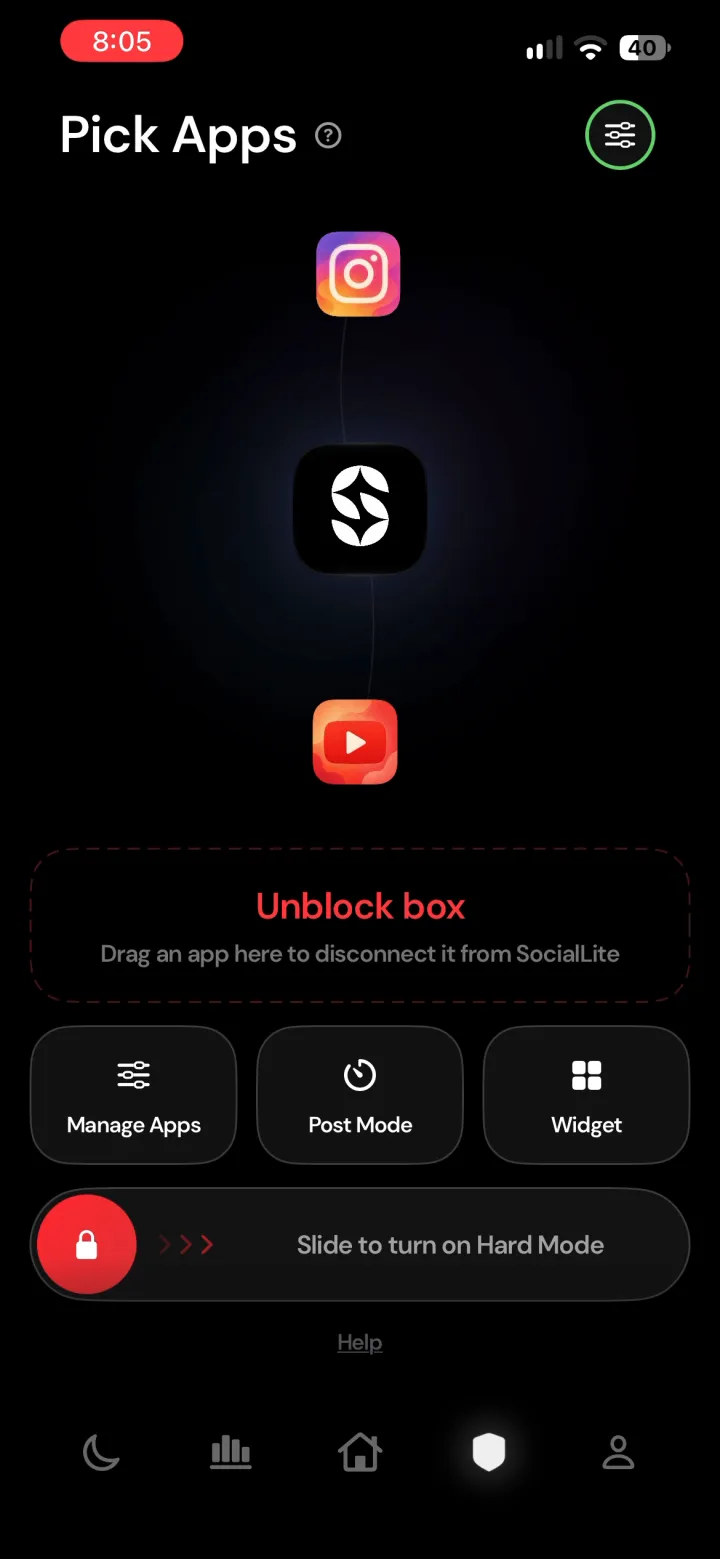
How long it took: about five minutes, from tapping Unlock Hard Mode to the slider coming back, including the misspelled word. That matches the low end of SocialLite's "5 to 10 minutes". A slower typist, or someone who misreads the passage a few times, will be closer to ten.
You can stop at any point. Every step has a Cancel button, and cancelling leaves Hard Mode on. That is the idea: by step three, the urge to open Instagram may have passed.
What Hard Mode does not cover
Hard Mode is about one thing, the block on the real apps. In our tests:
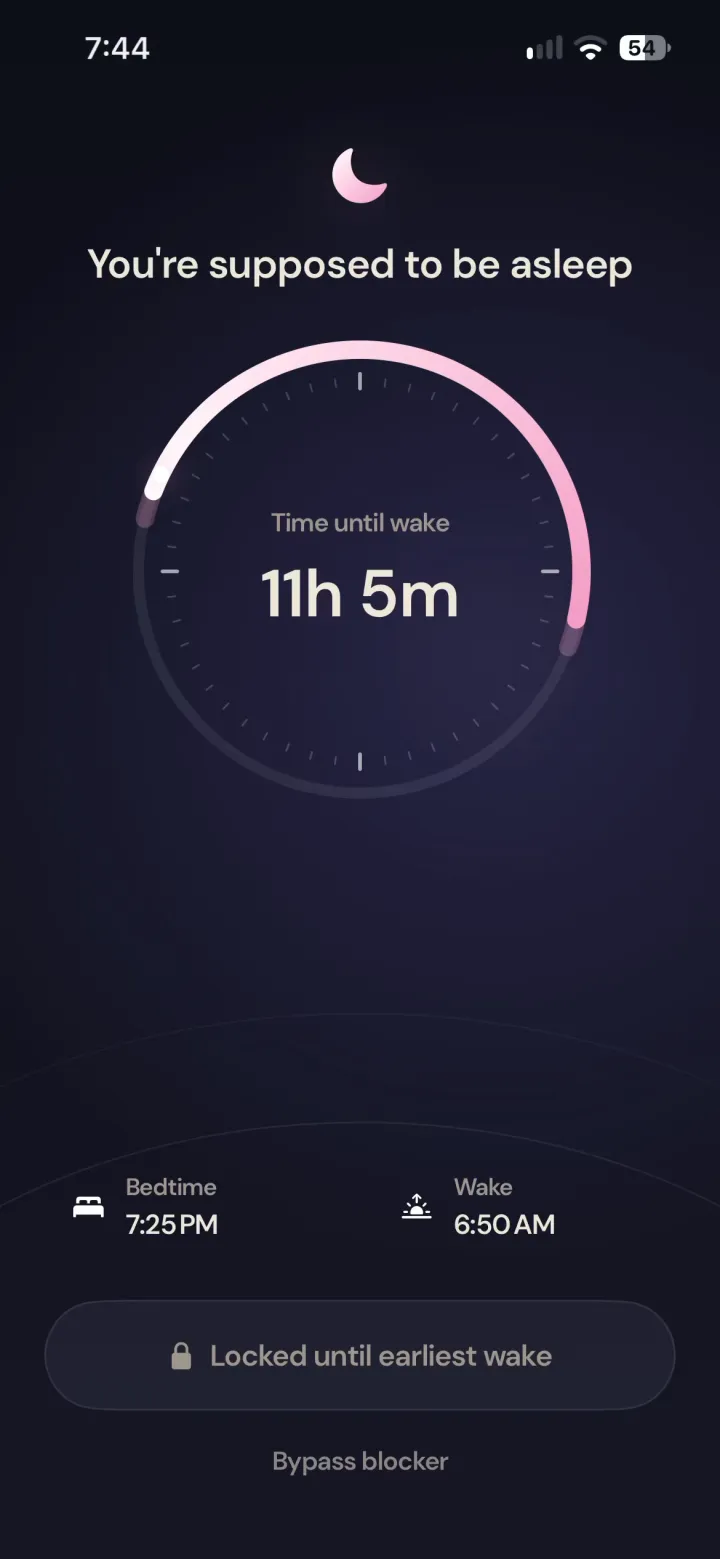
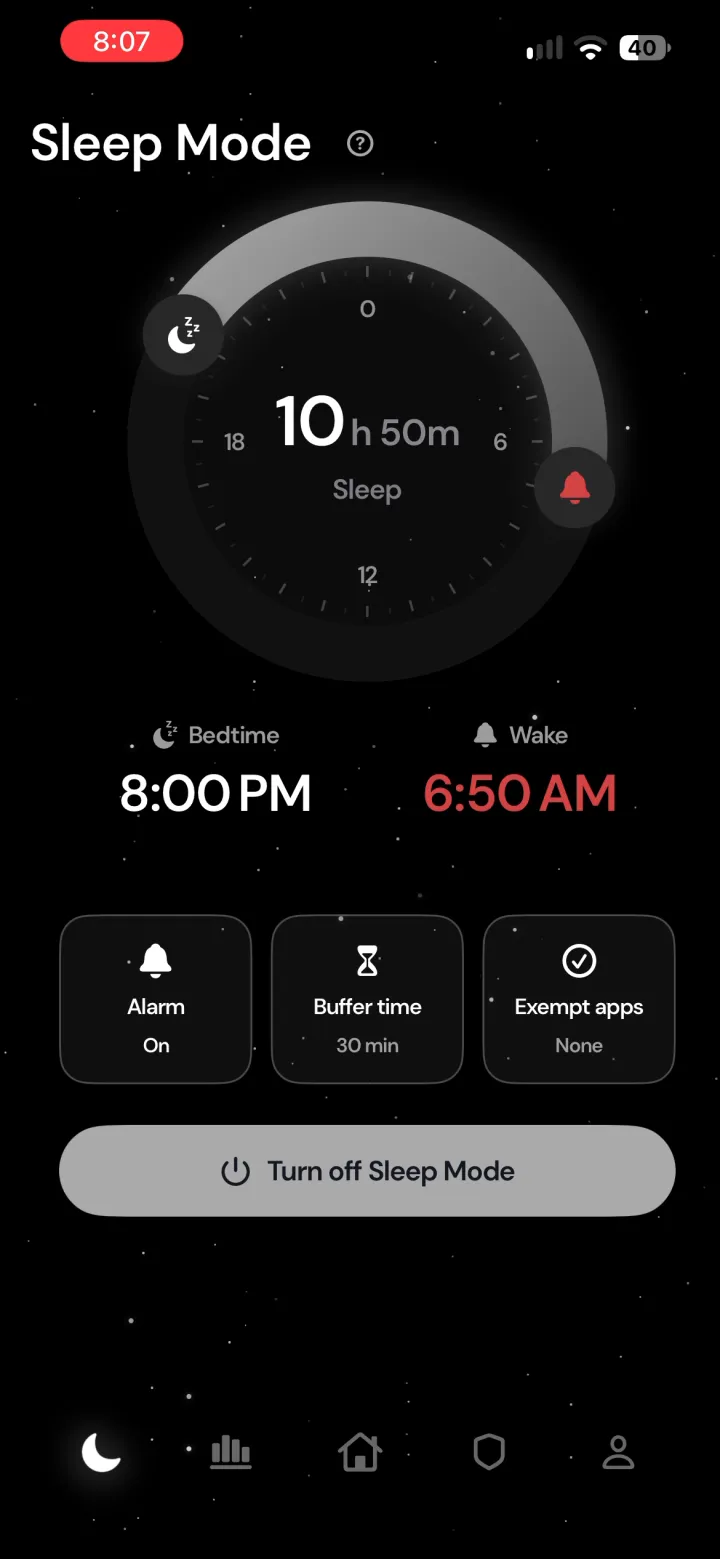
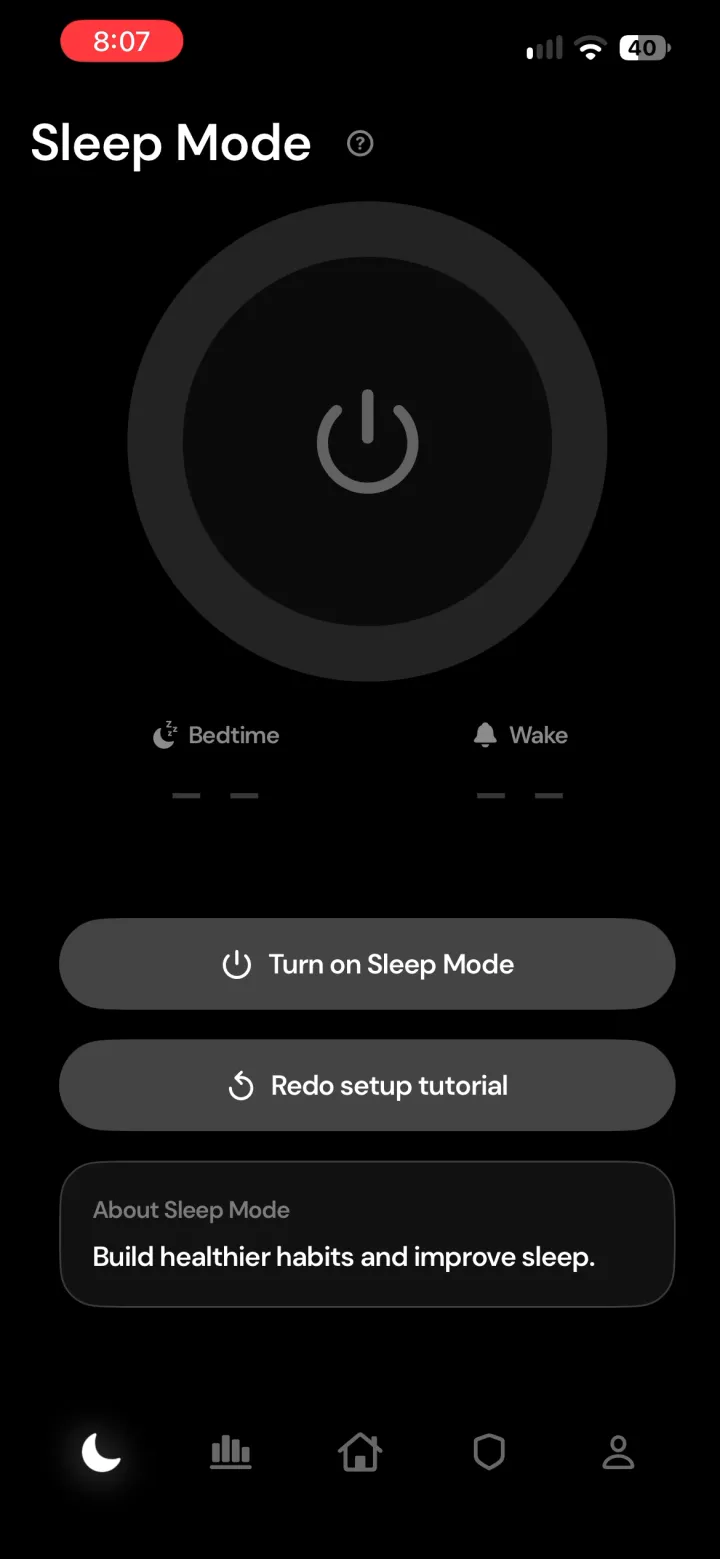
- Sleep Mode was easy to switch off, with Hard Mode off. During Sleep Mode, SocialLite shows a "You're supposed to be asleep" screen, "Locked until earliest wake". We swiped that screen away inside SocialLite and tapped "Turn off Sleep Mode" on the Sleep tab. It switched off at once, with no challenge. We had already turned Hard Mode off at that point, so we cannot say whether Hard Mode would have stopped it. Hard Mode's own warning only mentions native app blocking.
- The lock screen has a "Bypass blocker" link. We did not tap it.
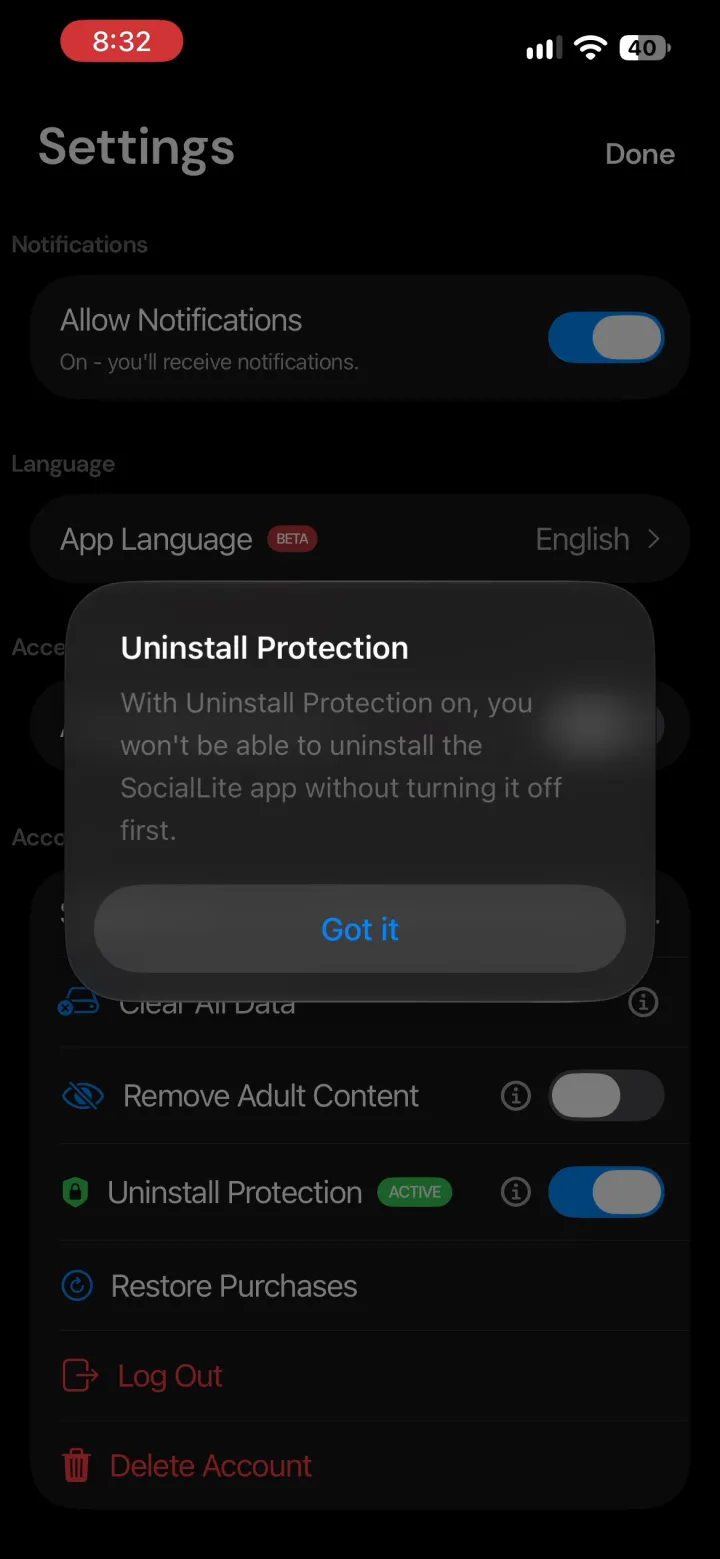
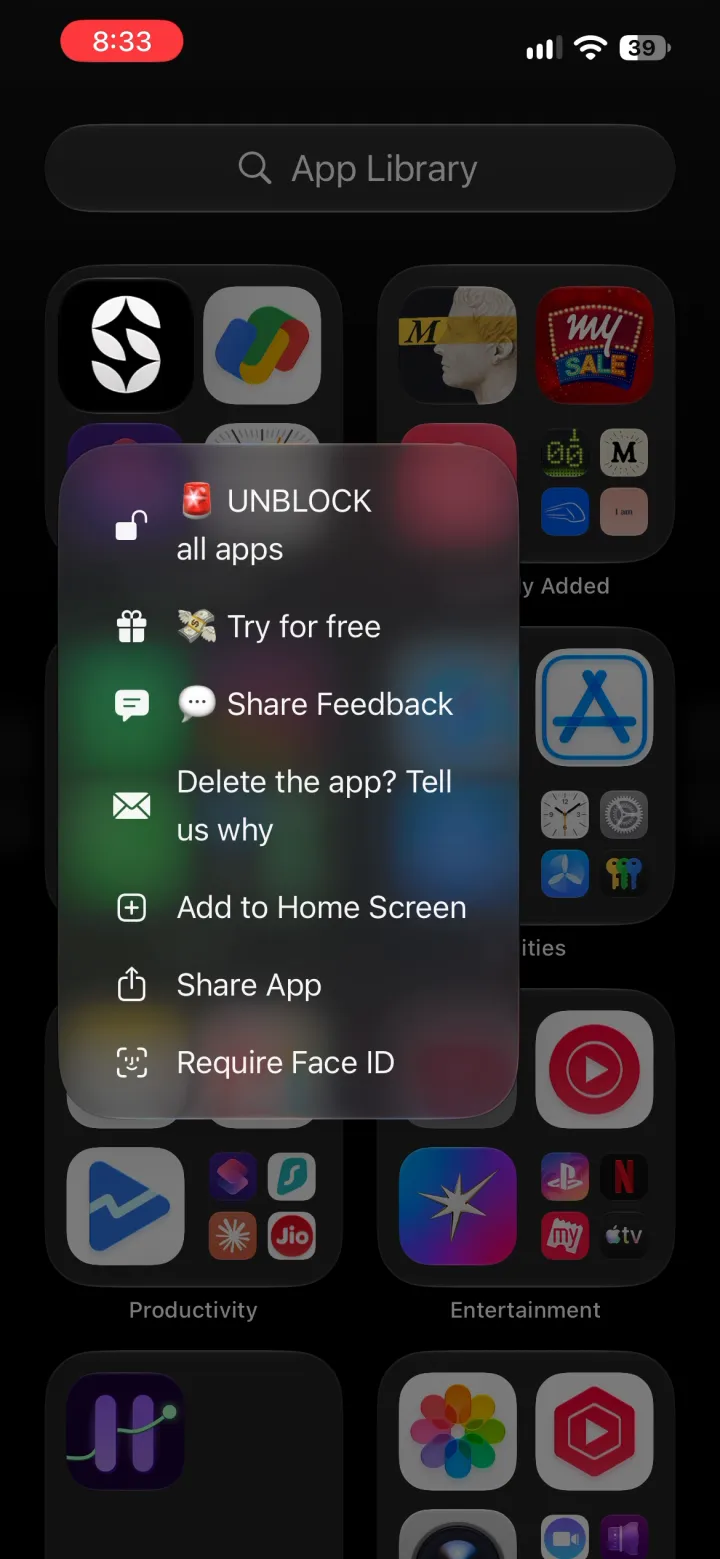
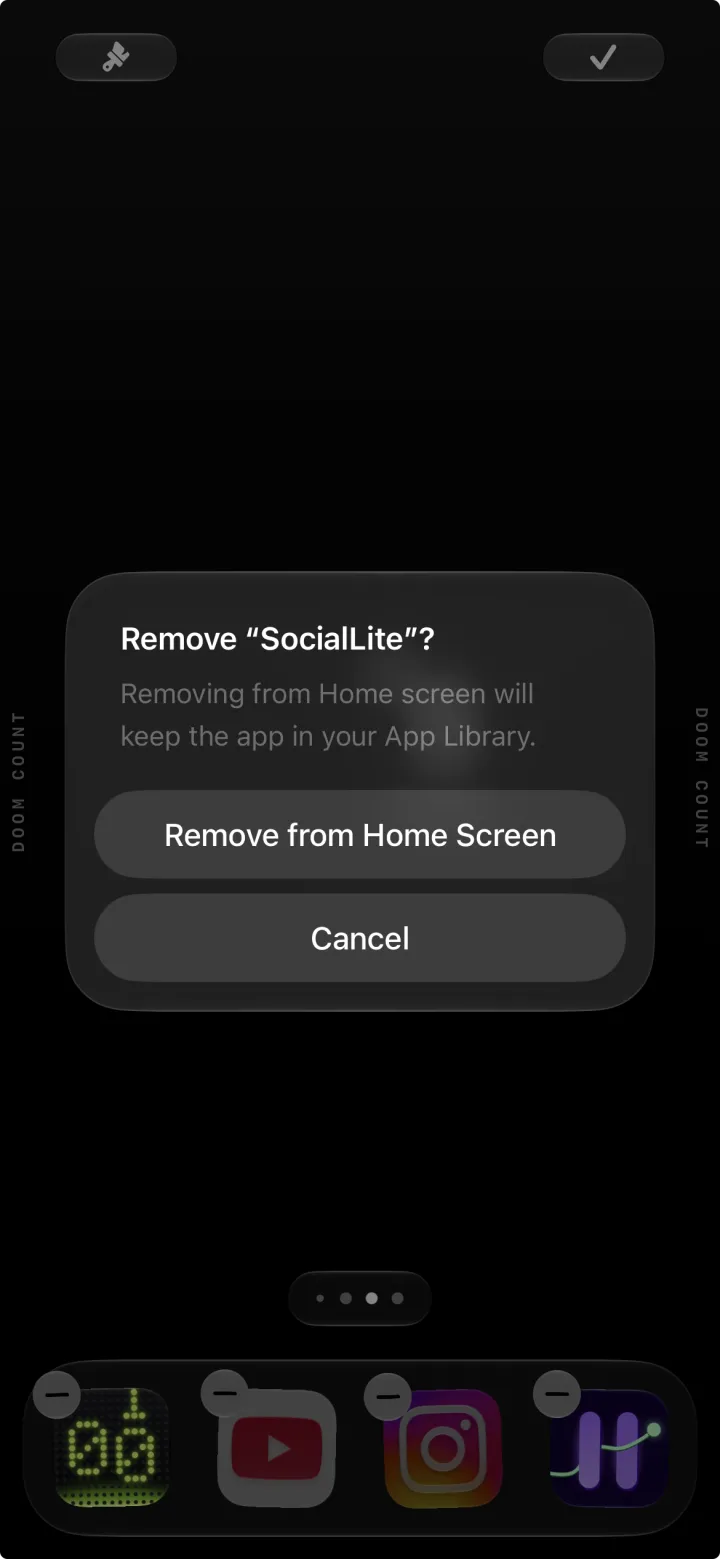
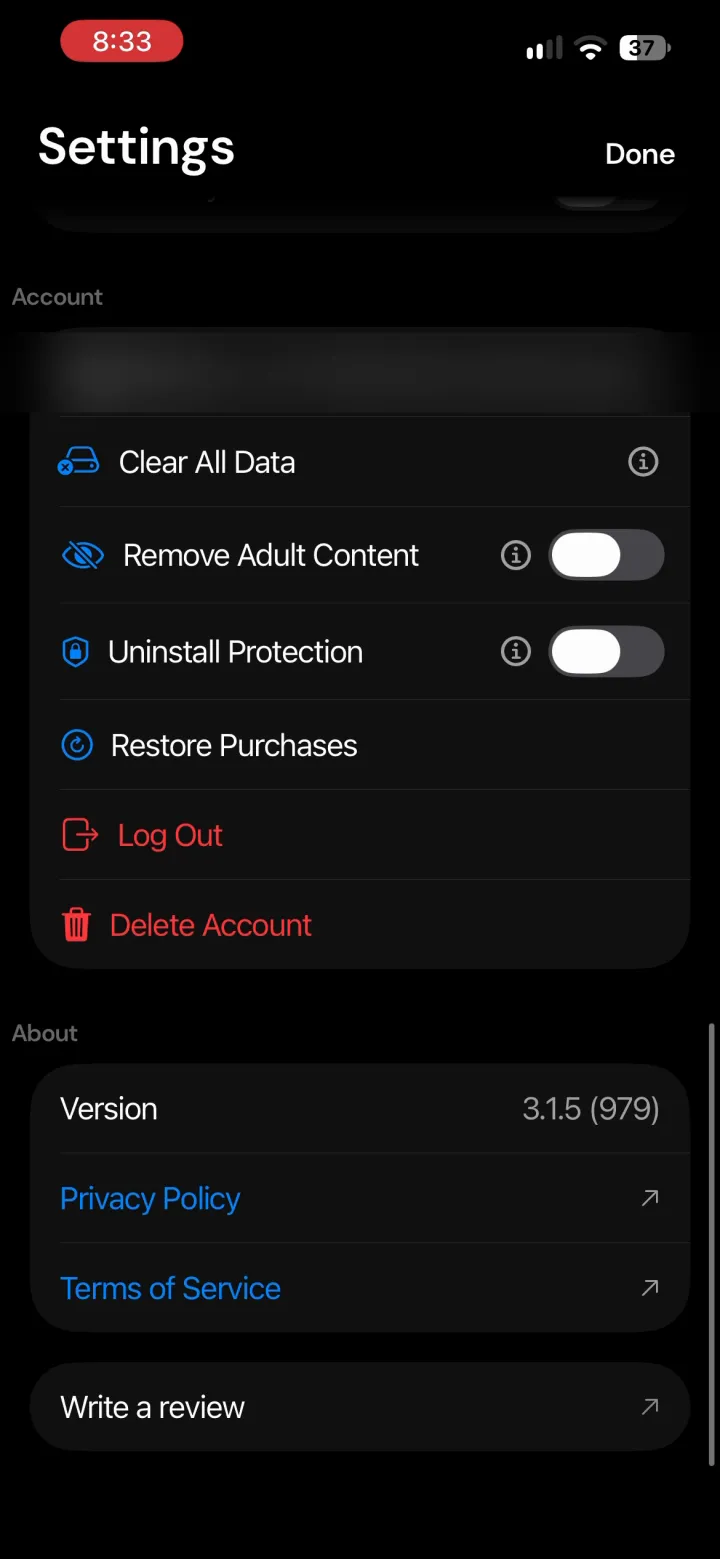
- Deleting SocialLite. That is a separate switch, Uninstall Protection, in Settings. With it on, long-pressing SocialLite's icon showed no "Delete App" option, and the home screen offered only "Remove from Home Screen", so you cannot simply delete your way out. But with Hard Mode off, the switch itself turned off in one tap, and deleting came back.
Is Hard Mode strong enough?
It is friction, not a lock. Nothing stops a determined person: five minutes of typing, drawing and sums and you are out. But that is often enough. The urge to check Instagram is usually a few seconds long, and a five-minute task is a real cost to set against it.
If you know you will push through any challenge, a block that lifts only when a condition is met, such as a set time or a task you have done, can hold better than one you can talk your way out of. That is the approach we took with Habit Doom: apps stay locked until you check in your daily habits. It answers a different question from SocialLite, though. It locks the whole app, so it does not remove Reels while keeping DMs.
Sources
- Our screen recordings of SocialLite on iPhone, version 3.1.5, India App Store, 25 November 2026: turning Hard Mode on, turning it off, and Sleep Mode
- SocialLite FAQ (read 25 November 2026)
- SocialLite on the App Store (US)
Frequently Asked Questions
Keep Reading
Try Habit Doom
Lock your distracting apps. Complete your habits. Earn your screen time. It takes 30 seconds to set up.
Download Free