


SocialLite Review: Does It Work, and Is It Safe? (2026)

 X
 LinkedIn
The short verdict
SocialLite does what it says on iPhone, with two catches. The Instagram inside it had no Reels tab and no Explore grid, and the real Instagram and YouTube apps were blocked and sent us back to SocialLite. The catches: the block is one drag away from being undone unless you turn on Hard Mode, and you are trusting SocialLite with your Instagram login, because you type it into a page shown inside its app.
We paid for one month on an iPhone on 25 November 2026 (SocialLite Pro Monthly, ₹999 in India, version 3.1.5) and recorded everything from the purchase to the cancellation. This post covers what we saw on that recording. Where we did not test something, we say so.
If you want to know about the price and the paywall first, that is in is SocialLite free.
What happens after you pay
Setup after the purchase took about four minutes. In order:
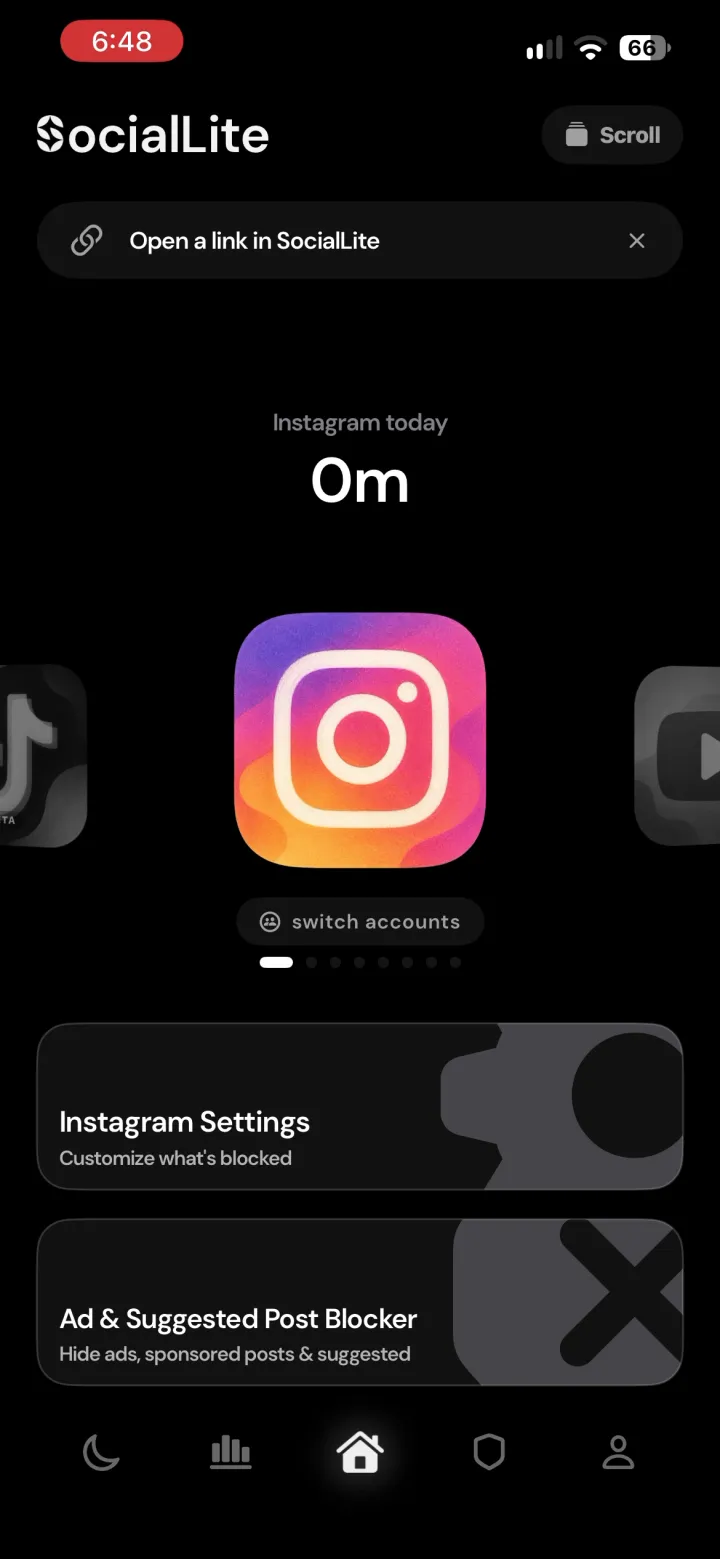
- Pick your apps. You drag the ones you use into SocialLite: Instagram, YouTube, TikTok, Snapchat, Facebook, X, Reddit and LinkedIn were on offer. We picked Instagram and YouTube.
- Allow Screen Time. SocialLite asks for Apple's Screen Time permission, which is what lets any app block other apps on an iPhone. Habit Doom uses the same permission.
- Pick the same apps again in Apple's list. Apple does not tell apps which apps you have, so you choose them in Apple's own picker. Then you match each one to SocialLite's list.
- Turn on features. Switches to block Instagram ads and suggested posts, YouTube ads, and adult websites in Safari and other browsers.
- A short tour, an offer to add a widget, and Sleep Mode setup (more on that below).
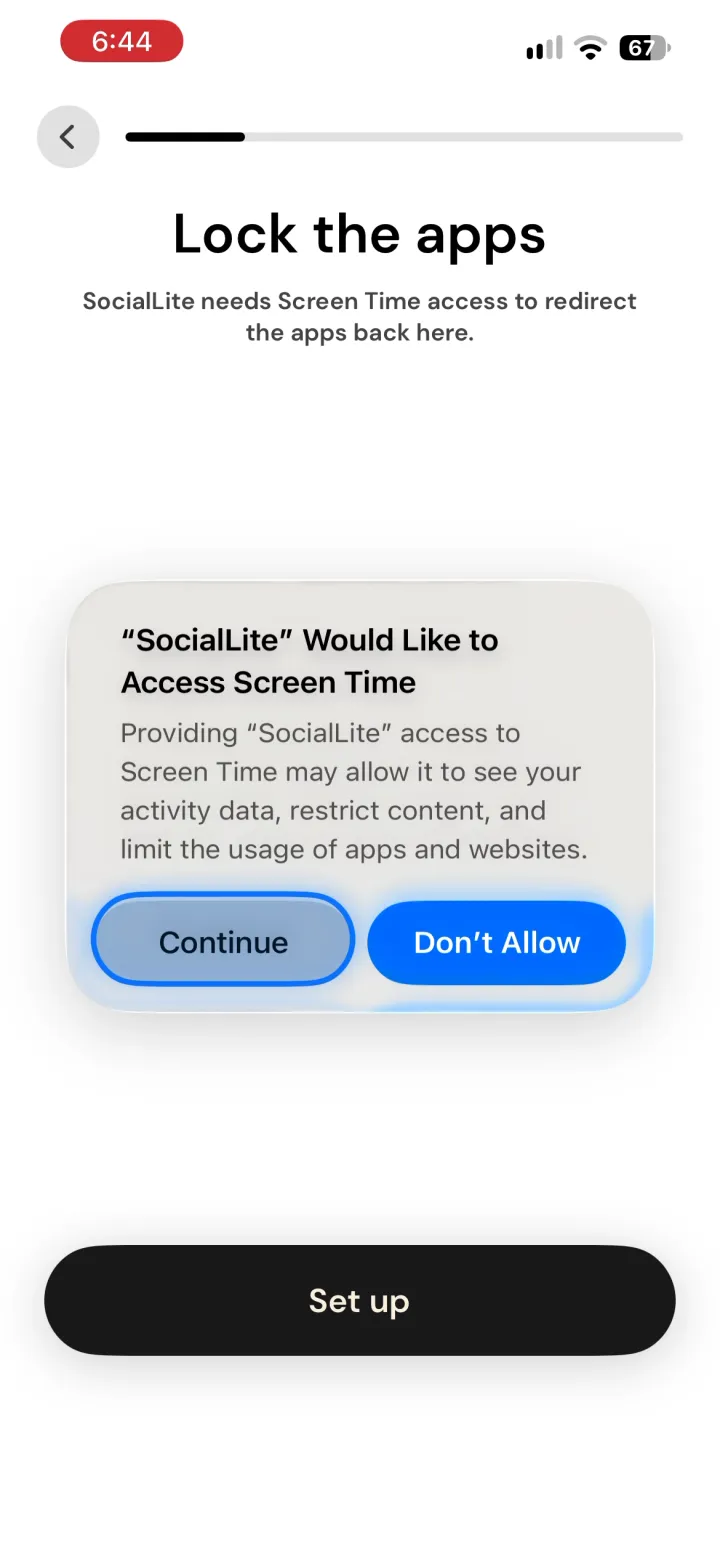
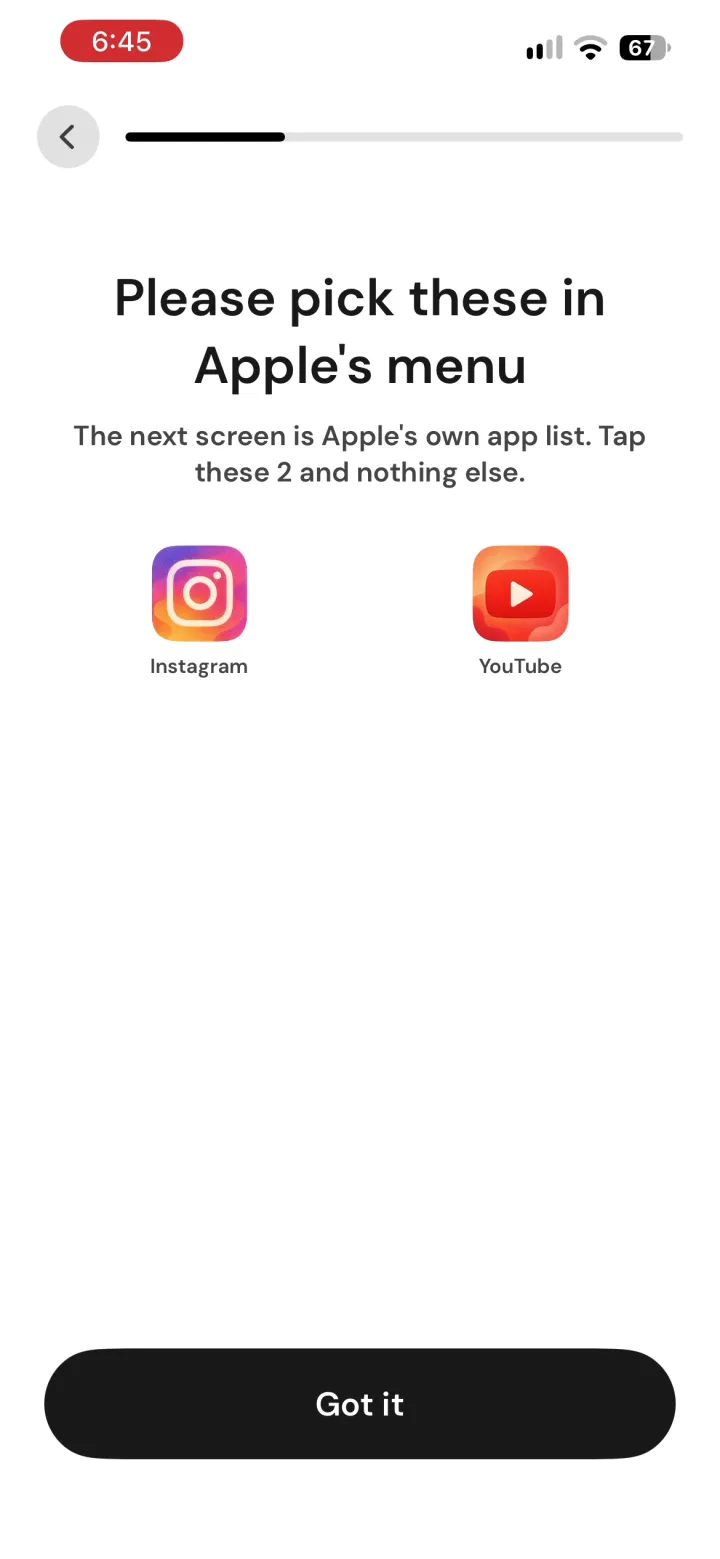
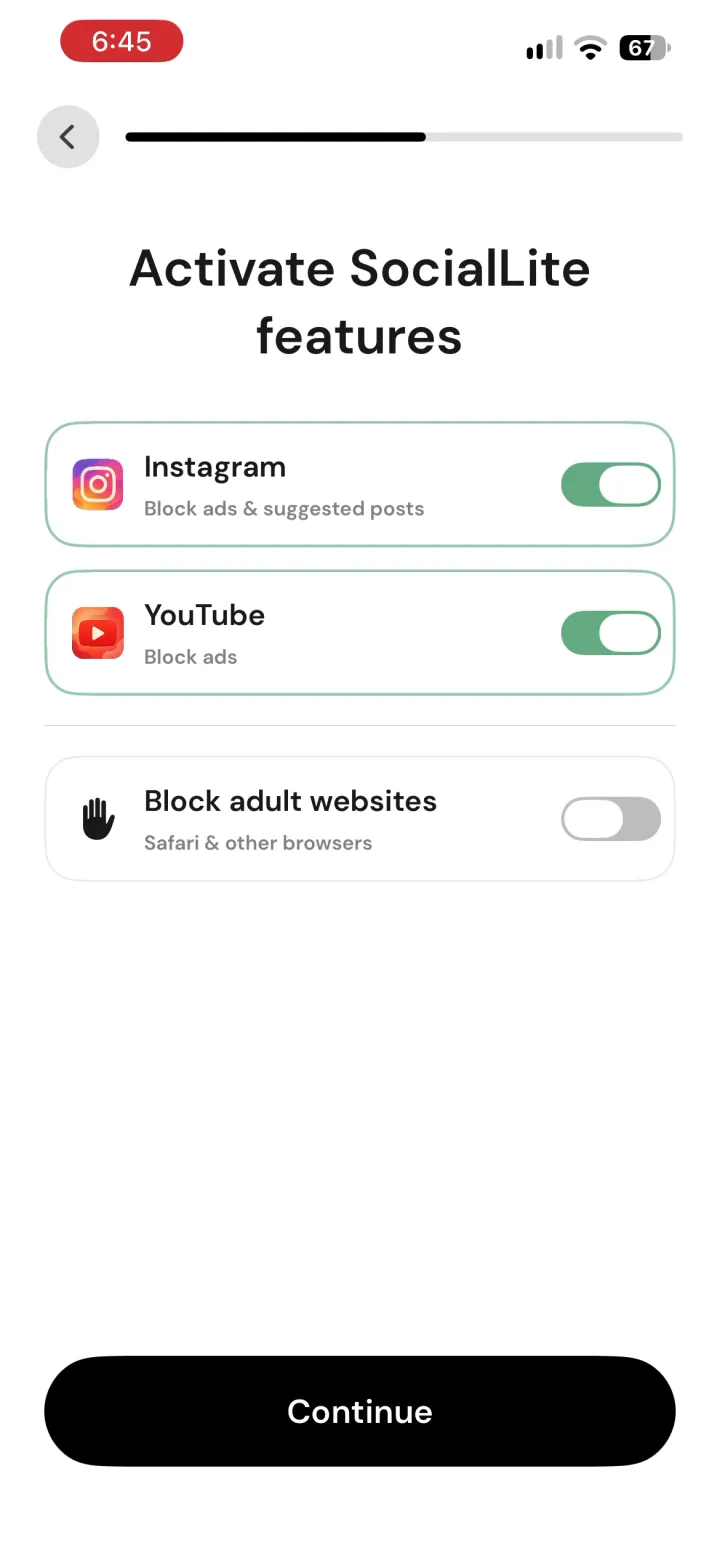
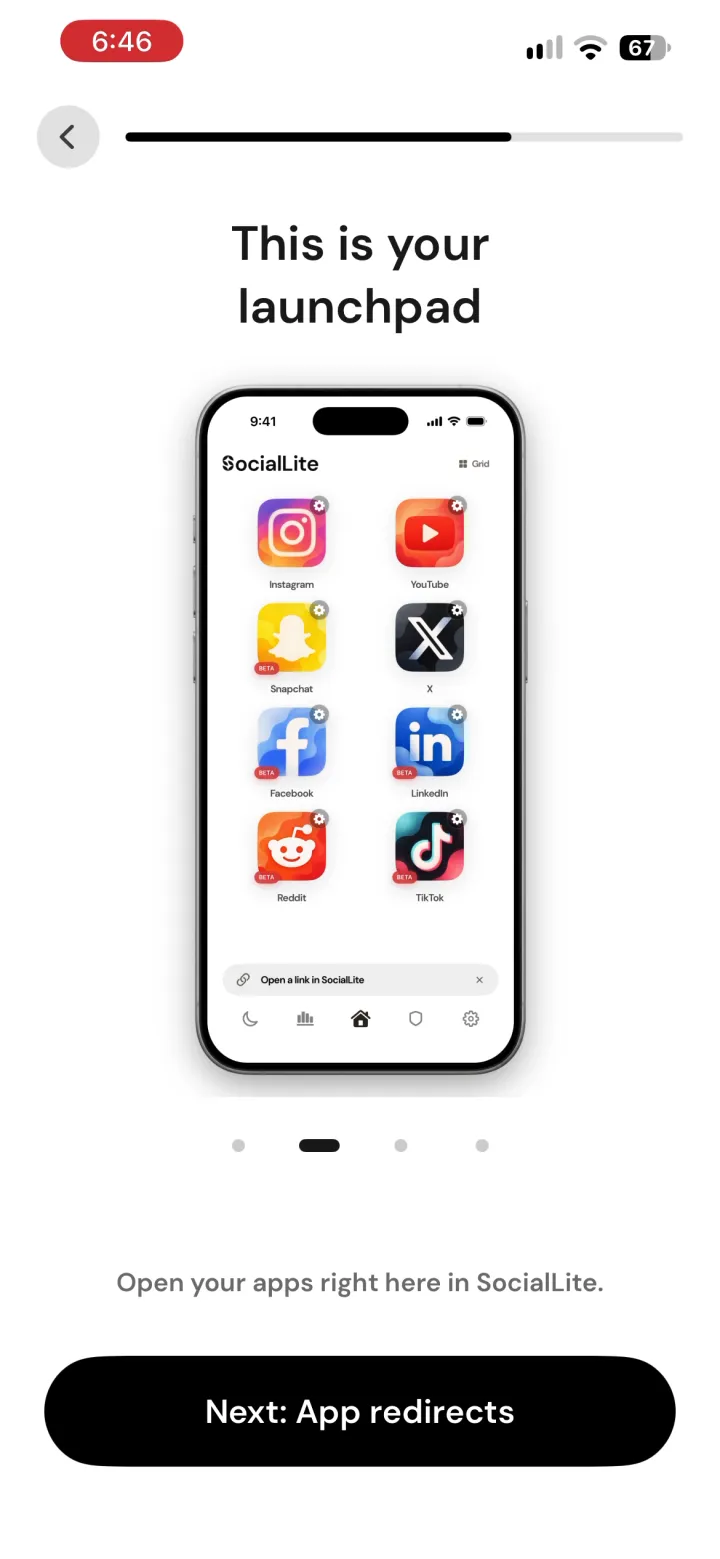
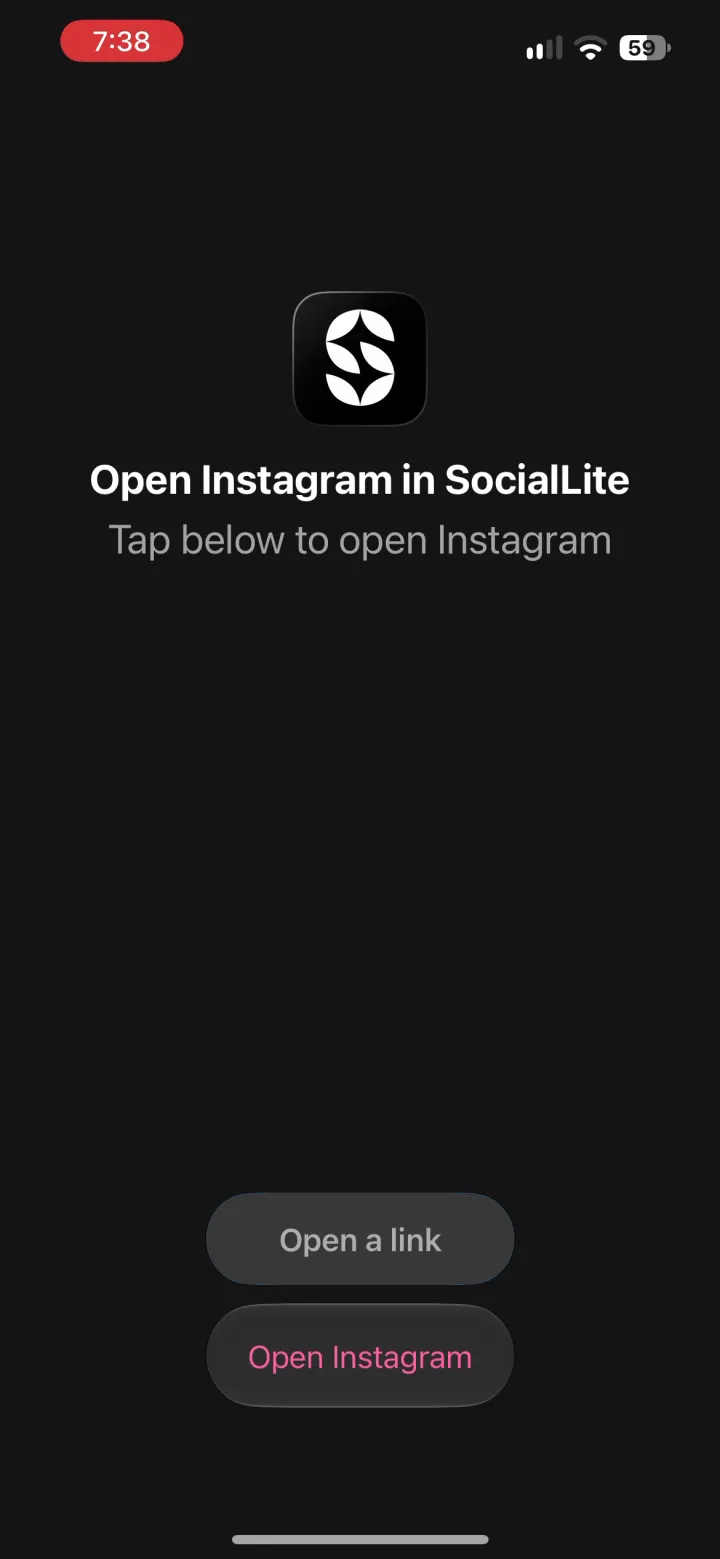
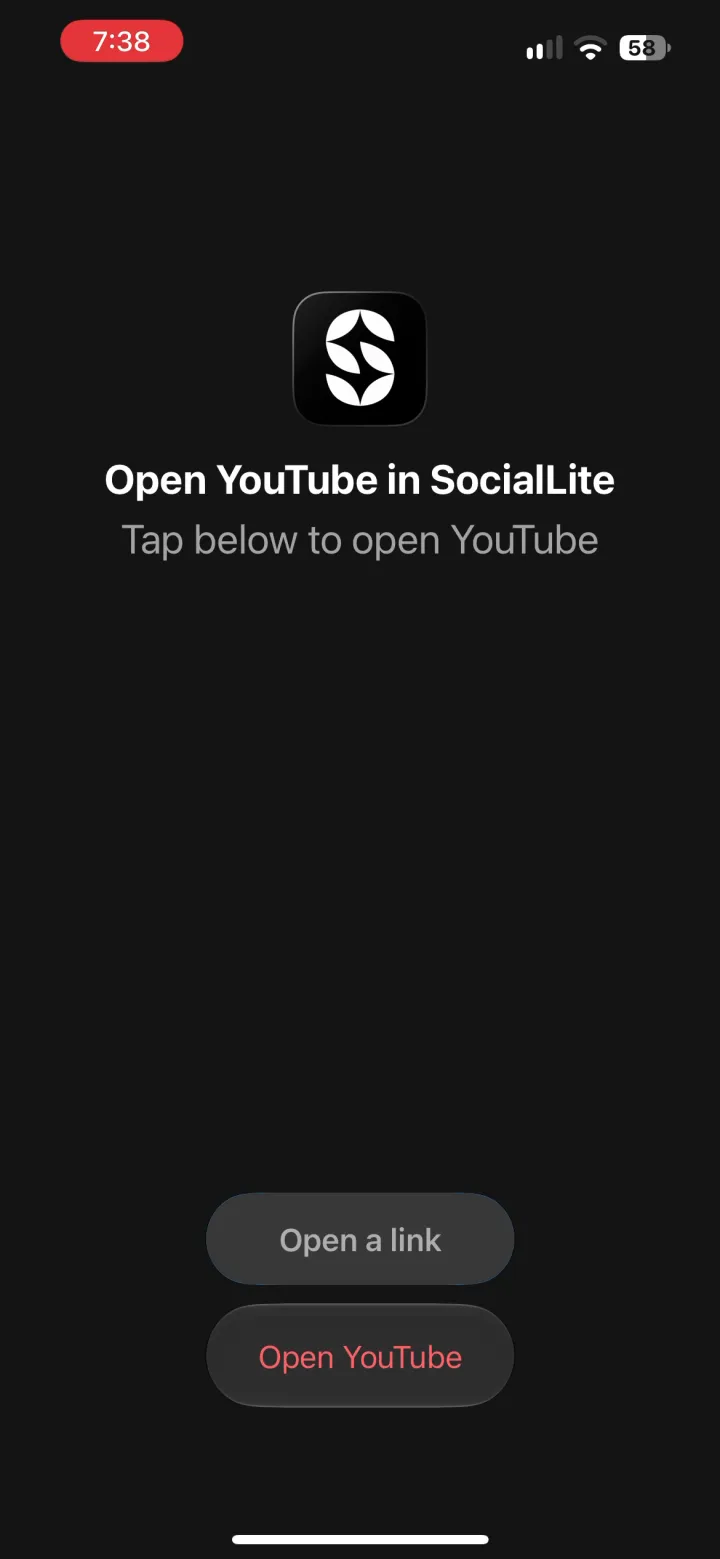
From then on, opening the real Instagram or YouTube app shows a SocialLite screen with a button to open it inside SocialLite instead. That redirect is the core of how it works on iPhone.
What Instagram looks like inside SocialLite
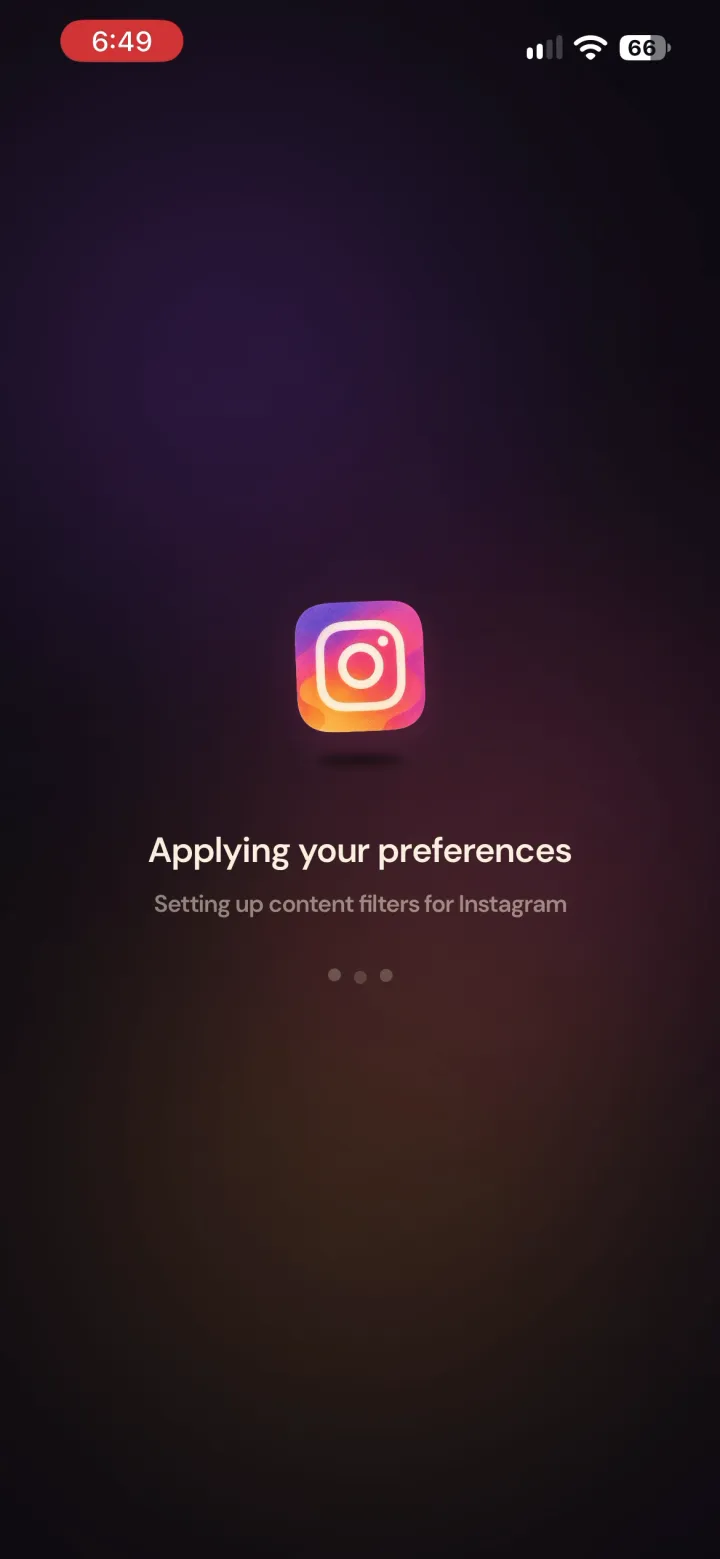
On iPhone, SocialLite cannot change the real Instagram app. Apple does not allow one app to edit another. So it shows you Instagram's website inside its own app and hides the parts it does not want you to see. We could tell it was the website because the iPhone offered our saved passwords for instagram.com on the login page, which it does for websites, not apps.
What we saw once logged in:
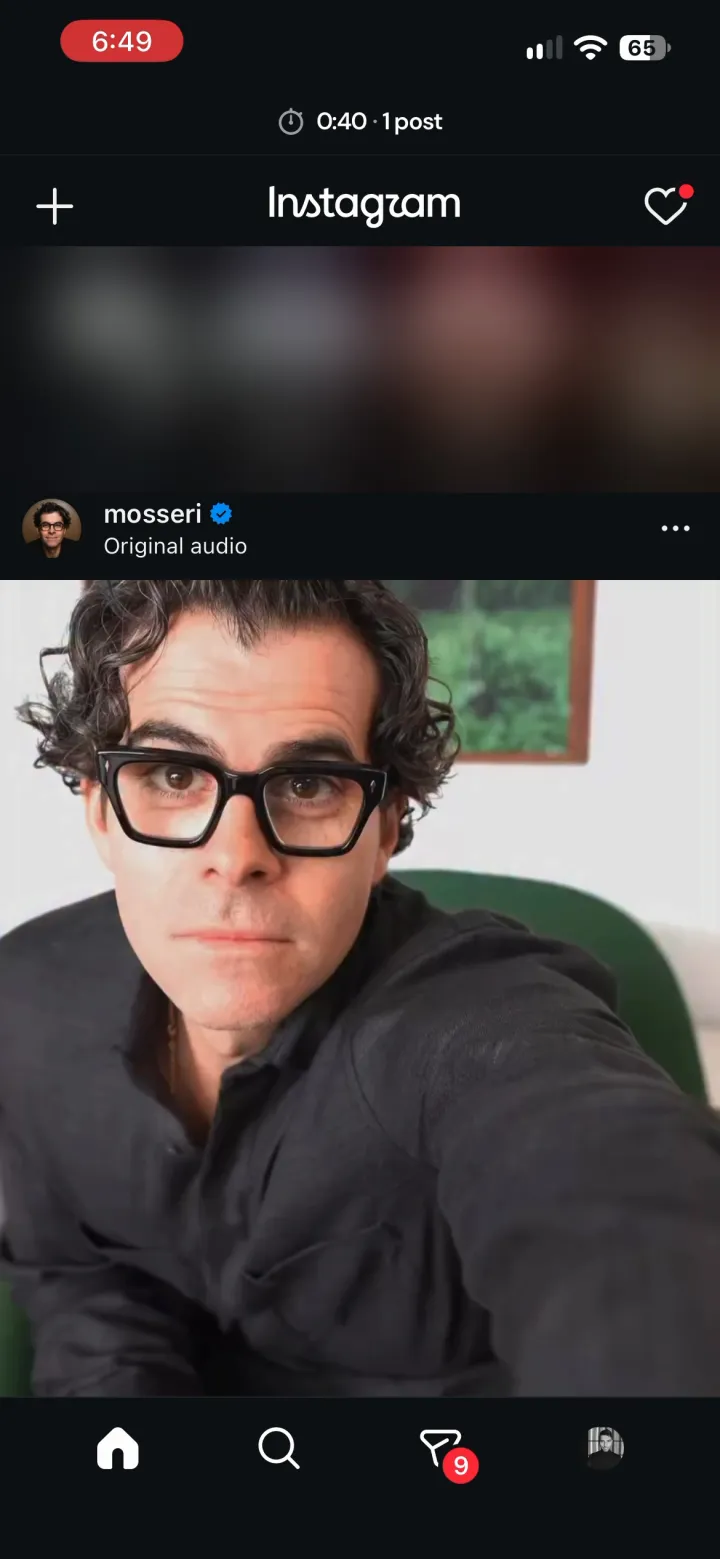
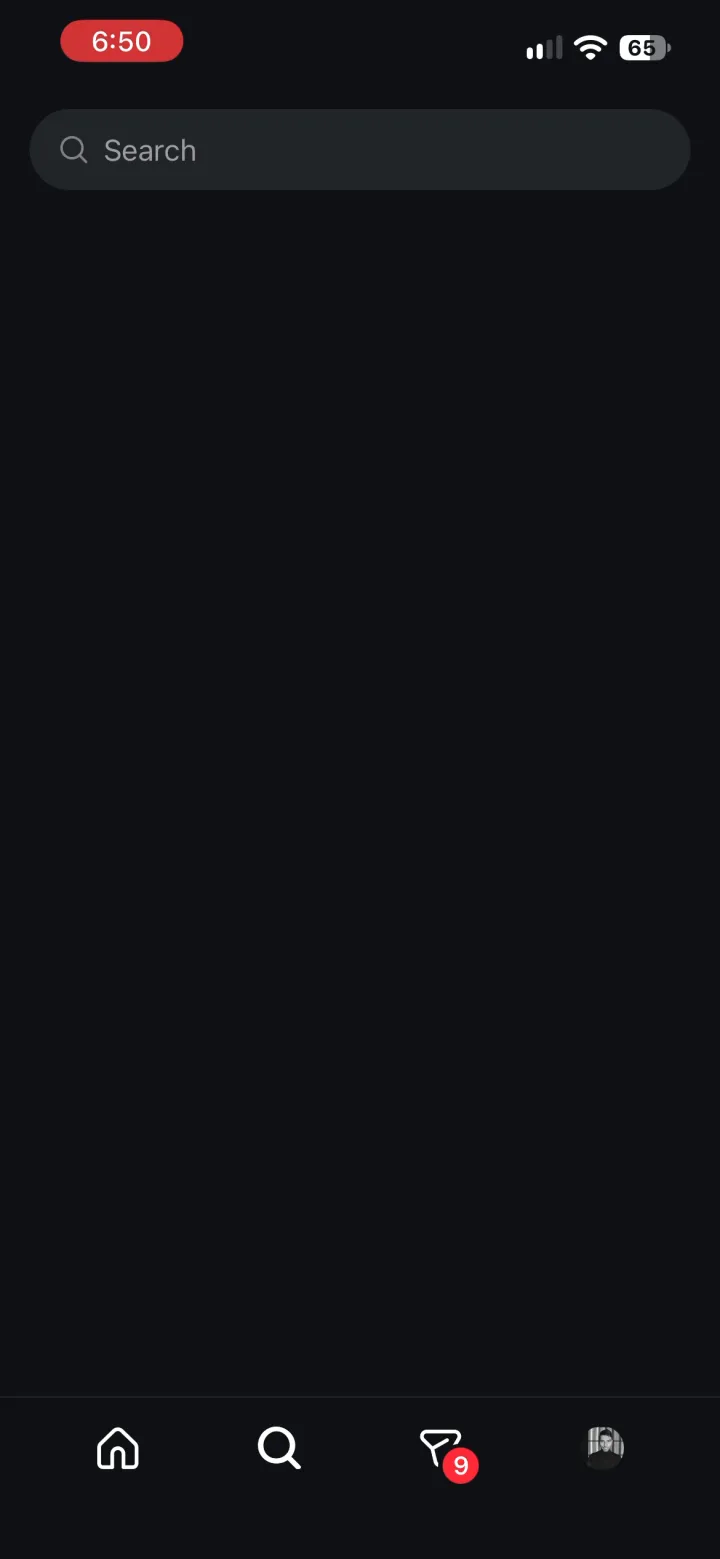
- No Reels tab. The bottom bar had Home, Search, Messages and Profile.
- No Explore grid. The search tab was a search bar and an empty page.
- A timer at the top counting how long you have been in Instagram and how many posts you have seen, for example "0:40 · 1 post".
- Videos still play in the home feed. Videos from accounts in our feed played as normal, including ones with the "Original audio" label that Reels use. So SocialLite removes the endless Reels feed, not every video.
- Stories and DMs were there. We did not test sending a video in DMs or posting, which SocialLite's FAQ says are limited.
What happens when you try to watch Reels anyway
We tried the obvious ways back in:
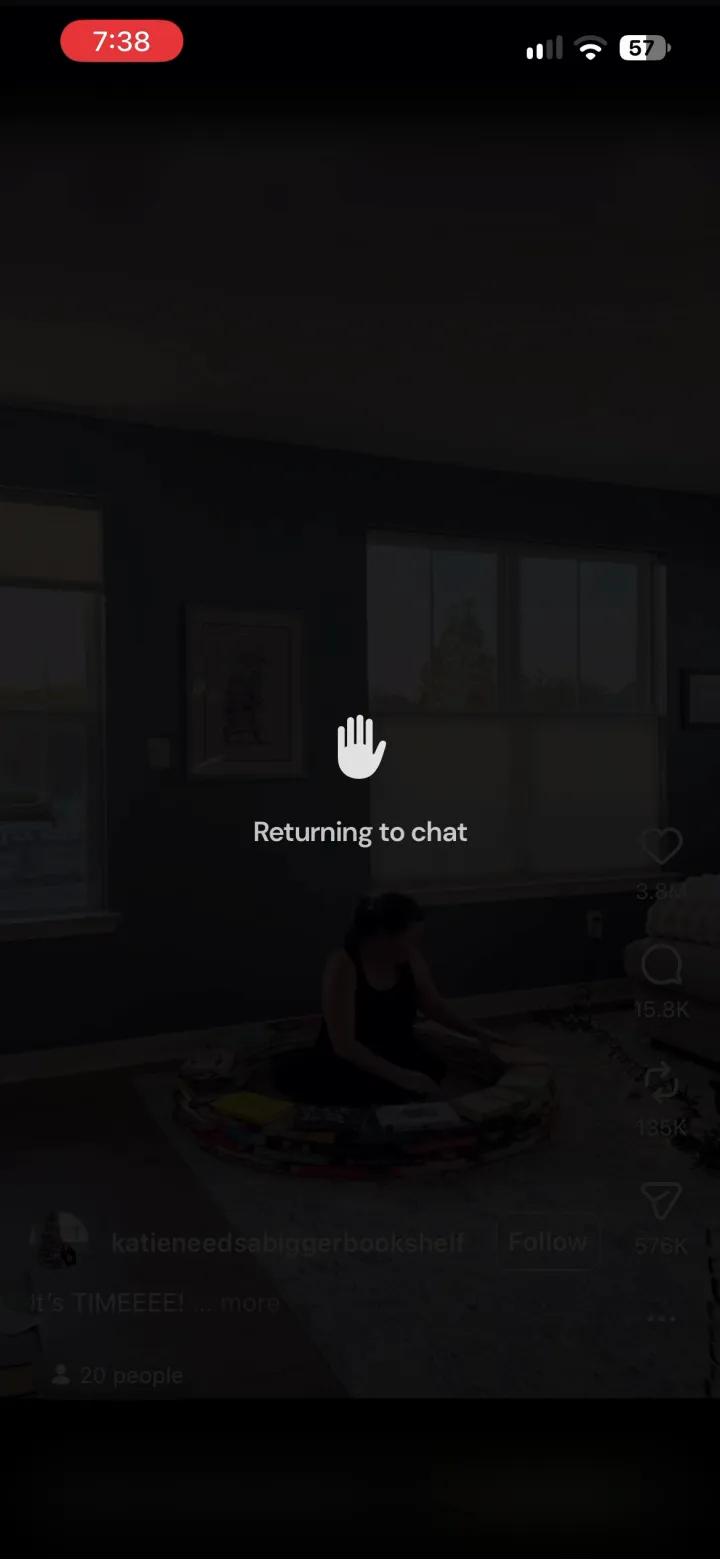
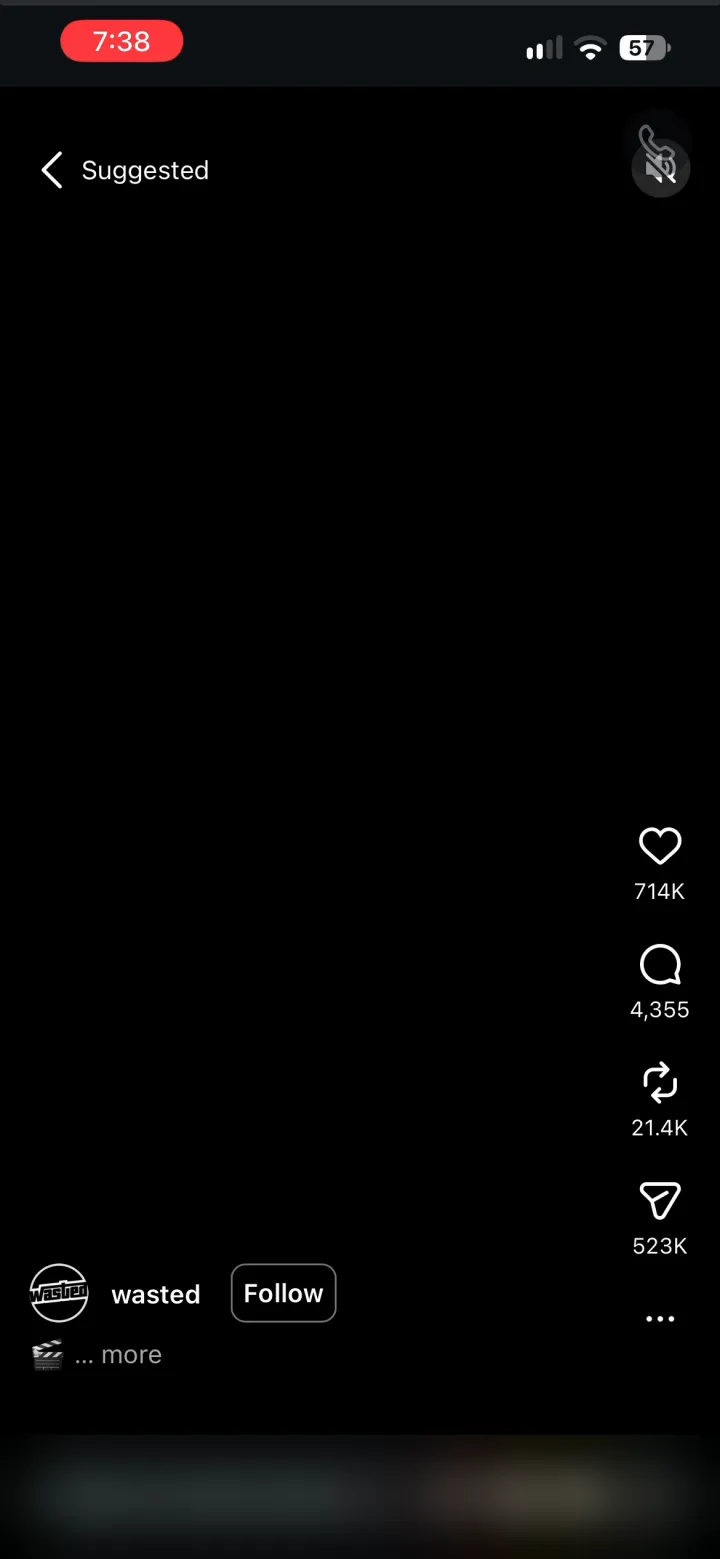
- A Reel a friend sent in DMs played normally. When we swiped on to the next one, a "Suggested" Reel appeared with a black screen where the video should be, then SocialLite showed "Returning to chat" and dropped us back in the conversation. So you can watch what friends send, but not fall into the feed from there.
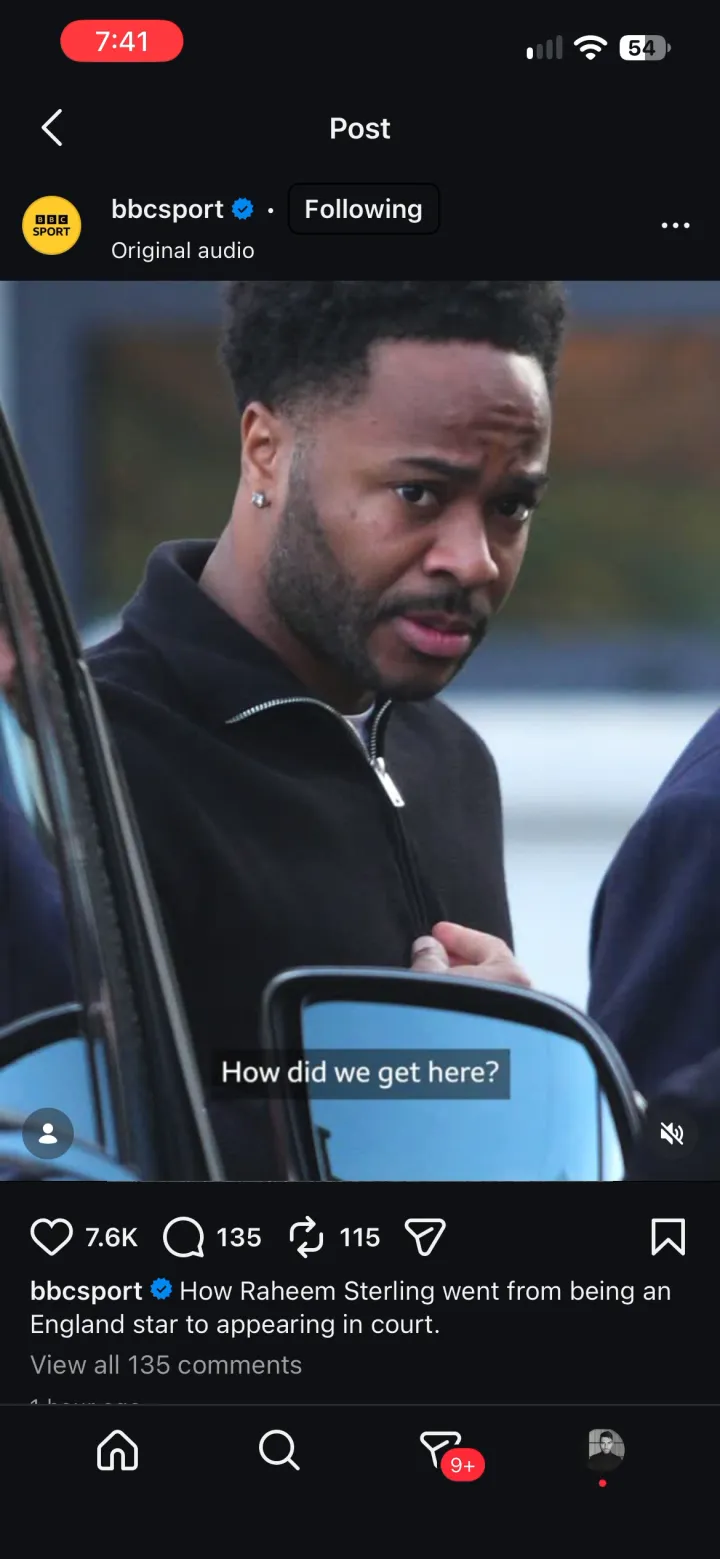
- A big account's profile (BBC Sport) still had its Reels tab. Tapping a Reel played it as a normal post, and we could scroll on to more videos below it. That is the loophole that stays open: you can still watch Reels one account at a time.
- DMs only plus Hide feed turned Instagram into a messaging app. It opened straight into the inbox, with no feed, search or profile tabs.
The Instagram settings
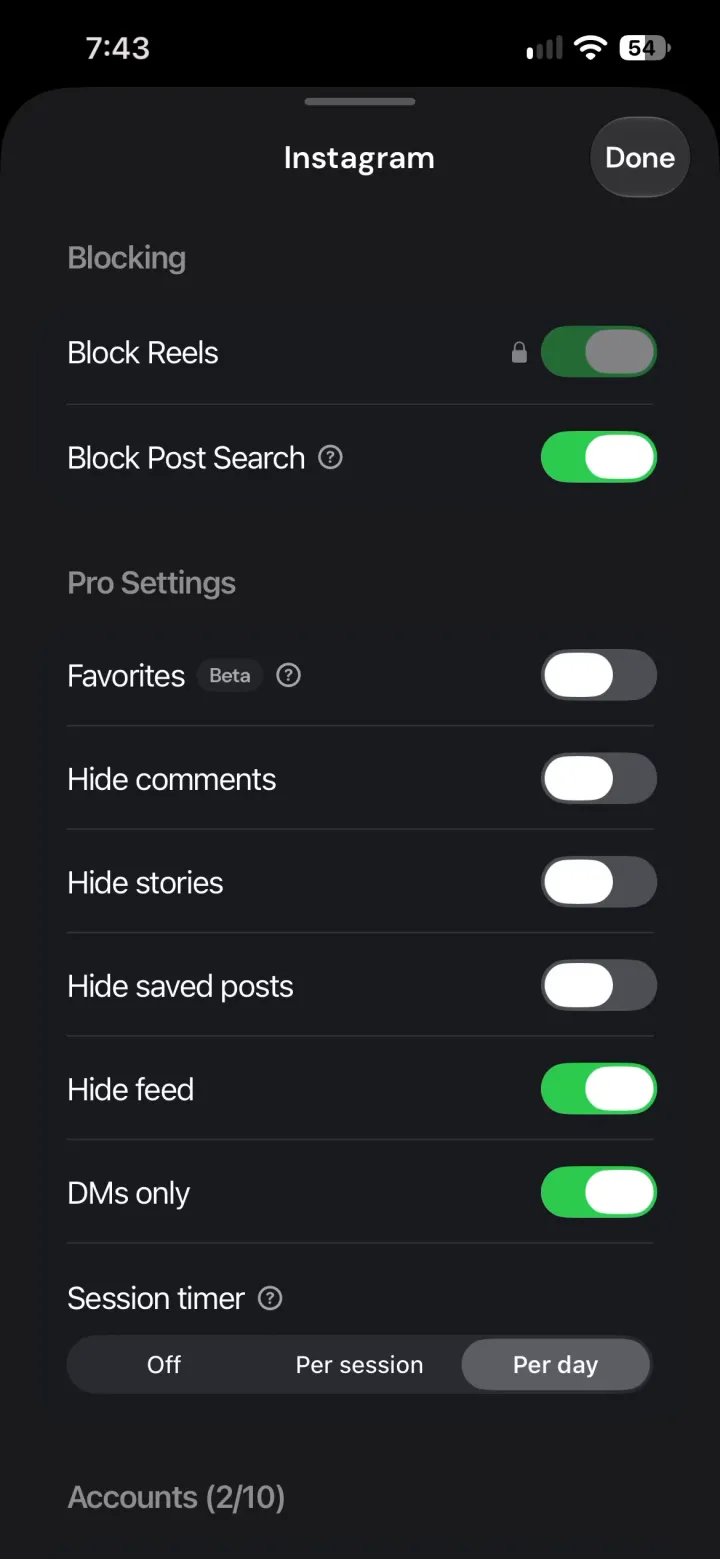
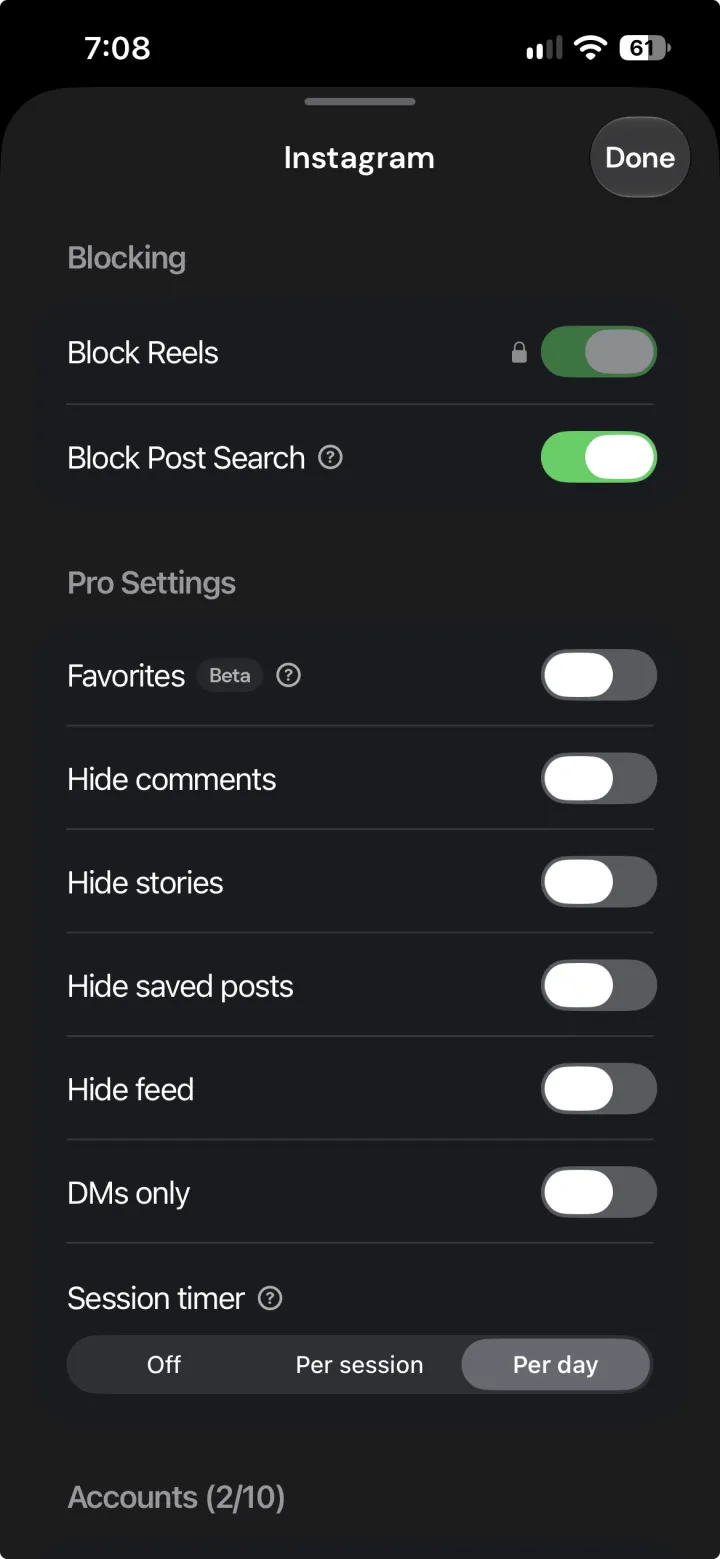
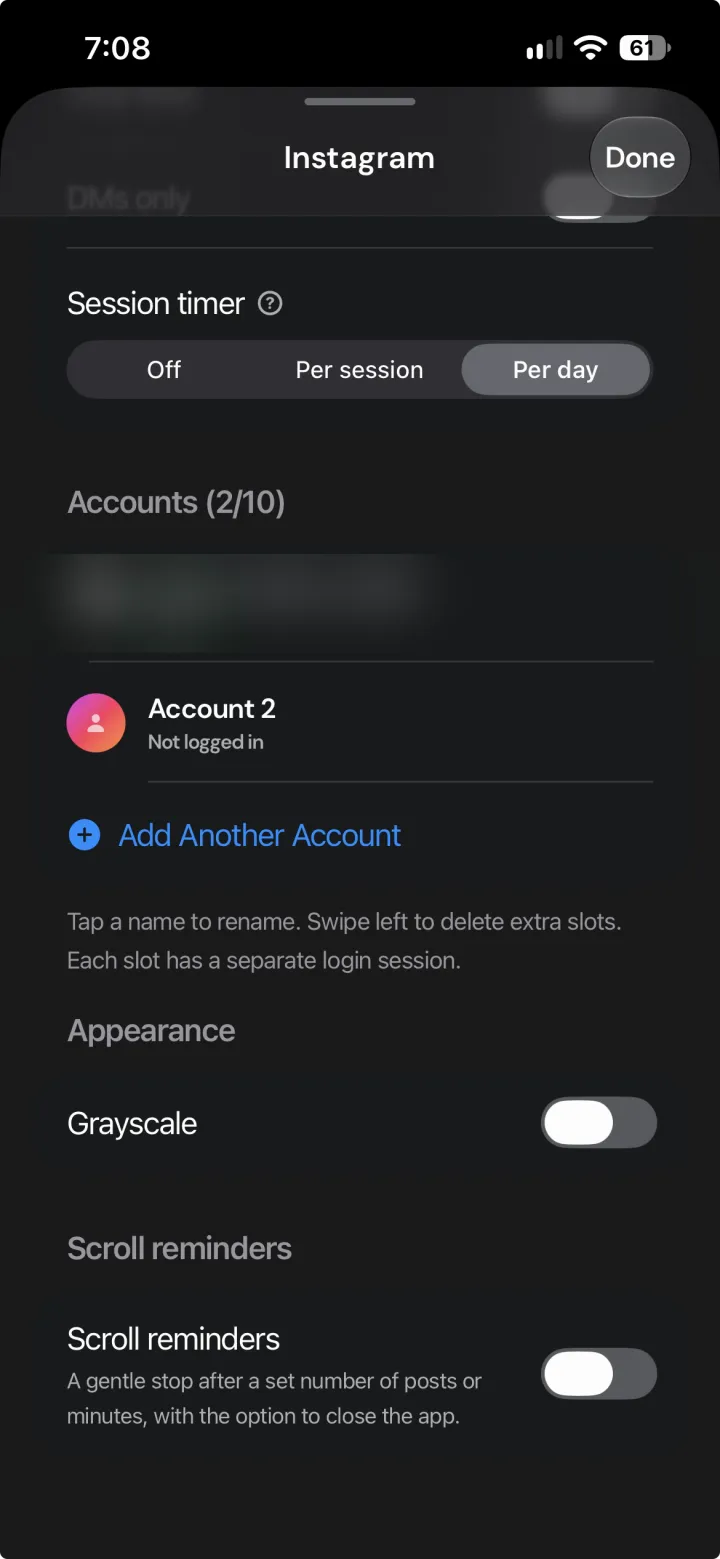
Each connected app has its own settings sheet. For Instagram:
- Block Reels is on, with a padlock next to it. We could not switch it off, so on SocialLite, Reels blocking is not optional.
- Block Post Search stops searching for posts.
- Pro switches to hide comments, stories, saved posts or the whole feed, a DMs only mode, and a "Favorites" option in beta.
- A session timer, off, per session or per day. This is the timer you see at the top of the feed.
- Up to 10 Instagram accounts, each with a separate login session.
- Grayscale, and scroll reminders: a stop after a set number of posts or minutes, with the option to close the app.
DMs only plus Hide feed is the strictest setup: Instagram becomes a messaging app, as we show below.
Because it is a website inside an app, some things are slower or missing compared with the real Instagram. About a third of the negative App Store reviews we read in November mention slow loading, getting logged out or features not working. In our short session the feed loaded fine.
What YouTube looks like inside SocialLite
YouTube works the same way: YouTube's website inside SocialLite, with parts removed.
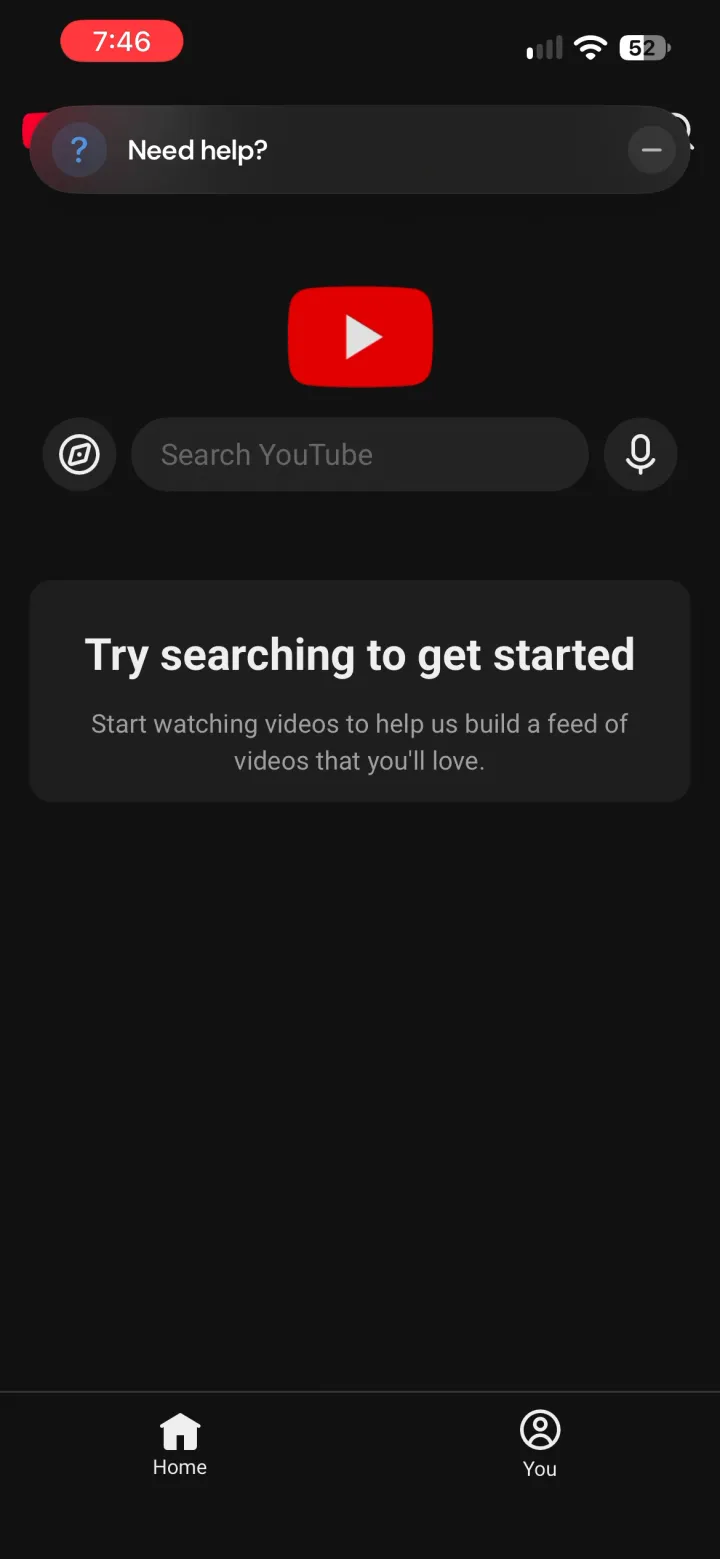
- No Shorts tab. The bottom bar had only Home and You.
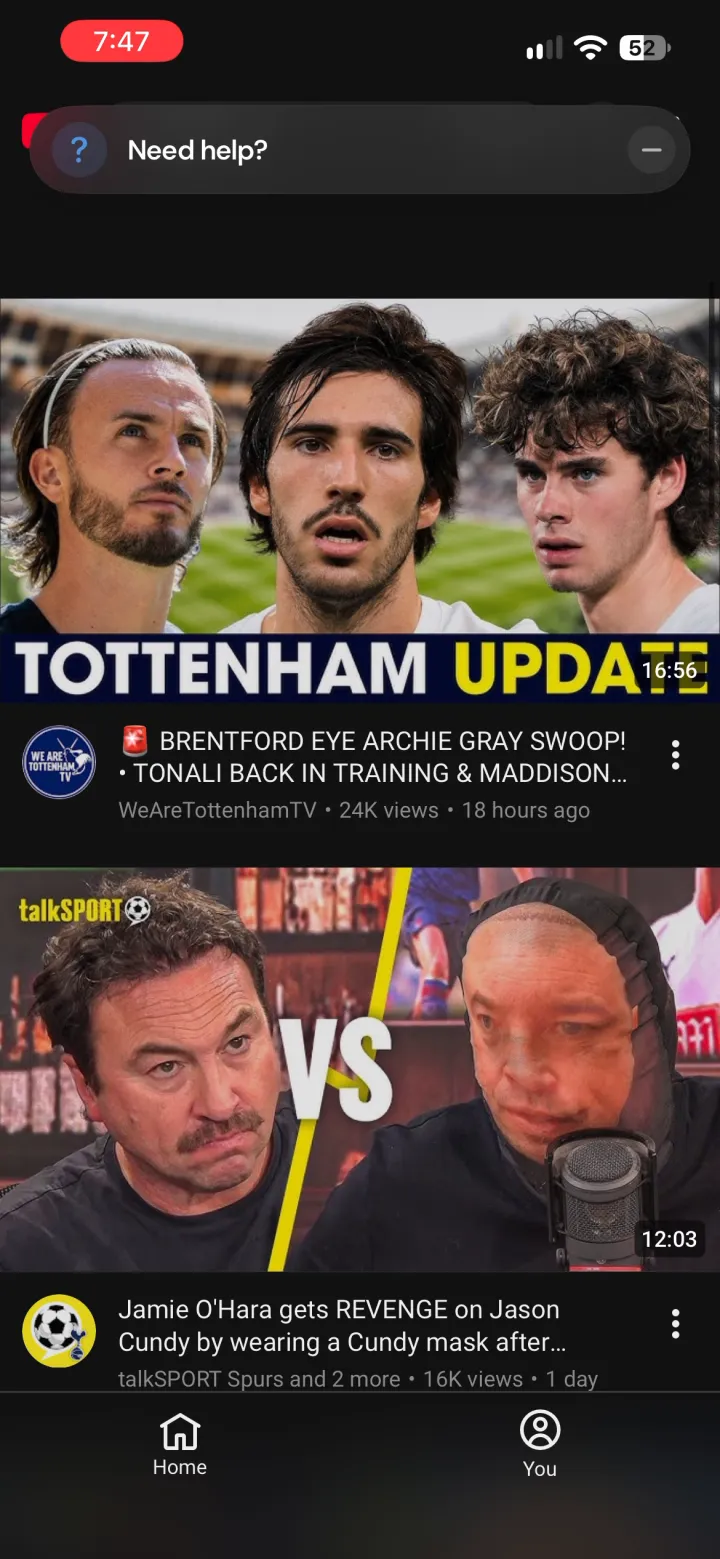
- An empty home page. It said "Try searching to get started" instead of showing recommendations. Search worked and returned normal videos, and channel pages loaded.
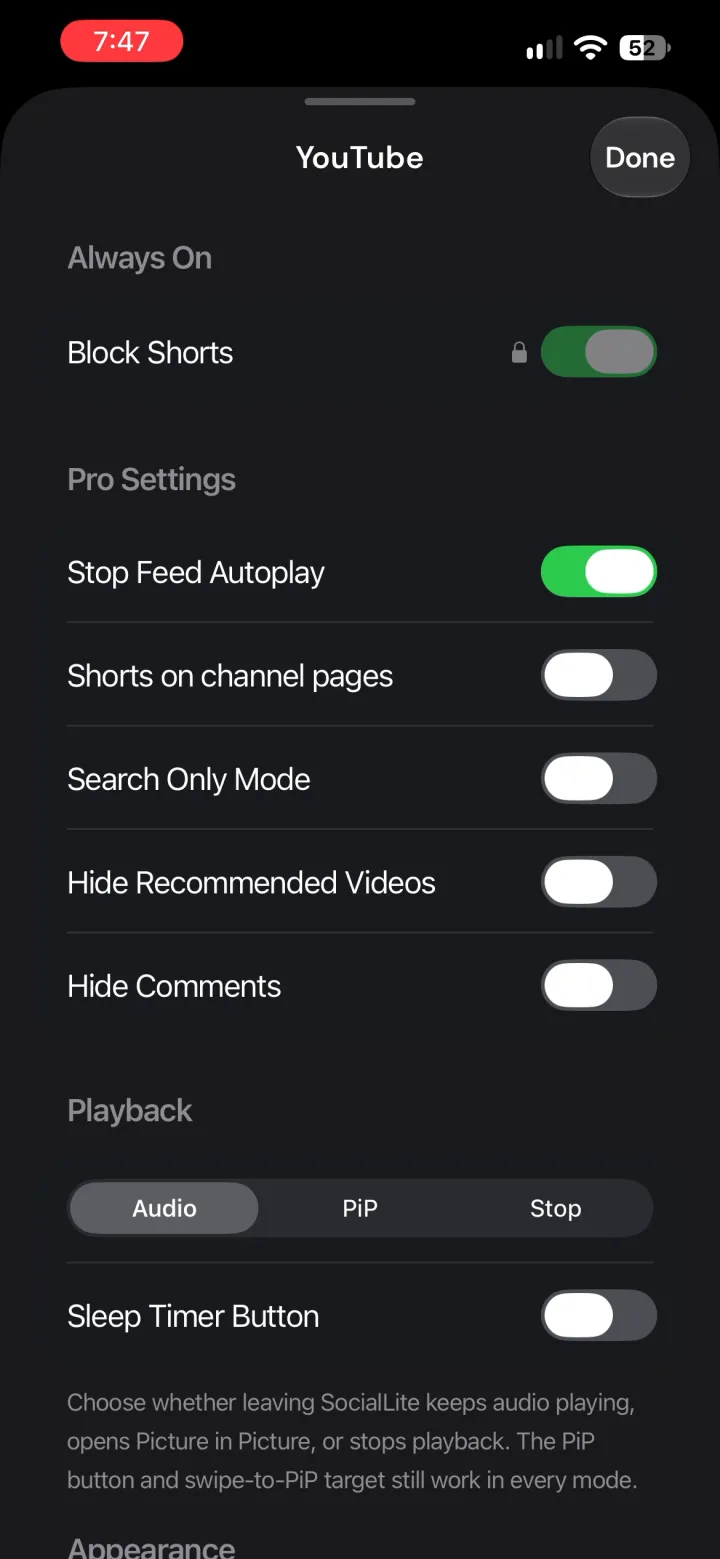
- Block Shorts is locked on, like Block Reels on Instagram.
- Pro switches to stop feed autoplay, allow Shorts on channel pages, a search-only mode, and hiding recommended videos or comments.
- A playback setting for when you leave the app: keep the audio playing, switch to picture in picture, or stop. So background listening is a choice, not something you lose.
We did not open a Shorts link directly. For a free way to cut Shorts in the real YouTube app, YouTube has its own setting, covered in how to stop watching YouTube Shorts.
How the blocking works, and how easy it is to undo
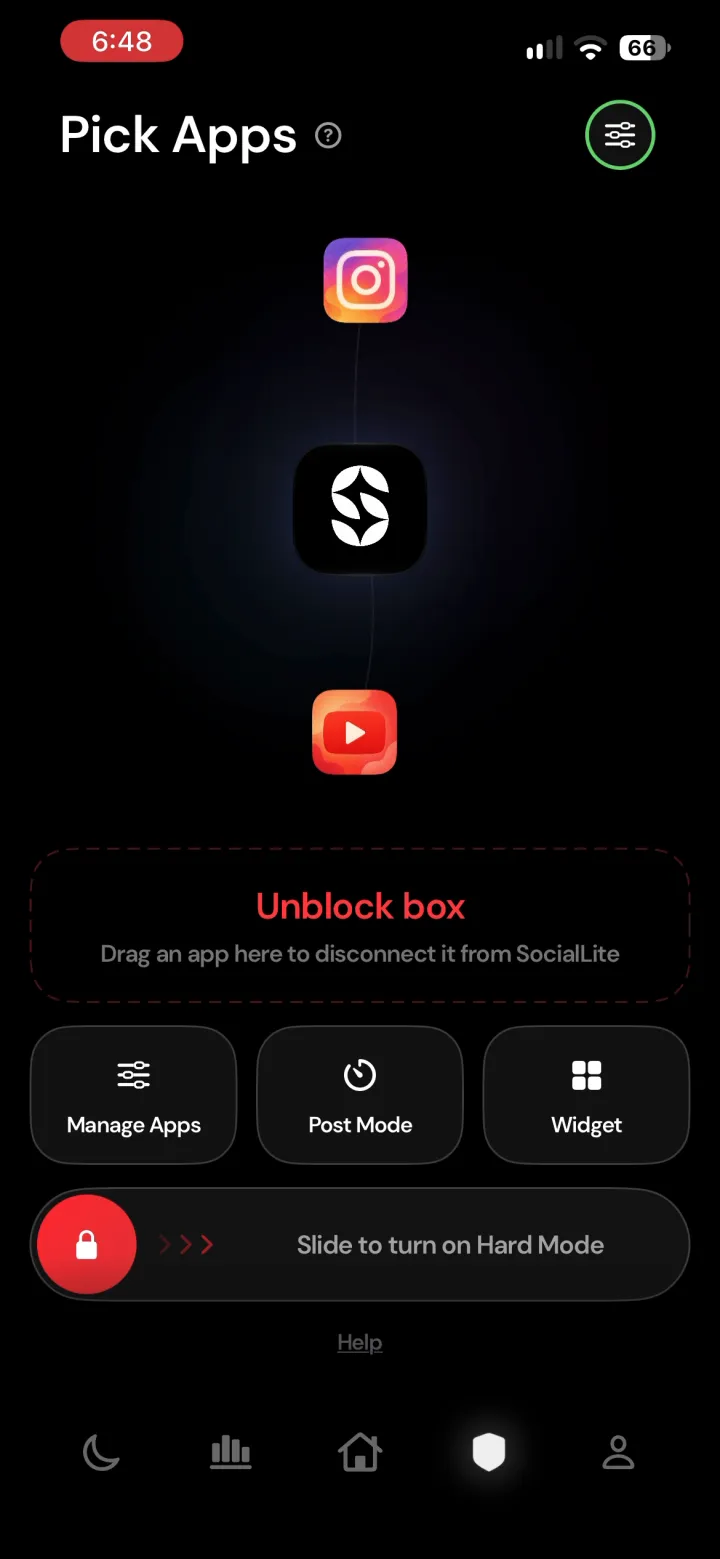
The Pick Apps tab shows your connected apps around the SocialLite icon. Under them is an Unblock box. Drag an app into it and the real app works again. Tapping a connected app explains this: blocking is on, it directs you to SocialLite, and if you disconnect it, the app on your phone is unblocked.
That is the weak spot. In a weak moment, unblocking Instagram is one drag.
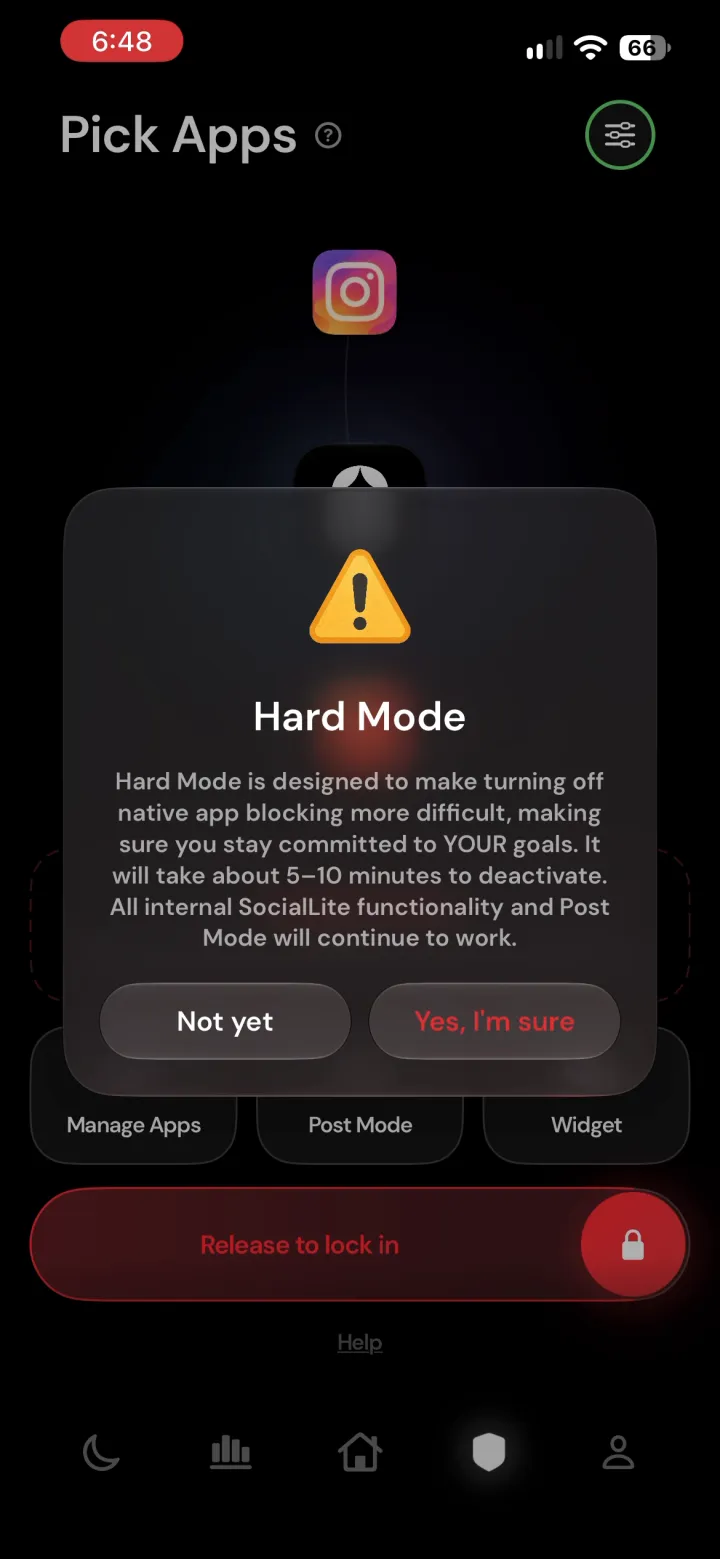
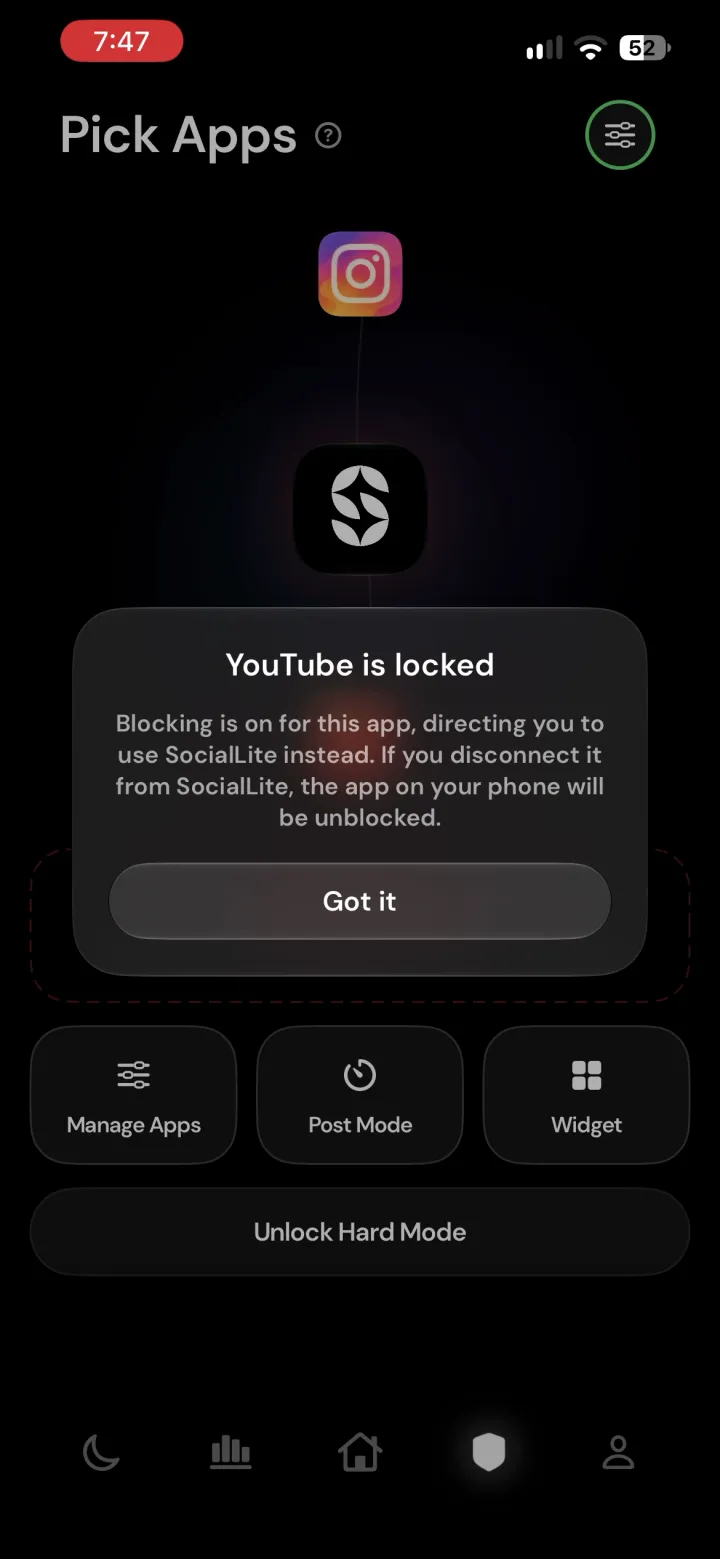
Hard Mode is the fix. You slide a switch to turn it on, and SocialLite warns that turning the block off will then take about 5 to 10 minutes. Everything inside SocialLite keeps working. Once we confirmed it, the slider was replaced by an Unlock Hard Mode button, and dragging YouTube into the Unblock box no longer worked: SocialLite just said "YouTube is locked".
Turning it off took four challenges in a row: type a short passage (one misspelled word and it is rejected), draw a cat, multiply without a calculator, then wait out a 60-second countdown. It took us about five minutes, and you can cancel at any step. The full walk-through, with screenshots of each step, is in SocialLite Hard Mode: how to turn it off.
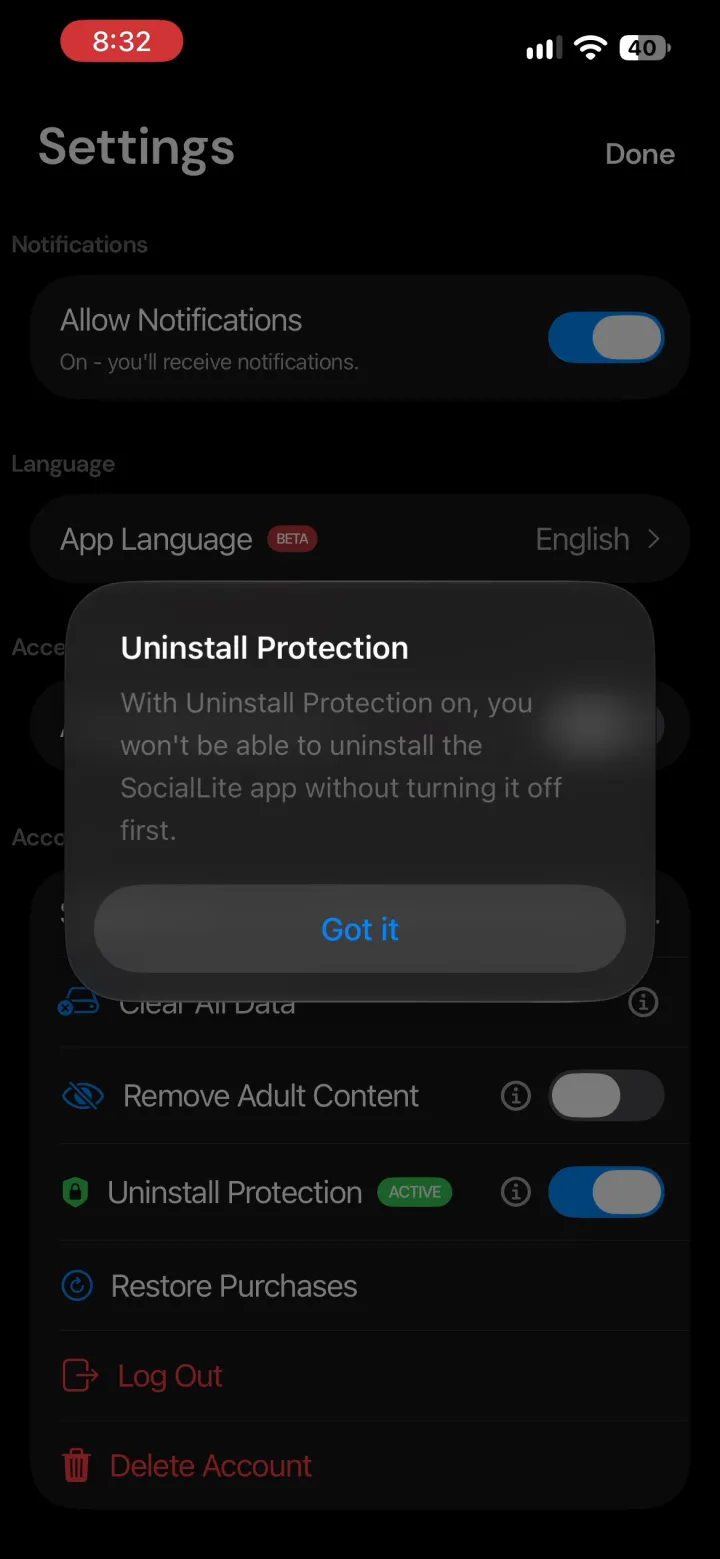
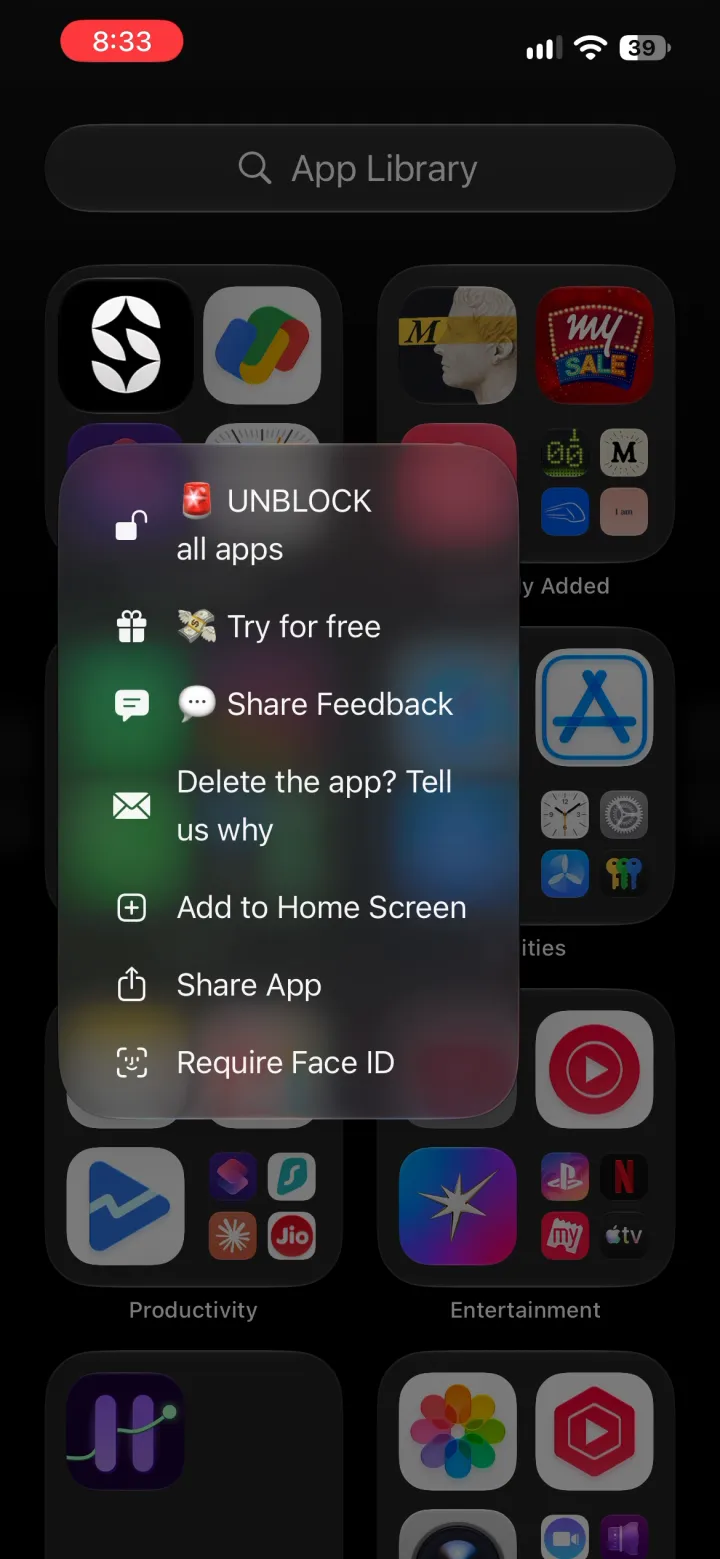
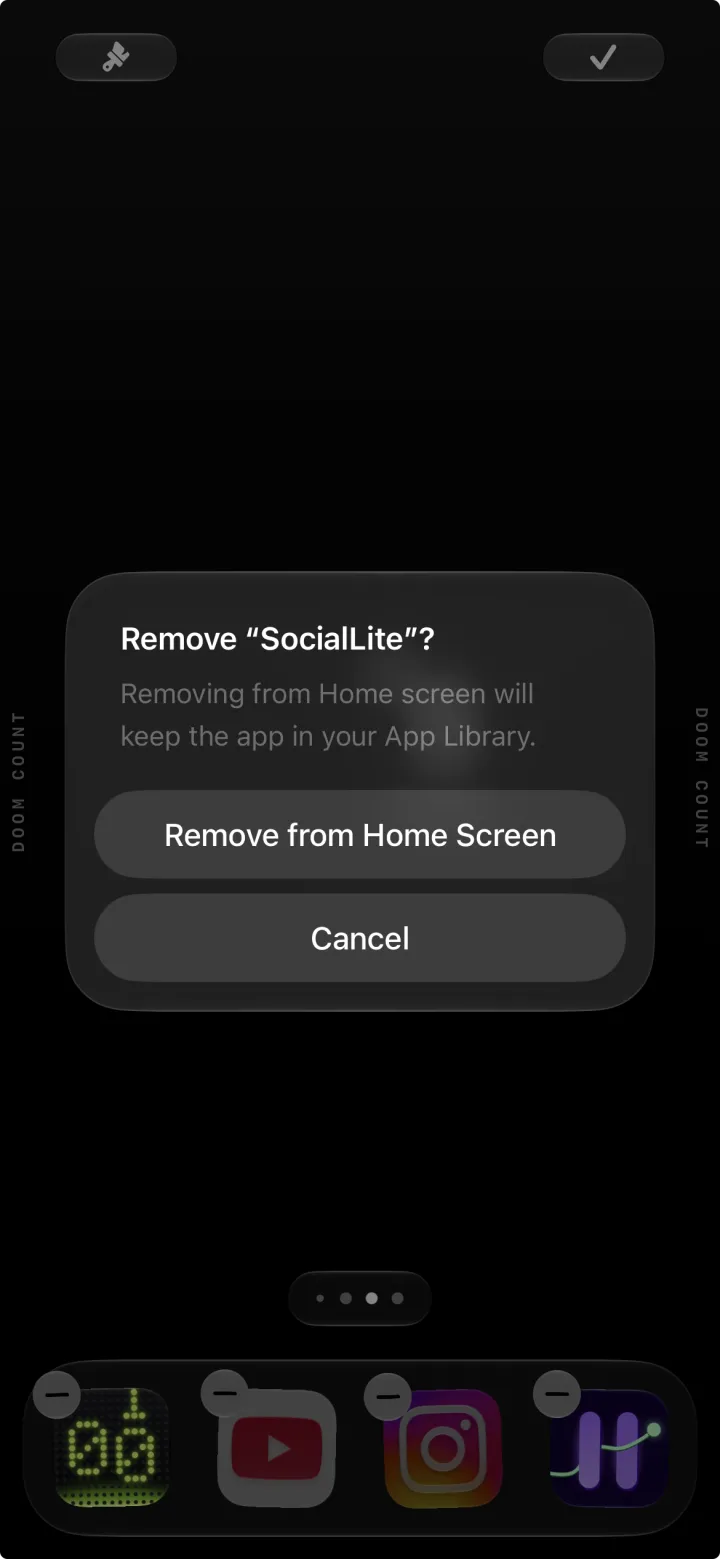
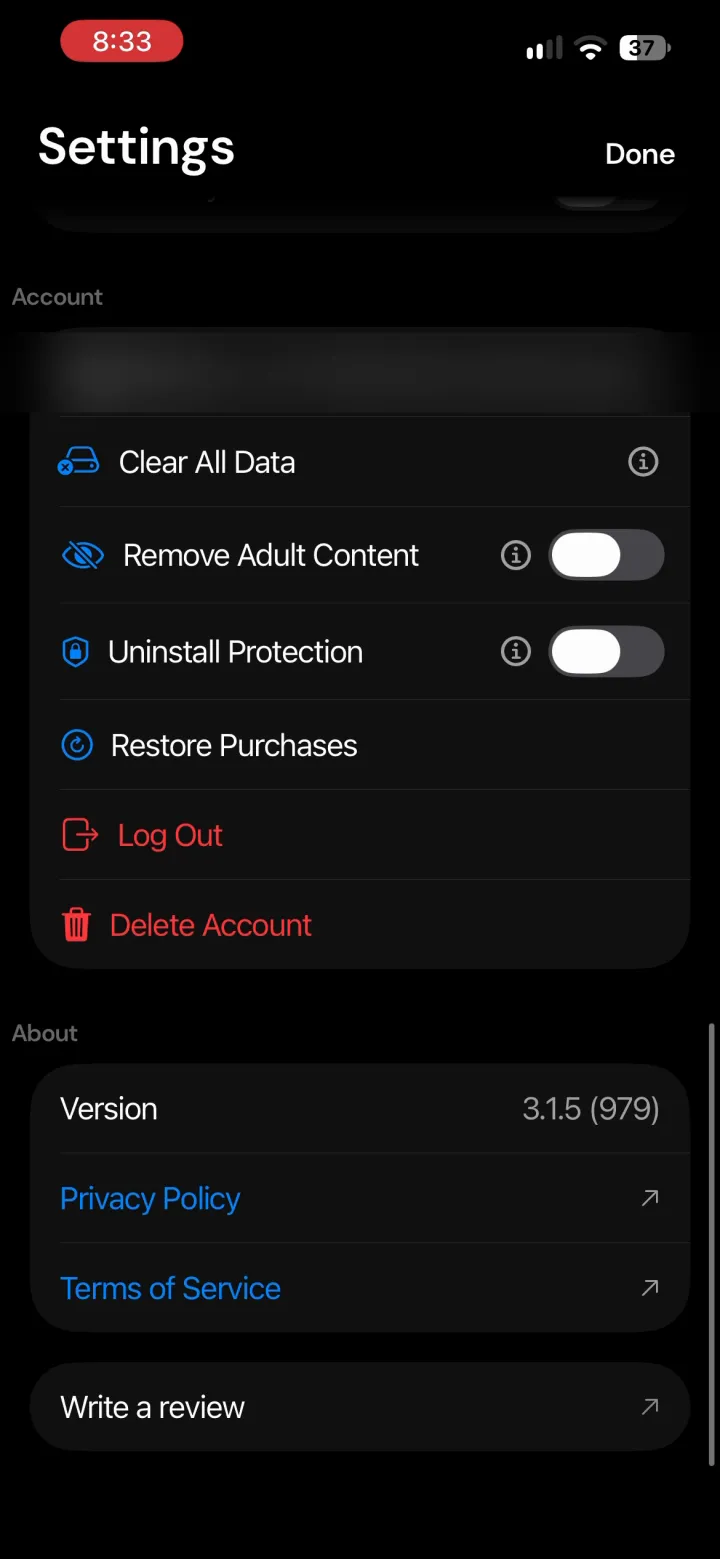
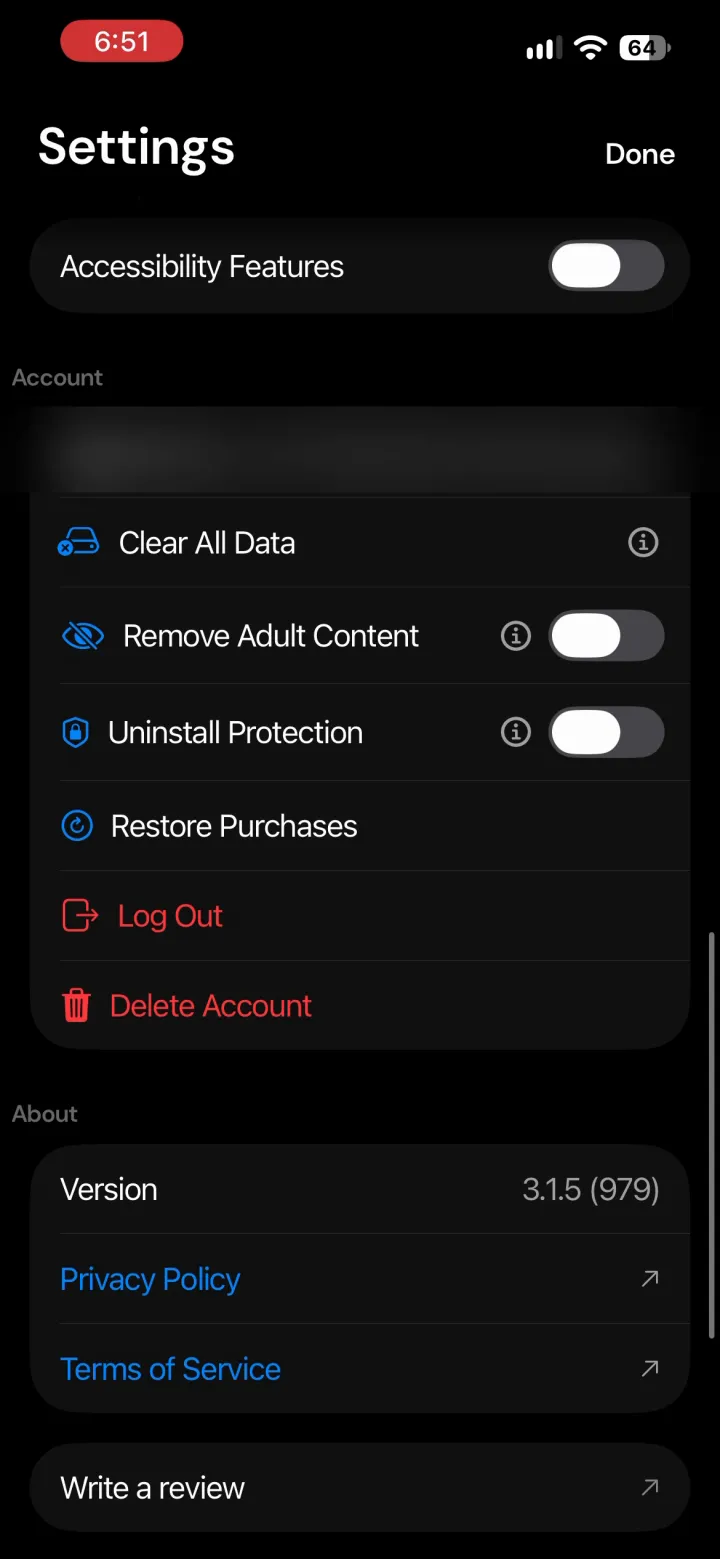
There is also an Uninstall Protection switch in Settings, and it does what it says. With it on, SocialLite warns that you cannot uninstall it without turning the protection off first, and long-pressing its icon showed no "Delete App" option at all. On the home screen, iOS offered only "Remove from Home Screen", which keeps the app. Instead the menu offered SocialLite's own shortcuts: "UNBLOCK all apps", "Try for free" and "Delete the app? Tell us why". We did not tap those.
The catch is the same as everywhere else: with Hard Mode off, as in our test, Uninstall Protection is one switch in Settings, and turning it off brought deleting back.
The other features
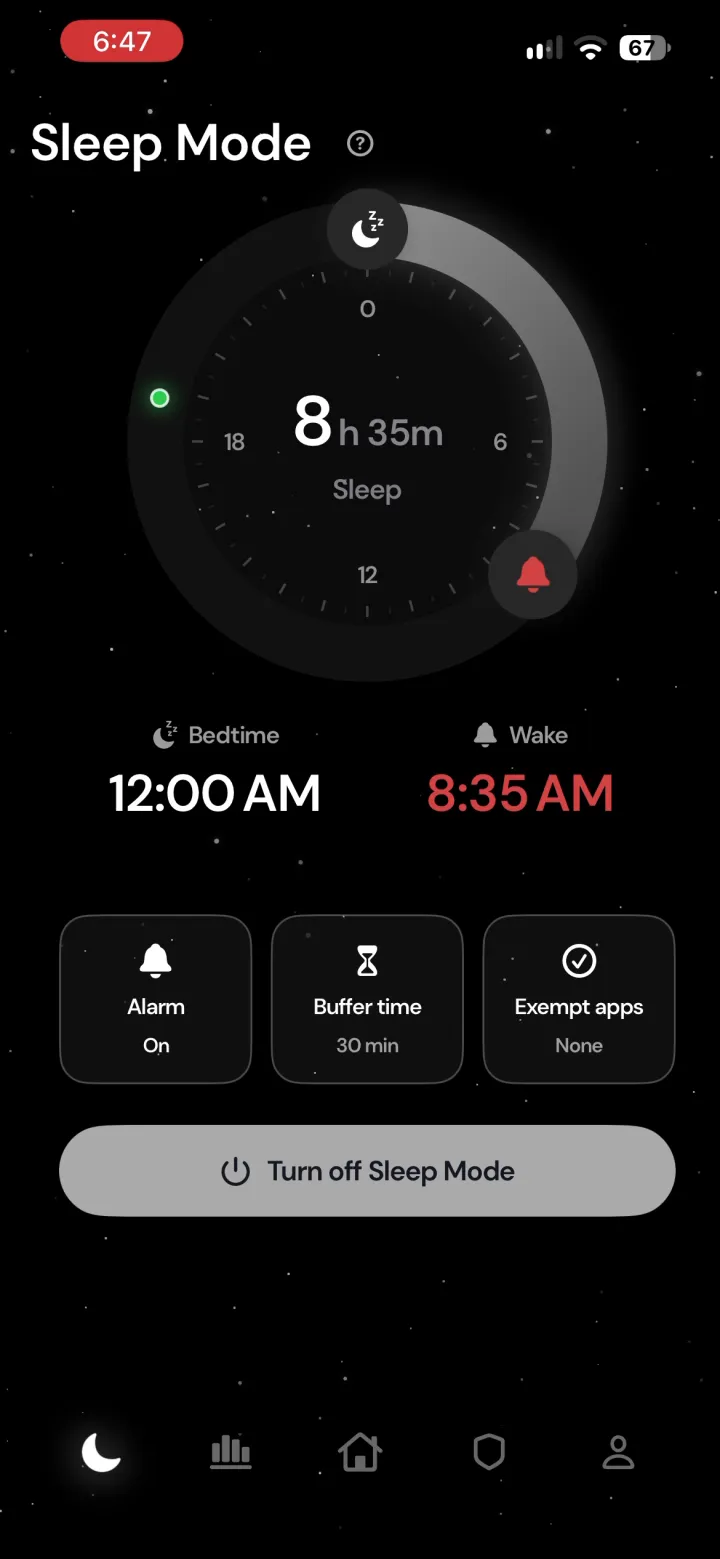
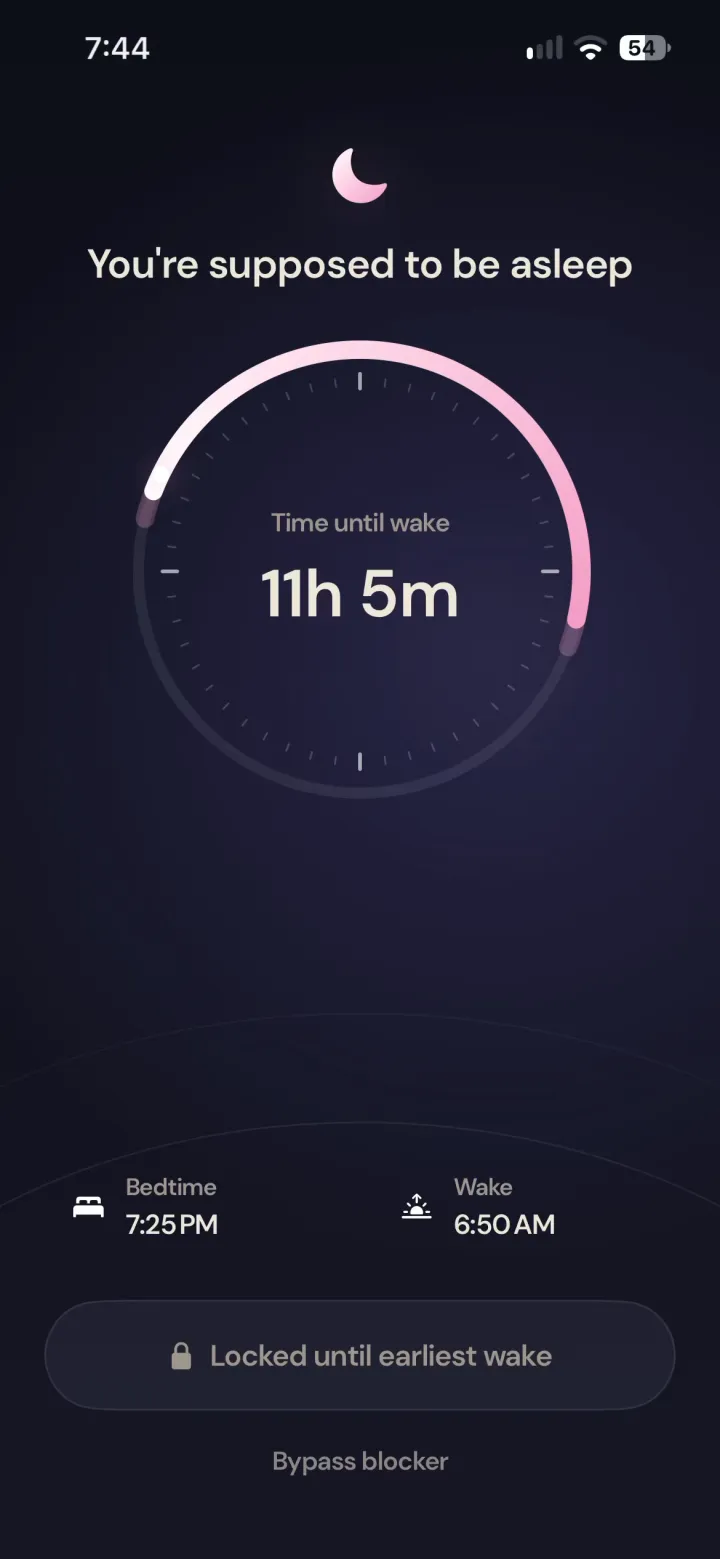
- Sleep Mode. You set a bedtime and wake time. Apps lock 30 minutes before bed (the wind-down), stay locked overnight, and stay locked for a set time after you wake (the morning buffer). You can exempt apps such as messages. It also sets a real iOS alarm. During it, SocialLite shows "You're supposed to be asleep" with the time until you wake and "Locked until earliest wake", plus a small "Bypass blocker" link. It is not hard to get past: with Hard Mode off, we swiped that screen away inside SocialLite and tapped "Turn off Sleep Mode", and it switched off at once. We did not try the Bypass blocker link or test Sleep Mode with Hard Mode on.
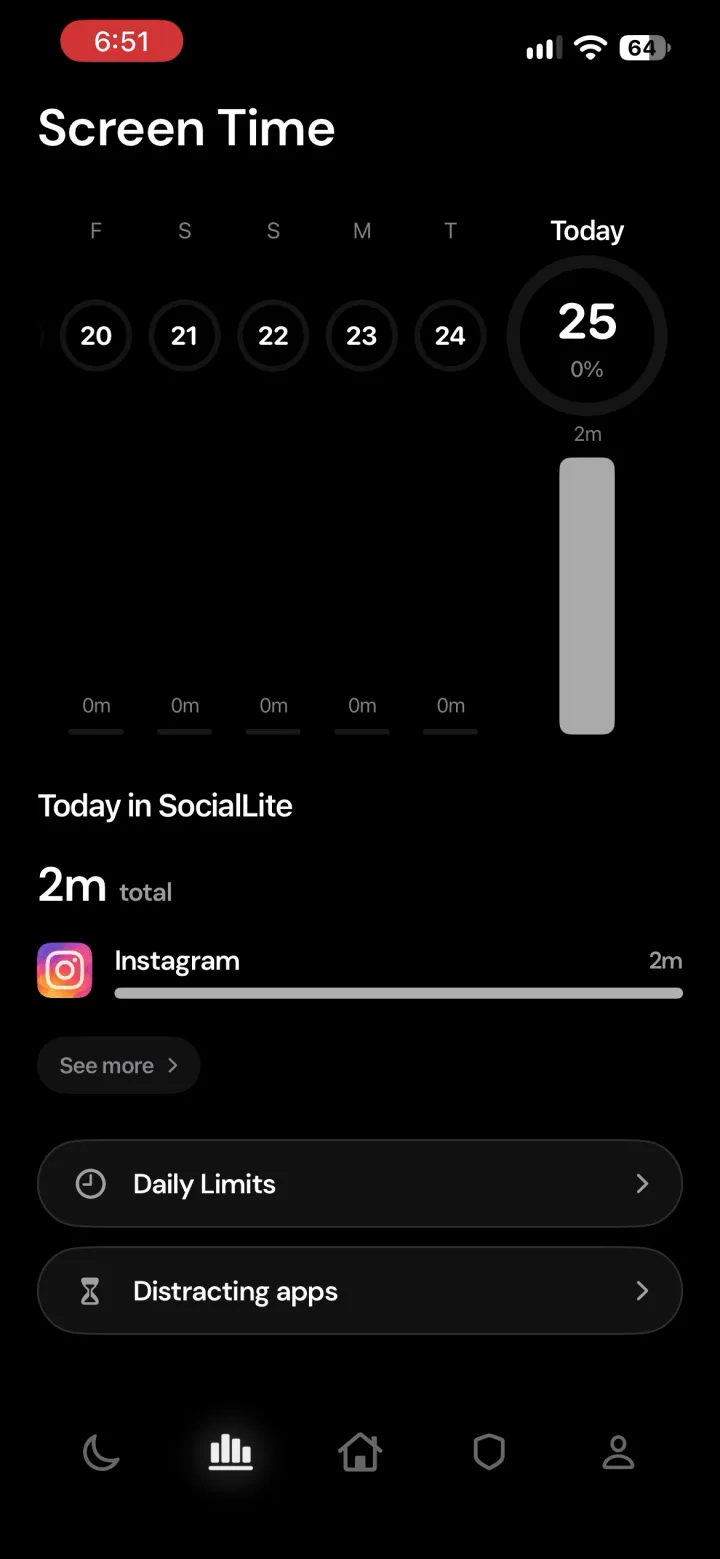
- Screen Time tab. Shows time spent inside SocialLite each day, per app, with daily limits.
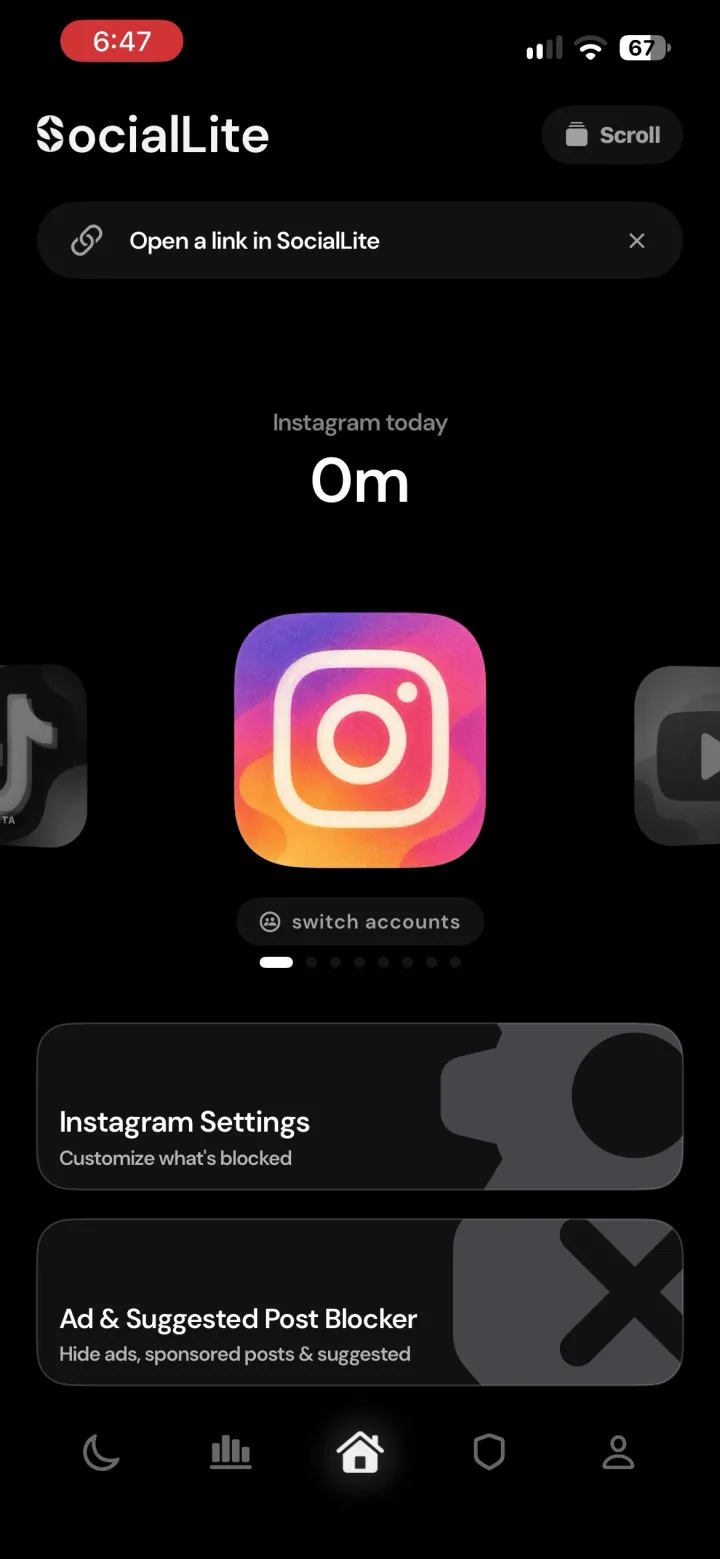
- Home. Your connected apps as big icons, with time used today and each app's settings.
- Profile. Shows "hours saved". Ours said 28.8 hours a few minutes after we installed it, so read it as SocialLite's estimate, not a measurement.
- Parental Controls, on the separate Family plan, to manage a child's apps remotely.
- Remove Adult Content, a switch in Settings.
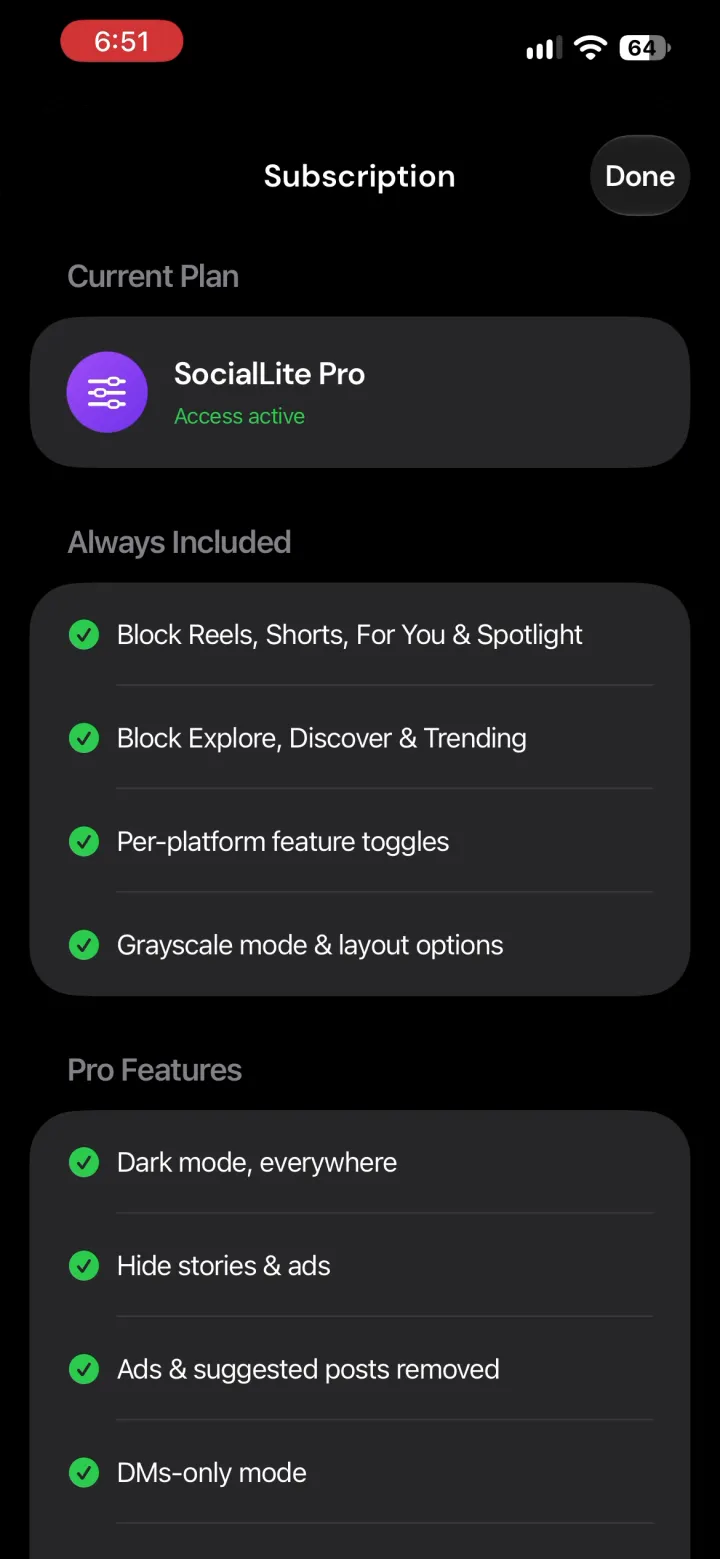
The subscription screen splits features into "always included" (blocking Reels, Shorts, For You and Spotlight; blocking Explore and trending; per-app switches; grayscale) and "Pro" (dark mode, hiding stories and ads, a DMs-only mode, switching Instagram accounts, a YouTube ad blocker, scheduled downtime and widgets). Our monthly plan included both.
Is SocialLite safe?
We found nothing that suggests SocialLite is unsafe. But there are three things worth knowing before you hand it your Instagram account.
1. You type your Instagram password into a page inside SocialLite. The login page is Instagram's own, with the Meta logo, loaded inside SocialLite's app. SocialLite's FAQ says you log in directly with each platform and it never sees your username, password or login details, and that a session cookie saved on your phone keeps you logged in. Its privacy policy says those cookies are stored on your device and that it does not access or send their contents to its servers.
The honest caveat: an app that shows a web page inside itself is technically able to read that page. So "we never see your password" is a promise, not something Apple enforces. We have no evidence SocialLite breaks it. If that bothers you, turn on two-factor authentication on Instagram before you log in.
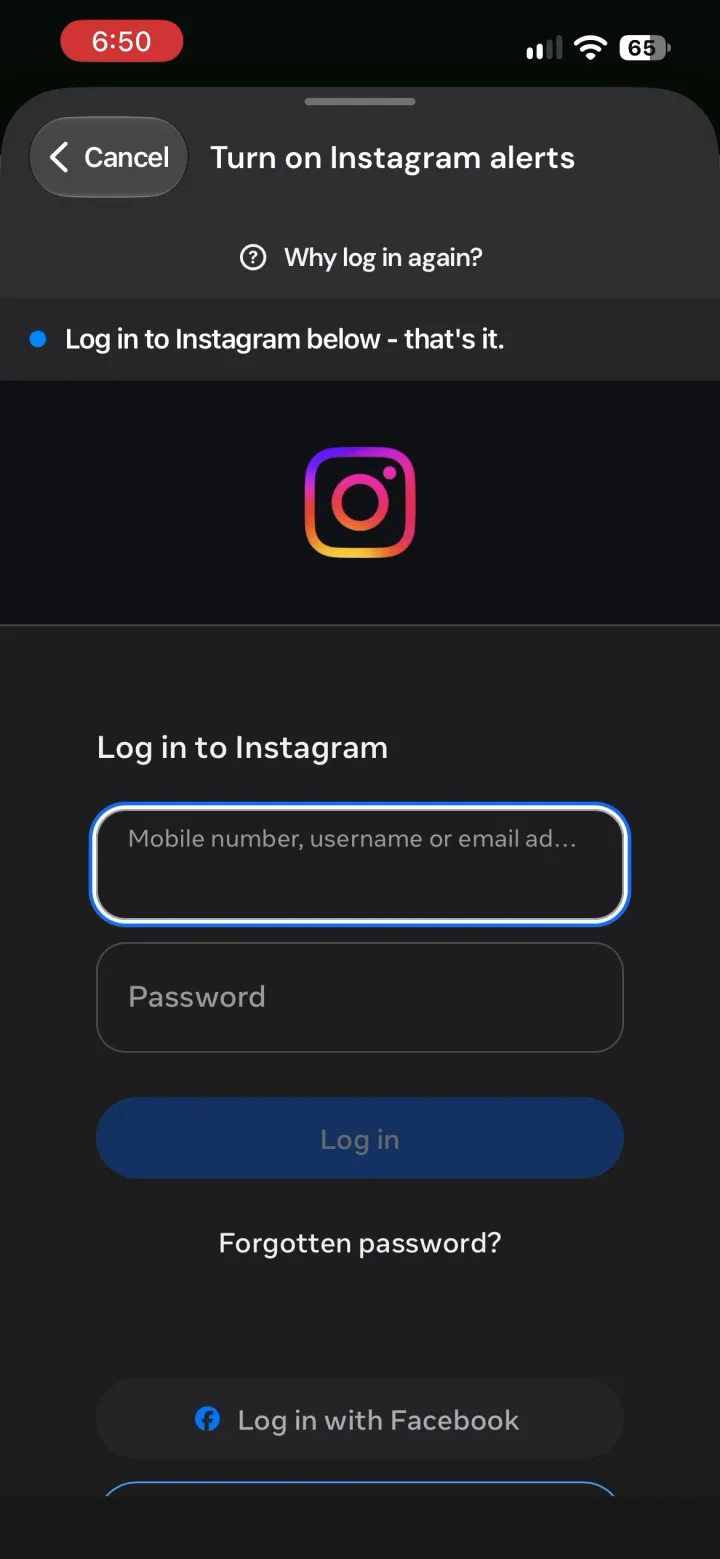
2. Notifications ask you to log in again. A "Notifications (beta)" feature offers Instagram and Snapchat message alerts through SocialLite. Setting it up showed a second Instagram login screen, with a "Why log in again?" link. SocialLite's privacy policy and FAQ do not explain how this feature works or what it stores. We did not complete it. If you want to keep things simple, skip it.
3. What it says it collects. From SocialLite's privacy policy (last updated 6 June 2026):
- It does not collect your social media passwords or read your DMs.
- It does collect your account details, device type and identifiers, and usage data, including "which social platforms you access through the App" and which features you use, plus crash reports.
- It says it does not sell your personal information. It mentions analytics providers but does not name them.
SocialLite's App Store privacy label goes further than the policy. On 25 November 2026 it listed Identifiers under "Data Used to Track You", which Apple defines as data that may be used to track you across other companies' apps and websites. That matches what we saw when we first installed it on 20 November: Apple's "allow tracking" prompt appeared before SocialLite's first screen.
One inconsistency: SocialLite's privacy summary page says "We don't collect, store or sell data about your social media use", while the full policy lists which platforms you open through the app as usage data. That is app-level data, not your posts or messages, but the two pages should say the same thing.
Can it get your Instagram account flagged? We saw no warning from Instagram during our test. SocialLite's pages do not mention the risk either way. A few App Store reviewers (3 of the 349 we read) say Instagram flagged their login as suspicious or kept logging them out. That is a small number, so it is a possibility, not a pattern.
The Screen Time permission itself is standard. Apple's own prompt says it may let the app see your activity data and restrict apps. Every iPhone app blocker, including ours, asks for it.
How to cancel SocialLite
It took us under a minute:
- Open Settings and tap your name.
- Tap Subscriptions, then SocialLite.
- Tap Cancel Subscription and confirm.
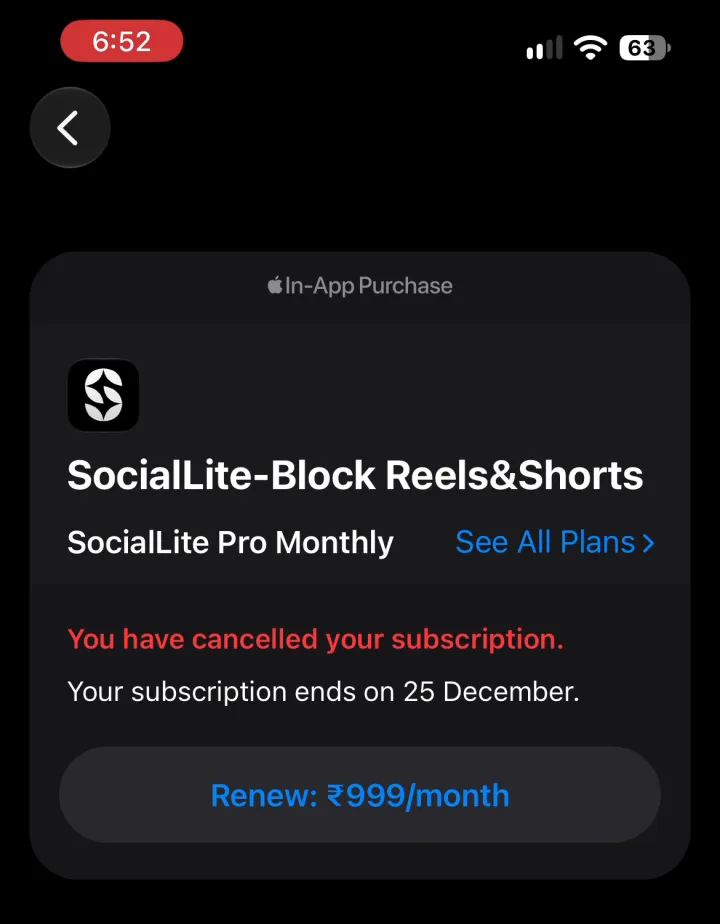
Apple showed that our service would end on 25 December, a month after we paid, so you keep what you paid for. Deleting the app does not cancel it. On Android, cancel in Google Play under Payments and subscriptions.
Is SocialLite worth it?
Worth it if Reels and Shorts are your problem but you need Instagram for friends and messages. No established free app on iPhone gives you Instagram without the Reels tab. A few small free ones copy the approach, with the same login catch (see the other apps that hide Reels). Turn on Hard Mode on day one, or the block is too easy to undo.
Not worth it if you would be fine with Instagram locked for set hours. A free blocker does that without a subscription, and without giving another app your Instagram login. Our SocialLite alternatives list covers the free and cheaper options.
Habit Doom, our app, takes the other approach: it locks the whole of Instagram and other apps until your daily habits are done, then lets you in. It does not remove Reels while keeping DMs open. The free tier covers app blocking, and Pro is $4.99 a month, $19.99 a year or $29.99 once.
Sources
- Our screen recording of SocialLite on iPhone, India App Store, version 3.1.5, purchase to cancellation, 25 November 2026
- SocialLite privacy policy (last updated 6 June 2026, read 25 November 2026)
- SocialLite privacy and security page (read 25 November 2026)
- SocialLite FAQ (read 25 November 2026)
- SocialLite on the App Store (US), including its App Privacy label (read 25 November 2026)
- 349 SocialLite App Store reviews from the US, UK, Canada and Australia, 24 October to 15 November 2026
- Apple: Cancel a subscription from Apple
Frequently Asked Questions
Keep Reading
SocialLite Hard Mode: What It Is and How to Turn It Off (2026)
Is SocialLite Free? What It Really Costs (2026)
SocialLite Alternatives: 10 Apps, Free and Paid (2026)
How to Remove Reels From Instagram (2026)
How to Stop Watching YouTube Shorts
Try Habit Doom
Lock your distracting apps. Complete your habits. Earn your screen time. It takes 30 seconds to set up.
Download Free