


How to Stop Checking Your Phone Unconsciously (2026)

 X
X LinkedIn
How to stop checking your phone unconsciously: quick answer
Unconscious phone checking is a habit loop, not a willpower failure. To break it, you have to remove the reward the loop is chasing. The most reliable methods, in order of effectiveness:
- Lock the rewarding apps by default. When the autopilot pickup produces nothing, the loop weakens.
- Kill all non-essential notifications. The buzz is the most common cue.
- Move social apps off the home screen and disable Face ID for them.
- Switch the phone to grayscale. Strips the color cues that drive emotional engagement.
- Charge the phone in another room overnight. Removes the morning autopilot pickup.
- Track the count. Visibility on your pickup number is itself a friction layer.
Below: why phantom checking happens neurologically, the data on how often the average person actually checks, and a 4-week plan to cut pickups by half.
What is phantom checking?
Phantom checking is the unconscious habit of picking up your phone and opening apps without any conscious decision. The hand moves before the brain registers an intention. The thumb has already opened Instagram before you remember why you grabbed the device.
Researchers studying smartphone behavior describe this as a fully automated habit loop. In Charles Duhigg's framework (built on neuroscience work at MIT), habits run on a three-part cycle: cue, routine, reward. With unconscious phone checking, the cue is often subtle: a transition between tasks, a half-second of boredom, ambient anxiety. The routine is the pickup and swipe. The reward is the variable-ratio dopamine hit from whatever the feed delivers.
After enough repetitions, and most adults have repeated this loop tens of thousands of times, the routine runs without conscious involvement. Your brain has decided that the loop is efficient and worth automating, the same way driving a familiar route becomes automatic after a few months.
How often do people actually check their phones?
The numbers are higher than most people guess.
Asurion's 2019 survey measured the average American at 96 phone checks per day. A later Reviews.org survey in 2023 put the figure at 144 per day. The number has climbed as phones absorbed more of daily life.
A behavioral study from dscout went more granular, using passive tracking apps installed on participants' phones. Across 76 users, it found an average of 2,617 touches per day, with the heaviest 10 percent hitting 5,427. That definition counts every individual tap, swipe, and type, not just distinct pickups, which is why the numbers dwarf the self-reported checking figures.
On top of that, app-usage trackers consistently show US smartphone users average roughly four hours of screen time per day. If most checks last under 90 seconds, that arithmetic only works with well over 100 checks per day for the typical user.
The variance is large, but the floor is high. Almost no one in 2026 checks their phone fewer than 50 times a day. The interesting question is not whether you phantom-check (almost everyone does) but how much of your checking is conscious.
Why willpower does not stop phantom checking
Willpower fails because phantom checking does not engage willpower in the first place. You cannot exert self-control over a behavior your conscious brain is not present for. By the time you notice you are scrolling Instagram, the habit loop has already completed three times.
This is why "just put your phone down" advice produces such weak results. The behavior is happening below the threshold of awareness, on a circuit your prefrontal cortex is not driving. To change it, you have to change the conditions the loop runs under, not try to interrupt it consciously every time.
The good news: habit loops are surprisingly fragile when their reward is removed. Habit behaviors tend to weaken once they stop delivering the expected payoff. The brain's habit-engine is constantly evaluating "is this still worth automating?" and demotes loops that go cold.
That is the lever. You cannot stop the pickup. You can starve the reward.
6 methods to break the unconscious checking loop
1. Lock the rewarding apps by default
The strongest intervention is also the simplest: when the phantom pickup completes, the rewarding apps should not be available.
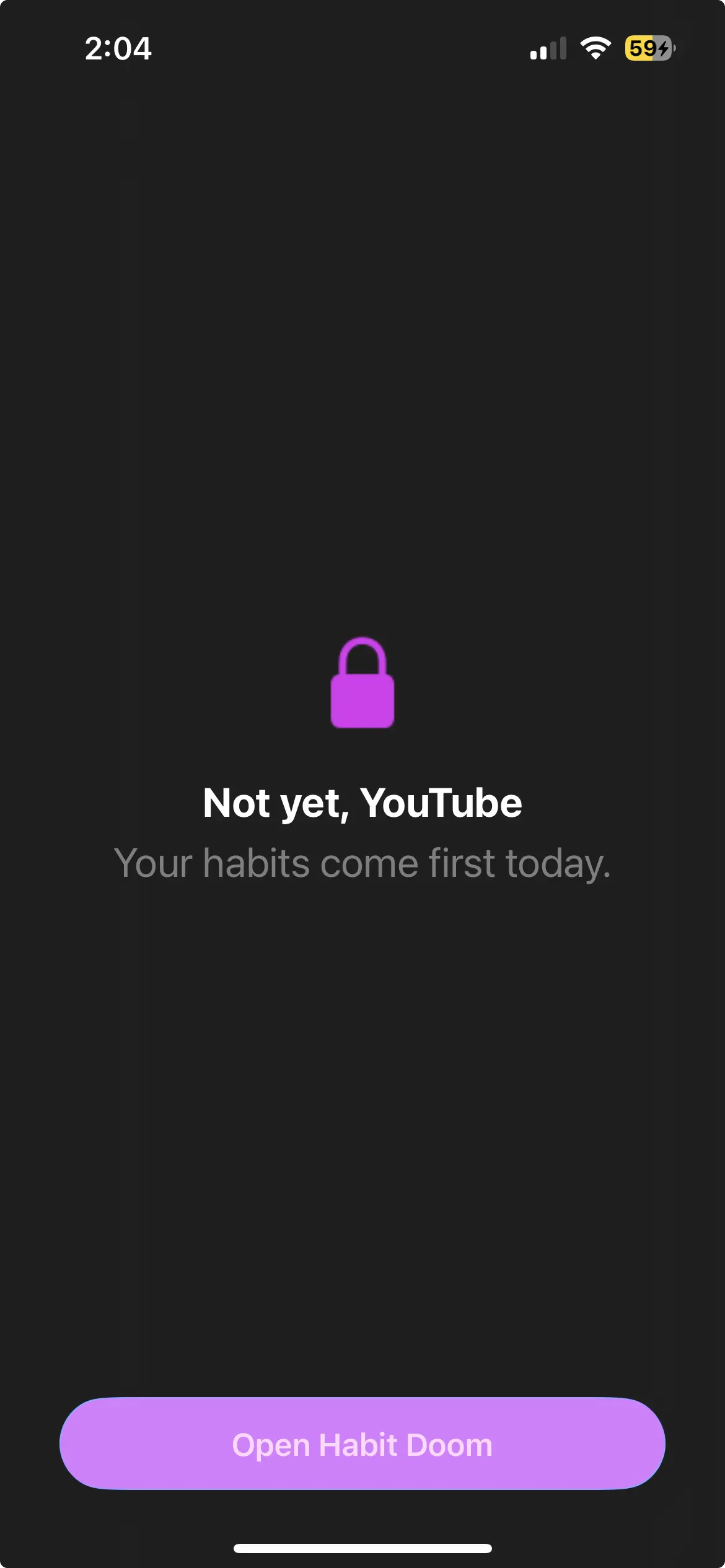
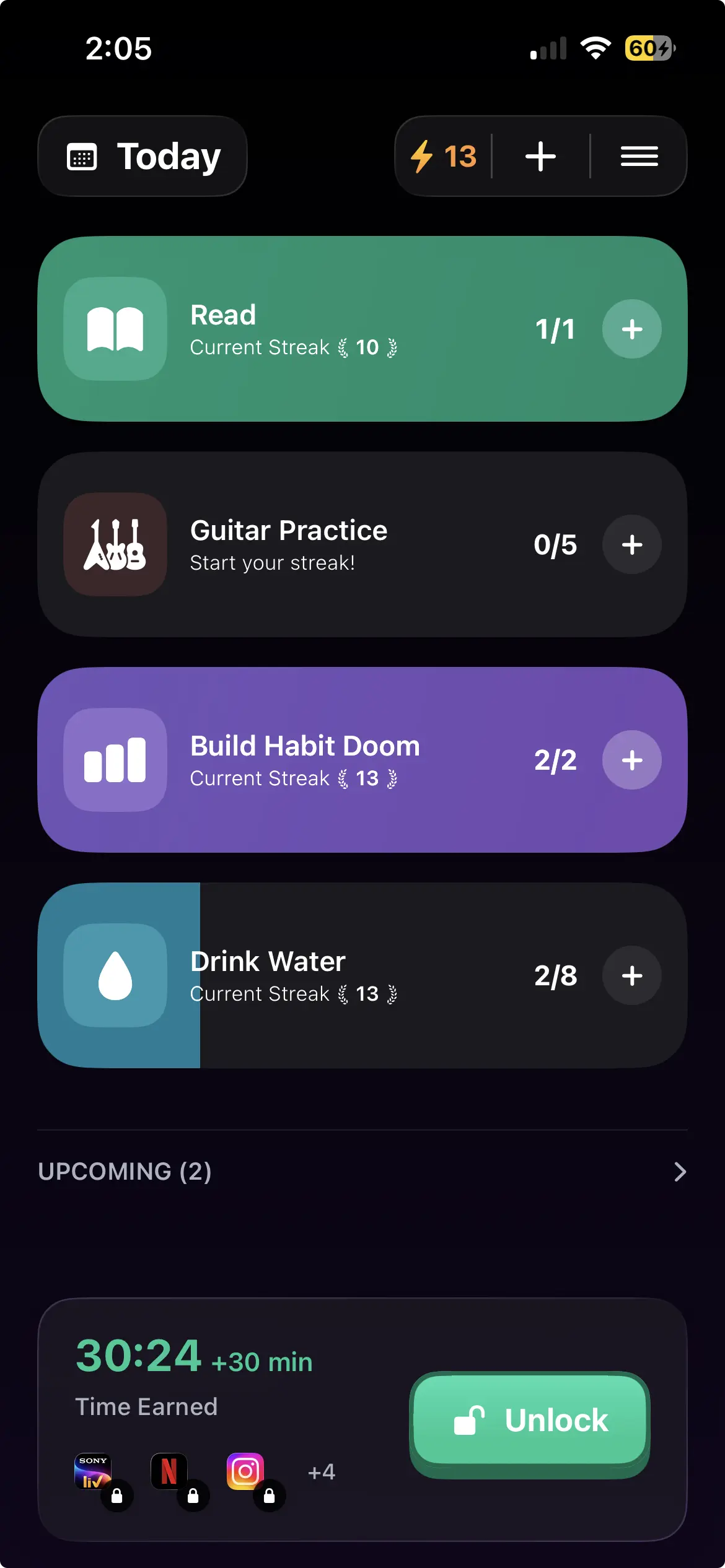
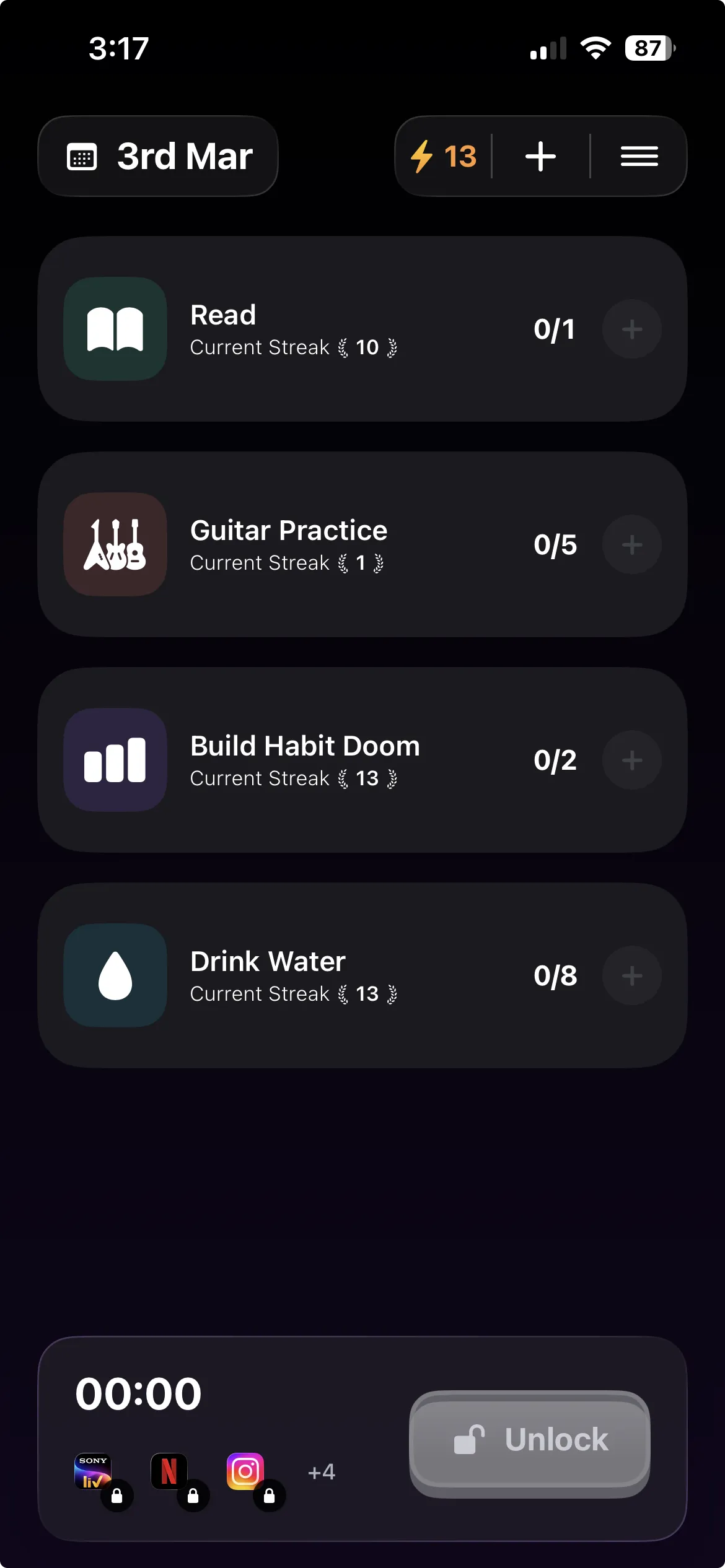
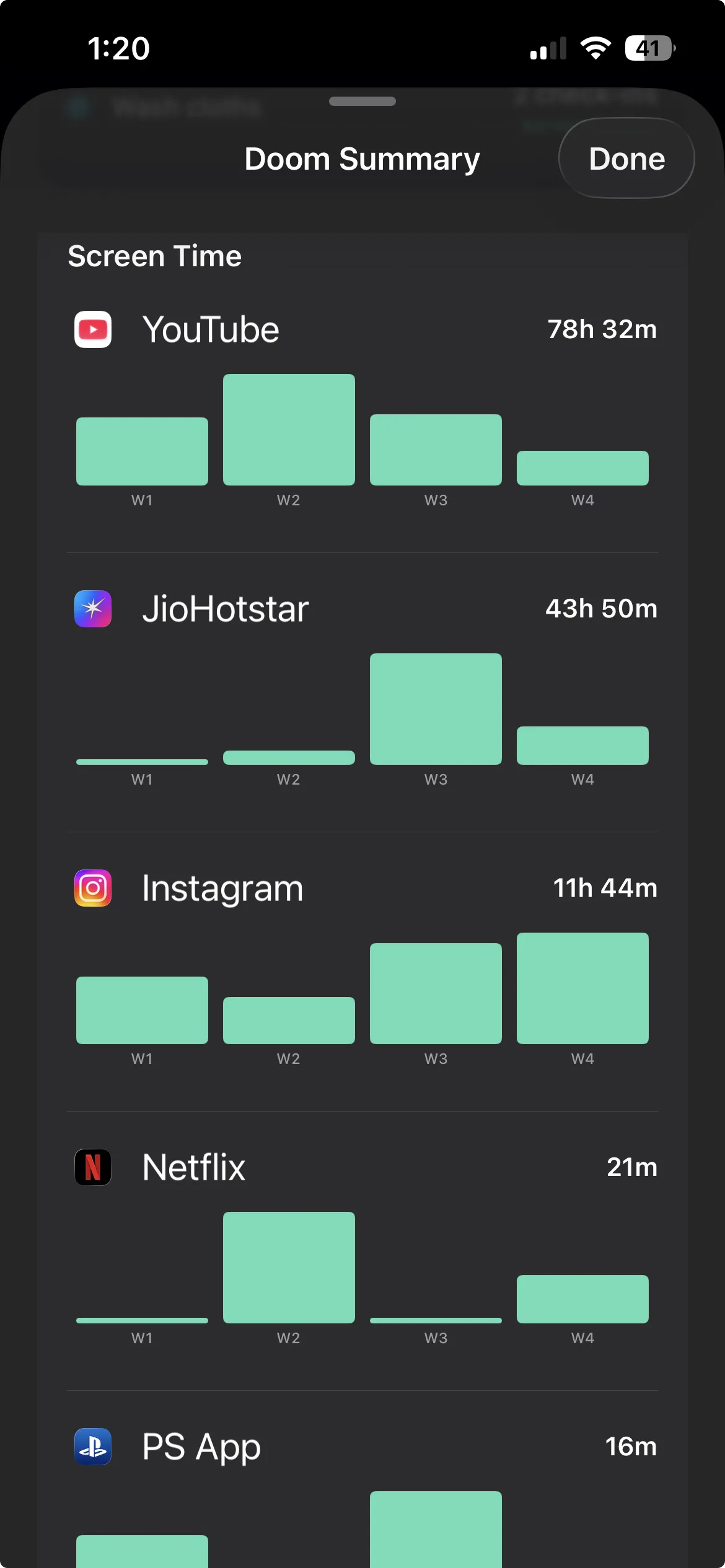
Habit Doom is built on this mechanic. You pick the apps that get blocked (TikTok, Instagram, X, Reddit, YouTube, anything that delivers the variable reward) and set the daily habits that unlock them. The apps stay locked until the habits are done. When the unconscious pickup happens (and it will, for the first few weeks), the lock screen appears. No content. No swipe. Empty reward.
This is the cleanest way to weaken the loop because it does not require willpower at the moment of the pickup. Habit Doom uses Apple's Screen Time API plus Anti-Cheat, so force-quitting, uninstalling, or changing the system clock does not bypass the lock.
Other strong blockers work the same way at the OS level: Opal, Freedom, and Jomo all use the Screen Time API. The difference is that Habit Doom ties the lock to habit completion rather than a clock schedule, which matches better with unpredictable real-world routines.
2. Turn off all non-essential notifications
Notifications are the single most common cue for a phone pickup. Each buzz is an invitation, and your hand is in motion before the brain weighs in.
Strip them ruthlessly:
- All social media: off.
- All news: off.
- All retail and shopping: off.
- Email: off, or batched to two times per day with the Focus Mode feature.
- Group chats: off, with individual people you actually need to hear from set to Allow Notifications.
Keep only what you genuinely need within 60 seconds of arrival: phone calls, direct messages from a short whitelist, calendar reminders, and authentication codes. A single night of notification cleanup can meaningfully cut daily phone pickups by removing the most common cue.
3. Move social apps off the home screen
The home screen is the autopilot launchpad. When you swipe up and the Instagram icon is right there, the pickup completes in under two seconds. When the icon is in a folder on page three, the pickup pauses long enough for conscious awareness to interrupt.
Move every distracting app to the App Library (iOS) or a hidden folder (Android). Add one more friction layer by disabling Face ID for those apps. They will now require a passcode, adding 5 to 10 seconds of conscious effort to open.
4. Switch to grayscale mode
Social media apps use saturated color, red notification badges, and bright orange-pink gradients because those visual cues capture attention and trigger emotional responses. Stripping them removes a major part of the reward.
On iPhone: Settings → Accessibility → Display & Text Size → Color Filters → Grayscale. Set up the Accessibility Shortcut (triple-click side button) to toggle grayscale on and off so you can switch back when you genuinely need the color (camera, maps, photos).
Instagram in grayscale is fundamentally less engaging than Instagram in full color. Your brain notices.
5. Remove the phone from the bedroom
The two most automatic phone pickups of the day are the wake-up scroll and the pre-sleep scroll. Both happen in bed, both happen before the conscious brain is fully online, and both anchor the rest of the day's checking habit.
Buy a $10 dedicated alarm clock. Charge the phone in another room overnight. This single change removes both anchor pickups in one move. Getting the phone out of the bedroom tends to cut total daily phone use noticeably within the first week, much of it driven by the elimination of those two automatic pickups.
For more on building phone-free zones, see our digital detox guide.
6. Track the count
Visibility on the number itself is a surprisingly effective friction layer. iOS Screen Time's weekly report shows pickup count broken down by hour. Open it every Sunday for one month.
When you see "Average daily pickups: 132" in writing, the abstraction "I'm on my phone too much" becomes concrete. The next time you reach for the phone in a meeting or during dinner, the number is in the back of your mind. That is one extra moment of conscious awareness, exactly what an automatic habit loop cannot survive.
This works best in combination with the others. Tracking alone changes behavior modestly; tracking plus blocking plus environment design changes it significantly.
A 4-week plan to cut pickups by half
If you want a concrete schedule, here is one. Do them in order, layering one per week.
Week 1: Notification audit. Strip every non-essential notification. Expect a 30 to 50 percent drop in pickups by Friday.
Week 2: Home screen reset. Move social and entertainment apps off the home screen. Disable Face ID for them. Grayscale on the Accessibility Shortcut.
Week 3: Hard blocker installed. Install Habit Doom or another habit-based blocker. Lock your top 3 distractions. Set 2 to 3 daily habits that unlock them. Apps stay locked until habits are done.
Week 4: Bedroom out. Move the phone out of the bedroom overnight. Use a dedicated alarm. Track Sunday-to-Sunday Screen Time pickup count.
By the end of week 4, most users see daily pickups drop from 100 to 150 down to 40 to 80. The unconscious habit has not vanished. The loop has been starved enough that the brain no longer prioritizes it.
What does not work
A few popular tactics fail more often than they succeed:
- iOS Screen Time limits without a third-party blocker. The Ignore Limit button defeats the limit in one tap. For why this fails, see our Screen Time iOS alternatives breakdown.
- Streak-counting apps with no blocking. Counting how many days you have not opened TikTok does nothing if TikTok is still one tap away.
- Deleting and reinstalling apps. This is so common it has a name (the "app yo-yo") and almost everyone who tries it reinstalls within 72 hours.
- "I'll just have more willpower." Phantom checking happens below willpower's threshold. Willpower cannot stop a behavior it is not present for.
The honest take
The unconscious phone check is not a moral failing. It is a habit loop your brain optimized for, the same way it optimized walking, brushing your teeth, and starting your car. The fact that it now produces 144 pickups per day is a sign the loop is well-trained, not a sign you are broken.
You cannot un-train it with willpower. You can starve it. Lock the apps. Strip the cues. Move the device out of arm's reach during automatic windows. Give the loop 4 weeks of empty rewards. The brain will downgrade it.
For the dopamine-side of why this loop is so hard to interrupt and what variable rewards do to attention, see our companion post on why you keep picking up your phone. When you are ready to install the hard blocker, Habit Doom is free and uses the same Apple APIs as Opal and Freedom, without the Ignore Limit escape hatch.
Frequently Asked Questions
Keep Reading
Try Habit Doom
Lock your distracting apps. Complete your habits. Earn your screen time. It takes 30 seconds to set up.
Download Free